
The big feature we have added this time is B2B testing. This is one of the features I’m most excited about because it really covers the bigger challenge on B2B that are holding a lot of customers back from migration. You cannot build a good EDI (X12/EDIFACT) infrastructure without having a complete testing setup for it. That is what we have built.
If at all are using B2B framework then this update together with SAPs Integration Suite and TPM is going to be the way for you.
App router update
Some of you have received the note that NodeJS was no longer supported with the buildpack. We have fixed in the latest deployment descriptor. So next time you upgrade figaf please refresh the BTP users template files. Be sure to synchronize with your own changes or use the change versions.
As a bonus we changed the standard timeout to 60 minutes so you don’t have to login all the time. So use the new template when updating to this release.
B2B testing with TPM
We have previous had an option to create test cases for B2B using Chain object. Where we could link multiply flows together and it would enable us to do the testing. But it was we felt it could be improved to be easier and like much closer with the TPM.
So we have build a testing approach connected with the data from TPM Agreements. That way you can search across all the parameters and find the test cases you want to run.
The solution have been build support both testing with MIGs/MAGs but also with iflows with ProcessDirect, the last is perfect for migration.
On the test case object you will now be able to switch to show the TPM objects.
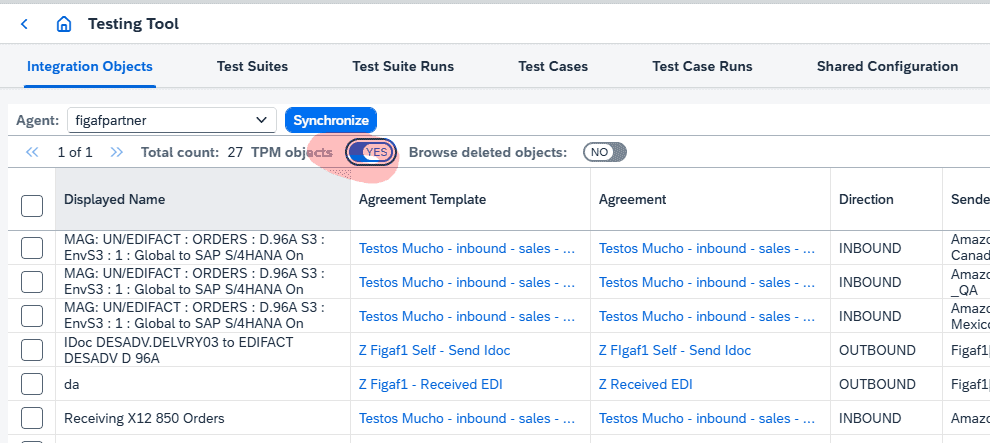
Compared to the earlier approach for testing this does not require trace mode. This makes it to perform testing at scale of the landscape. You just select an Agreement and then you can create test cases based on the next messages that is being processed on it.
Change tracking of all TPM objects
To achieve this we needed to have change tracking that is used in the TPM. It means you can see versions and see when someone has made changes to an object and see what was changed. This makes it easier to see changes.
It will also link to between TPM B2B Scenarios you can now find related iflows via ProcessDirect and the MIGs as a where used.
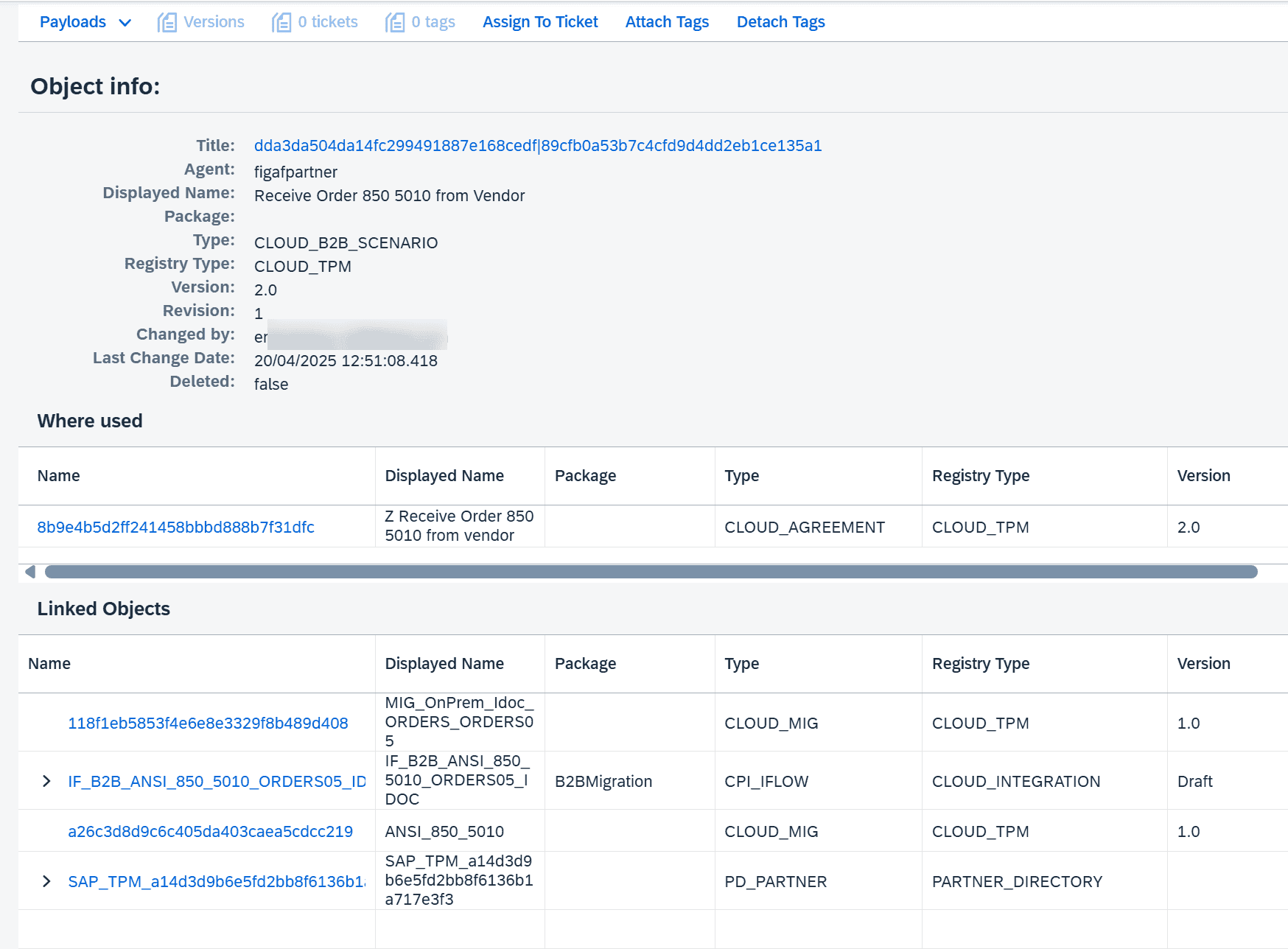
This makes it much easier to see the changes and how they made them.
We will probably also add support for MAGs to be able to perform good filtering and version of them.
Migration testing
We have added support also for migration of SAP PI/PO EDI messages and migration to TPM. So you can record your messages on SAP PI/PO and then migrate them to the relevant TPM Agreements.
When you migrate the test case you can select which TPM Scenario you want to be using this with.
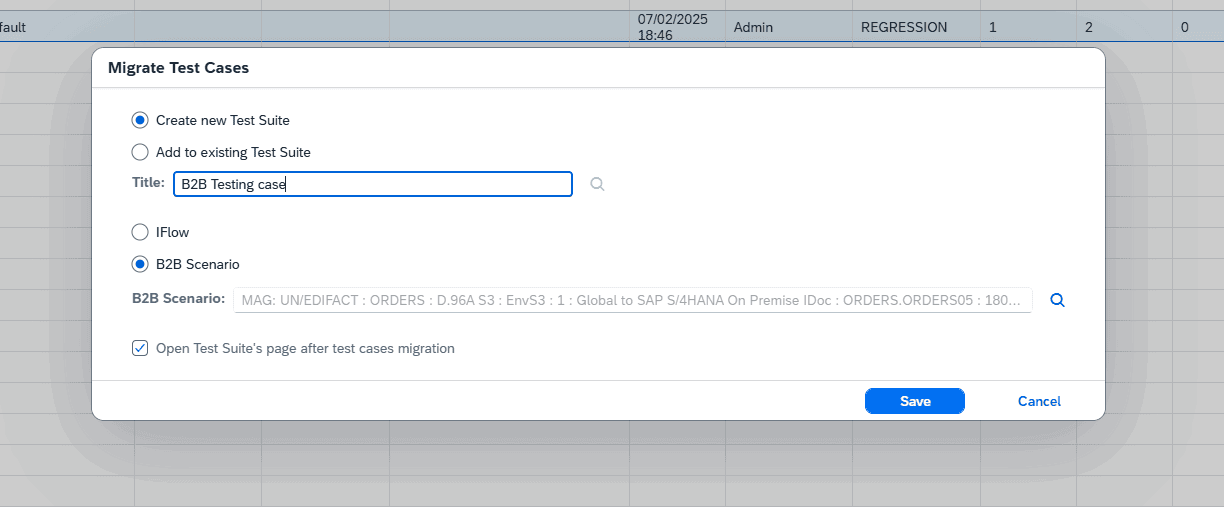
These two options will greatly reduce the time needed for the migration journey.
Migration of UDF with TPM.
One of the big challenges with migrations change of SAP API from Trading Partner or Directory API or other lookups. If you use such functions your migrated objects will not work.
If your UDF uses such lookups that could be problematic they will be commented out. That way there is a large change that the mapping will continue to work. You can then fix only the parts that are causing problems.
We also skip the import of the TPM Imported Archives because they don’t have a chance to work but just take up lot of space in the iflows.
Remember Figaf can also automatically convert EDI Message mappings and also migrate the B2B formats. Making the migration journey much easier.
Let us know how it works and if you need more functions commented out.
The full journey of the migration is the following.
Watch on YouTube Migration of SAP PI B2B to SAP Integration Suite TPM end to end
Future directions
I think we have an excellent foundation for it now. There are parts around the process I would love to improve, to simplify the process, but the main functionality works quite well. Please take it for a spin and recommend areas where we can improve the setup.
One of the clear areas where we can add more value is to add transport capabilities to the TPM setup. How is still something that we need to figure out. We would also like your input to it.
We will at a later point find a way to license this as a separate service from our DevOps package. Having a B2B setup where you can test all transactions with ease will reduce the cost of building and maintain it.
Alternative partners
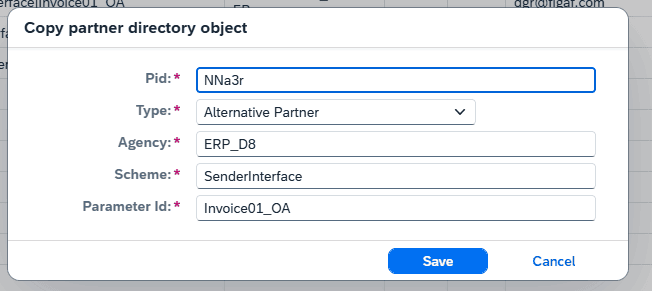
We have updated the Alternative partners UI so they became much easier to administrate, edit or delete them.
You also have the option to search for different value so you can find the places that is using a specific ID. This makes it a lot easier to see where something is used. Just click on the ID column and add the name you want to search for.
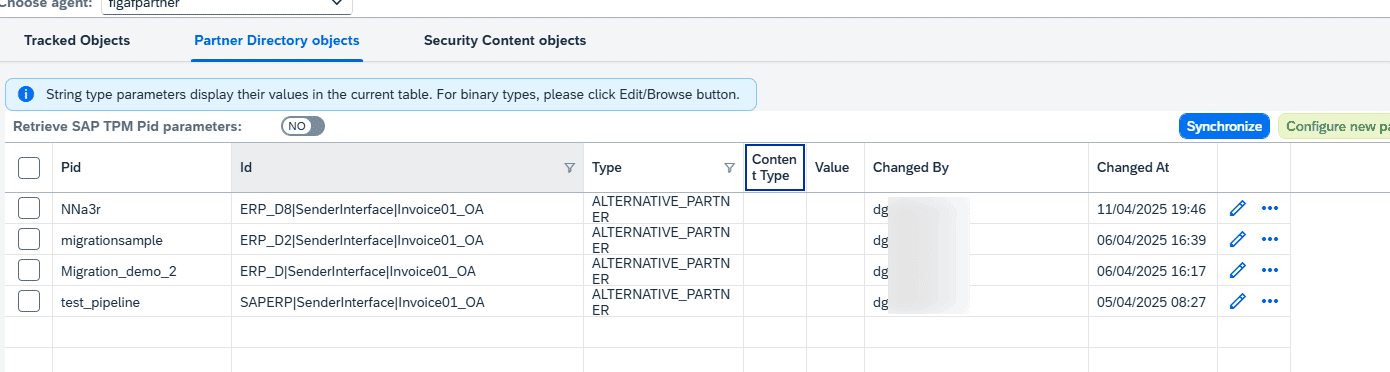
You can delete the entries and copy and alternative id.
Have option to disable landscape
Once you are done with using a landscape you may want to keep it for documentation purposes. This will remove the ability to create transports and resolve the objects for future transports.
This was one of the features that took a lot longer than expected to build because there is a lot of dependency for transport. There would be a lot of cases for Neo to Integration Suite migration.
Limits on logs of alerts
To ease support on the Postgresql we have see many customers our alerting tool. Which is excellent. But if you don’t run the alert cleanup jobs you will easily end up with a huge data set that will take up space.
To resolve the problem the system will only as default use 1 GB of storage for your alerts. If the space is more than it will delete the oldest messages. If you want more space.
- New parameter maxAlertsCount. When defined, only latest maxAlertsCount alerts (by default maxAlertsCount = 200000) should be persisted.
- New parameter maxTotalAlertAttachmentsSize. Unit, Gb. When defined, we should remove attachments that are out of specified space. Order of processing, by alert time from the latest to the oldest. Default value, 1 Gb
