
Our July release is out. There are many good innovations in this release, which will enable you to work smarter with your SAP Integrations. We have been focusing a lot on the optimization and scalable procedures for migrating B2B from PI to CPI. Goal is to provide you with “few-clicks” migration procedures that can be applied at large scale to large legacy designs.
Additionally, you will find many upgrades to the existing framework, resolve of bugs/features partially based on valuable input from customers, as well as small feature requests, all pushing Figaf towards an improved and simplified governance and daily work tool for all your SAP Integrations.
PI to CPI migration: B2B mappings
As mentioned, one of the big areas of improvements in this release has been the simplification of the migration journey from SAP PI to Integration Suite for B2B Scenarios.
In the last release we added a “one-click-create” feature for B2B TPM partner profiles with supplementing identifiers as well as systems for all purposes (environments). As a natural next step following this fast-track B2B feature, a new PI to CPI migration feature supports the migration of B2B operation mappings all the way to an operational CPI setup.
Based on pre-defined governance guidelines, which have been applied to a TPM/B2B objects foundation, including Partner Profiles, MIGs, MAG, and Agreement templates, this new PI to CPI migration feature, will allow for the full migration of a given PI/PO B2B operation mapping to CPI B2B TPM. The result will be a ready-to-deploy migrated operation mapping in a custom IFlow, but also include the creation of a B2B TPM agreement with appropriate systems, typeSystems (formerly known as message types), communications (*formerly known as *channels), and the custom mapping IFlow, all assigned and defined within a newly created CPI TPM Agreement.
Using this new powerful migration feature, in combination with the Figaf B2B TPM governance guidelines, will provide a quick and uniform approach to migrating legacy B2B mappings, all prepared and ready for unit or regression testing, either via the dynamic Send-Request tool, or via reuse of existing Figaf PI B2B test cases, since all PI B2B test cases can immediately be migrated to CPI test cases. All laying a road for the B2B journey from PI to CPI that can ensure a transparent and uniformly defined CPI B2B solution, whether done for 100 or 10,000 B2B agreement, whether done by 5 or 50 PI/CPI developers.
It is this simple….
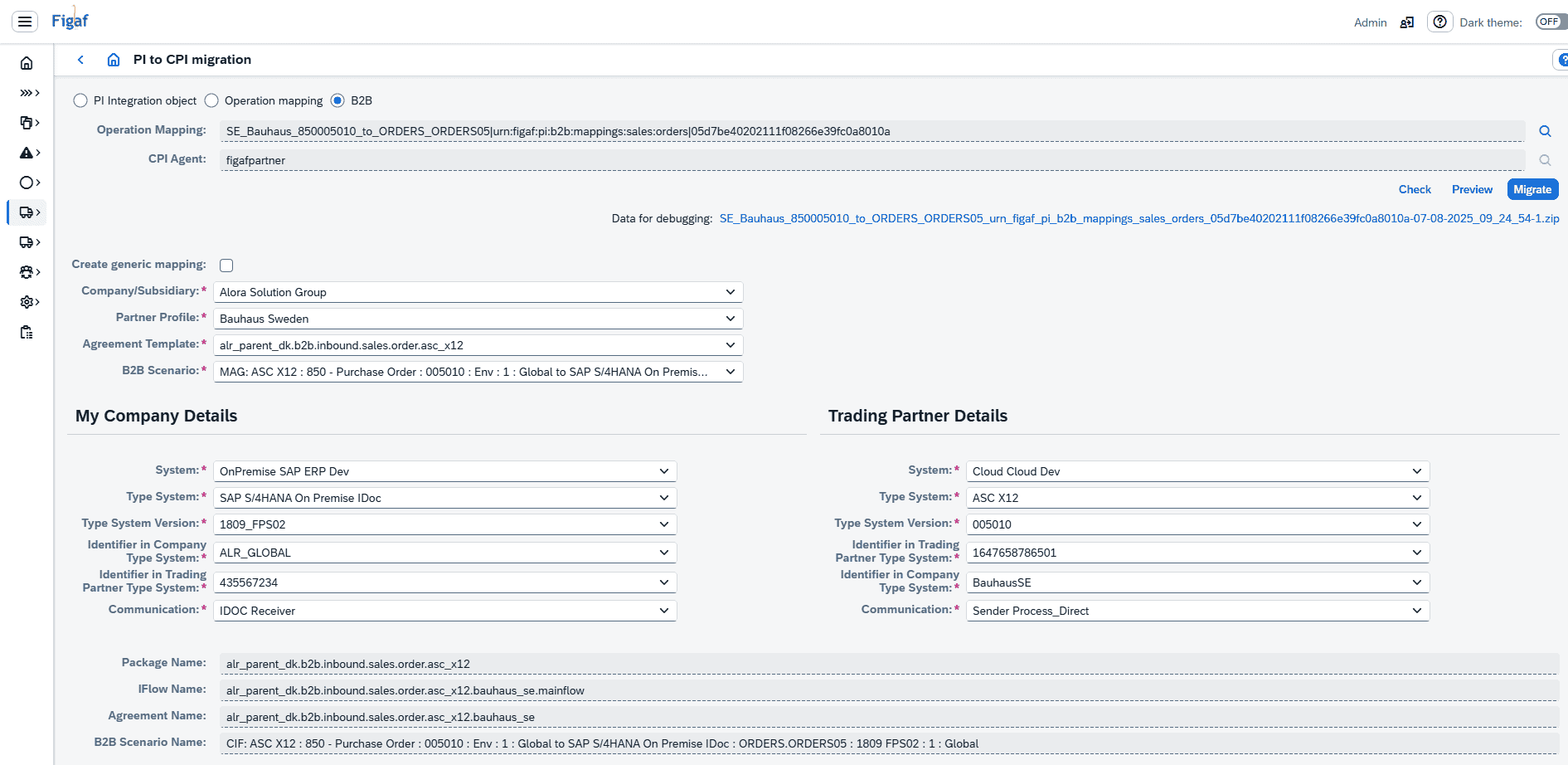
Step 1: Open Figaf, and go to the “PI to CPI Migration” menu. Select your PI operation mapping, and then respective Partner Profile and Agreement Template and B2B Scenario. The appropriate Details can then be populated. Check and the target objects in CPI are displayed.
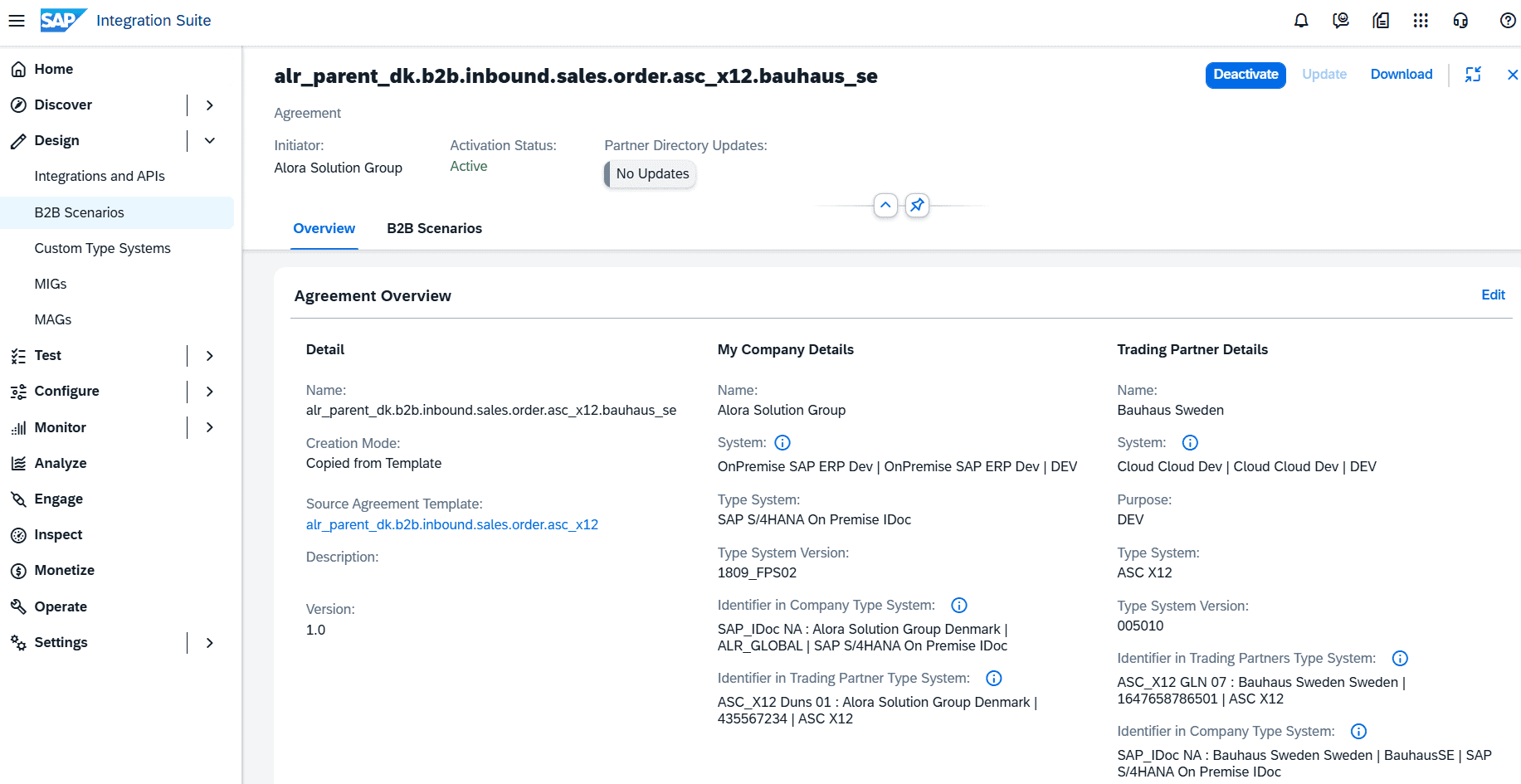
Step 2: A CPI TPM Agreement has been created, utilizing the newly created iFlow containing the migrated mapping. Activate agreement and deploy Iflow. Migrated end2end B2B scenario/agreement is ready to regression test.
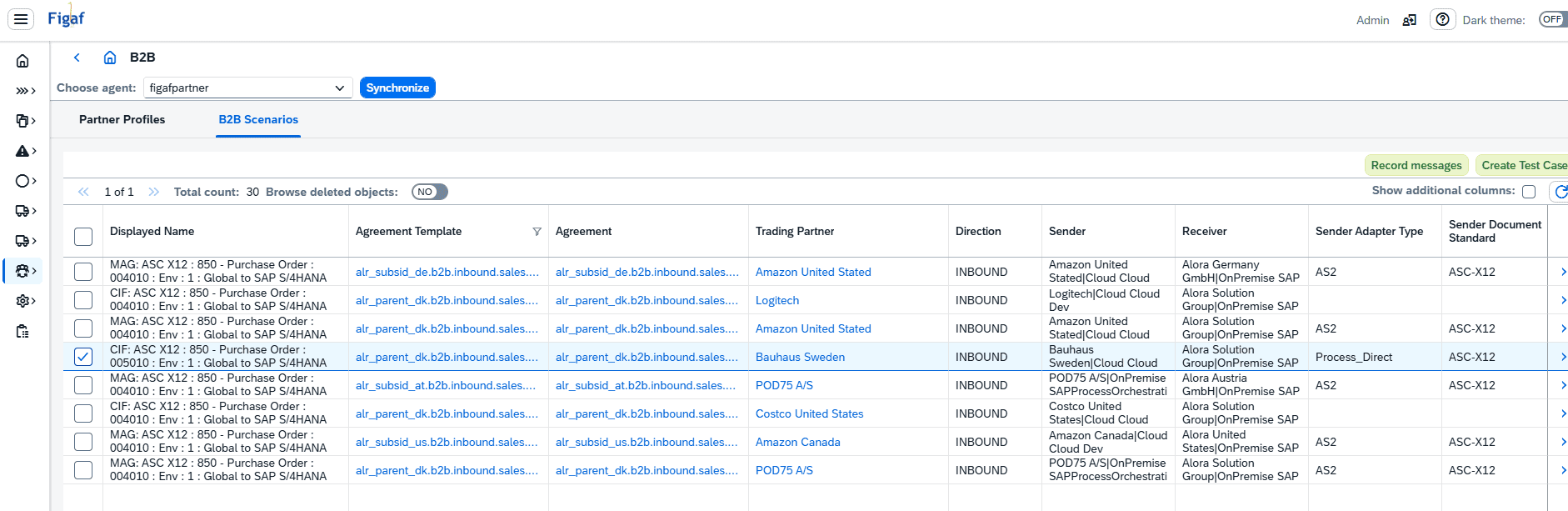
Step 3: Begin testing. Easy and simple migration of existing PI test cases into new CPI test cases, will provide you with a solid foundation for regression testing. Directly accessible in the Figaf B2B overview, providing a strong navigation within the various CPI TPM and design objects. Unsure where your custom Iflow for a given agreement is located? No problem, there is a link from agreement to custom iFlow in the Figaf Scenario overview.
Step 4: Run your migrated PI=>CPI test cases. Review test results and begin GAP closure/resolve, if there are any nasty old PI lookups, that might need a review 😉
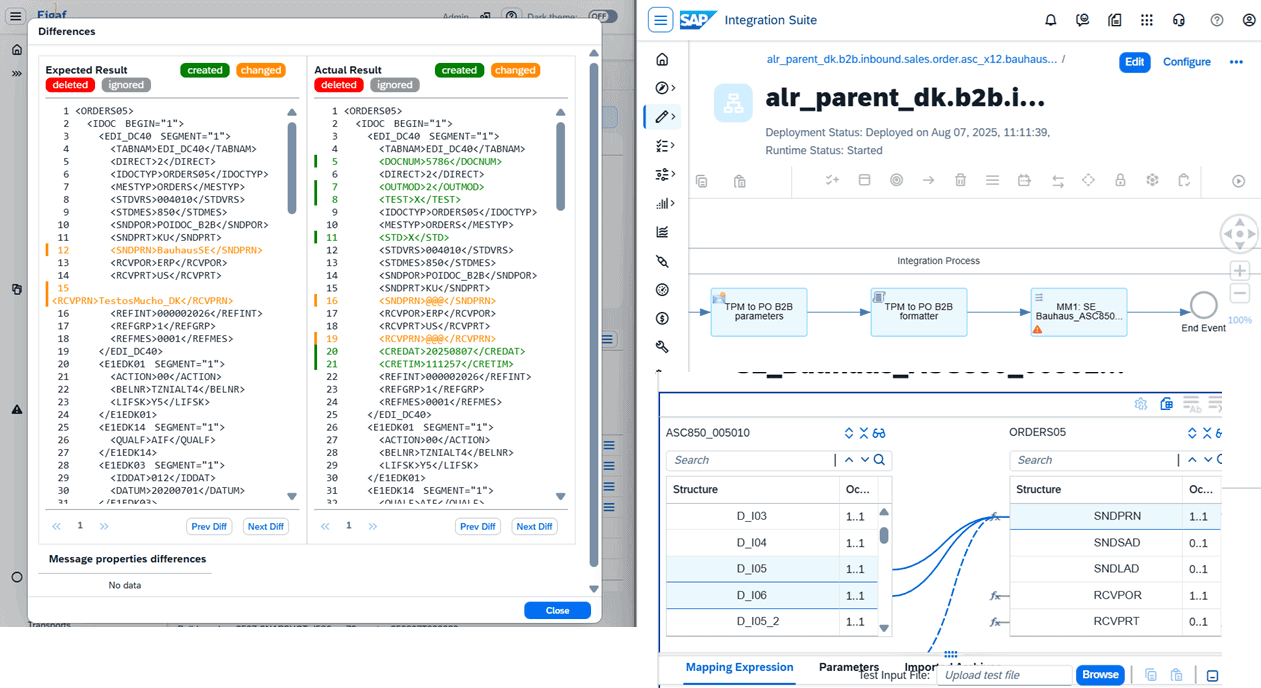
The target flow just contains the mappings you have + there have been added a converter script between PI and Integration Suite formats. This makes it much easier to modify and add your own mappings like XSLT and multiply message mapings. UDF/Function Libraries can be migrated both to Groovy scripts and also to the Function Library object.
This is going to reduce the effort of your migration. Now you can migrate your 100s of partners.
B2B tracking
To make the agreement creation to work we have enabled the tracking of subsidiaries. This will allow the Figaf tool to see if you make changes to it and also to suggest the correct information for the form.
Integration with ITSM
Watch on YouTube SAP Integration Suite working with Jira
We have long time had the option to the option to add tickets for transport and then add like to an external system like Jira, Service now or Azure DevOps.
But we wanted to make the process a little easier for you and make sure everything is much closer connected. And still give you the freedom to configure how you think suites you workflow best.
We have now created two pre delivered contents that allows you to simplify the integration with for now the tool platforms.
- Jira
- Azure DevOps
The two packages will be in API hub so you can apply them to your tenant and then configure and modify them. If you need this earlier ping support to get them.
Moreover, you can fairly easy add more flows to support your favorite platform.
They contains the following iFlows.
- Lookup of issues so you can can find the right ticket and description to the Figaf ticket.
- Update of ticket in ITSM based on Figaf ticket
- Action on the transport in Figaf based on actions in the ITSM tool.
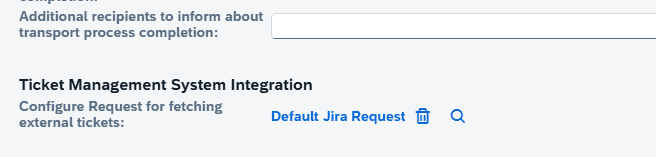
If you want to use the lookup you also need to configure which lookup to use on the landscape.
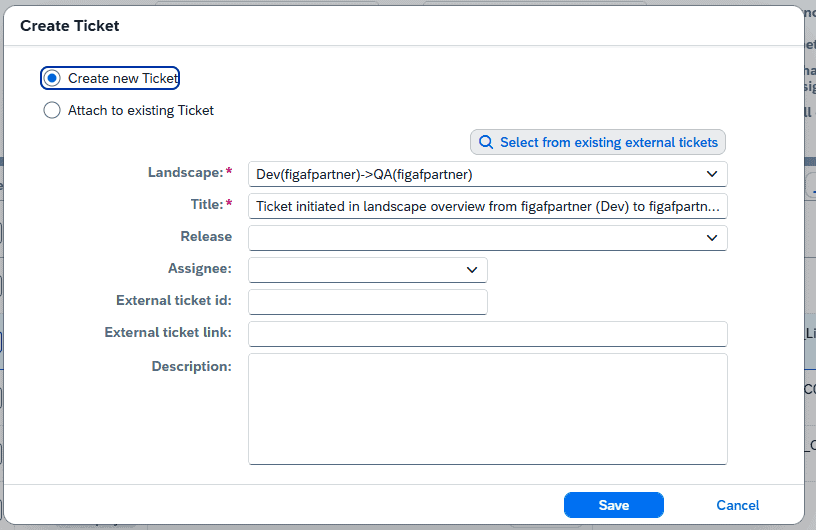
To perform the lookup, first create a new ticket. Here you can now Select from existing external tickets.
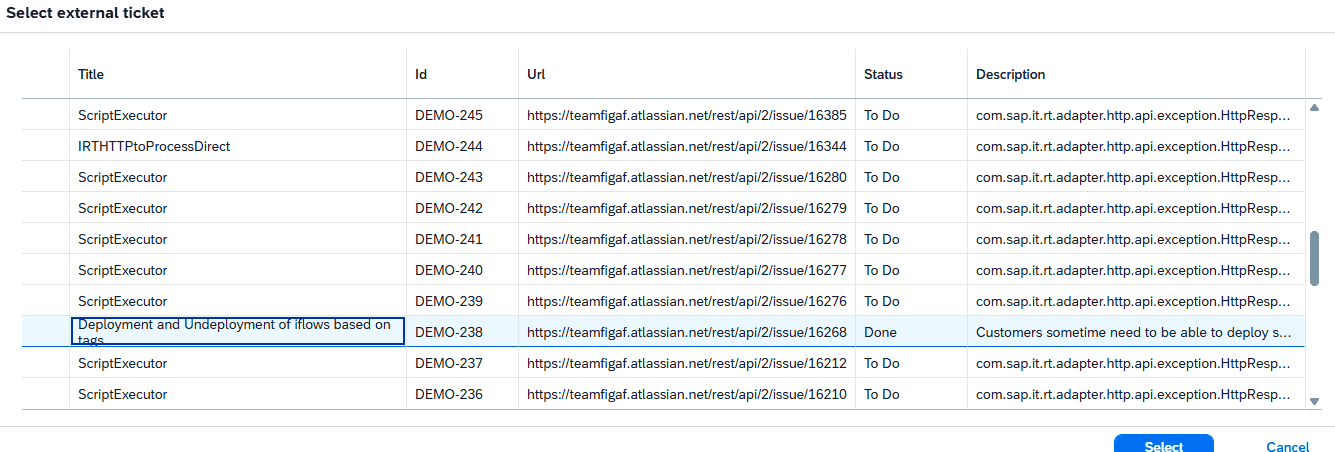
Then you will see a list of tickets.
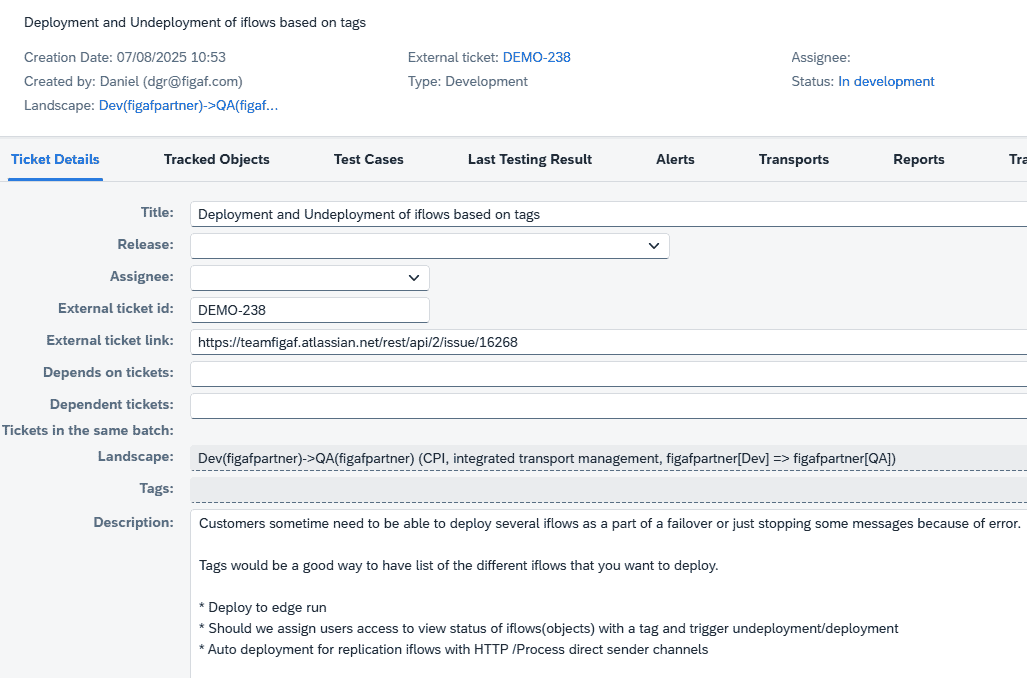
Then title, description will be filled in.
To enable this go to the landscape you have and create a configuration with your external ticket system. You can then create a request with the test message that will be used for fetching the data.
Testing result download
For customers that want to have a way to document their tests and save them for extended usage is that we now have enabled you to download a Testing result.
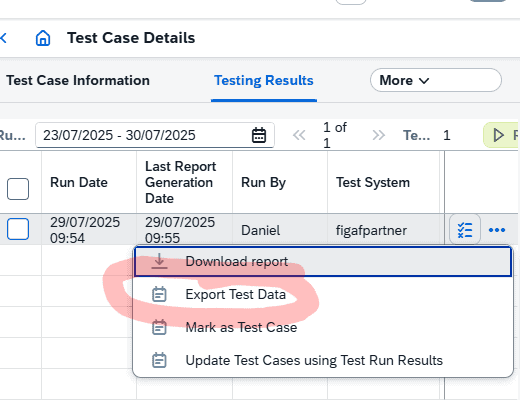
This will contain the following files
- Testing report
- Input messages
- Expected output messages
- Actual output messages
Like the following
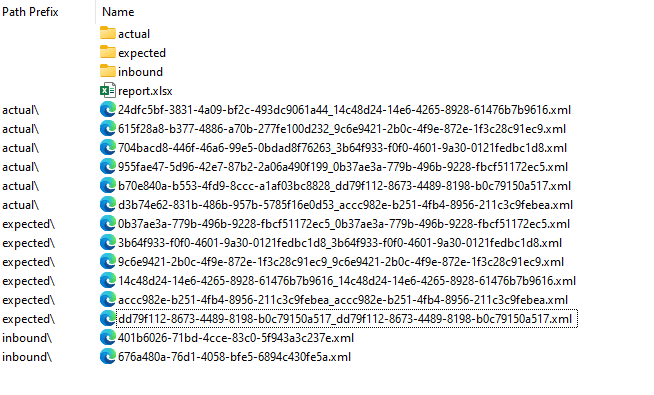
This will allow you to long time persist your test case in your external tool.
Performance improvement
Some Cloud Integration synchronizations was taking up to 12 minutes for customers, because we also downloaded deployed configuration data each time you pressed synchronize. It is now an optional flag that you can set on on the manual synchronization
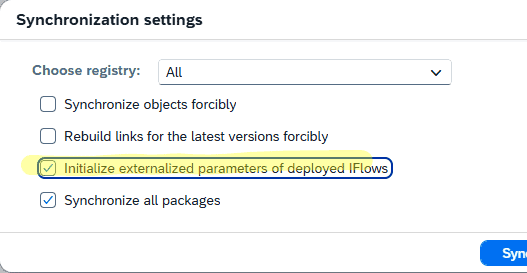
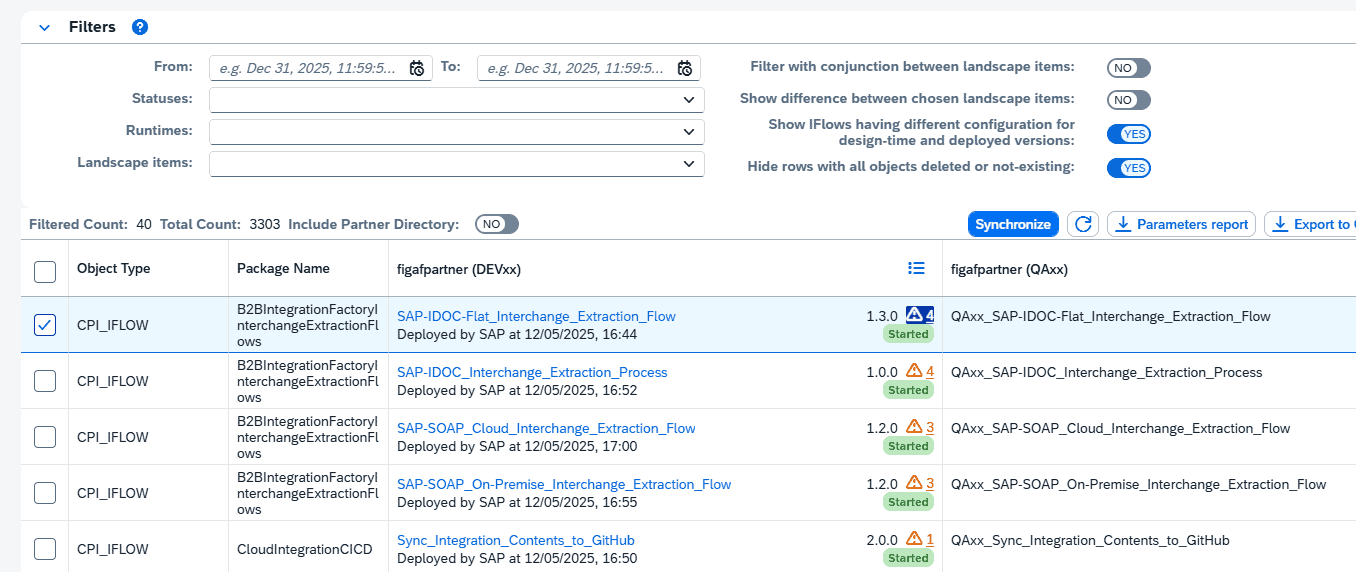
If you enable you will be able to see in the overview if there is a difference between the design configuration and the deployed configuration. It is of biggest importance to your productive system. So this change should not have a big impact.
Other improvements
- Clean up of used Java libraries to improve compliance. If you are using SAP PI connection from your local PC there may be a few packages you need to add.
- Support for Outlook email using the Oauth2 protocol. It is quite complicated to setup the email token to be used for this.
