
Another release is out. We have been focusing a lot on the B2B Migration process that will allow you to simplify the migration journey and also have a system that is operational.
B2B features
One of our key focus areas has been to streamlining the way users can perform the migration of B2B from PI to Integration Suite. Providing an access and overview point to your B2B setup, which will strengthen and improve daily tasks and general governance for even considerable and complex B2B scopes.
New feature: PI to CPI: B2B migration planning based on PI operation mappings
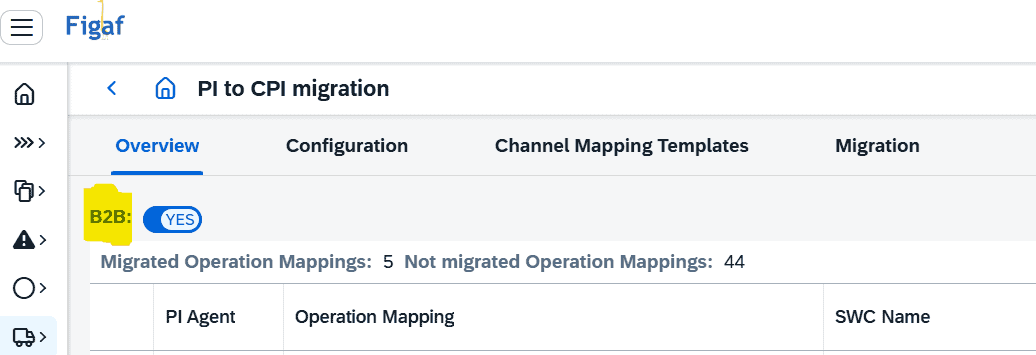
With this release, Figaf is making a change to the approach for planning and executing your migration of existing PI B2B solutions. The B2B migration will be based on existing Operation Mappings, instead of ICOs. Similar to the “normal” (A2A) Overview of ICOs, this release will introduce a new B2B option to the PI to CPI Migration Overview menu.
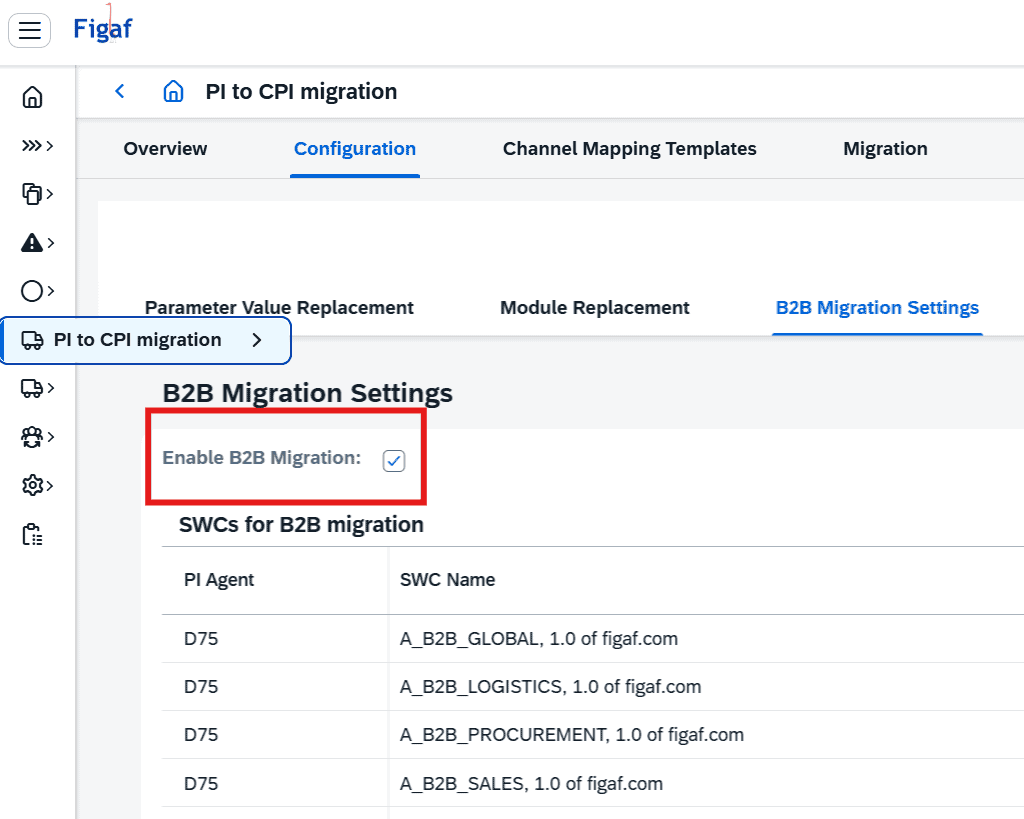
This feature is enabled via the “Configuration” setting => B2B Migration Settings
Within the B2B Migration Settings, you can enable the B2B (operation mappings) migration feature, while also specifying the PI Software Components, from where the B2B Operation Mappings are to be retrieved from. Hereby, limiting the listed operation mappings to only relevant entries.
Once B2B is enabled, you can begin planning and managing your B2B migration via the Migration B2B Overview, by, for example, using the Figaf Tagging feature. Once planning and Integration Suite preparations are completed (migrating partners via the Figaf B2B Partner Profiles accelerator feature, creating MIGs and optionally MAGs) you can begin the migrations. Select Operation Mapping to be migrated, which will open the Migration B2B menu. Here you select the appropriate Integration Suite TPM details.
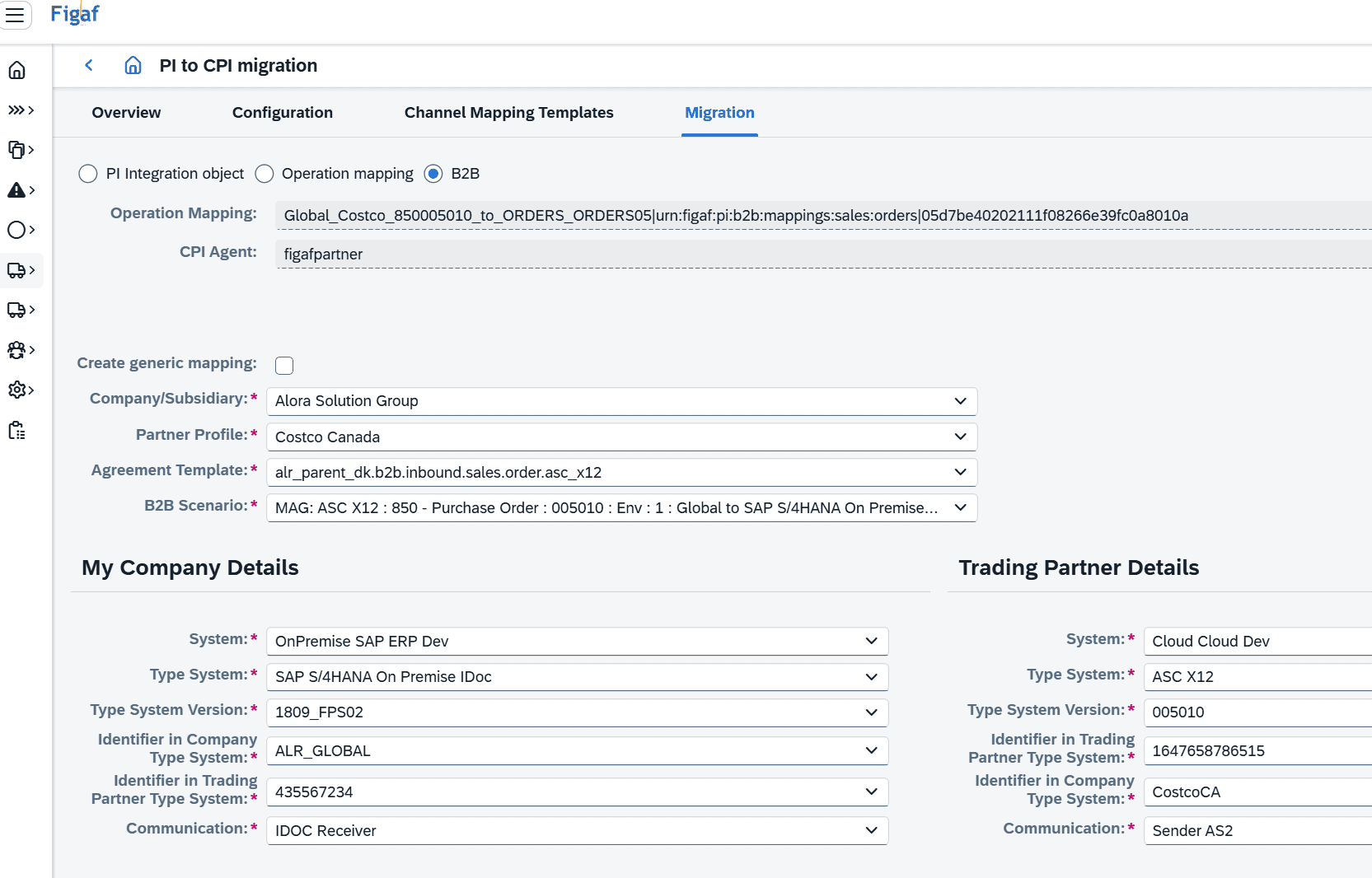
Note, that the migration can be done as “Generic” or as “Partner-Specific”. Once an Operation Mapping has been migrated as “Generic”, there will be the option for subsequent migrations of the same mapping (like, when needed done for multiple partner profiles) to select option “Use Generic Mapping”.
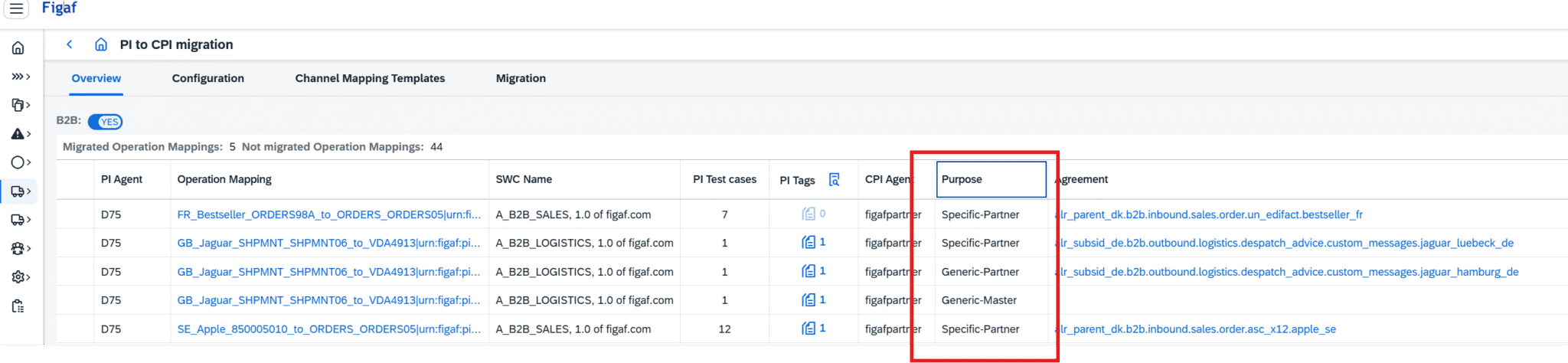
As a result, you can see from the Migration B2B Overview, how some mappings can have multiple entries, with different “Purposes”.
Once you have finished the migration with a single click, you can
1) deploy the new “Custom-Mapping-iFlow”
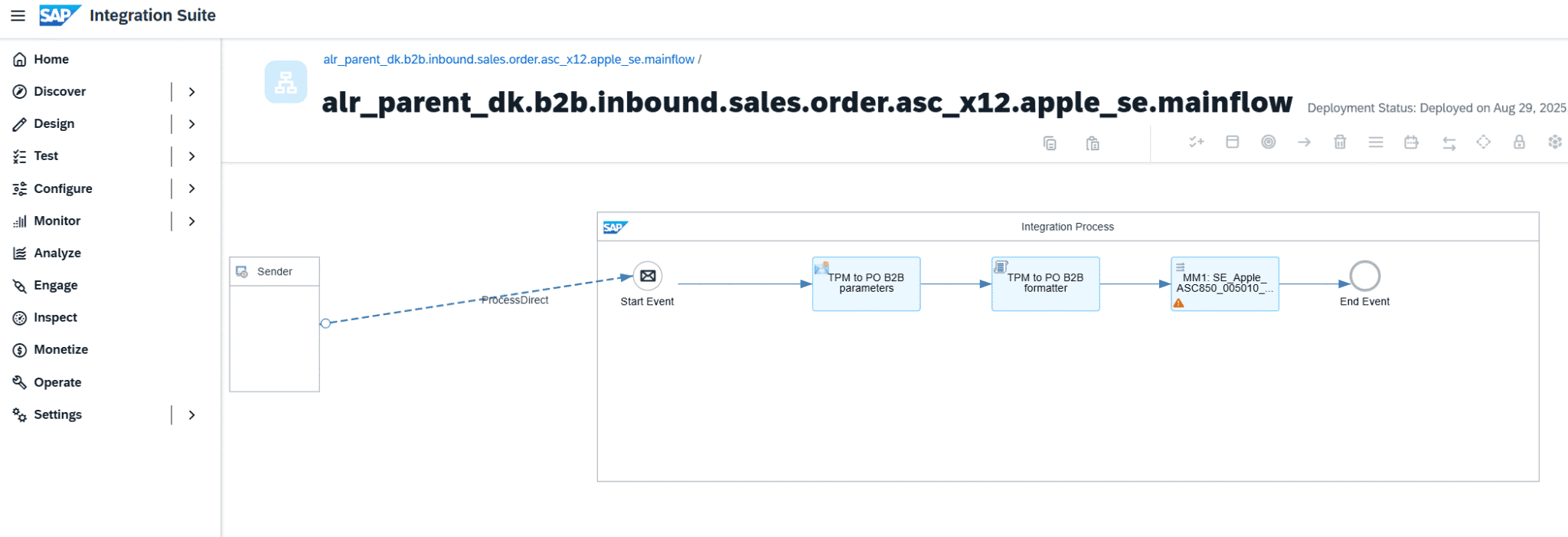
and
2) activate the new Integration Suite TPM agreement
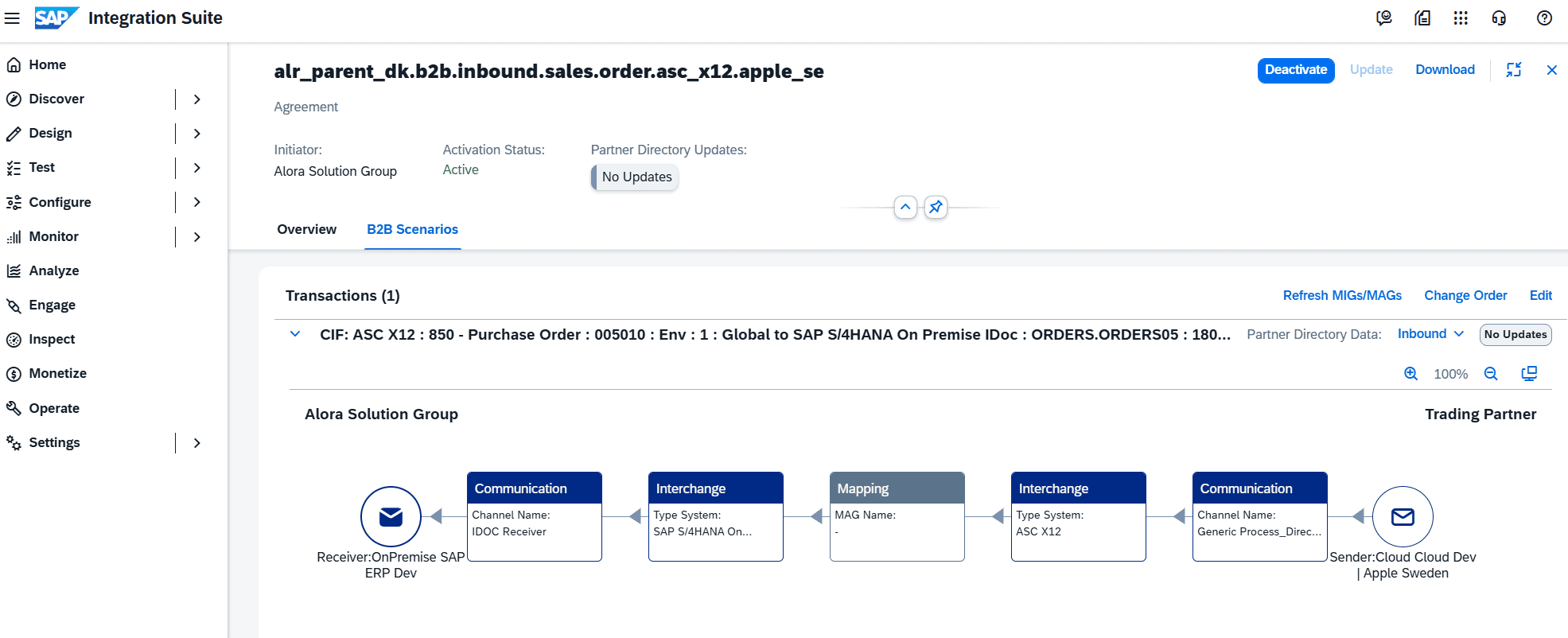
By the way, both of which are directly identifiable and accessible from the Figaf Migration B2B Overview. Next you can migrate your existing PI test cases. When migrating test cases, Figaf will list all test cases created for any/all ICOs where the respective Operation Mapping is used.
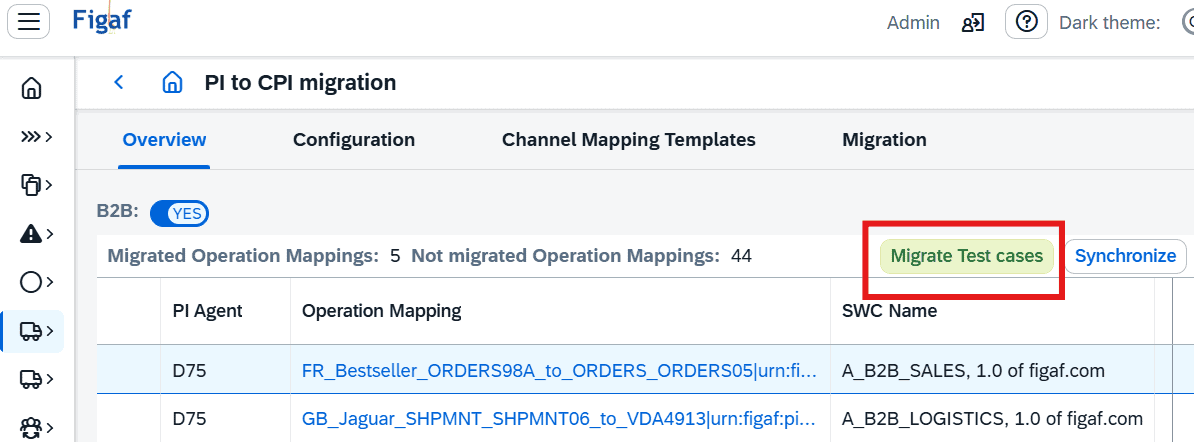
Making your regression testing immediately available.
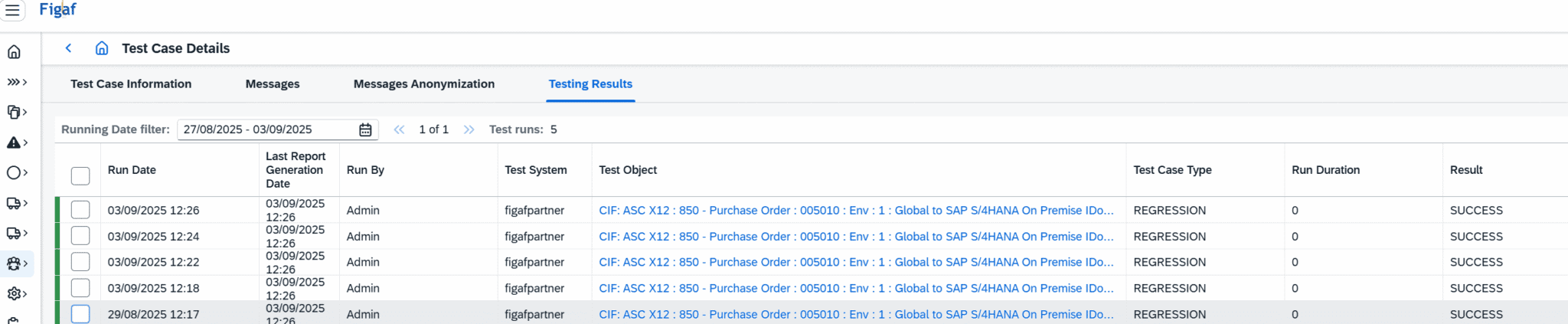
Note: initial Figaf regression testing will, likely, provide you with some GAPs, which need to be resolved. For example, there might be some old PI logic for determining partner identifiers that will need review or perhaps disabling, since the Integration Suite will provide you with new SAP standard approach for doing this type of routing processing. Making a switch to SAP standard can then be done with some simple mapping adjustments, like disabling old and obsolete mappings for certain fields.
Feature upgrade: B2B: more options for managing your partner profiles and scenarios
The B2B menus for Partner Profiles and Scenarios have been improved with new options and features.
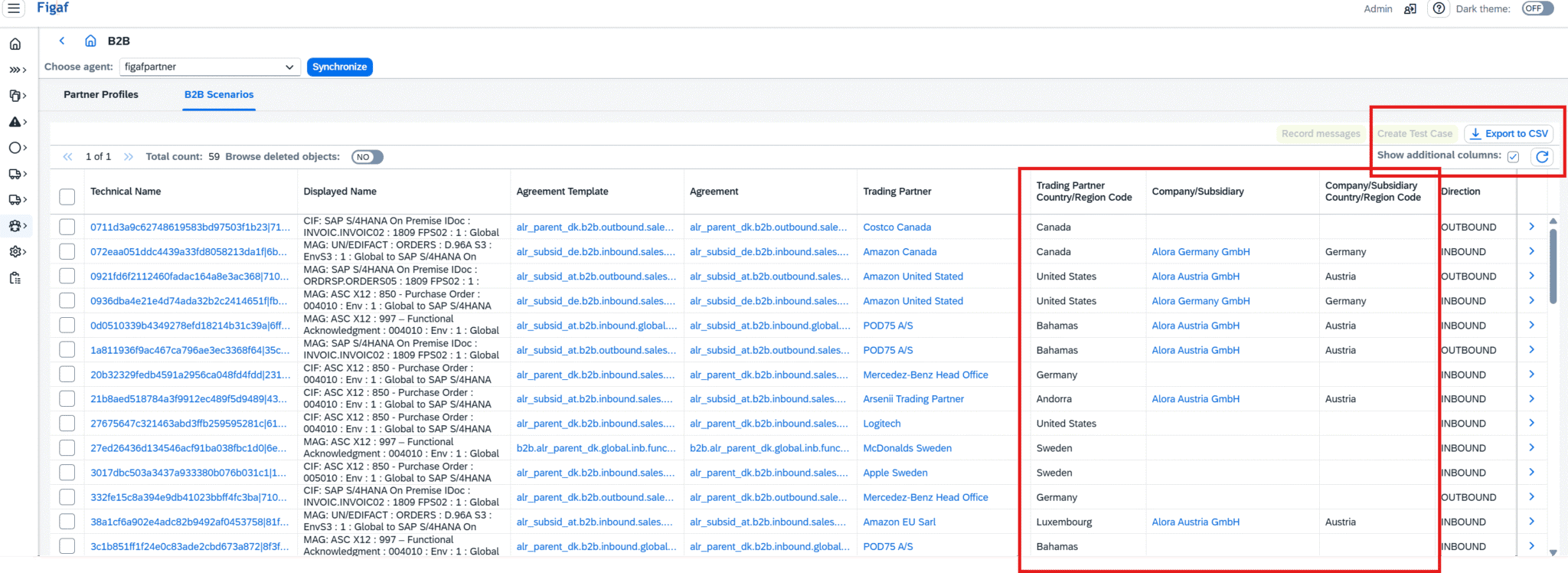
In both the Partner Profiles and the Scenarios menus, you can now export lists of partners or scenarios to csv/excel, thereby provided you the data foundation for planning, reviewing and quality controlling your TPM in your own preferred management application.
Both menus have also been extended to include the Partner’s Country/Region, for your filtering and improved overview. The Scenarios menu has been extended with the corresponding Company/Subsidiary, so you can better review which agreements are defined per company or subsidiary, independent of exchange direction. It is also possible to filter scenarios by Partner or Company/Subsidiary country, once the “Show additional columns” is enabled. For example, now you can quickly get an overview of how many Active agreements are in place for one specific customer country for one specific Subsidiary: in case someone should want to test those specifically. Try getting that number/list elsewhere in a B2B setup with +100s agreements.
B2B roadmap
One of the next features we are working on is “Transport of B2B TPM objects”. It is one of the areas that will cause any B2B rollout a lot of challenges and problems at the moment. Keeping a fully 3-Tier landscape manageable for B2B seem practically impossible with the current TPM. Actions for Export/Import does not consider multiple Purposes (Dev vs Test vs Prod), and any reuse of agreements across tenants, seem to rely heavily on manual post-corrections. With Figaf, there will be a road forward, where you can both protect your TPM configuration, while also testing any changes appropriately before deploying/activating any changes to your production environment.
This upcoming feature will be based on a complete change tracking of all the B2B and TPM objects, partners, companies, systems, communications, MIGs, MAGs. Making sure, that your new future B2B setup in the Integration Suite is not just a static result of a migration process, but also a new dynamic and protected part of your future new “from-scratch” B2B roll-outs and implementations.
Send message
We have the option for users to allow sending Messages into Integration to Cloud Integration without having to resort to Postman or Bruno. This simplifies the process of taking a message and creating a test case around it.
Create test case
If you want to take a payload you have and then create a test case for it. Then we have created the new Run for Recording. This will enable trace on the iFlow and then send the message.
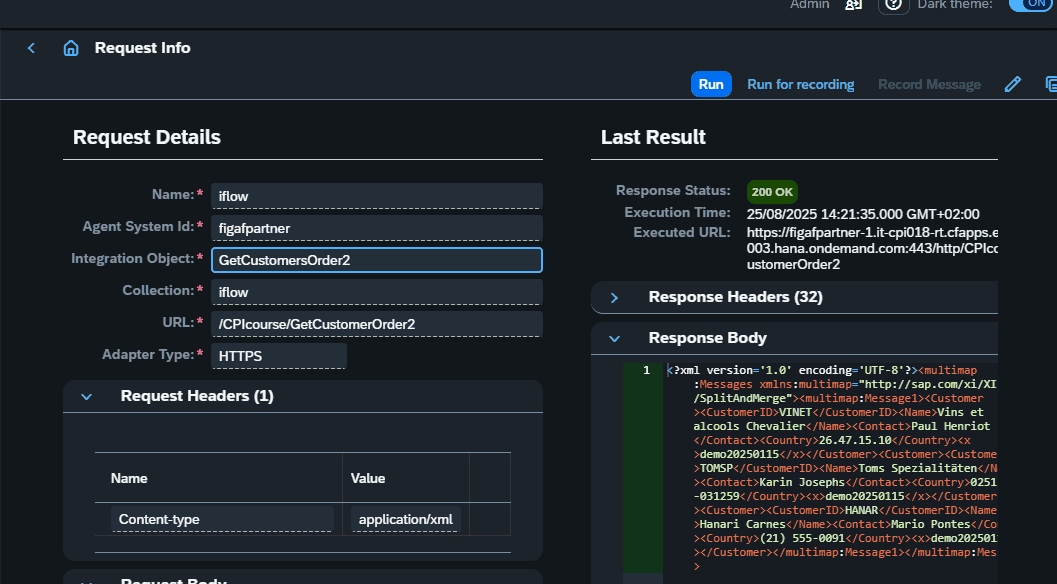
Then you can see the Record Message option here you can then select the messages that have been processed. You can select one or more and create test case from it.
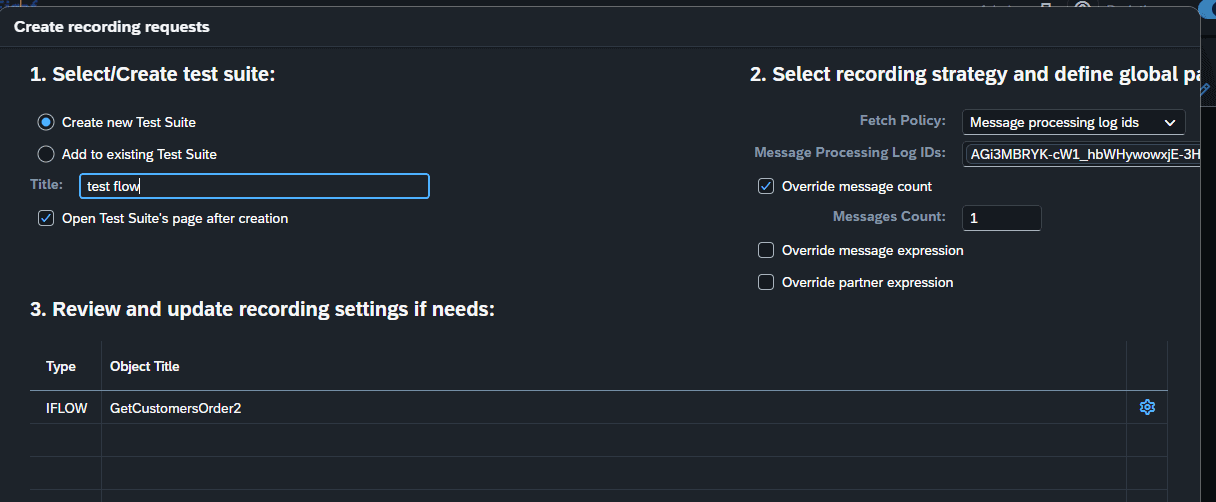
This is a simple way to enhance the connection between the send message and long term test cases that can be used when developing on the iflow.
iFlow polling enhancement
We have improved the iflow polling to give you more information about what is going on and resolve potential problems. You use polling when you are fetching data from a Cloud Integration iflows trace data in the test cases. This way it becomes much easier for the user to understand what is going on. This will make it easier for users to see if something is failing in the process and hopefully require fewer support requests.
We have given the Progress logs
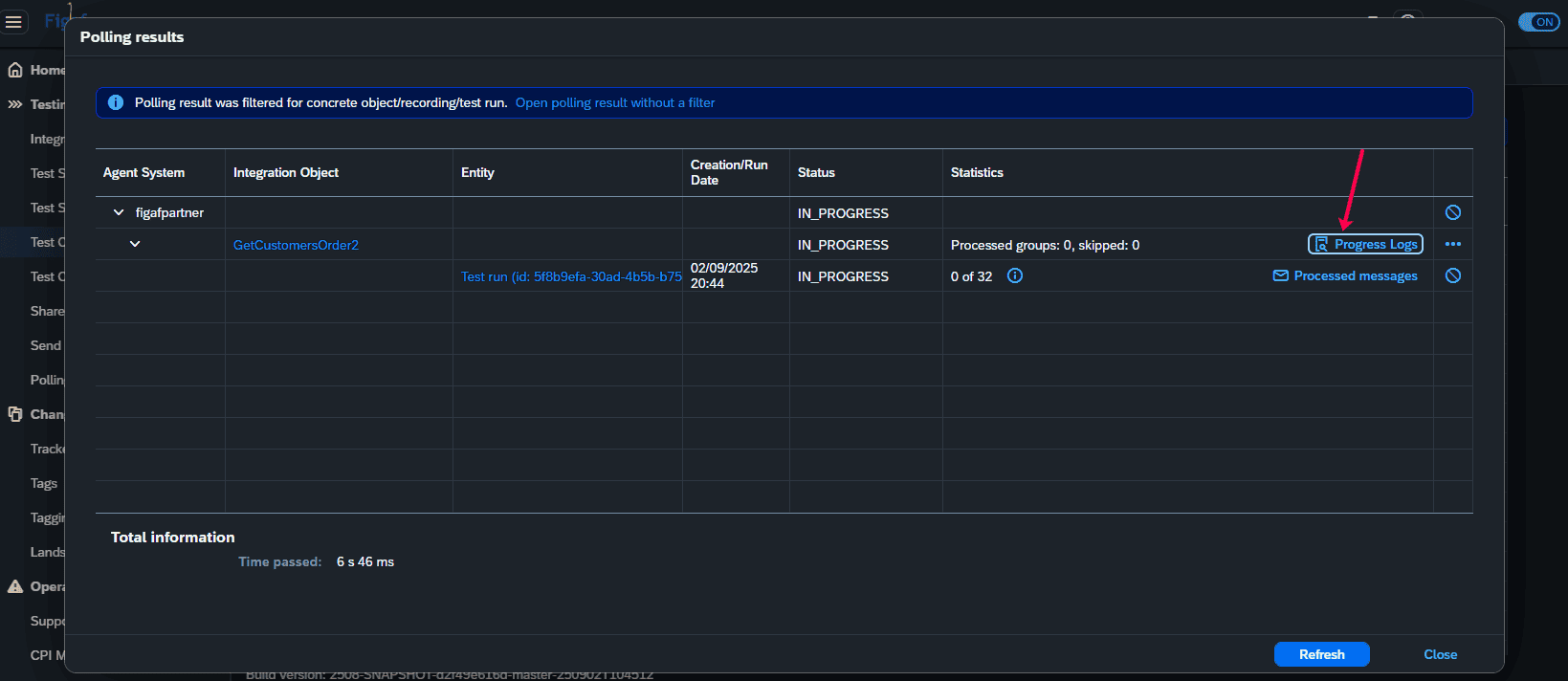
Here you can see something like this about what is going one with the trace. You have the option to download the message and then send it to support if we need to help more with the problems.
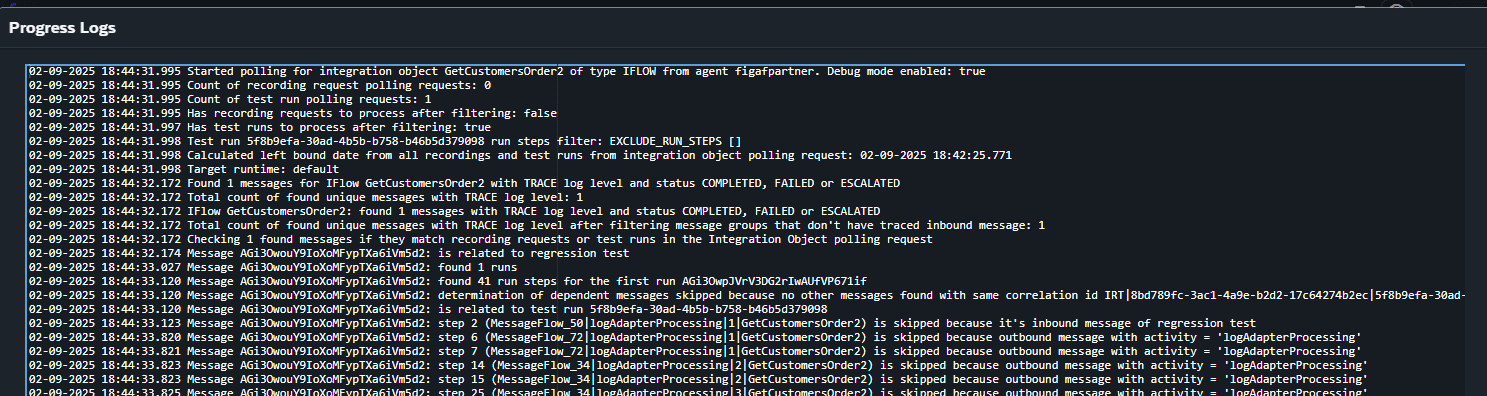
And we also have the Process Messages that give it in a different view.
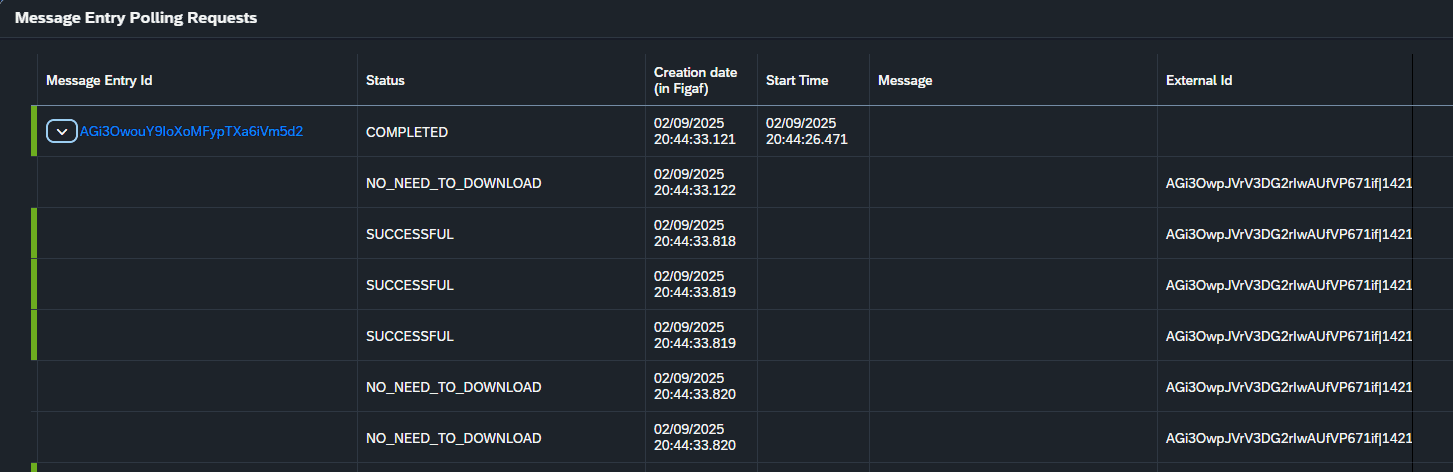
Hopefully this will make it easier to use the testing functionality.
Improved order expression
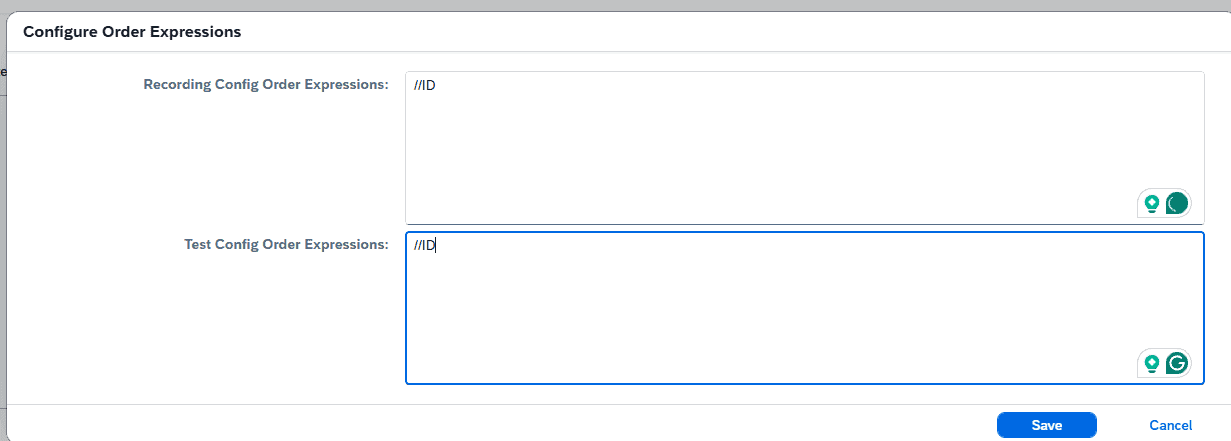
When you are creating test case from SAP PI, if you have scenarios where you have a 1:many split of the message, you need an order expression. Order expression is an Xpath that allows to find the difference between the messages. It can be an line number on the line items. The process has earlier required you to jump between some screens to find it. Now you will get a better way to view it.
You will first get a prompt that you need to enter it.

Then you can enter the order expression. You should of course know the structure to the message to understand where you can add it to your flow.
Other
There have been many small bugs around the application that have been resolved to improve usability.
- Dependency update to the latest versions of all our external jars
- UI enhancement to move from OK box to MessageToasts that inform that an action have been performed. This way you don’t need to click OK on the information.
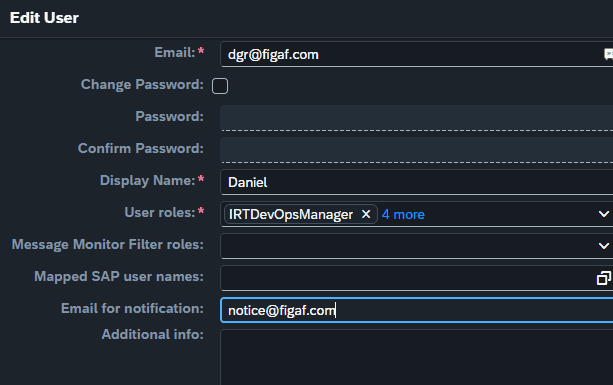
- New email for users if username differs from email you can now specify it in the user setup.
- Bug fixes around Pipeline concept