
The last release of the year.
We have 3 major features added to this release around transport will improve your Figaf experience and usage.
B2B: transport of MIGs and MAGs
It is not often you get to brag about beating SAP to the finish line, but in this case, we really think, we did. B2B MIGs and MAGs have “lived a risky life among manual export/import procedures”, which has left users and process owners unsure and perhaps a bit lost about how to manage 3-tier landscapes and govern their corrections.
Adding MIGs and MAG to the Figaf DevOps ticket & transport process, will provide you with full transparency and control in regards to the approval and release of the complete B2B setup.
Start by selecting the B2B scenario(s) that need to be transported, and choose “Assign to ticket”.
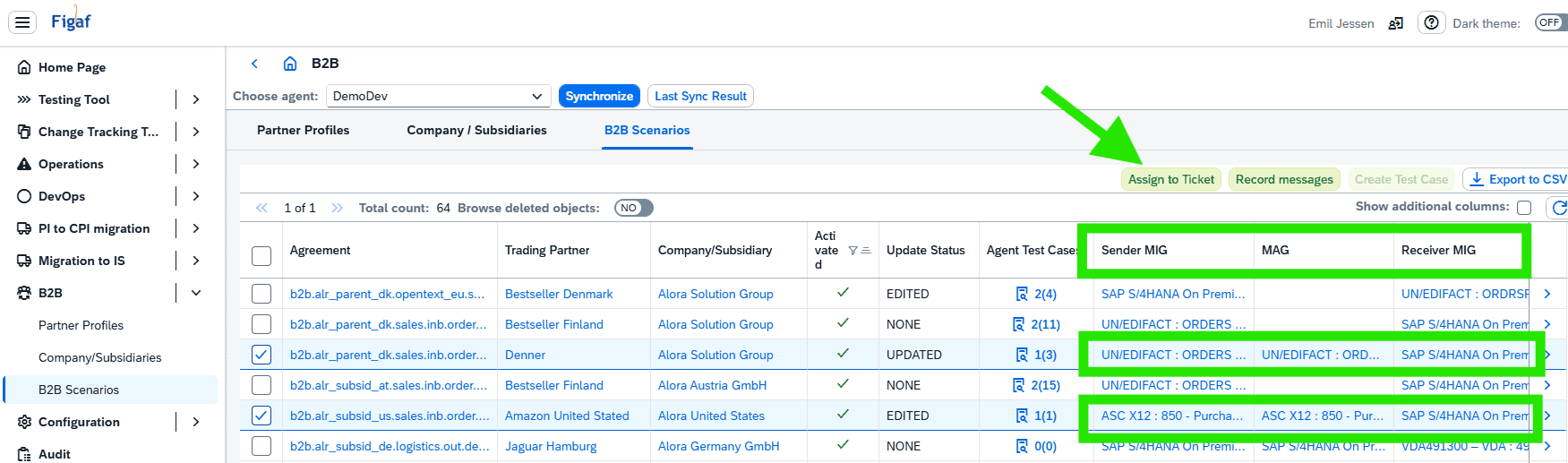
From the ticket, you can now see all dependent objects, including the MIGs and MAGs.
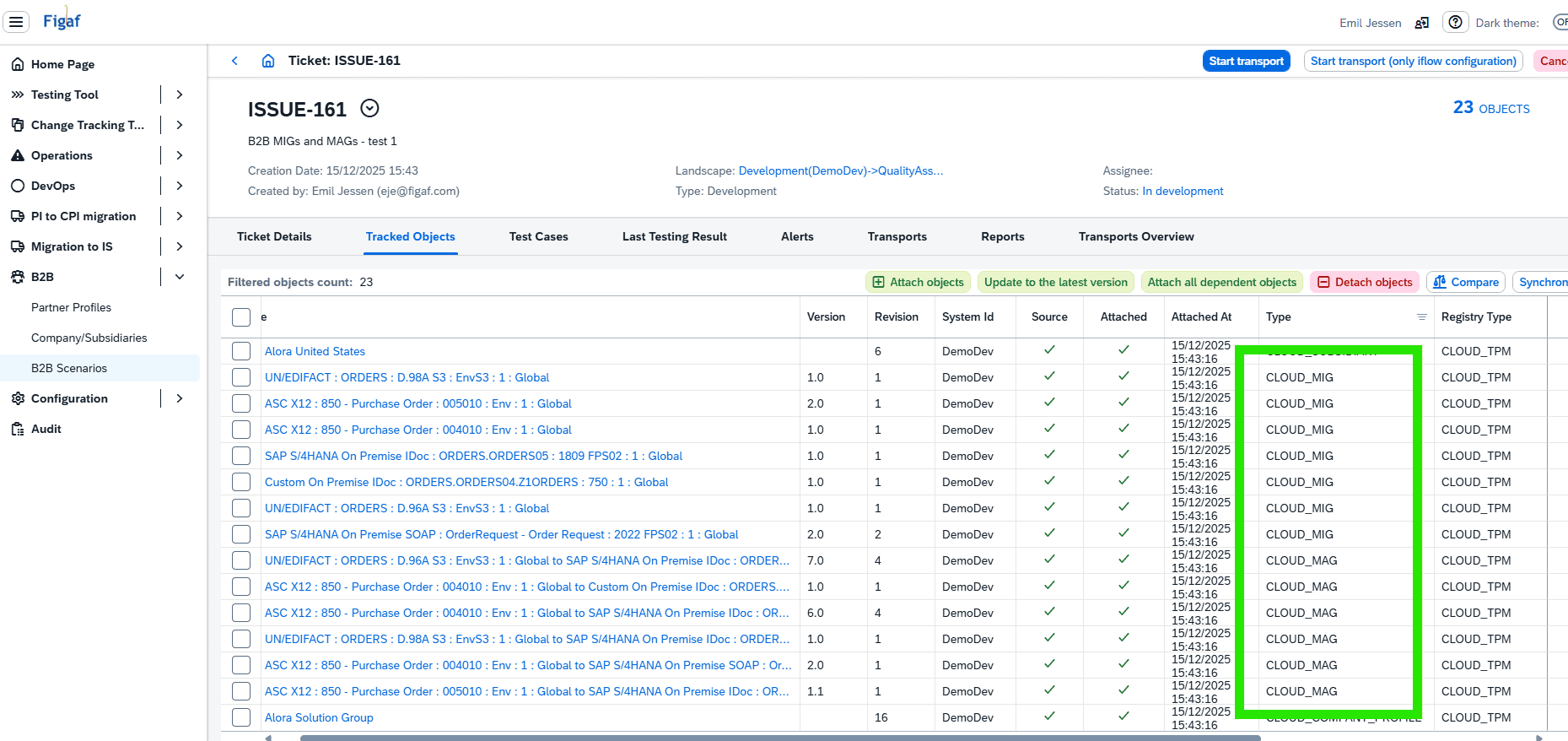
You might have noted, that in the example above, there are significantly more MIGs and MAGs assigned than used in just the two B2B scenarios initially selected for transport, this is because Figaf also considers the Agreement Template, which can contain more scenarios, using other MIGs and MAGs, which are also required to be in target system in order for a transport to be successful. This is now ensured and managed by Figaf DevOps as well. This will not impact performance, since Figaf will check if source version of each transported objects already exists in target, and skip any where it does. The result ensures that your multi-tiered landscapes are kept aligned and synchronized.
To strengthen your governance and control of the B2B landscape, Figaf also checks that all objects are valid versions, so MIG/MAG drafts are stopped by Figaf validation, and you are prompted to correct the setup, and continue the transport release afterwards.
Watch on YouTube B2B Transport of bigger B2B setup including MIGs and MAGs
B2B: actions added to scenarios overview
As a next step in the on-going expansion of Figaf B2B management capabilities, the B2B scenarios can now also be managed via the following actions: Activate, Update, Deactivate. Making it easy to manage multiple agreements from a simple table selection, as an alternative to the standard SAP Cross Action functions.
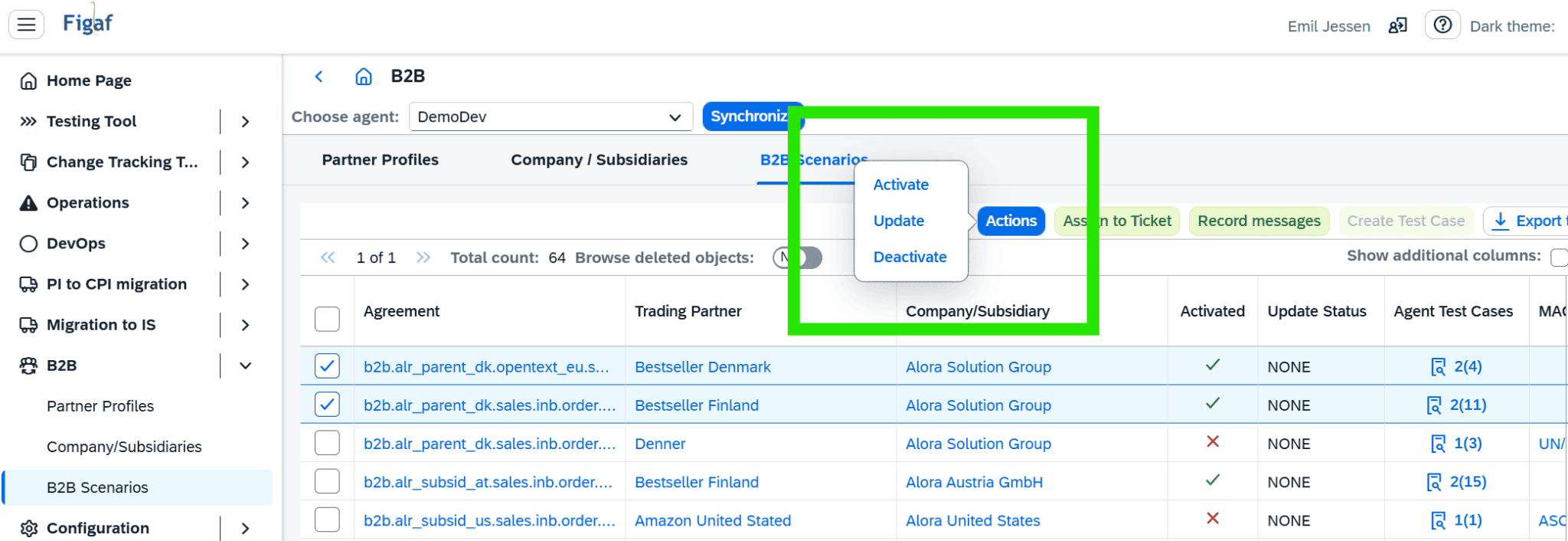
This will bring value to your daily procedures for go-live, mass updates of MAGs/MIGs, and enabling incremental communication/system corrections.
Regular transports
We have seen some customers how looked for a transport process that looked more like the CTMS+ structure of transports. Where you can move all the transports in order into your production system.
This also have some advantages if you need to have the same transport as your QA team is expecting but adding the visibility and configuration that only Figaf can provide.
It will only require one ticket for the transport setup.
We call this Locked Version transport. Once you create the landscape you have some options.
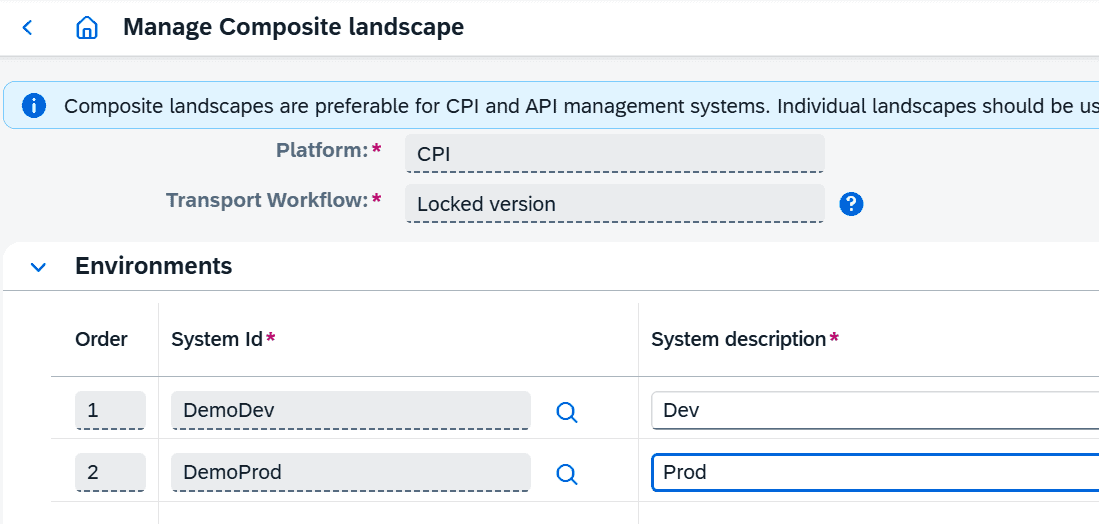
You can specify prefixes for the ticket and for each transport in the landscape.
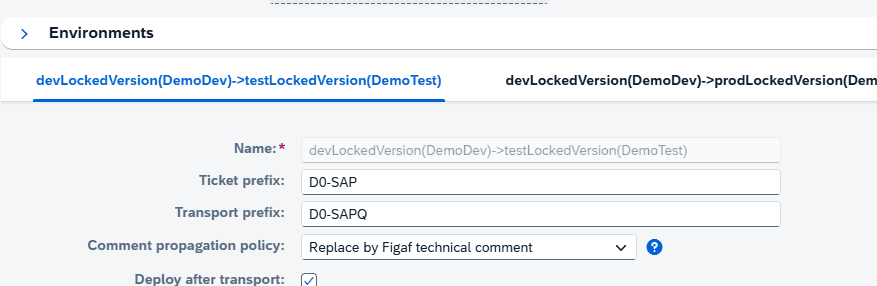
Once you select it tickets it will allow you to crate both transports to Dev-QA, Dev-Production at once. You can only import the one into production after it has been imported to QA.
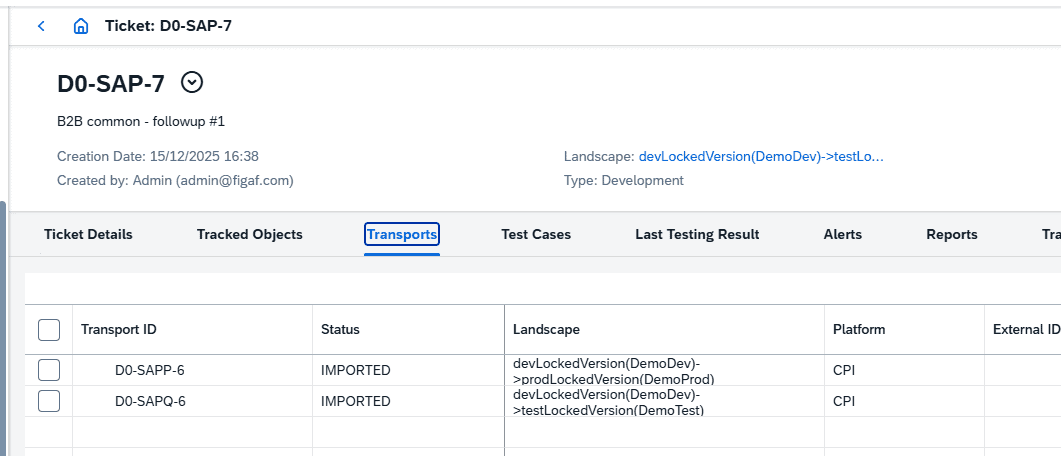
Here you can see the two transports have been created under one ticket.