
Notes
We have removed our Gradle plugins from our Git repository, since the plugins are no longer being maintained.
PI to iFlow migration channels
We have updated the channels templates that we have been provided. They have updated all adapters and have created them in a more consistent way.
We have also enabled the ability
- to migrate to Edge Integration Cell
- to use Cloud Connector and location id for channels.
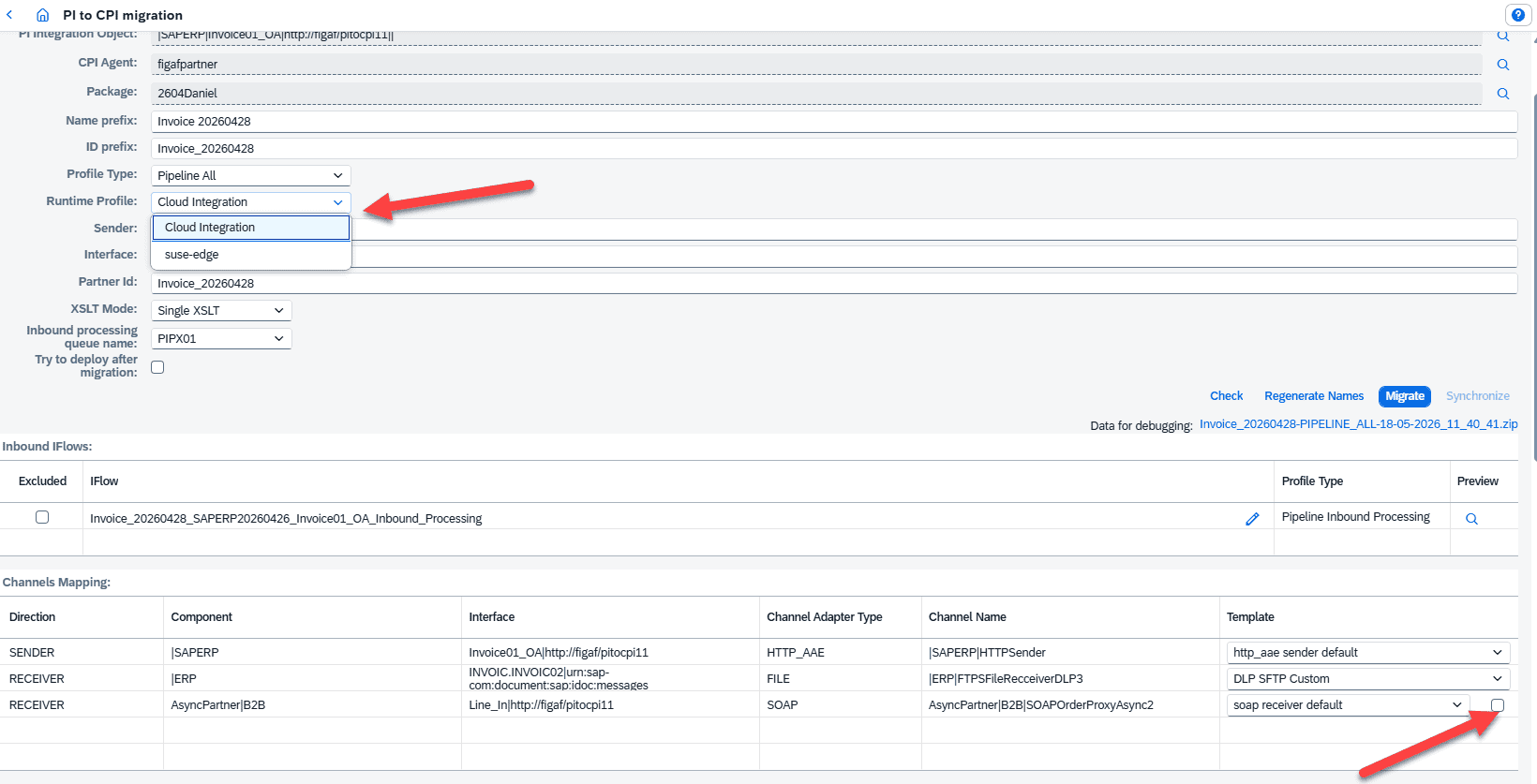
If you create your own templates then you can also use these parameters. We recommend that you create your own templates (which takes 5 minutes) if you migrate to a channel multiply times.
On the Configuration site you can define the default location id to be used in the migration.
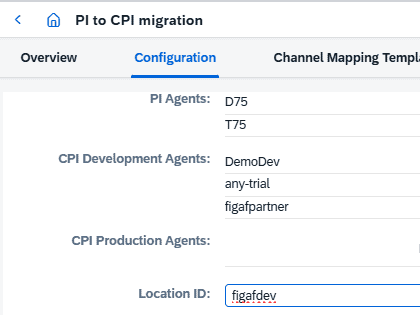
For configuration across the landscape, the landscape configuration will enable you to translate the names to ie figafqa or figafprod. That is our standard journey from transport with DevOps tool.
B2B capabilities: enhancements and new features
This release offers several new updates to the Figaf B2B component.
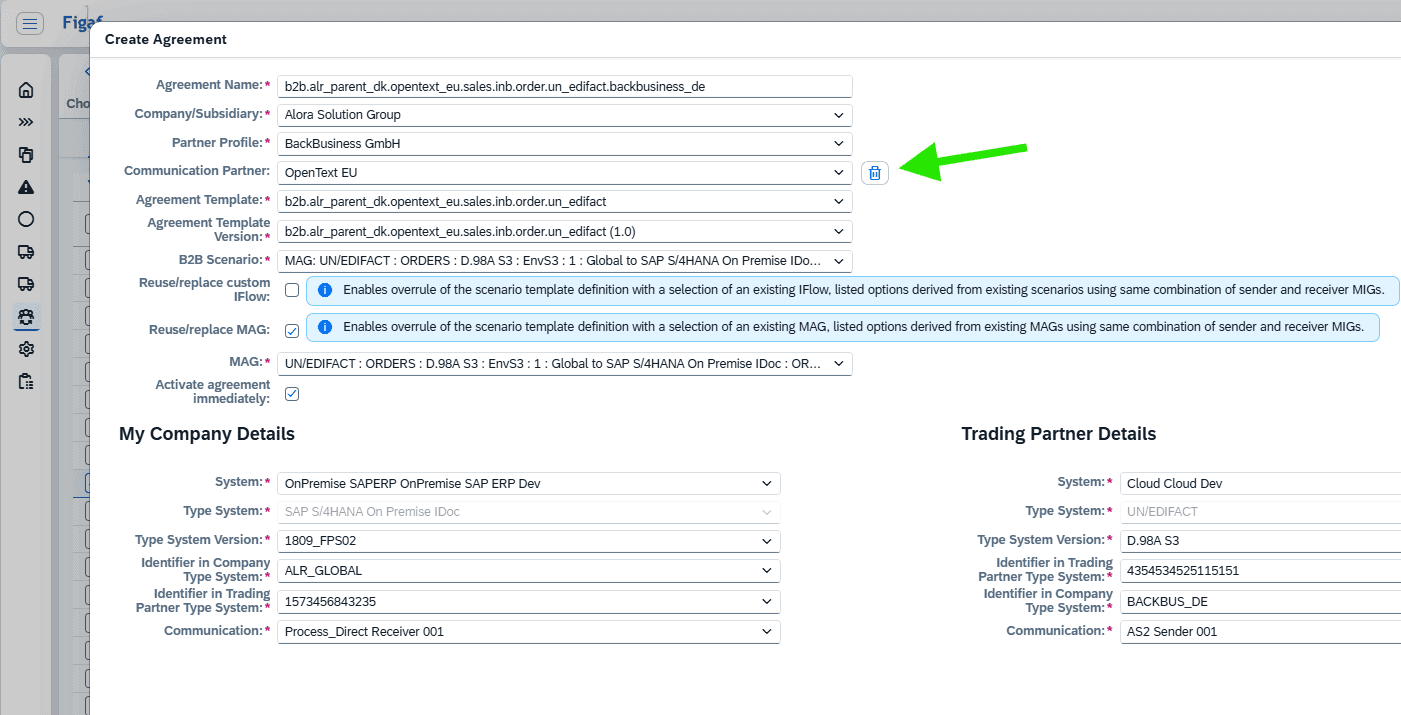
Create agreements (+migrate SAP PI to agreement) now support communication partners (VAN providers)
Communication partner offer a unique opportunity to get your VAN providers properly organized, while reusing as much technical configuration as possible.
With the Figaf accelerator feature for creating agreements, there is now also the possibility to select/use Communication Partners. The Figaf process and selection screen has been modified to match this special setup.
B2B table redesign
This is a more technical backend update, which will not present immediate changes to the user experience. However, this significant update to data processing will require a full forcible synchronization, so do this first after installation-of/upgrade-to 2604.
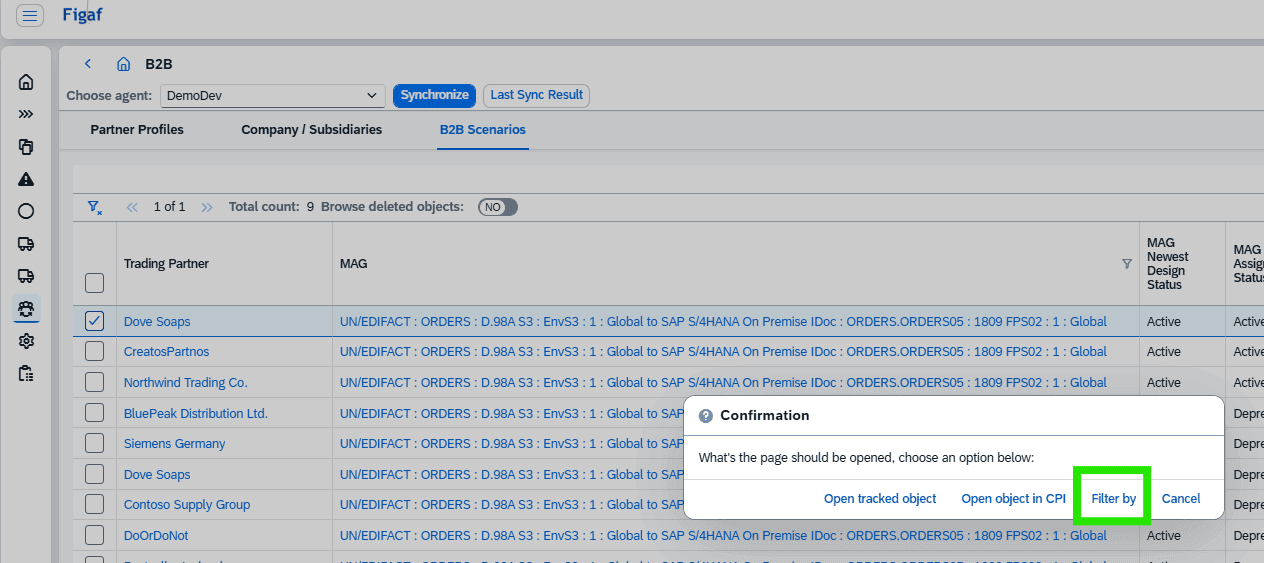
Easy B2B object filtering
This is a small improvement for sure, but will be beneficial in speeding up your reviews and analysis of current B2B landscape. Now when you clink on the links for all B2B objects, there is an added new feature available: “Filter by”. This will allow you to quickly identify all the scenarios that are linked to the given object.
New columns and monitoring capabilities through these
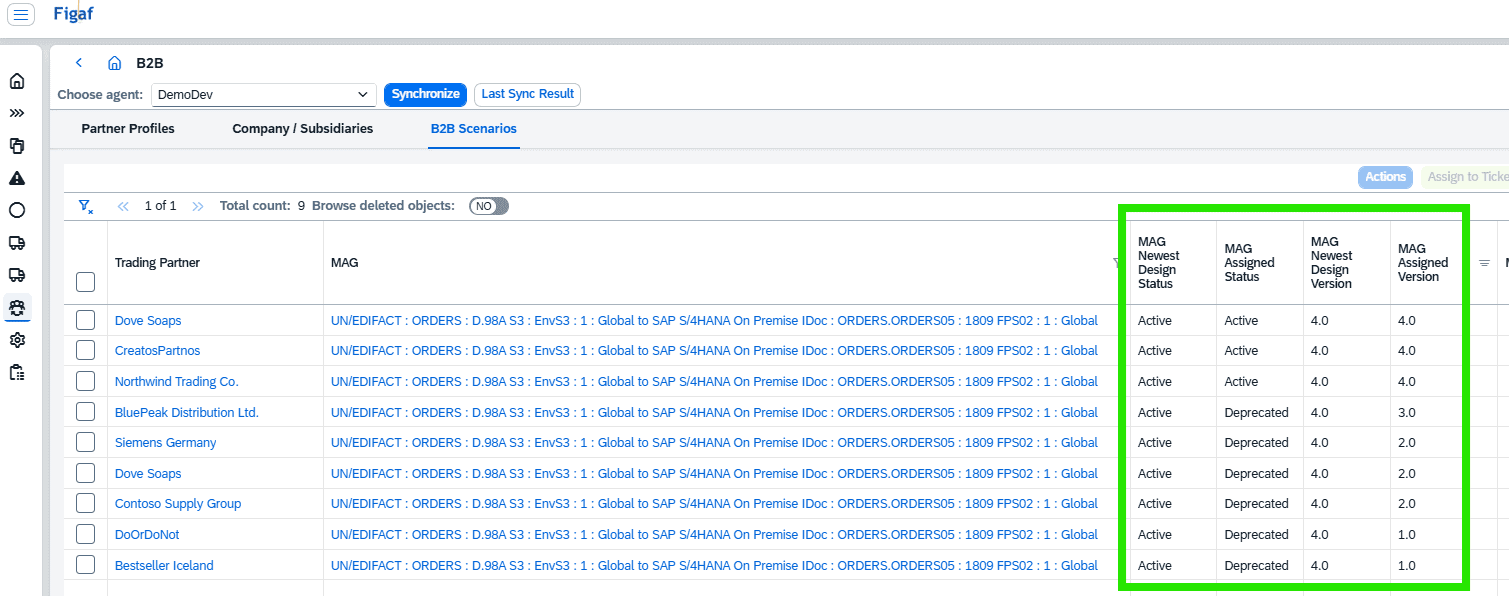
With the new B2B table, you will also see more columns. Among the new and updated columns are the MIG and MAG design status/version and assigned (runtime) status/version.
These columns will provide the optional overview of where various versions might be used.
Support of agreement template versioning
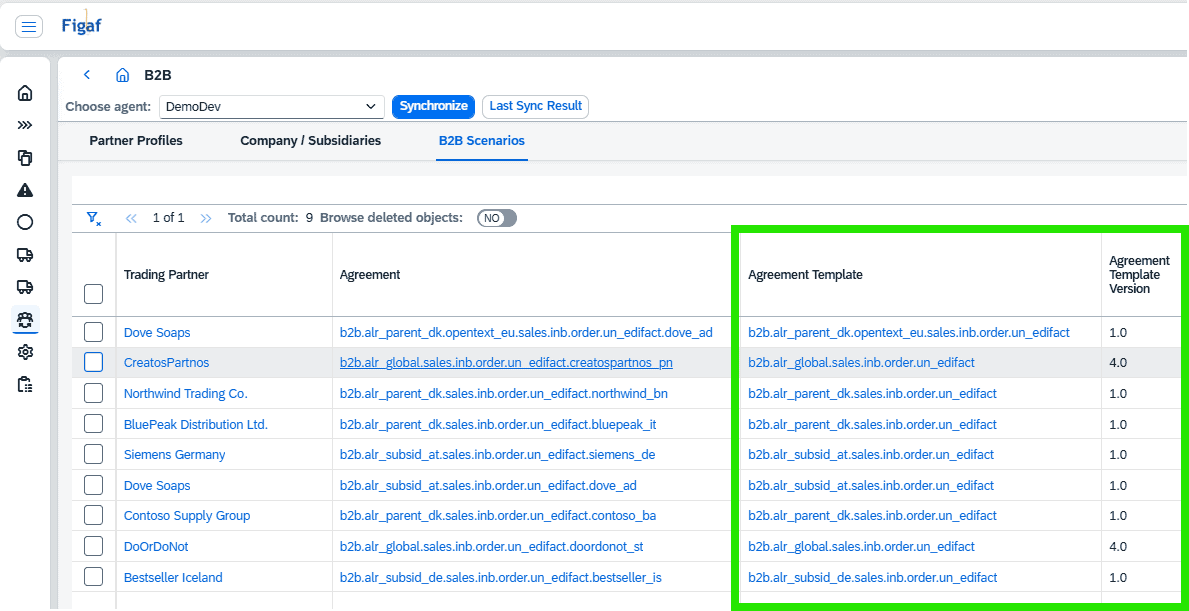
SAP also introduced a new design concept for Agreement Templates, where versioning is now mandatory, with the possibility to keep a given Agreement Template in draft status.
Figaf now support this Agreement Template Versioning, which is also displayed in the B2B Scenarios overview, for your improved monitoring and review.
Fix: custom IDocs are now supported
In a more recent SAP Integration Advisor updates, the custom IDoc was added. Figaf now also support this in all B2B capabilities, so in the Agreement-Create function, this will now be matched automatically, just like standard IDocs.
Small improvements
- Fixed encoding on IDOC and SOAP adapters
- For deployment of non iFlow objects now have better option to specify where to run it.
API management synchronization now only download changes object, lowering impact on the system.
