
In this release we have added our AI journey. We have had it for some time but it was time for some more experimentation. Also quite a lot around B2B improvement to make it easier to operate large scale TPM landscapes has been added.
Figaf AI bot
The bot does allows to easy work in Figaf with your iflows.
The bot uses the same MCP server as below, but is easier to setup because it has your context.
To use this feature you need to provide Figaf with an OpenAI key. Data is not sent to Figaf but directly to OpenAI on your API key. And it is only if you enable it.
You can see it in action here:
Watch on YouTube AI MCP in Figaf to acceess SAP Integration Iflows
AI MCP server
We have released an MCP server in the Figaf tool to simplify working with your iflows. It is useful if you use Claude, or OpenAI and want to explore the options there. It has multiple functions:
- List agents
- Find iflows in different ways based on content in the iflow, names or other criteria
- Check version history
- Compare versions
- Show iflow dependency
We have also created a similar API, if you want to build your own tools on it. For MCP they are currently not supported for users on Figaf BTB. We are working to support this. To use this feature you need to provide Figaf with an OpenAI key, as data will not be handled in Figaf, but sent to OpenAI for processing. We will be adding more feature to the MCP, what do you think would provide the biggest value?
AI documentation
Any modern tool should be generating documentation of your SAP Integration. Figaf will now create documentation of your iflows
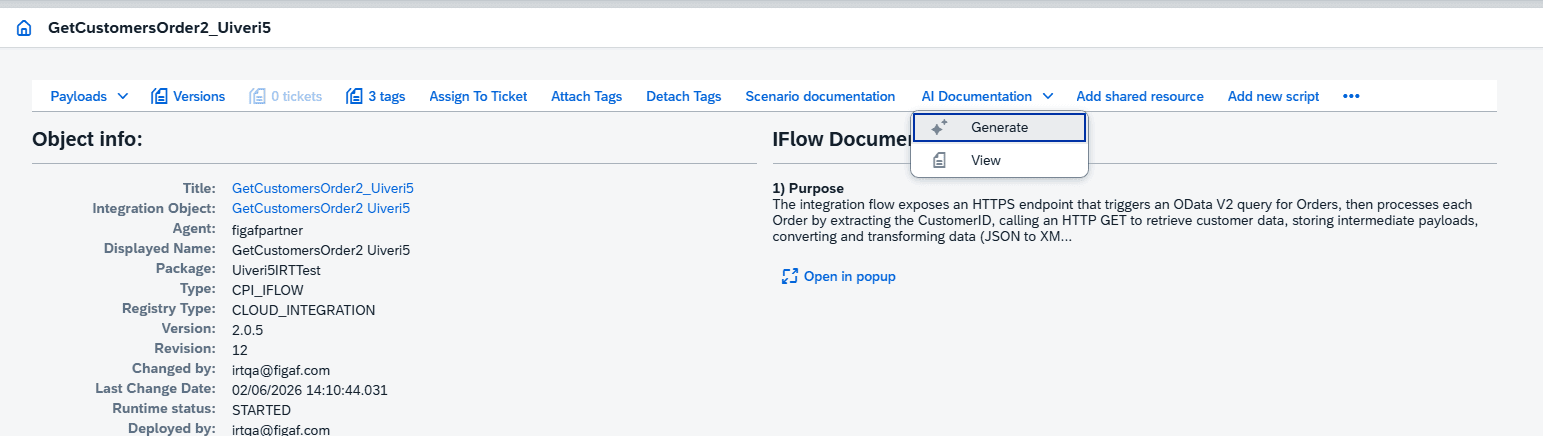
And you can then get more information about this iflow
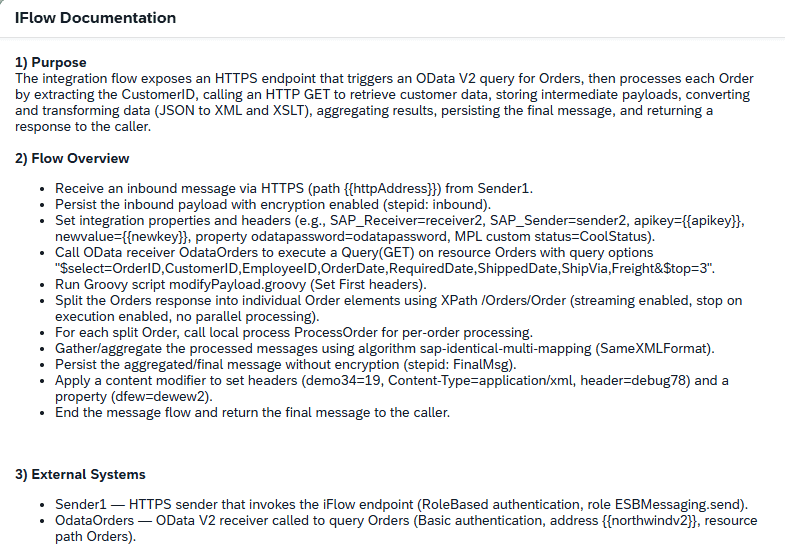
The details is also in the normal iflow documentation.
We have tried to be as token efficient as possible in the documentation creation.
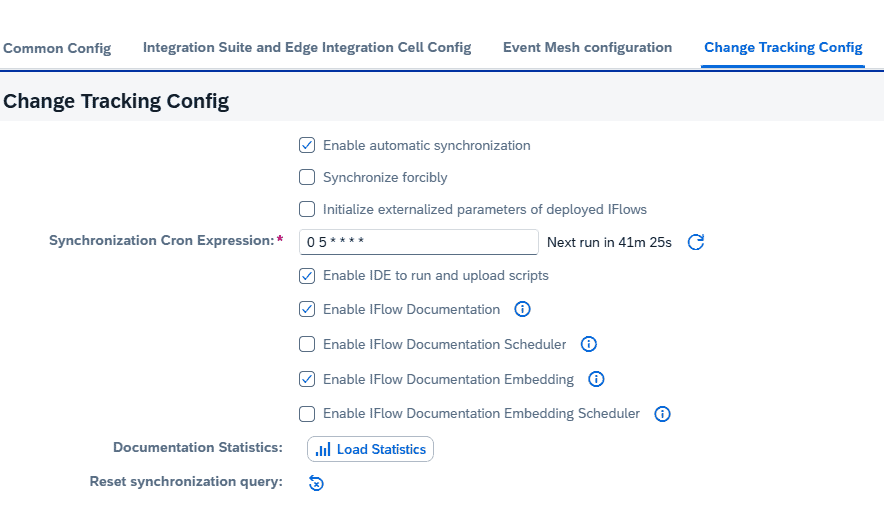
On the agent configuration you now have more options to cover about if you want to have the documentation created automatically, then you can schedule a job for it. First time it will take some time to generate all the documentation. Embedding is to make it possible to search for iflow content and is used in the iflow search.
B2B
Lots of new cool B2B related features in this release. The focus of Figaf is to provide you with better and better tools and overview to manage your complex B2B landscape.
B2B journey
We have updated the end to end journey of the SAP PI B2B migration to SAP Integration Suite with TPM. This will simplify the journey on B2B path.
Watch on YouTube SAP PI/PO to Integration Suite: B2B & TPM Migration Made Easy (Demo)
Presets: control your B2B overview
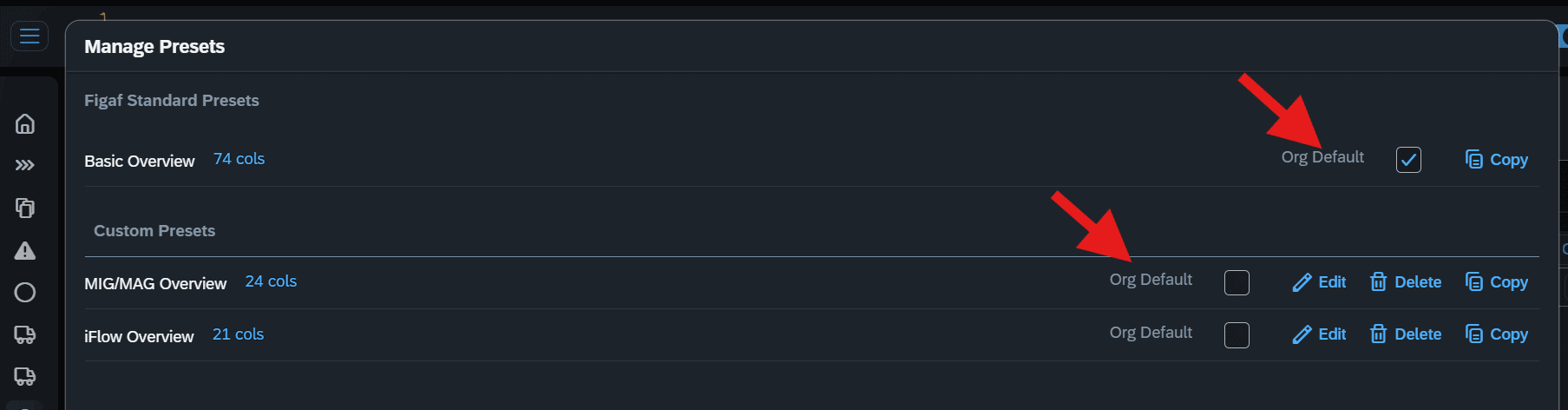
B2B scenario master record is a bit of a monster. And the B2B scenario overview proves it. The table view kept growing, and now you can define multiple and individual preset views, one for each of your various requirements and purposes.
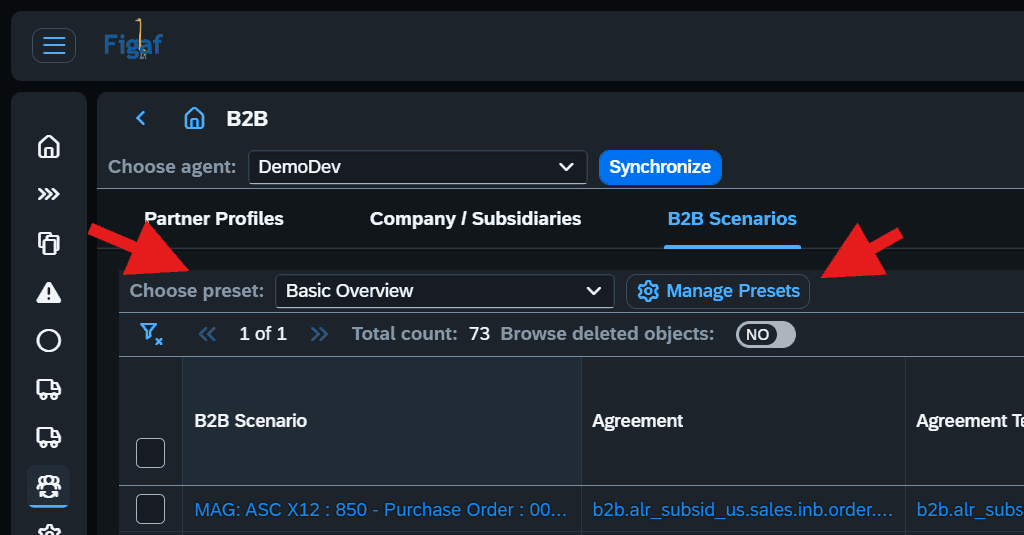
For example, I like to have views for just MIGs/MAGs details. And then another view for iFlow details. Just go to “Manage Presets” and start defining. Note, that you have the option to defining an “Org Default”, which will then always be used when opening the B2B scenarios overview always.
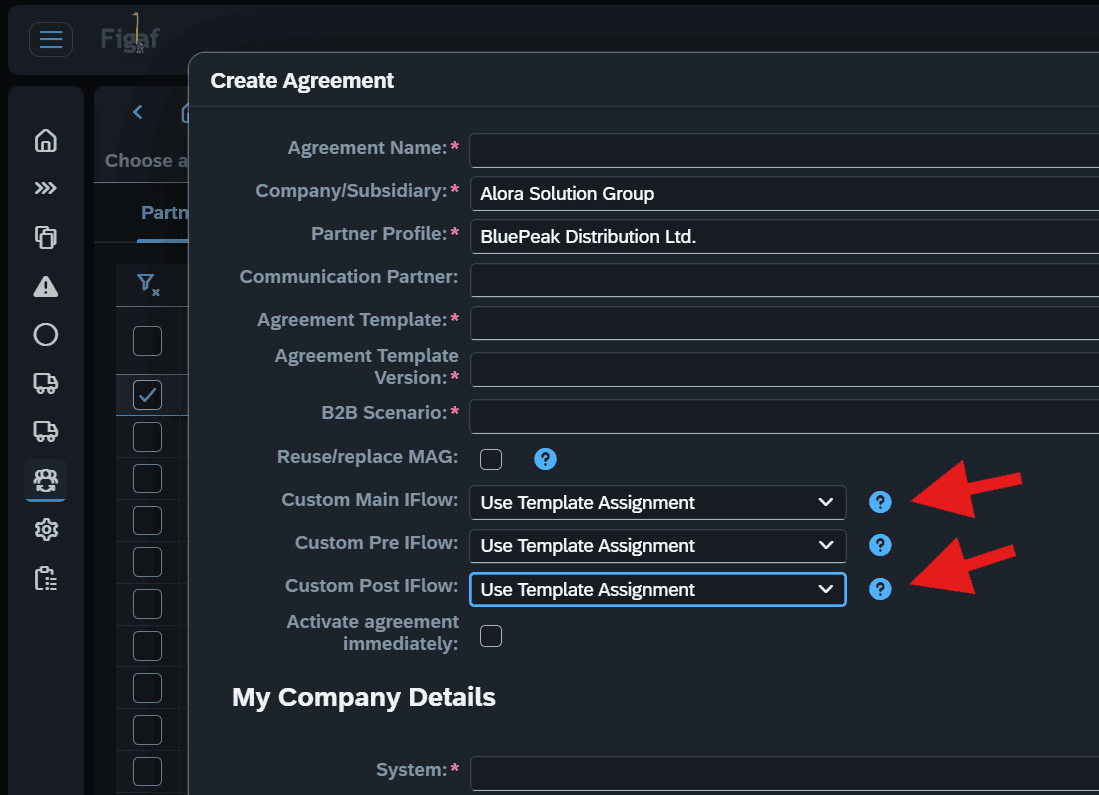
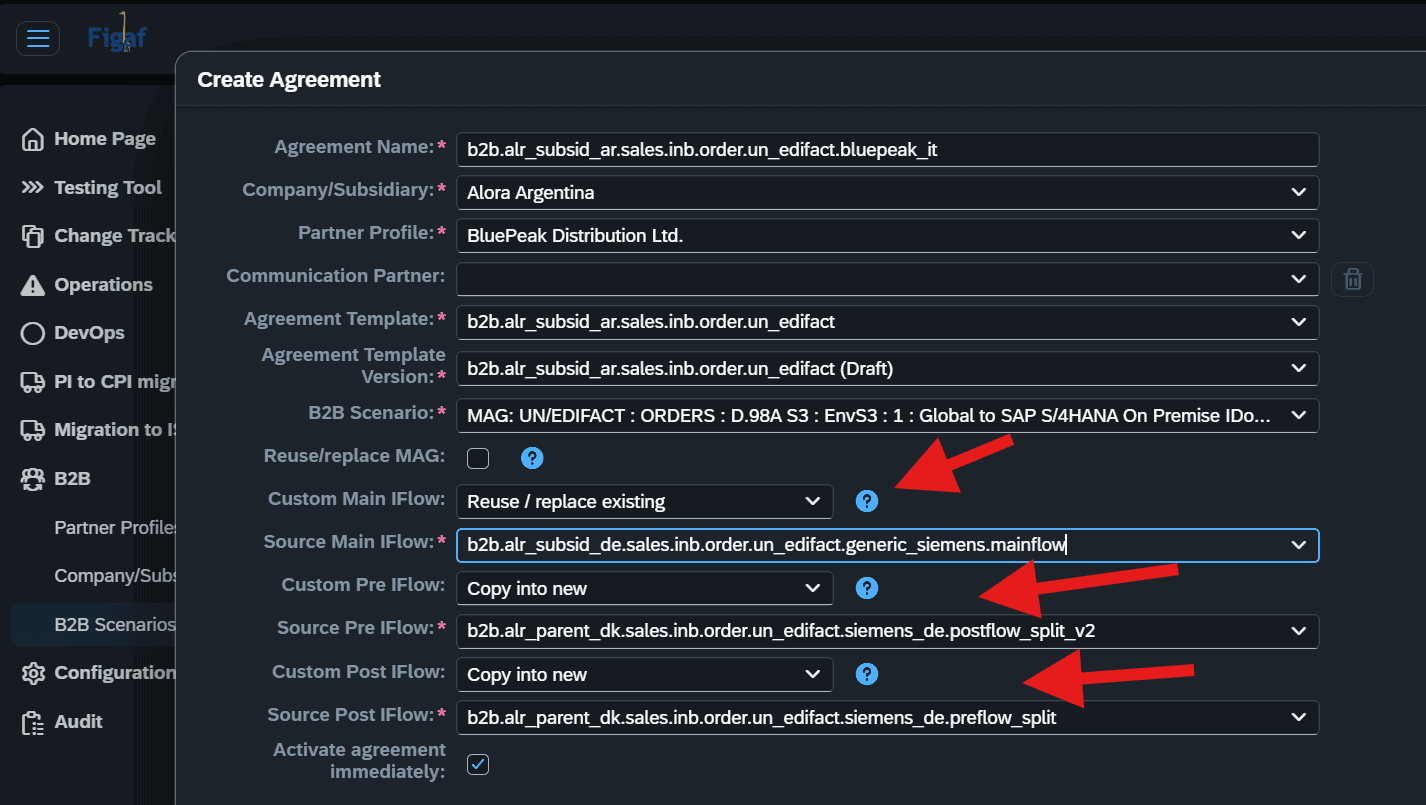
Create agreement: reuse or replace pre-iFlows and post-iFlows + copy custom iFlow to new partner-specific artifact
In the previous release, the option to select an existing custom main iFlow was introduced. Now Figaf also support the selection and utilization of existing pre- and post-iFlows.
In addition, there is now also the option to select a copy of existing iFlow into new partner-specific artifact, so the iFlow can be made unique for the respective partner for whom the new agreement is being defined for.
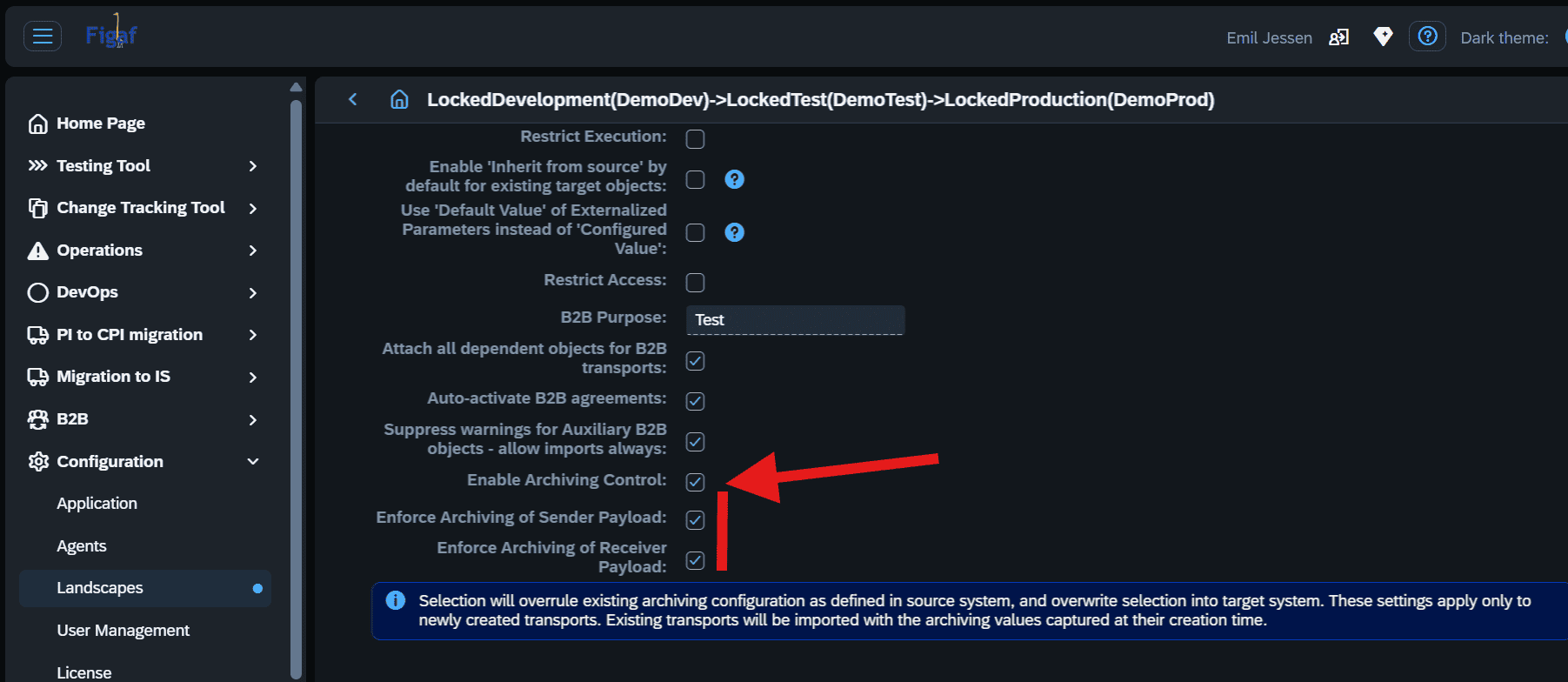
Archiving governance: ensure archiving policy is enforced during DevOps transports
Archiving B2B messages is an important governance topic. It is mandatory in most countries that companies must archive their B2B messages, some even required to archive the full end2end EDI flow of sender message and receiver message.
This is possible to define in SAP Integration Suite TPM, but how will you make sure it is enforced? Of course, it is possible to quickly identify scenarios with missing archiving settings in Figaf. But cleanup can be tedious. Figaf has therefore added a new configuration setting in the landscape settings for B2B transports: Automatically enable archiving in target system.
B2B scenario filtering: made more generic
As your list of B2B scenarios grow, the challenge of keeping overview and extract relevant scope for analysis and processing gets more difficult. Using filters in the B2B scenario overview is a big help, but sometimes you want to update a filtering, while either preserve or delete existing filtering. This is now an option, so when you click on a B2B TPM object link, you first get the option to filter by this specific object:
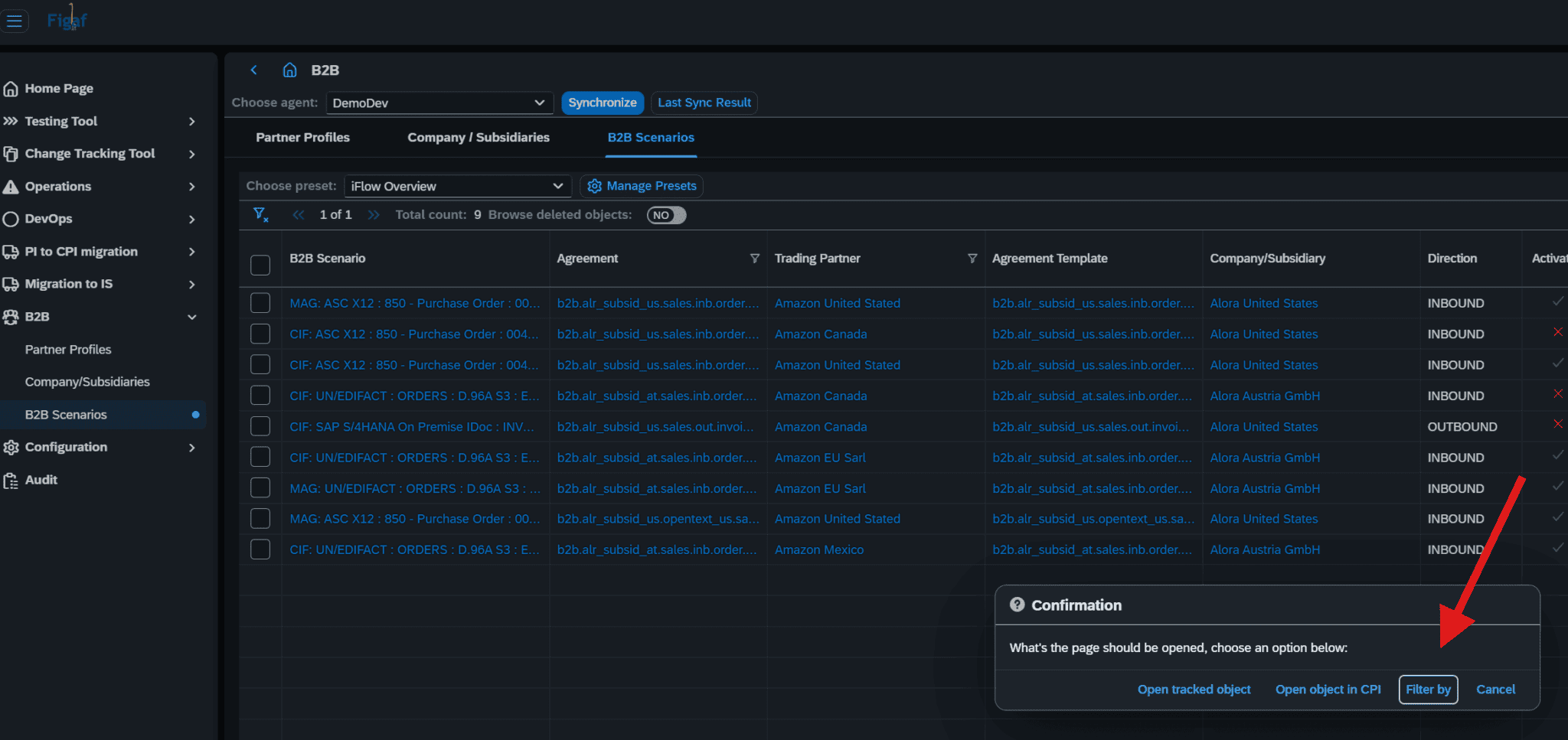
Now the filter function is followed by a decision box as to preserve or delete existing filters:
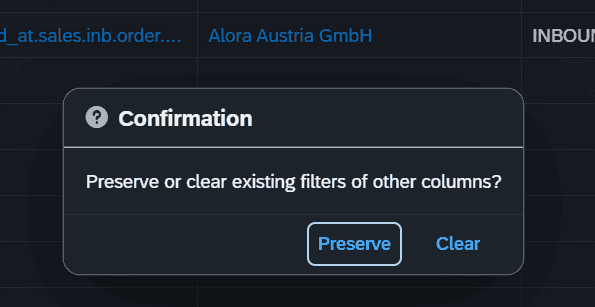
Small update, but with great usage value.
Smaller improvements
- Show reason for objects not added to transport
- Configuration of iflow configuration around scheduler step.
- Scenario documentation improvements to fix challenges with link
- Update of dependent libraries
- Resolved the authentication problem {“error”:”Full authentication is required to access this resource”}
To learn more about how we are building integrations, and our visions and ideas, join us at our webinar on Tuesday, Jun 23, 2026 03:00 PM CEST. Sign up here
