
Figaf 2606 introduces new capabilities that automate one of the most manual parts of SAP integration operations: Managing SAP Discovery Content across tenants. Combined with expanded B2B governance, enhanced DevOps capabilities and continued AI integration through our MCP server, this release helps integration teams reduce manual effort, improve consistency and maintain better control throughout the entire integration lifecycle.
Management of Discovery Content
It has long been a rather manual and subjective task to ensure that your SAP standard Discovery Content was kept up-to-date and aligned across tenants/environments. Have all discovery content updates been applied to all tenants? Do all discovery content packages even match/exists in all tenants?
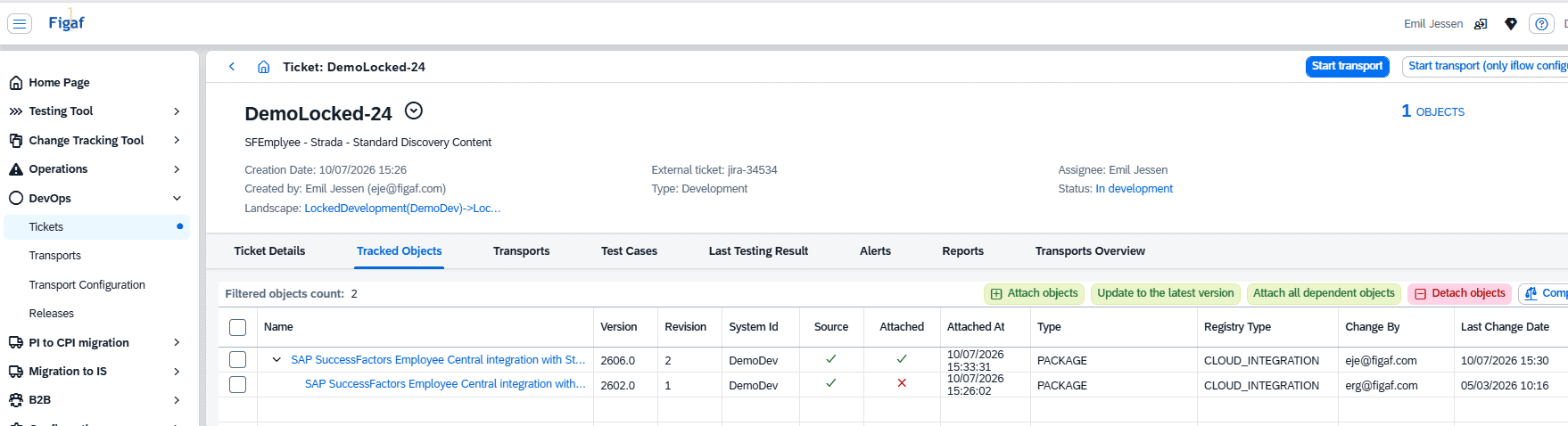
Now with Figaf DevOps, enterprises can establish solid procedures for ensuring this. With DevOps, it is now possible to transport a SAP Discovery Package, and even Transport a newly created one, resulting in the same package getting copied per SAP standard into your own design component.
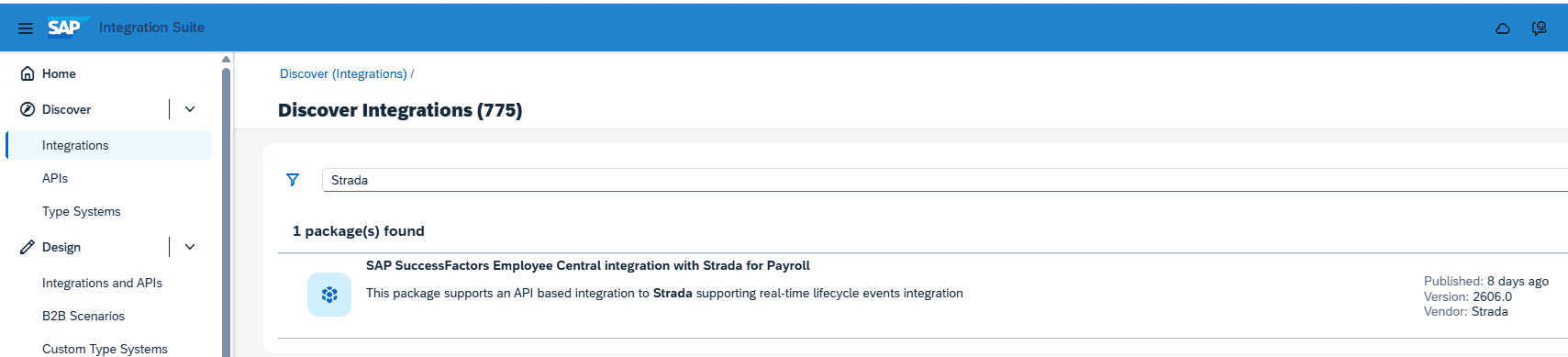
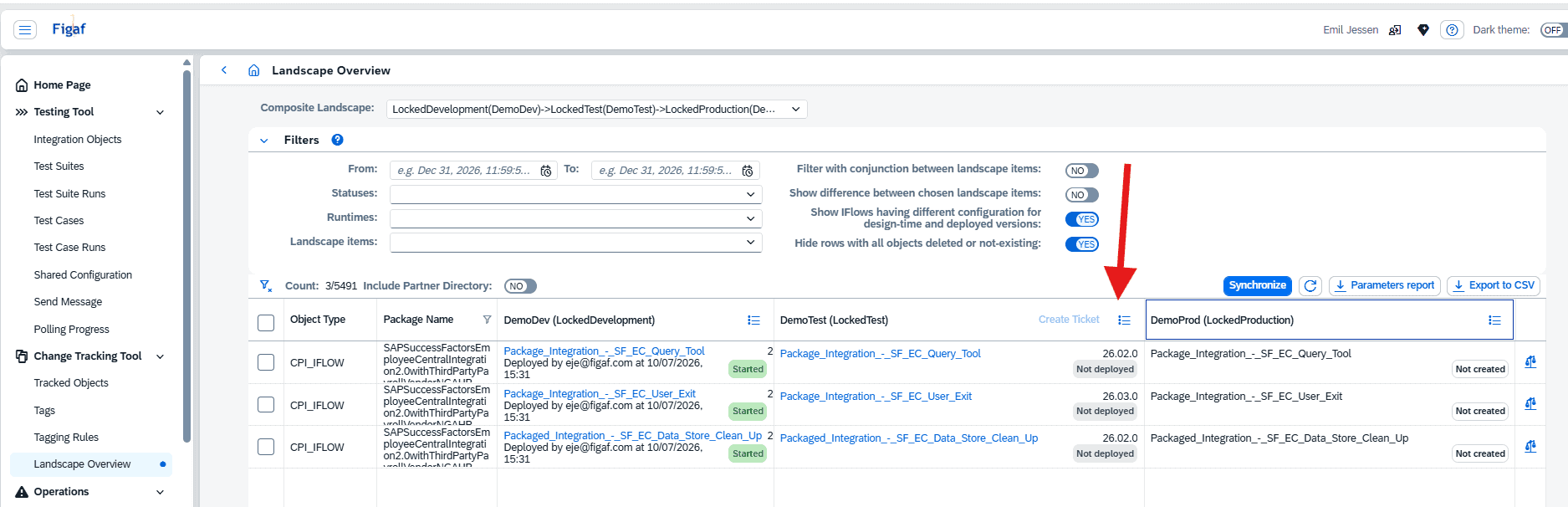
In the example below, we can now quickly see, that this standard content only exists in DemoDev, where is already has a couple of iFlows deployed.
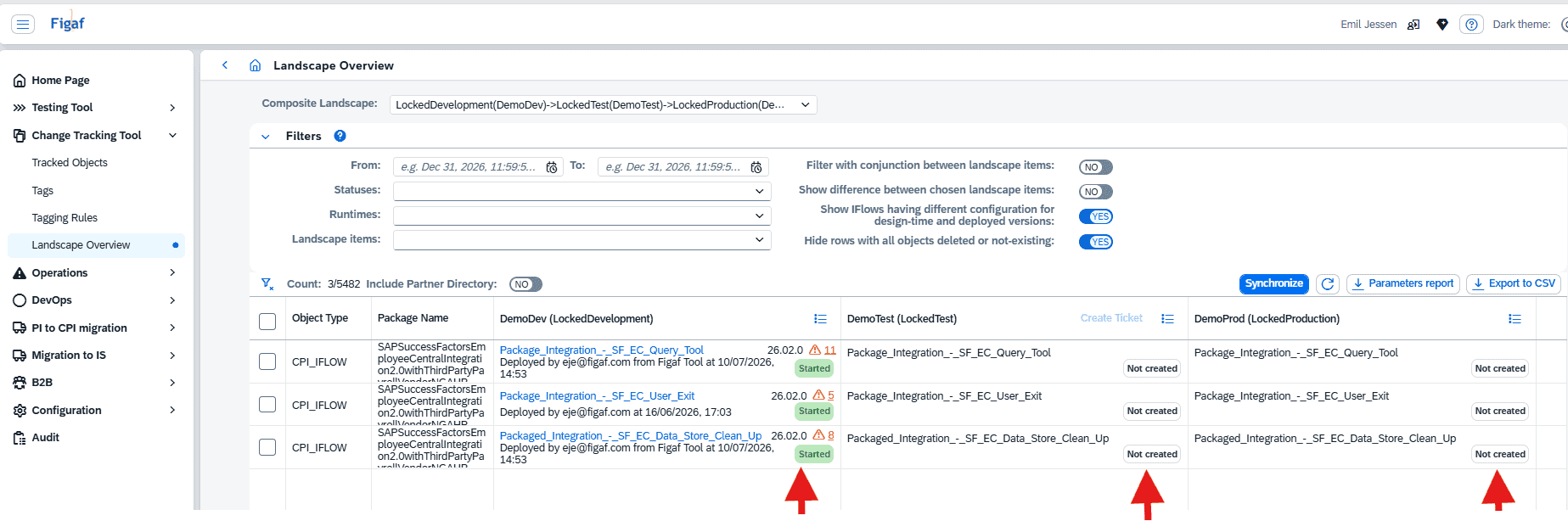
“Normally”, the responsible person for SAP discovery content would manually (try to) keep these environments aligned. With Figaf DevOps, you can trigger a transport of the SAP Discovery Package, which will then validate and document the whole implementation/adoption of SAP standard discovery content.
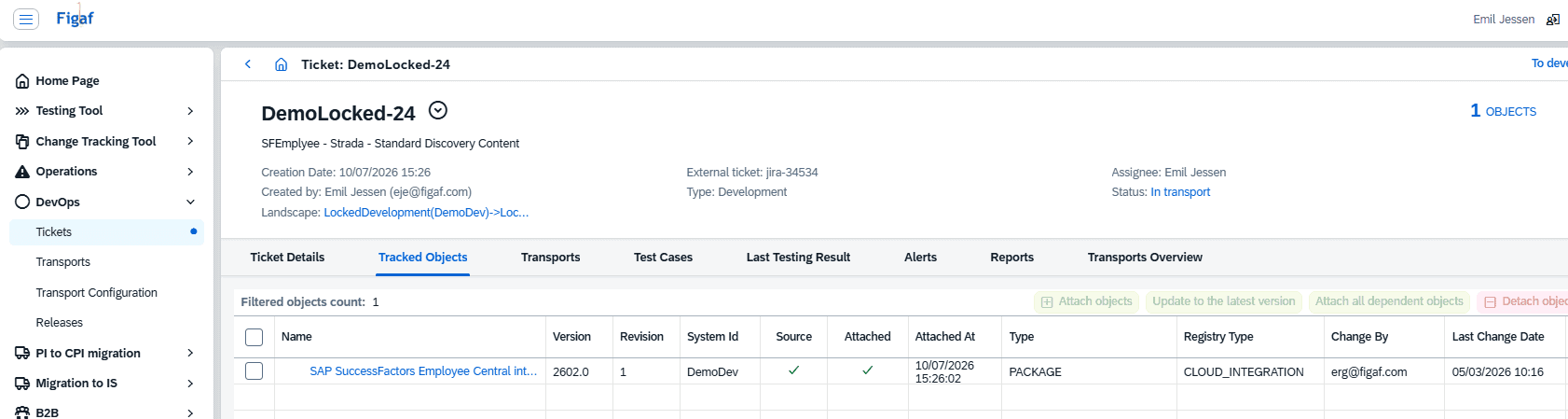
Part of the DevOps procedure is to verify and ensure, that the installation of Discovery Content in a target system (which will always by SAP standard be the latest/newest available version) will match that of the version installed and deployed on the target system. Here is an example how that is caught immediately.
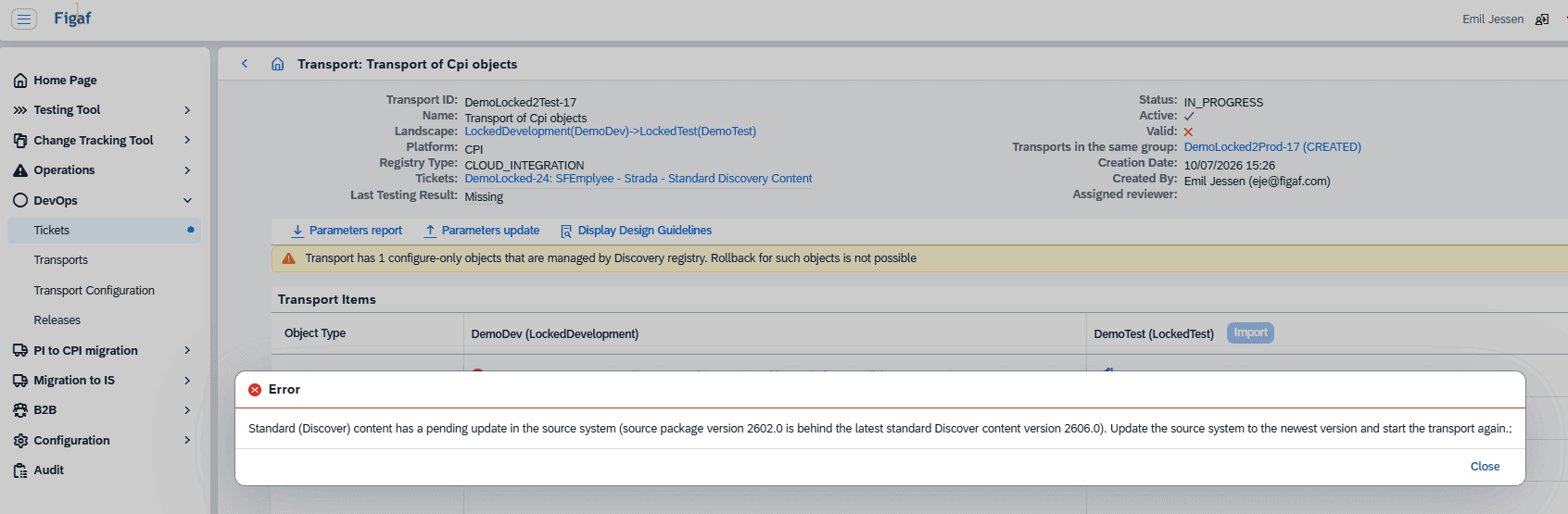
Which also matches our design notification.

After content has been updated, the Figaf DevOps ticket can also be updated with a single click, and now the content is ready to be transported/aligned in target system. You might, of course, consider first performing all the required regression testing of the Figaf Test Tool test cases already created by you 😉
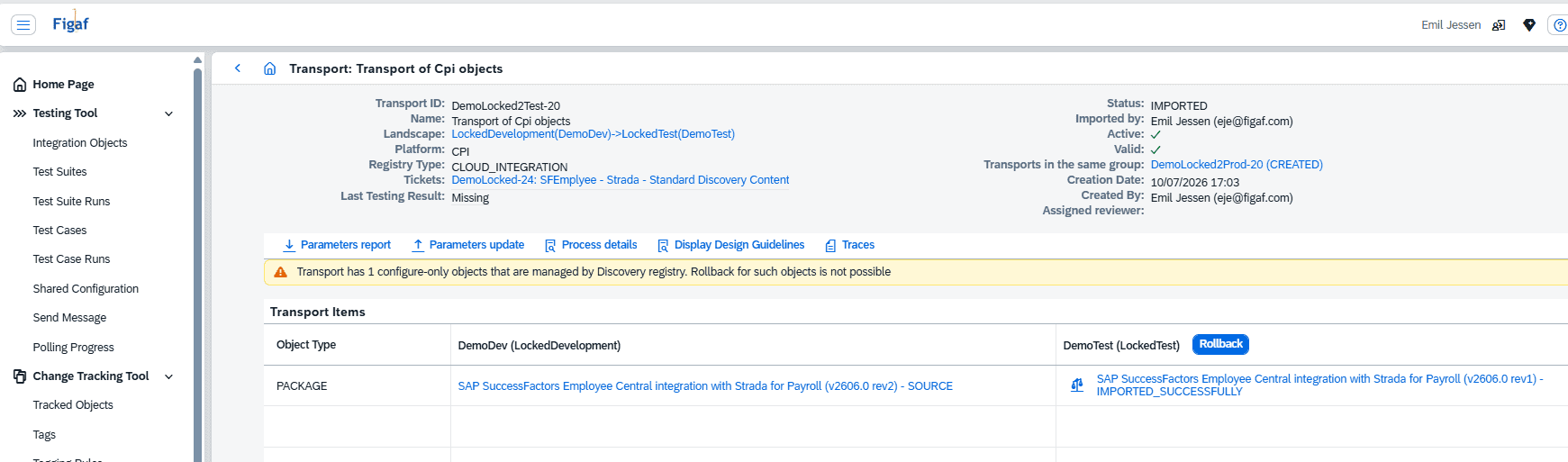
Now transport can be successfully imported.
And as a result the discovery content is now present in DemoTest target system, pending deployment.
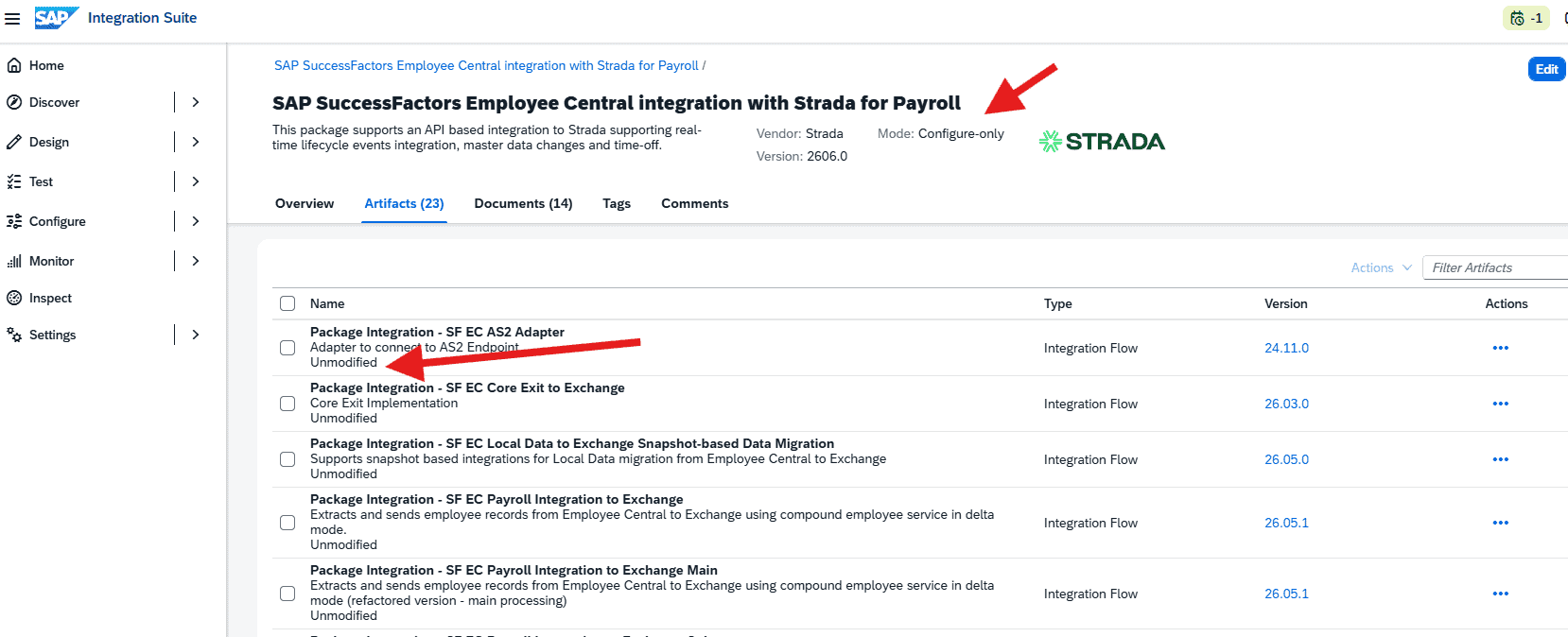
Note, that the result design package in design is still “Config-only”, and therefore identical to the manual copy of discovery content, and also still eligible for updates.
Here seen in DemoTest target system:
MCP server now also works for BTP
We have enabled the MCP server to allow access on BTP user. In our last released we should that you can connect Figaf to Claude, or self hosted LLM. This enables you to search for iFlows and compare them.
We do have plans to add more functionality to the MCP, to enable you to build integration faster.
B2B capabilities updates
In this release, Figaf has focused on aligning with new SAP features, so that your B2B landscape can be managed to the fullest extend of SAP standard and best practices. Also the absolute latest features.
Agreement versioning
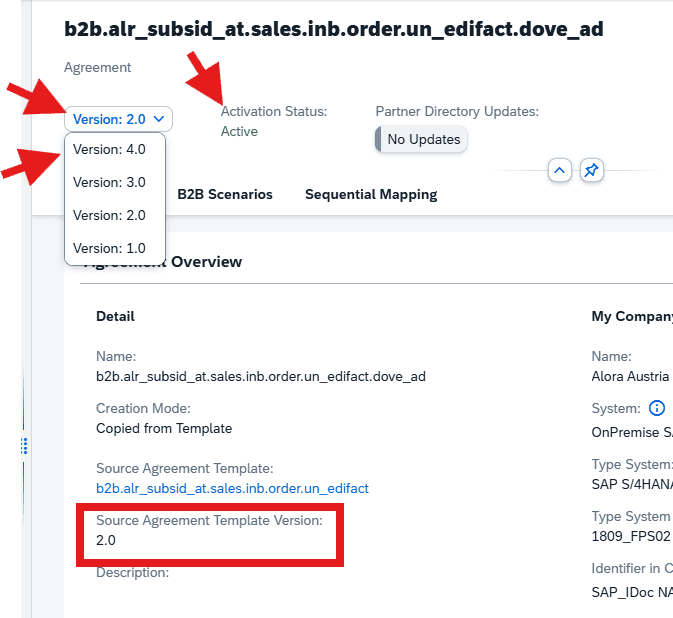
This we knew was coming. First came the Agreement Template versioning, and just last month we got the Agreement versioning. What might look like a simple new feature from SAP, will actually challenge your B2B governance and operational procedures significantly, especially when it comes to change management. That is also the main focus of Figaf DevOps and B2B components, and with this release both are supporting your use/need for versioning Agreements as well.
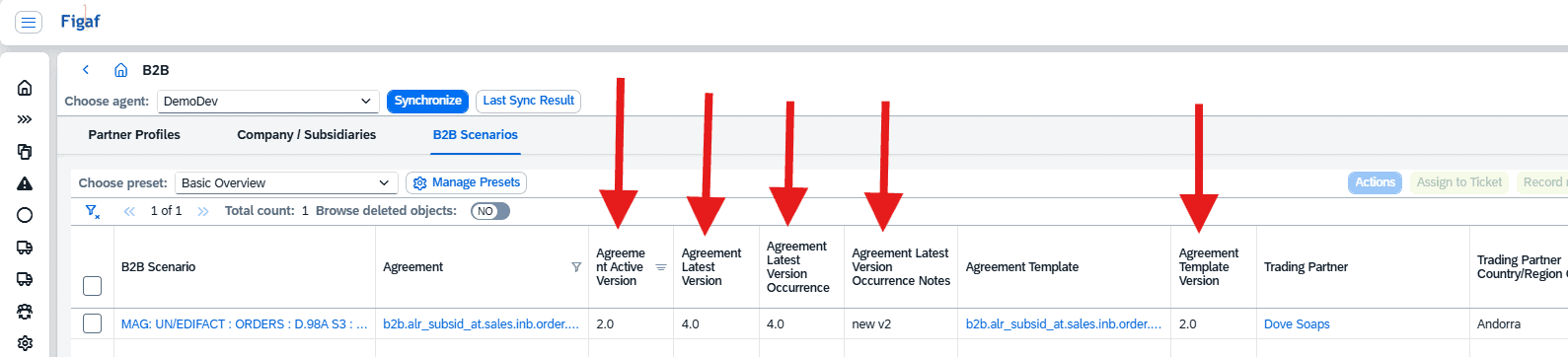
So now you might be using multiple versions of an agreement template. Your agreements might also exist in multiple versions, where perhaps even the newest one is not the active one. There is a risk, that things can quickly become difficult to navigate in, and you might loose track of what is actually runtime.
But in Figaf B2B Component, you can get the full overview. And here you can also consolidate and check before deleting older version, since SAP only support a maximum of 5 versions, thereby requiring the deletion of older version once the limit is reached.
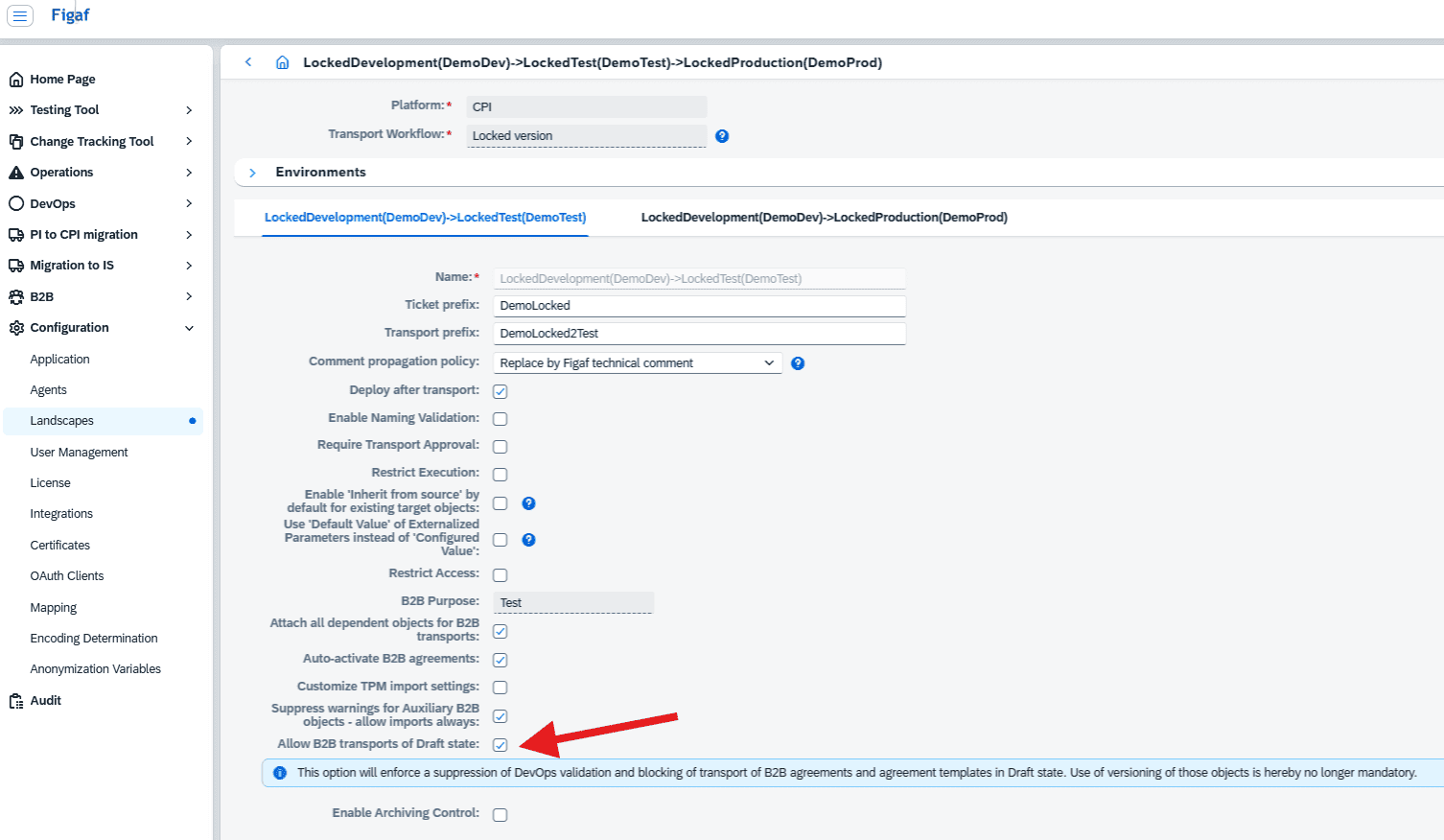
Allow DevOps transports of drafts for agreement templates and agreements
In case you decide not to pursue/enforce a strict versioning policy and governance for B2B Agreement Templates and Agreements, you might decide to permanently keep these in draft state. Per standard settings and policies, DevOps does not allow for the transport of any objects that still in draft (or non-active) state. However, it is now possible to except these two B2B objects from this validation. Just note, that such decision will increase risk for your B2B landscape, since you can never be sure what a draft state actually covers. But this would be same as before the versioning feature was introduced by SAP.
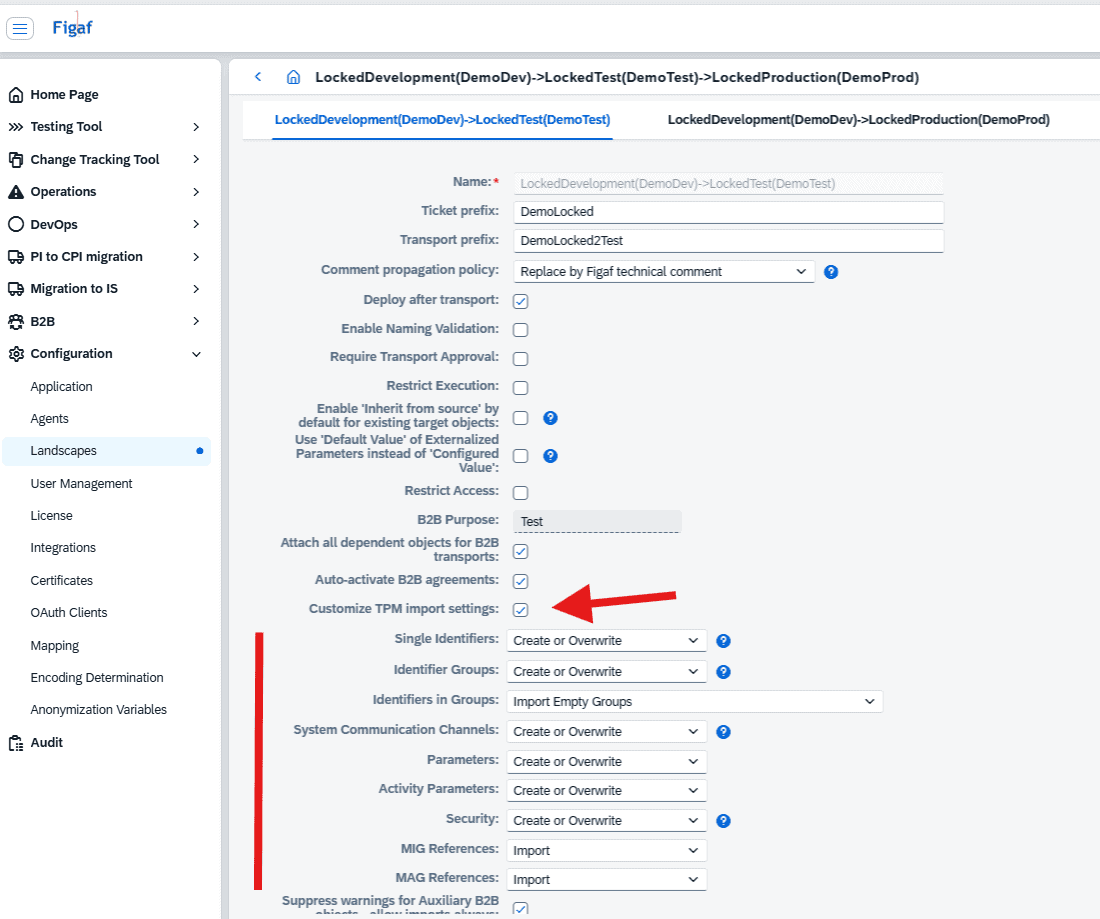
DevOps global settings for TPM imports
Since DevOps rely on SAP standard functionality for import of TPM content into a target system, the landscape configuration has now also been extended to support import customization matching that of the SAP standard cross action settings. Unless specifically defined, the default settings will be applied.
UI and other smaller optimizations
- Certificate status in partner and company/subsidiaries overview
- Agreement versioning made more transparent
- PI-to-CPI overview can now be sanitized, mistakes can be deleted, and you can start afresh.
- Support transport system and communication translation of assigned acknowledgement communication for outbound scenarios when a partner communication is selected. This is new feature from SAP, since it was only previously possible to assign a communication from the sender (company) system.
