
Most of this release went into upgrading the platform, so you won’t see a lot of it directly. But it keeps us on a secure, current base, which matters more than it sounds like on a changelog.
There as been a lot of smaller changes that we have had to make to resolve customers cases.
-
Fix for supporting Edge Integration Cell Deployment via default properties.
-
MAG is now also a licensed object.So it counts on your DevOps license objects.
-
Migration of Receiver Determination of wildcard scenarios
Landscape overview
The challenge of operating SAP Integration is to know what objects is moved where in your landscape. It takes forever to do manually. The landscape overview allow you to see objects (iflows, b2b scearios and more) across the landscape.
We have improved the filtering functions to make it easier to see what is going on.
To make it easier to see what is moved to which system, we have created an option to filter objects based on the tickets involved. Now you can see if all the tickets you are working on have moved the correct versions to production.
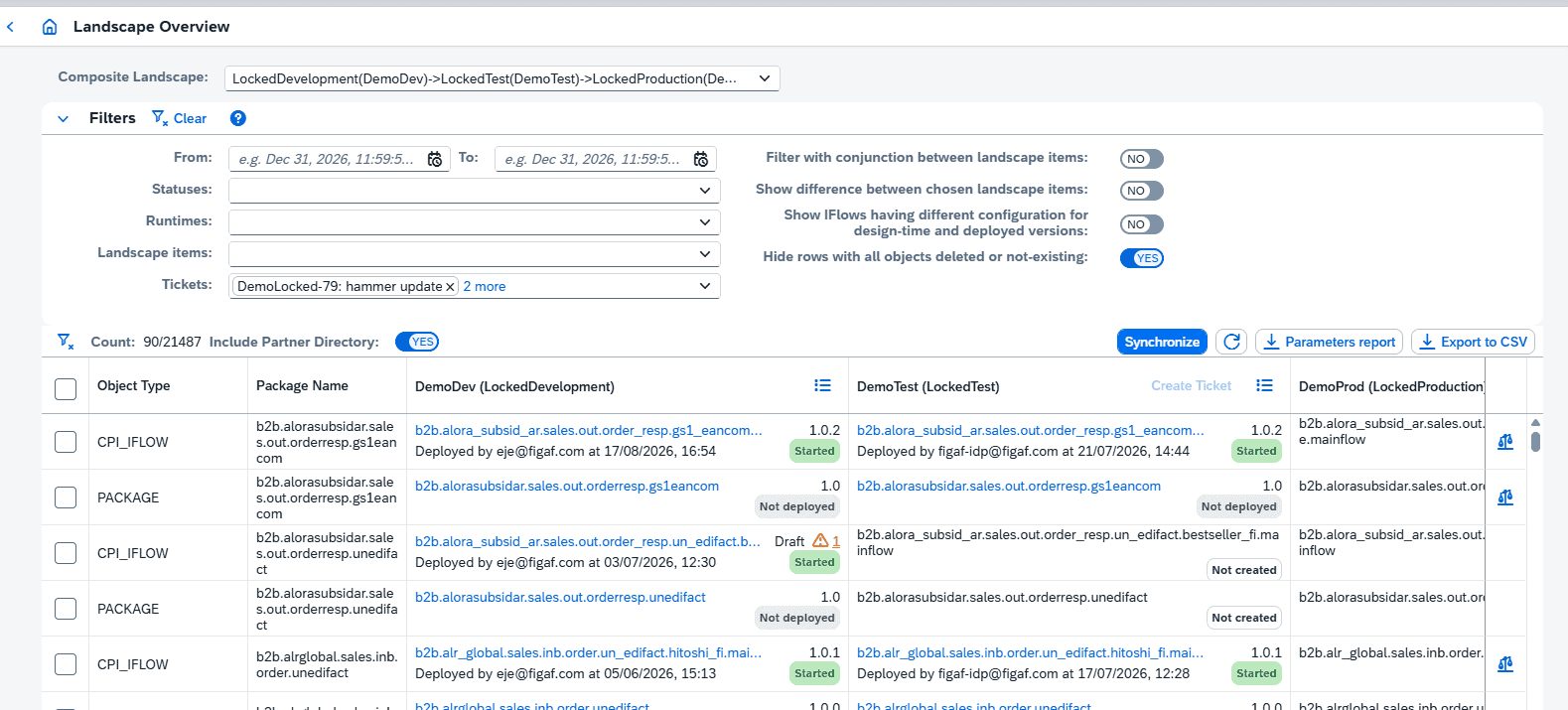
The landscape overview is a pretty nice feature to see what is going on in the landscape.
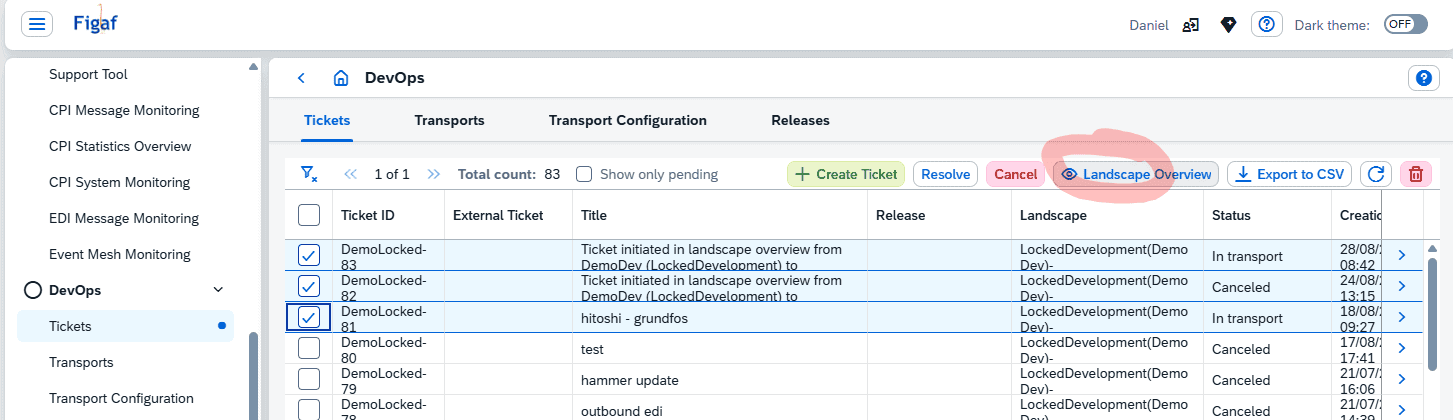
You can select multiply from the tickets page to see the object and then see all the objects and the status.
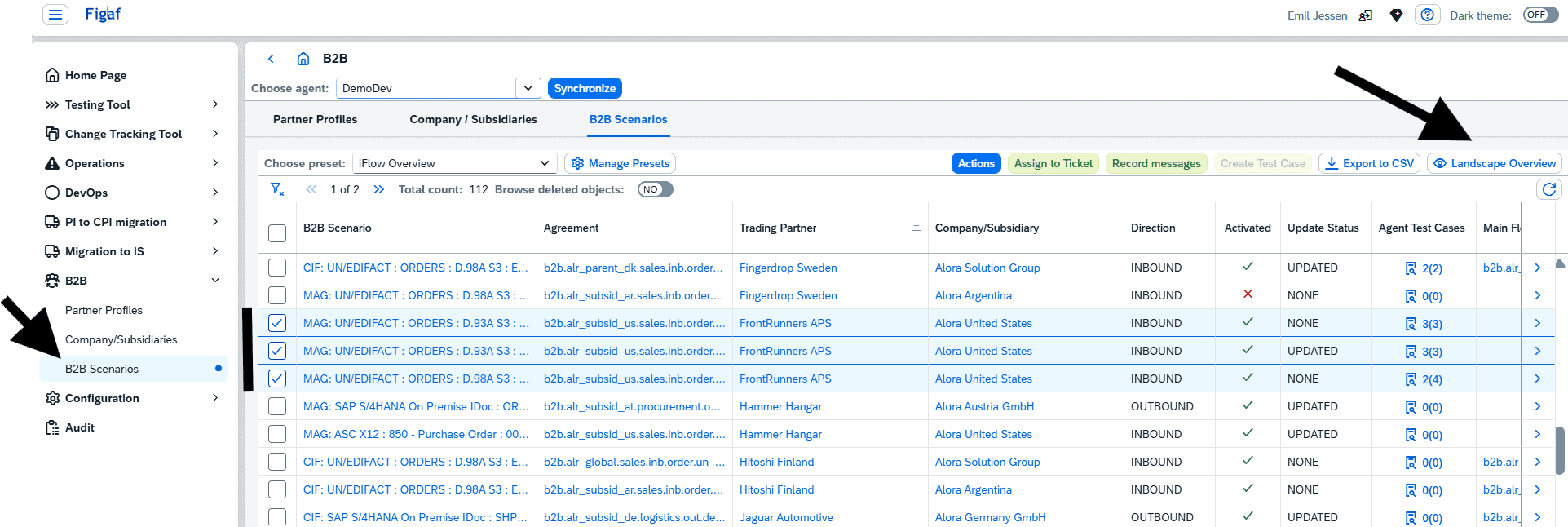
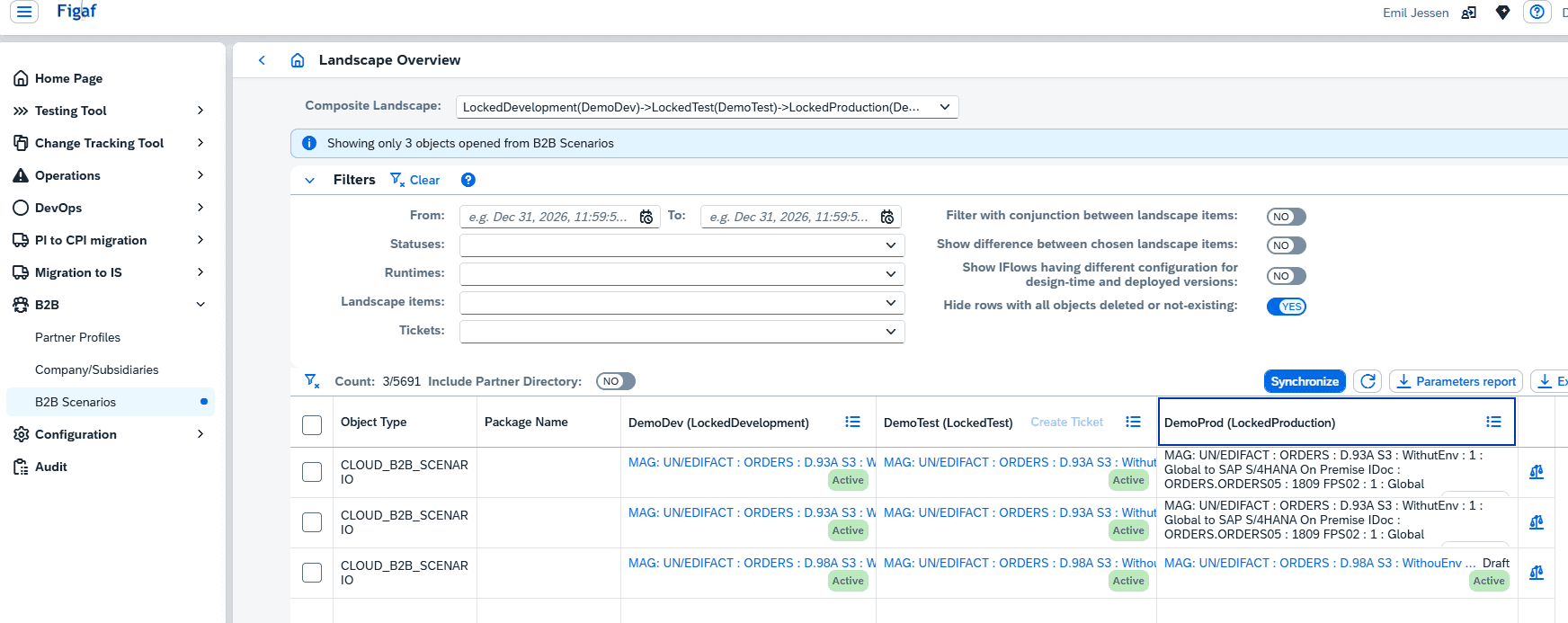
Have you ever looked at a bunch of scenarios in development and wondered how many are in production, and what state they might be in? Now the B2B scenarios overview has a button that leads to that complete overview.
B2B optimize and simplify the creation of new trading partners, which rely on communication partner (VANS)
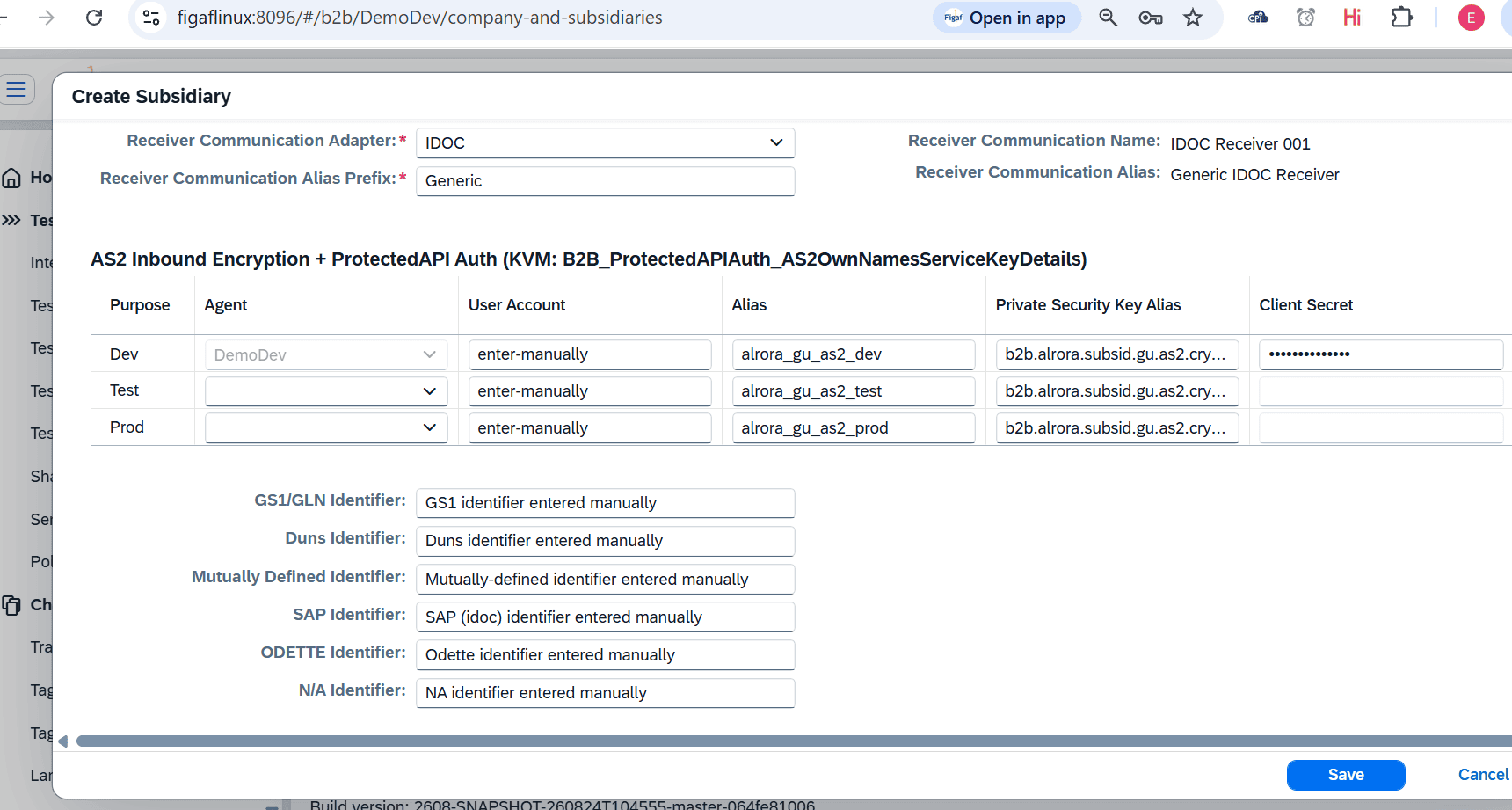
When creating a subsidiary, the input fields have been optimized.
A new feature has also been added: support of none-authentication AS2 connectivity (ProtectedAPI Auth), in case the policy applied is based on only encryption and signatures. Such setting would simplify implementation and on-going maintenance of AS2 EDI connections, while still containing significant security level.
SAP standard AS2 B2B connections will not allow for not-signed and not-encrypted messages to get processed without proper verification and match with certificates.
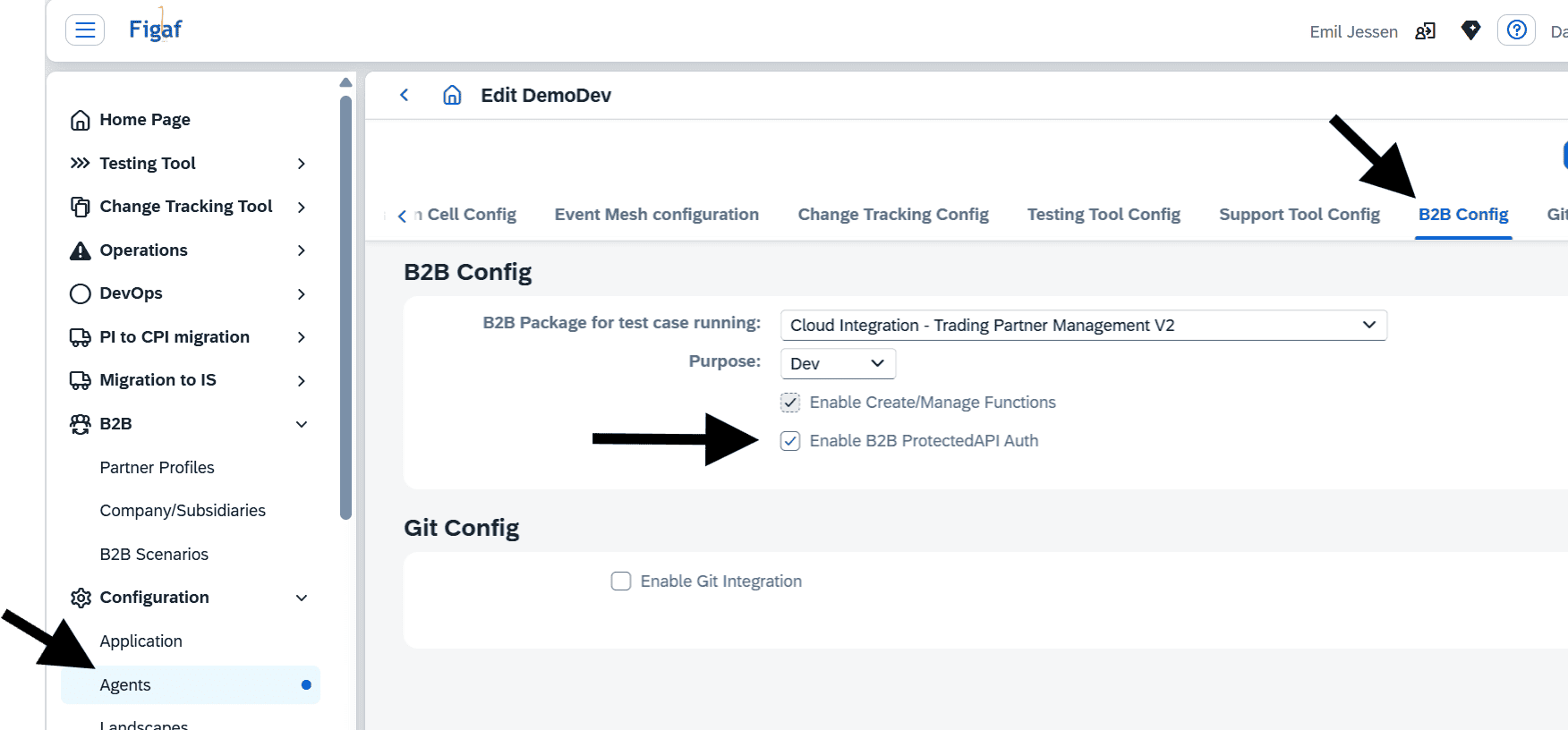
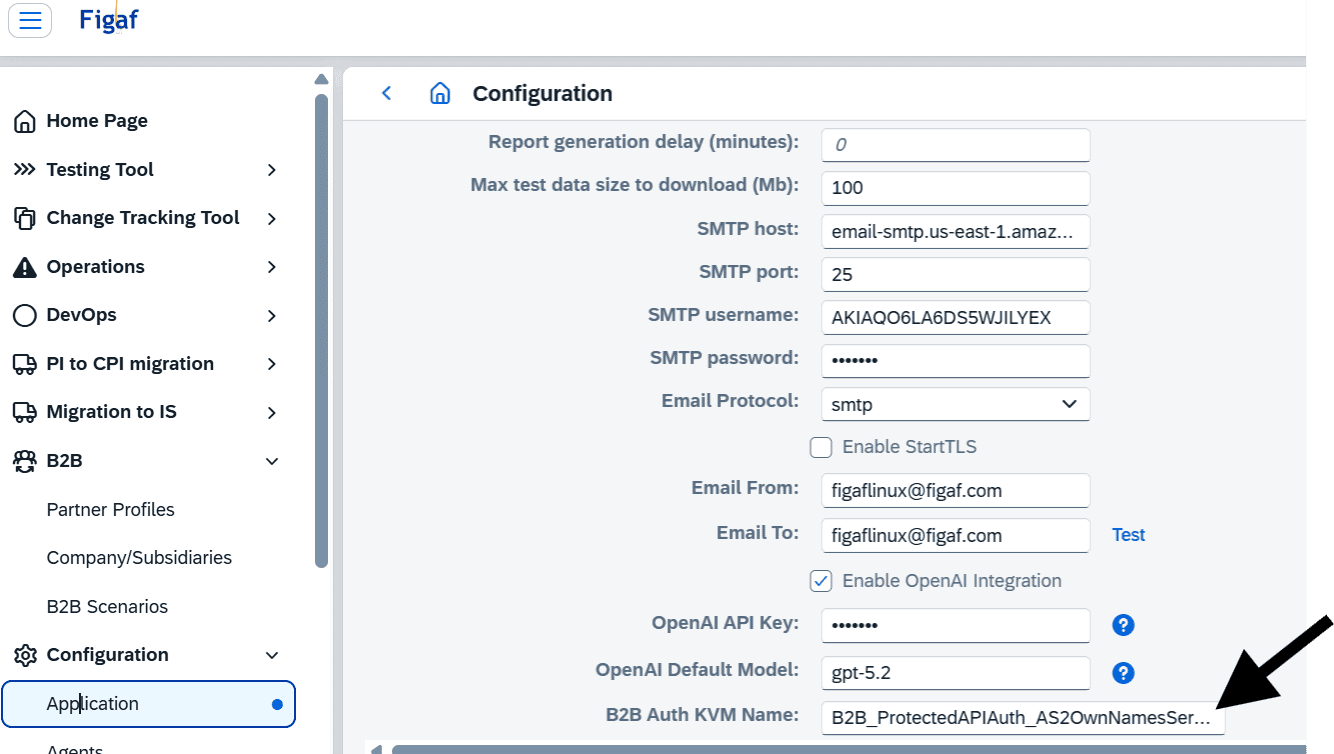
The configuration also requires API management enabled. There should also be defined a KeyValueMaping (KVM) where the mapping of subsidiary AS2 identifiers is done. This KVM will be automatically updated by Figaf in all tenants.
For this ProtectedAPI Auth setup, the creation of subsidiaries has been simplified.
NOTE: a prerequisite to the ProtectedAPI Auth setup can be a simple API, which routes messages to SAPs generic AS2 sender iFlow. This pre-API can be enhanced to check against the KVM entries. See Figaf documentation for examples.
Better management and transparency over DevOps tickets and transports
A simple little button, but one that helps you get a quick overview of pending tickets and transports. Just filter out all the tickets and transports already completed, resolved, cancelled, or in other states where no more actions are required.
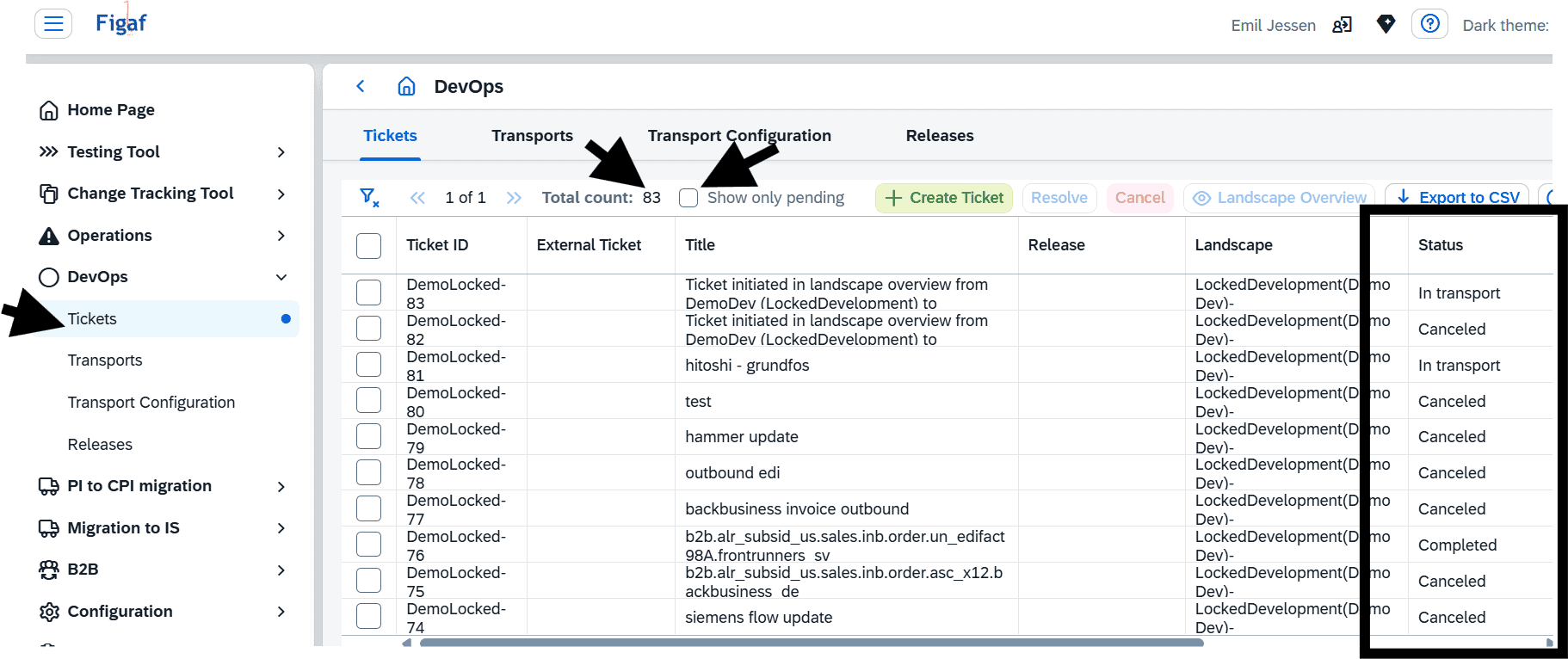
And then with a click
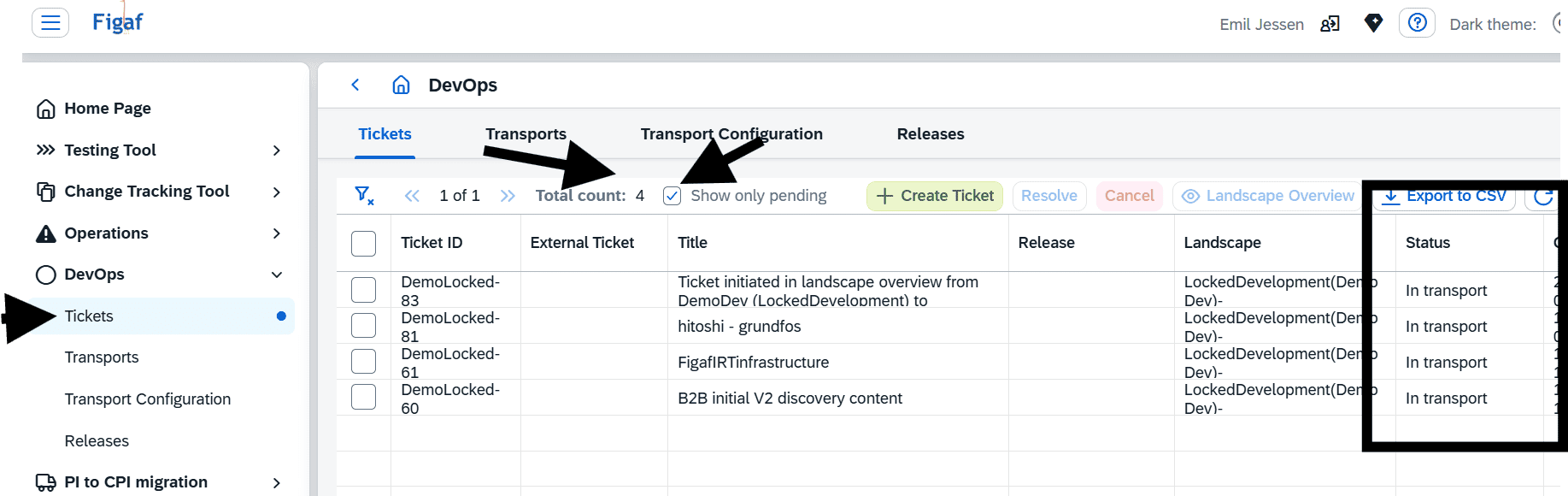
The same function is available for transports.
