Something changed in an integration and nobody can say exactly what, when, or why.
Change tracking is the part of Figaf that keeps a version of every integration object it monitors and shows exactly what is different between two versions. Developers use it to understand a change, architects and approvers use it to review what they sign off, and support teams use it to find out why something behaves differently today.
How it works
Figaf connects to your systems with an agent and synchronizes the objects on a schedule or on demand. Each time an object has changed, a new version is stored in the Change Tracking Tool (CTT), where the objects are listed as tracked objects.
SAP PI/PO. Repository and Directory objects are downloaded, so you can see who changed a directory object and where inside a repository object the change was made. You can also see where a message mapping is used, and in which ICOs.
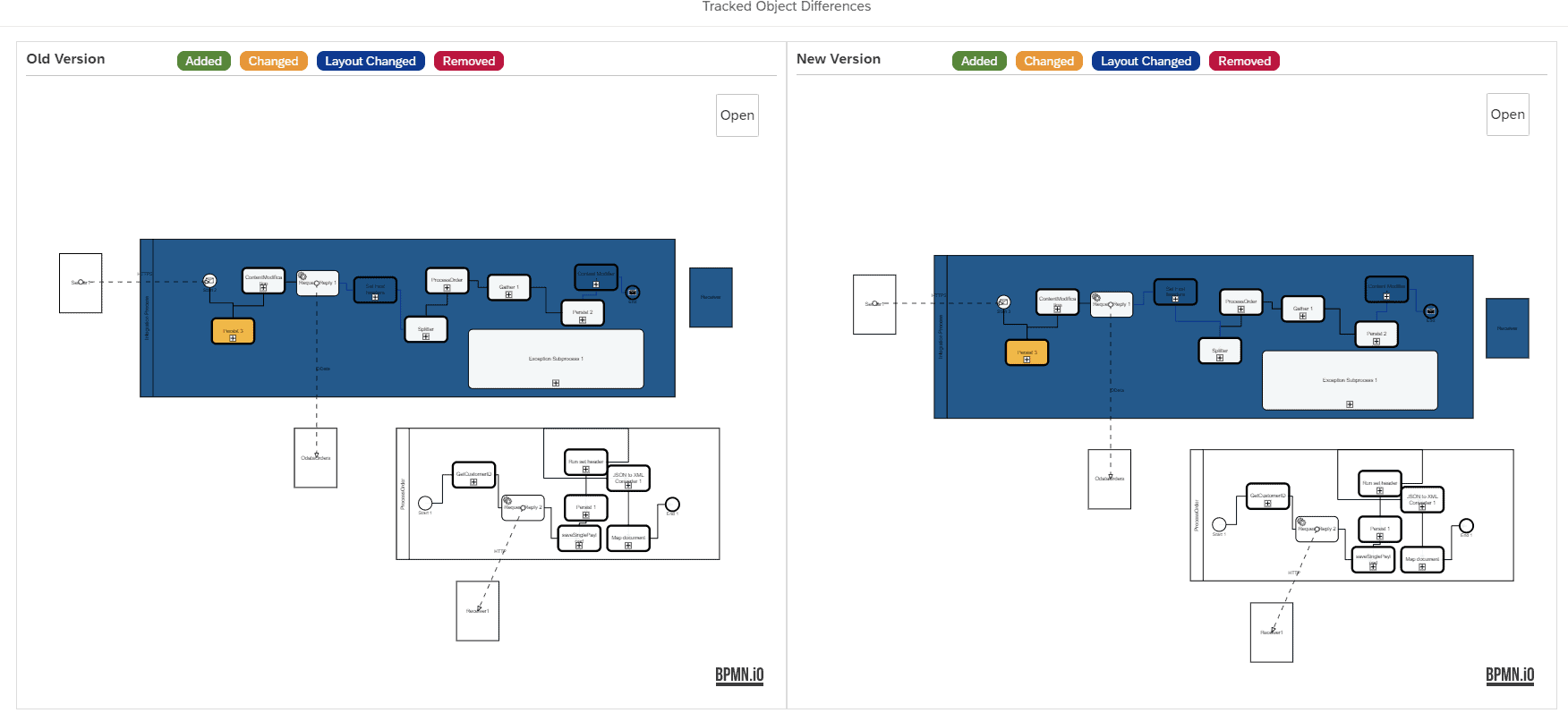
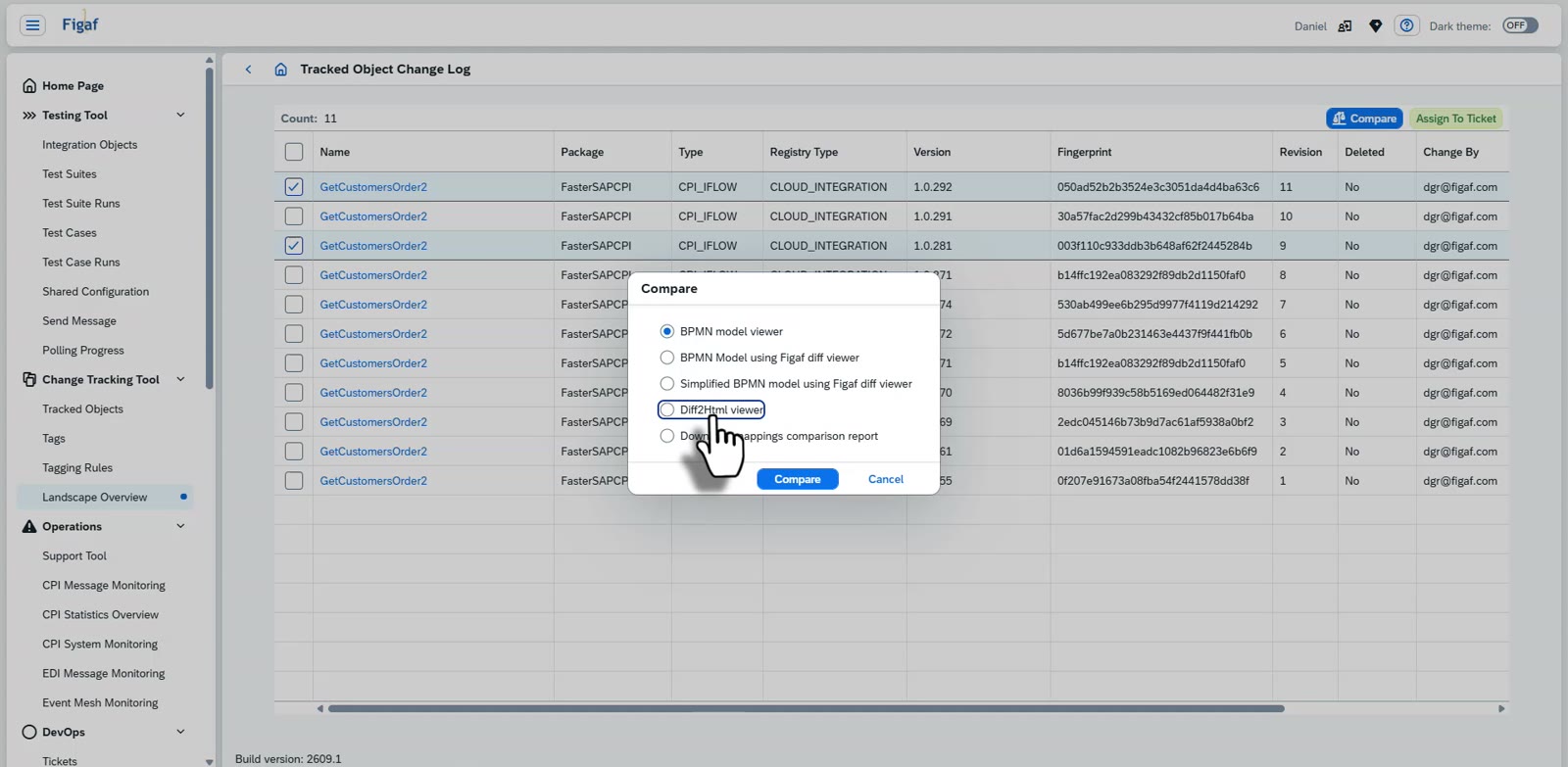
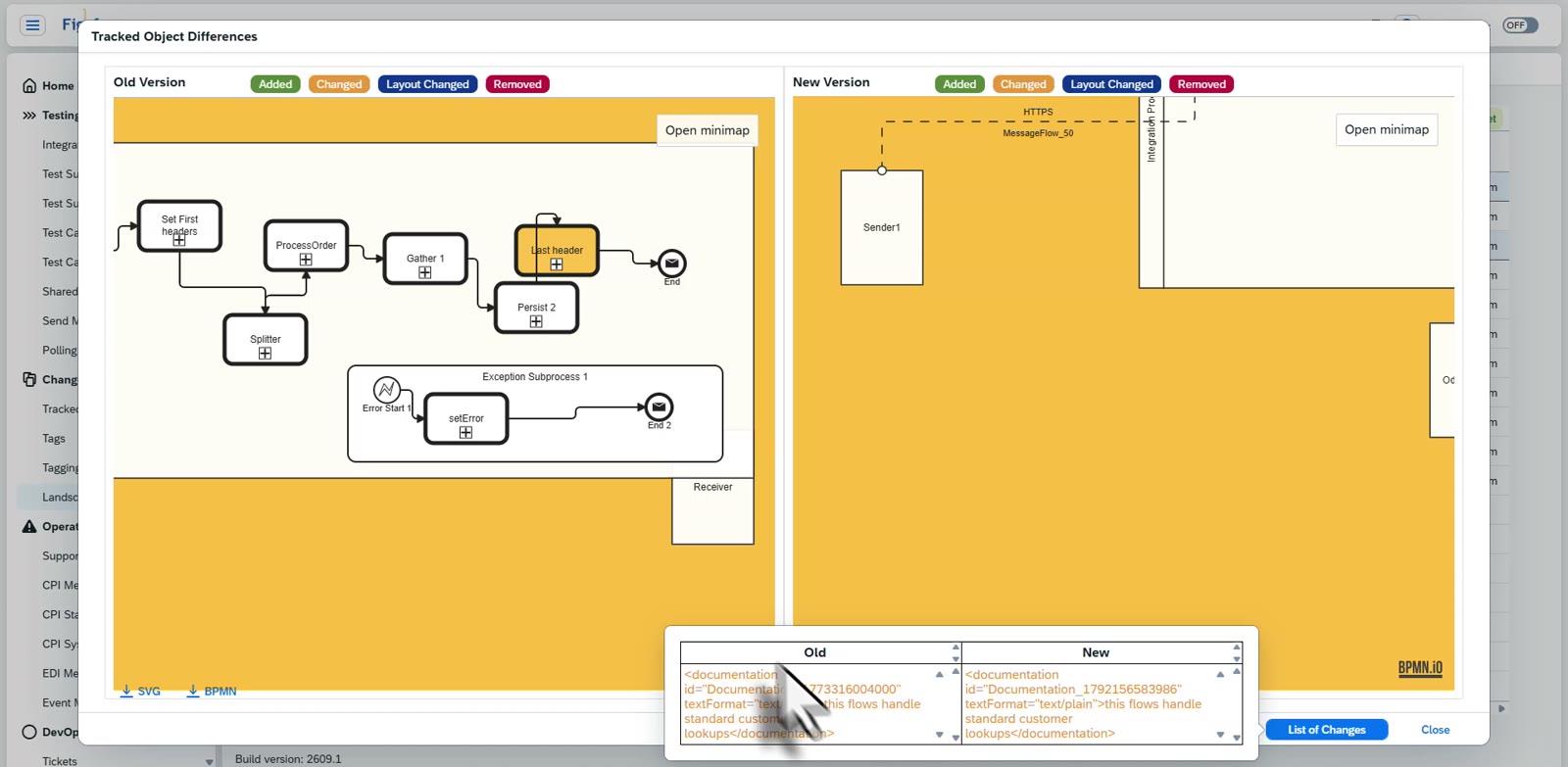
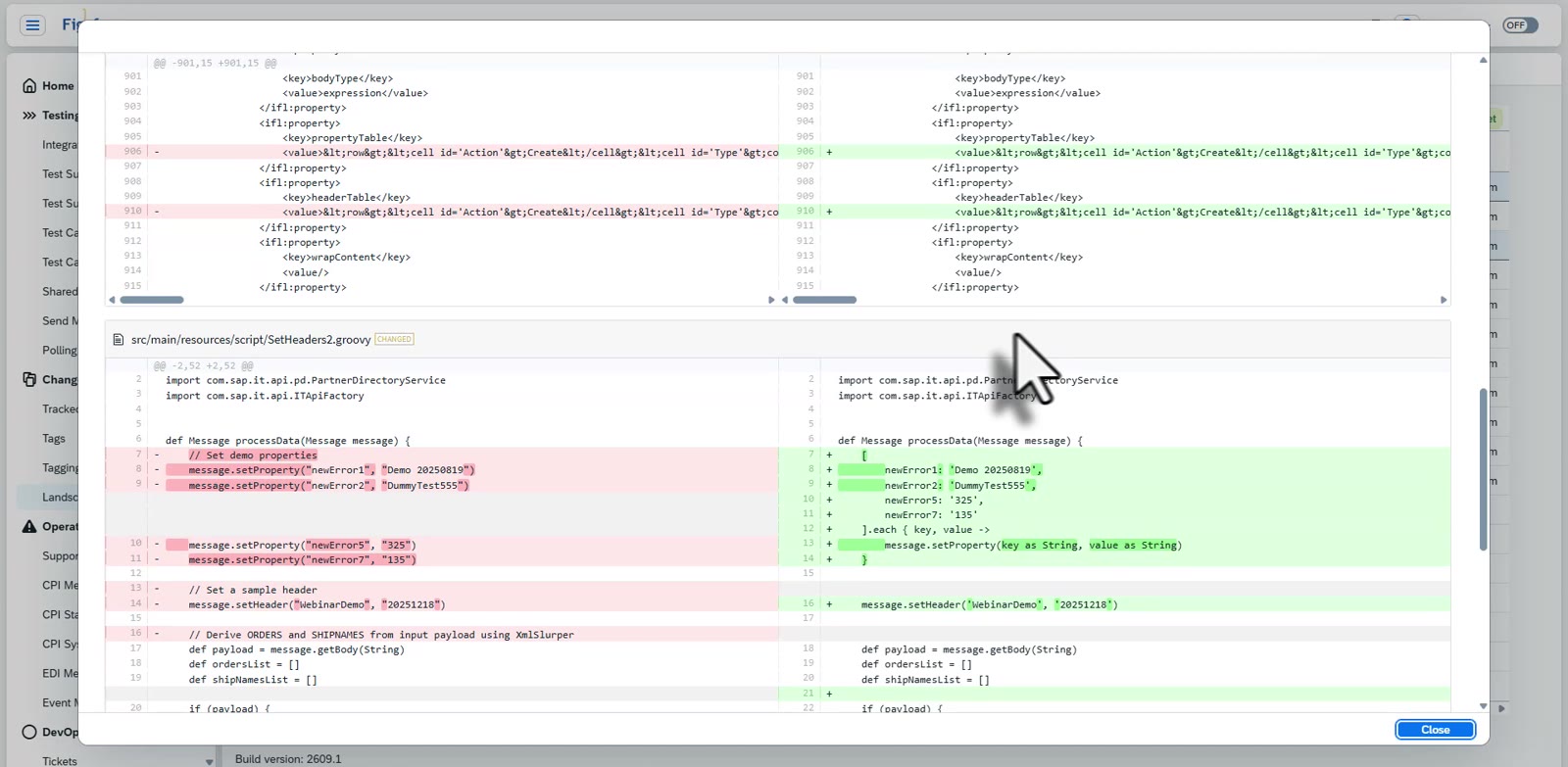
SAP Cloud Integration. iFlows, Groovy scripts and message mappings are versioned. The visual iFlow diff shows the old and new model side by side, highlights the changed steps, and lets you click a step to see the code that changed. Text and code changes can also be compared with Diff2HTML.
SAP API Management. API Management content is tracked and can be transported in the same way.
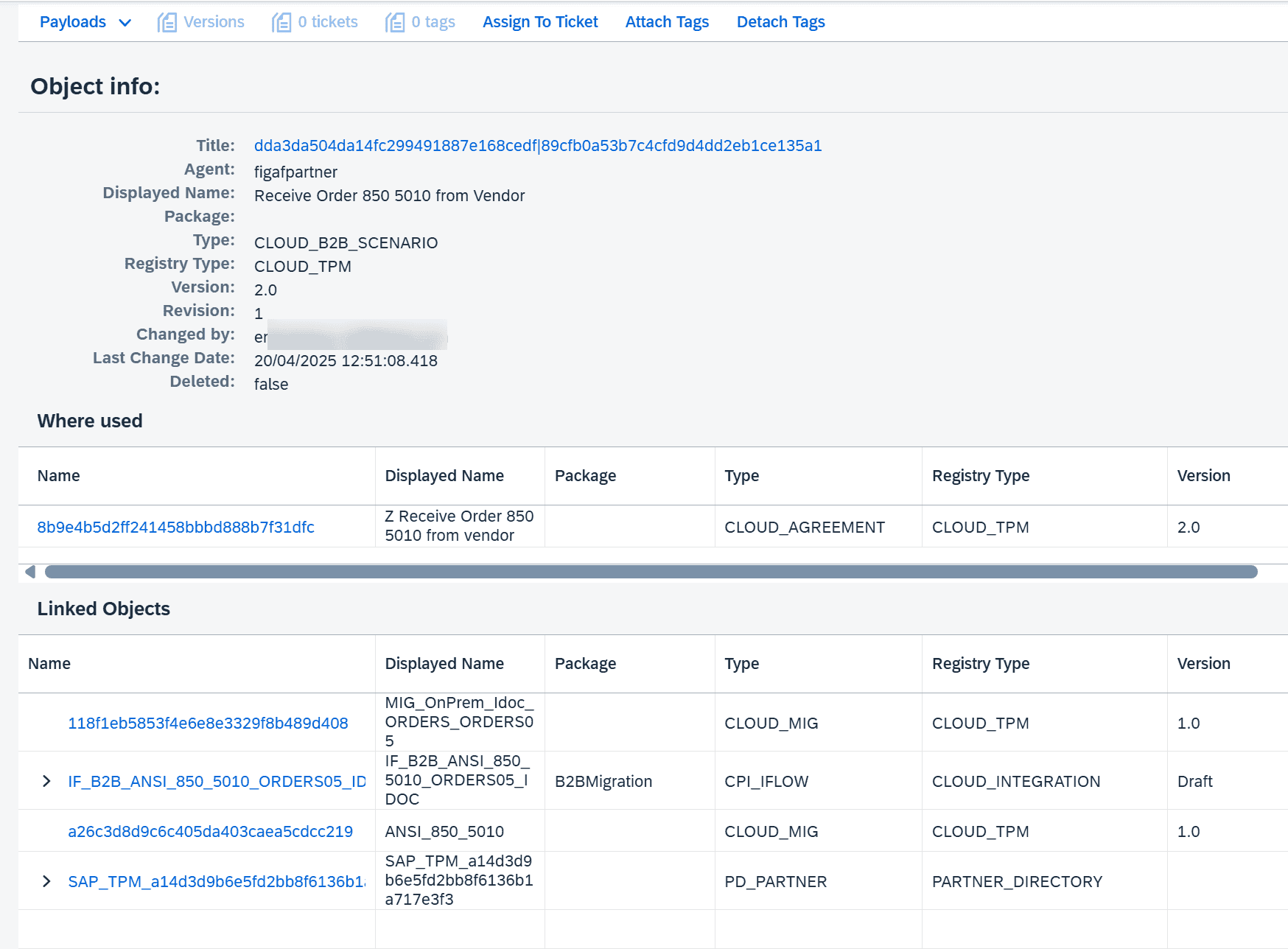
B2B and TPM. Since release 2504 all TPM objects are change tracked, with versions and a record of who changed what. MIGs have versions you can compare (release 2312), and so do MAGs (release 2506). Where-used links connect TPM B2B scenarios to the iFlows they call through ProcessDirect and to the MIGs they use.
Across the landscape. You can compare versions between development, QA and production, see whether the deployed runtime version differs from the design time version, and compare an imported transport with the version before it.
Mappings comparison. For message mappings there is a dedicated compare mode, a mappings comparison report, that gives a better overview of what changed in the setup than a line by line diff.
Tickets and Git. Each version can be linked to the ticket behind it, and Figaf can commit every detected change to your Git repository during synchronization.
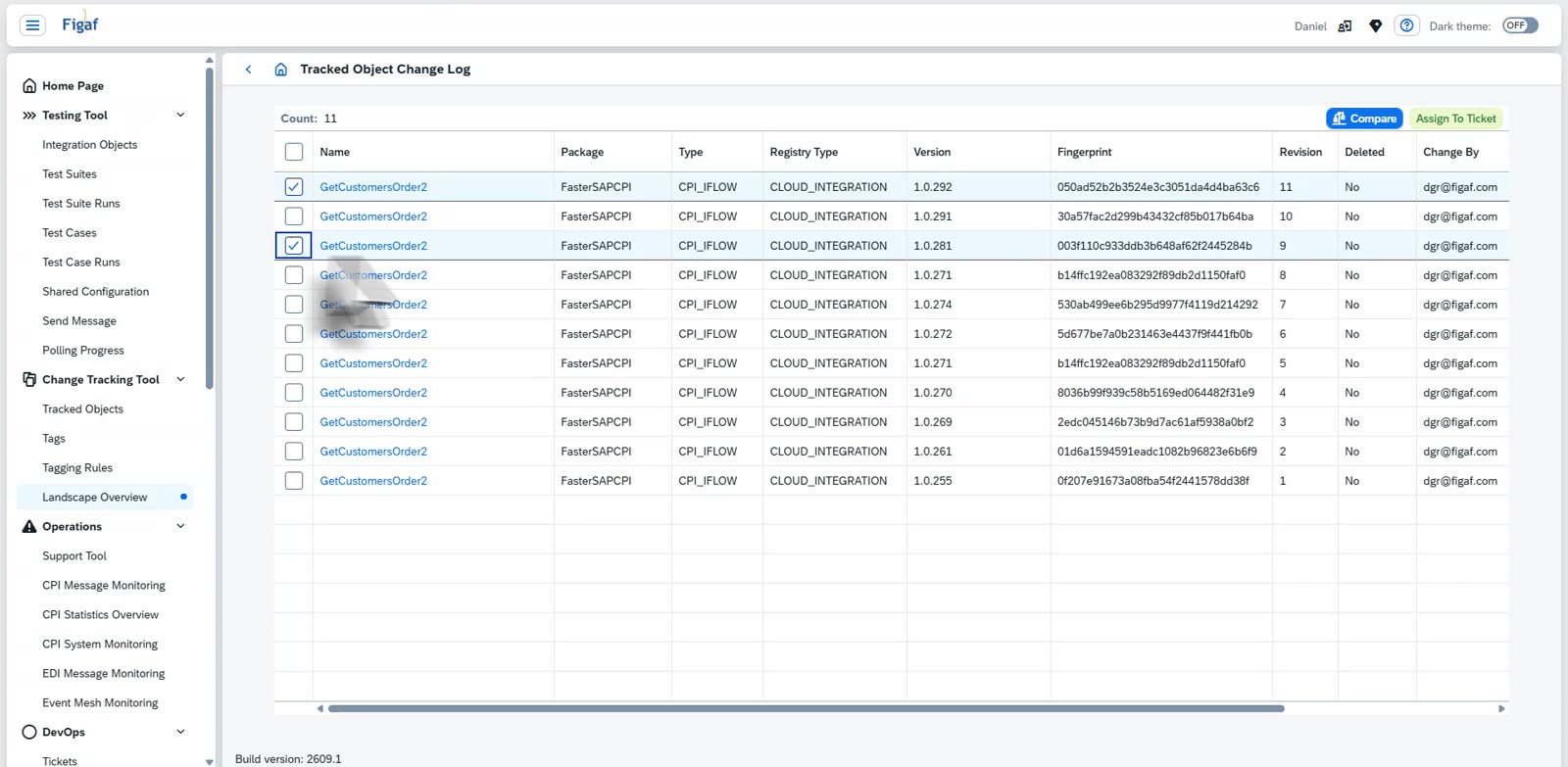
The visual iFlow diff shows what changed between two versions.Change tracking of TPM objects, added in release 2504.The version history of an iFlow, with two versions selected to compareChoose how to compare: visually, in text or with a mappings comparison reportThe old and the new version side by side, with the changed step highlightedThe text comparison shows every changed line of the files in the iFlow
Business value
Faster root cause analysis. When an interface starts to fail, the team can see what changed and when, instead of comparing exports by hand.
Better approvals. Managers and architects can compare versions when they approve a transport, so they know what they sign off.
Audit readiness. Every version records who made the change and which ticket it belongs to, which gives auditors a clear answer to what changed in an interface and why.
Targeted testing. Because Figaf knows which objects changed and where they are used, you can test the interfaces a change affects rather than everything.
Less dependency on individuals. The history of each integration is stored in the tool, not in the memory of the developer who made the change.
Good to know
Change tracking is the basis for transport, documentation and testing in Figaf DevOps Suite, and for transport of partners and agreements in Figaf B2B Management.
Selected objects can be tagged with Regex or XPath queries so you can find them in the Change Tracking Tool.
See every difference between versions, and when and why it changed
Figaf monitors the objects that matter for your SAP integration, keeps every version, and shows what differs between them, linked to the ticket behind the change.