When an iFlow consumes and produces events, you cannot easily see what is in a queue or prove the output events are still right after a change.
SAP added Event Mesh to SAP Integration Suite and included it in the license, which makes it easier to start building event scenarios. Figaf extends its testing to Event Mesh, so integration developers can record and test event flows with the same recording methods they use for iFlow test cases, and see which events are waiting in each queue.
How it works
Enable it on the agent. On the Cloud Integration agent in Figaf you enable Event Mesh and add one or more event keys. The web user Figaf uses needs access to EventMeshAdmin, either in the role admin or in the role mapping if you use OAuth trust.
Publisher and subscriber. You generate two JSON subscribers and use them for the publisher and the subscriber. They need to be different to work on the same Event Mesh system.
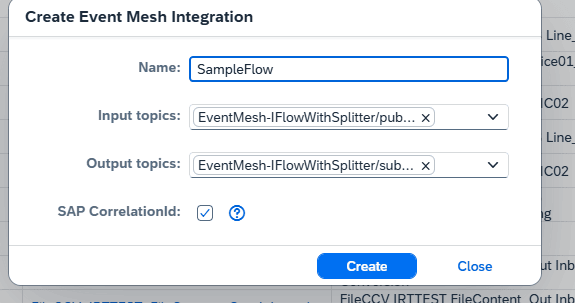
Test events by correlation ID. The test case covers an input event that is processed and creates one or more output events. The input message is sent on a topic with a correlation ID, and the output messages are sent on a topic using a correlation ID. You then record messages just as you do for iFlow test cases.
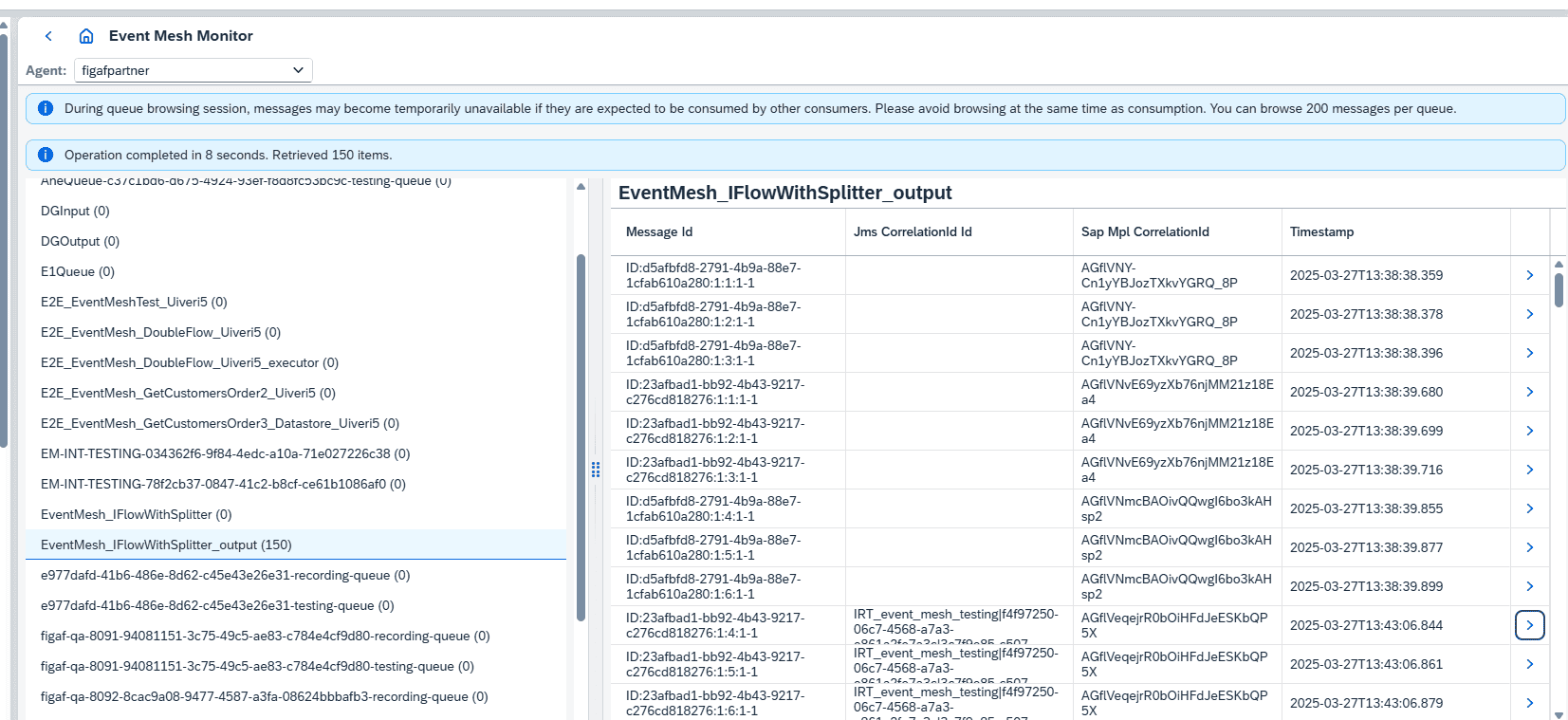
Event queue browser. A browser shows the events in a queue (the first 200), with their content and payload. The browser does not consume the messages or change their order.
Event API. To make it easier to send messages to an event topic, Figaf has an Event API, available through the Swagger UI at /swagger-ui/ on your Figaf server. You need an API key to use it.
Limits. Event Mesh has fairly low throughput, so you may not see all of the first 200 messages in a large queue, and reading messages may count toward your used messages.
An event test case links the input and output events by correlation IDBrowse the events waiting in each queue
Business value
Event scenarios get the same safety net as iFlows. Teams that start using events do not need a separate testing approach. The same recording and comparison covers iFlows, SAP API Management proxies and Event Mesh in one tool.
Less manual checking. Recorded events can be rerun after a change, instead of someone triggering events by hand and inspecting the output.
Faster troubleshooting. The queue browser shows what is waiting in a queue without consuming it, so developers can see what is going on without affecting processing.
Lower dependency on specialists. Test cases are created from real events, so the knowledge of what correct output looks like is kept in the test case rather than with one developer.
Good to know
Event Mesh testing is part of the Figaf DevOps Suite and the Figaf Testing Tool. Available since release 2502, with improvements to the browser and test stability in release 2503.
It covers Event Mesh in SAP Integration Suite. Figaf mentions that it could be extended to Advanced Event Mesh in the future.
Regression test event flows the same way as your iFlows
Record an input event and the output events it creates, linked by correlation ID, and rerun them as a test case. Browse the events waiting in each queue without consuming them.