Your security and IT policies decide where software may run, and a tool that only runs one way does not fit them.
Figaf can run in several places: on SAP BTP Cloud Foundry, in Docker on your own infrastructure, on a local PC, or in Figaf Cloud. The same application is used in each case, so teams can start small and move to another setup later. Basis teams, architects and security officers use these options to fit Figaf into their landscape and policies.
How it works
SAP BTP Cloud Foundry. This is the recommended setup, available since release 2201. Figaf runs as a Docker image on Cloud Foundry, and you can use SAP’s user management to onboard users and share the tool in your team. Installation takes about 30 minutes if you have the access you need. The BTP deployment templates are kept in a public Git repository.
What SAP BTP needs. The smallest package is about 3 GB of Cloud Foundry runtime and a PostgreSQL database, plus the Cloud Connector if you migrate from SAP PI/PO. This costs roughly 300 euros a month on SAP BTP, depending on your system, and most SAP customers can use BTP credits they already hold.
Docker in your own infrastructure. Figaf is published as a Docker image, so you can run it on your own servers, on-premise or at a hyperscaler.
Any server. You can also run Figaf on a server with Java 21 and PostgreSQL or MSSQL. For SAP BTP and Docker, the Java version is upgraded automatically with the image (release 2603).
Local PC. Ideal for a proof of concept or a migration assessment. Installation takes about 10 minutes if Java is installed. A built-in H2 database stores data in a file, which is not recommended for productive use, and you cannot share test results with your team this way. Figaf can be installed as a progressive web app, which gives you a desktop icon that opens Figaf in a browser window (release 2401).
Figaf Cloud. Figaf hosts the application, but not your data. It was introduced in release 2207 to make trials faster.
Connecting to SAP PI/PO. From SAP BTP, Figaf connects to SAP PI/PO through a Cloud Connector (release 2202). Because some functionality is limited through Cloud Connector, an on-premise installation is recommended for handling SAP PI/PO with Figaf DevOps Suite.
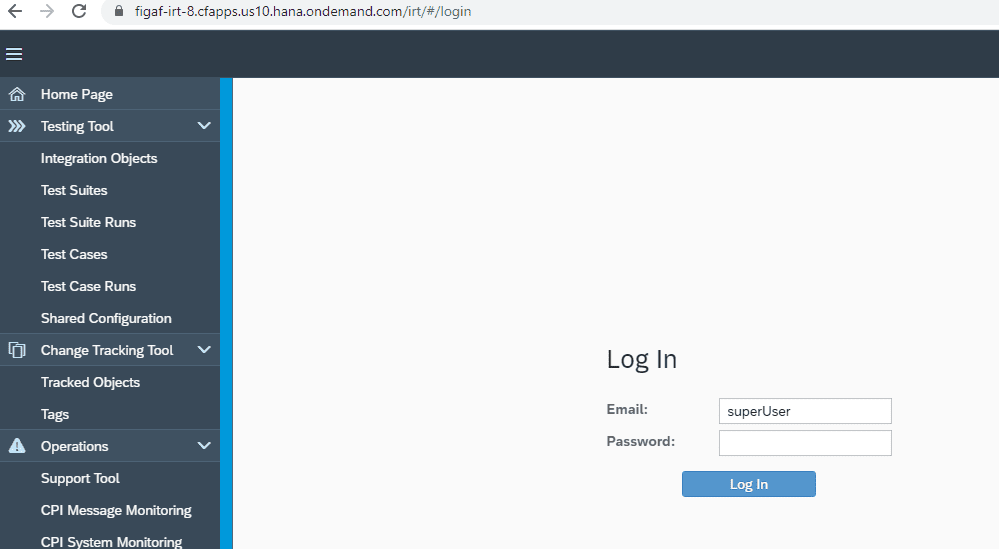
Figaf running on SAP BTP Cloud Foundry.
Business value
Fits your security policy. On SAP BTP, Docker or a local PC, your data is stored in a PostgreSQL database that you operate, so integration content and messages stay with you.
Low running cost. On SAP BTP, Figaf can be paid for with your SAP BTP credits, and SAP’s user management handles access.
Fast start. A proof of concept or assessment can run on a laptop the same day, without waiting for infrastructure.
No dead end. You can start locally and move to SAP BTP or Docker as the project grows, with the same tool and way of working.