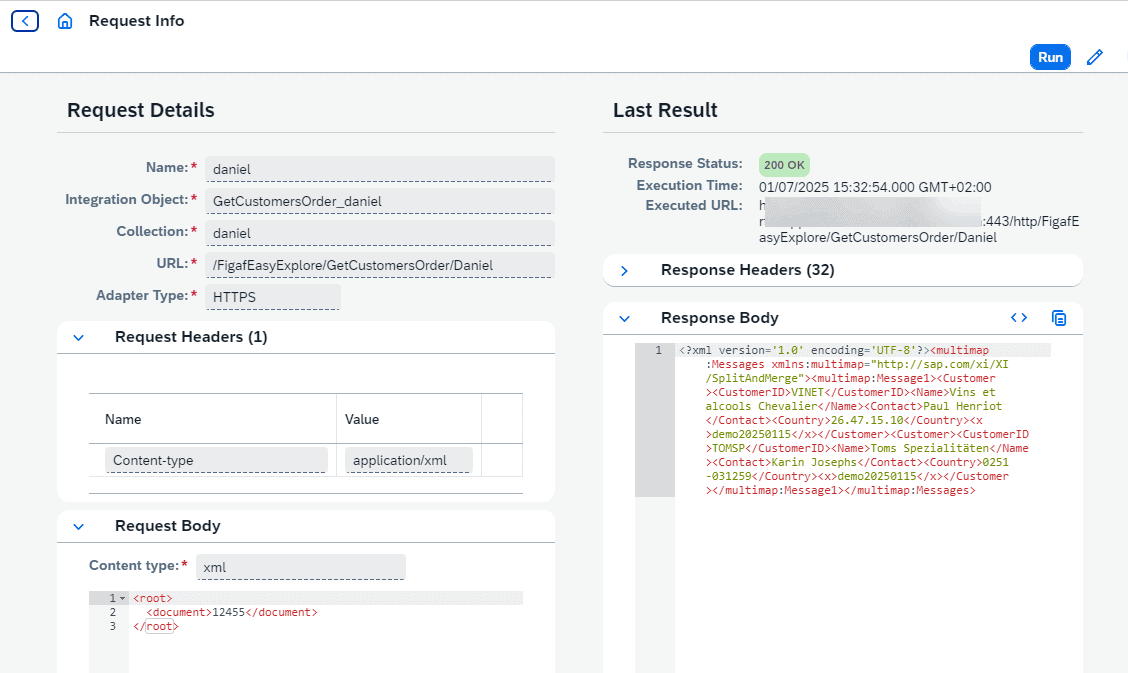
Every developer keeps a private Postman collection and shares iFlow credentials just to trigger a flow.
Send message lets you save request payloads in Figaf and send them to your SAP Cloud Integration iFlows, without separate Postman or Bruno collections. It works like Send Test Message in SAP PI, but for Cloud Integration, and is used by integration developers while they build and change iFlows.
How it works
Define a request on an iFlow. You pick the iFlow, Figaf shows the available endpoints, and you add the payload you want to send.
Send it. Figaf triggers the iFlow with that payload, so the iFlow credentials do not have to be shared with each developer.
Share and reuse. Requests are saved in collections that the whole team can use. You can copy a request to reuse it or to point it at a different interface.
Choose the HTTP method. Since release 2601 you can change the method of the HTTP request, so you can call iFlows that need a method other than the default.
Follow the message. Since release 2509 you can open message monitoring for the message or messages you sent, and see in the Figaf monitor whether they reached the right endpoints. This matters most for flows with many steps, such as the pipeline concept.
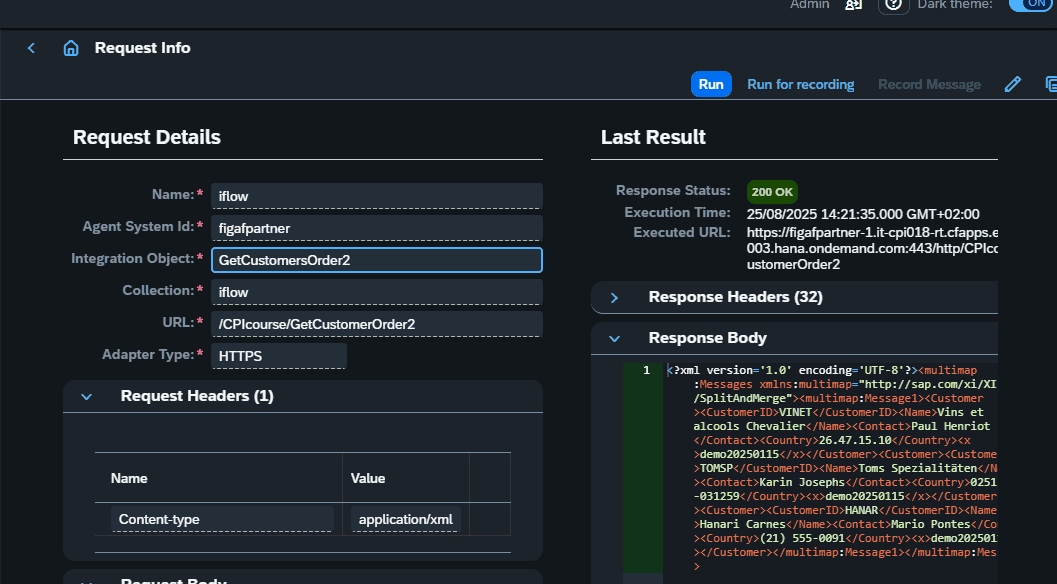
Create a test case from it. With Run for Recording (release 2508), Figaf enables trace on the iFlow and sends the message. You then select one or more of the processed messages under Record Message and create test cases from them.
Define the request on the iFlow and send it with the saved payload.Run for Recording turns a sent message into the start of a test case.
Business value
Less time spent on setup. Developers do not have to build and maintain their own collections before they can trigger an iFlow.
Lower security risk. iFlow credentials do not have to be shared between developers to send test messages.
Shared knowledge. The ways to trigger each iFlow are saved in one place, so a new team member can use them instead of asking the person who built the flow.
A short path to regression tests. A message sent during development can become a test case, so testing during development and long-term regression testing use the same payloads.
Good to know
Introduced in release 2506. The aim is not to be a complete test tool, but a simple way to keep the payloads you use with your iFlows.