
We for another release focused a lot on the B2B capabilities, where we see Figaf can add a lot of value, to the extent that running SAP PI TPM at the moment without Figaf will be really challenging.
B2B
Again, there are lots of new B2B features and enhancements to the B2B management in Figaf. Easy fast-track features and consolidation with SAP best-practices. And cool stuff to make your b2b-lives easier. Check them all out.
New B2B feature: company/subsidiaries management overview
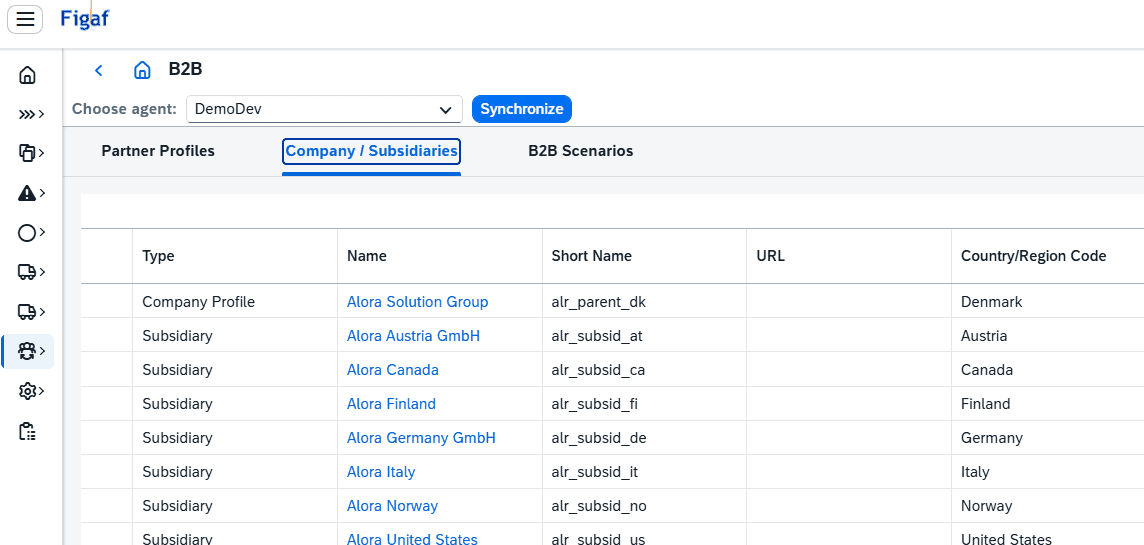
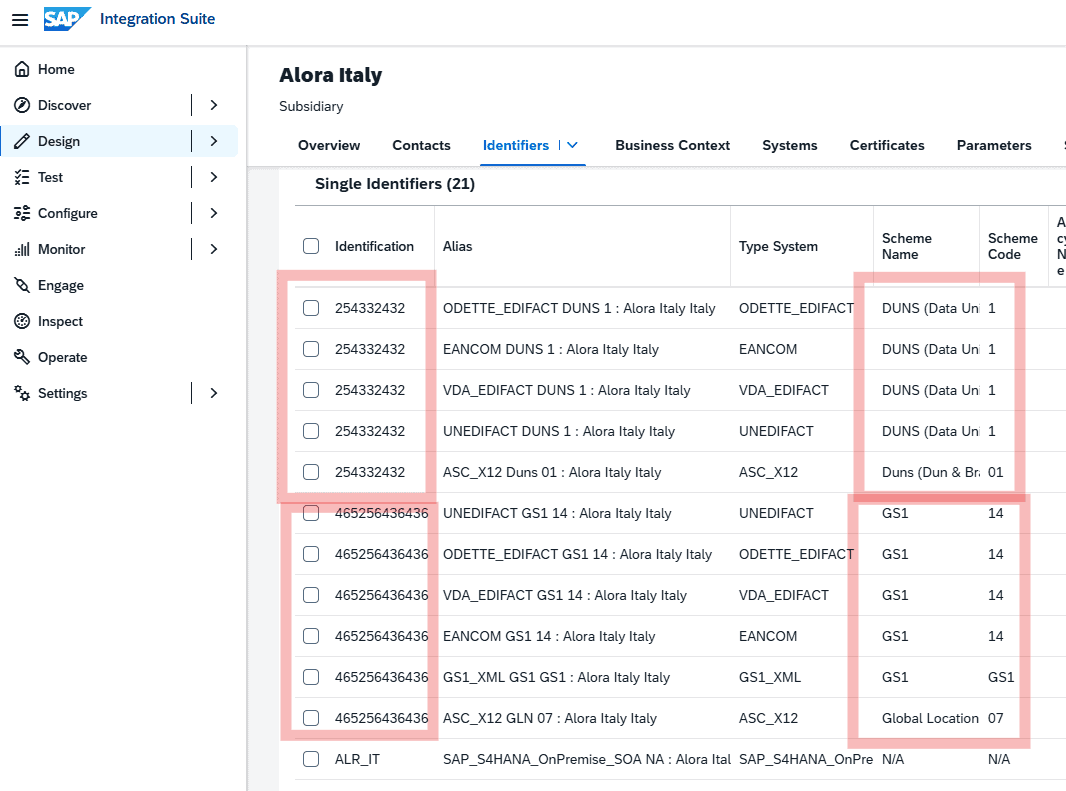
There are of course two parties in B2B, and as the saying goes “know thy self”. You should prepare company and subsidiaries for all business entities on own side, and those business entities are often identifiable via standard global ids. So you will also need subsidiaries per unique ID/qualifier combination (within a given format). In order to manage your parent company and all it’s subsidiaries, we have added a dedicated overview for those. The Company/subsidiaries overview comes with the “Create new Subsidiary” and “Manage Communications” functions. When creating a new Subsidiary, Figaf will also create the initial Identifiers of the most commonly used formats and schemas/qualifiers, so you dont have to do this manually every time, and this will also ensure, that a naming convention for the Identifier Alias’ is enforced.
New B2B feature: partner profile overview includes communication partners
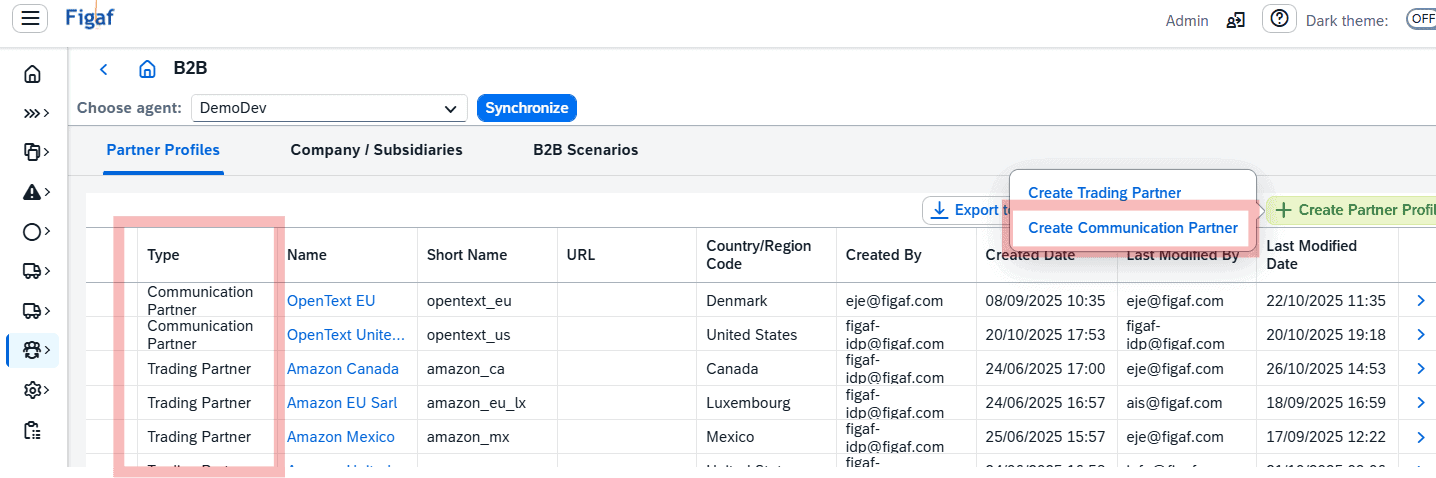
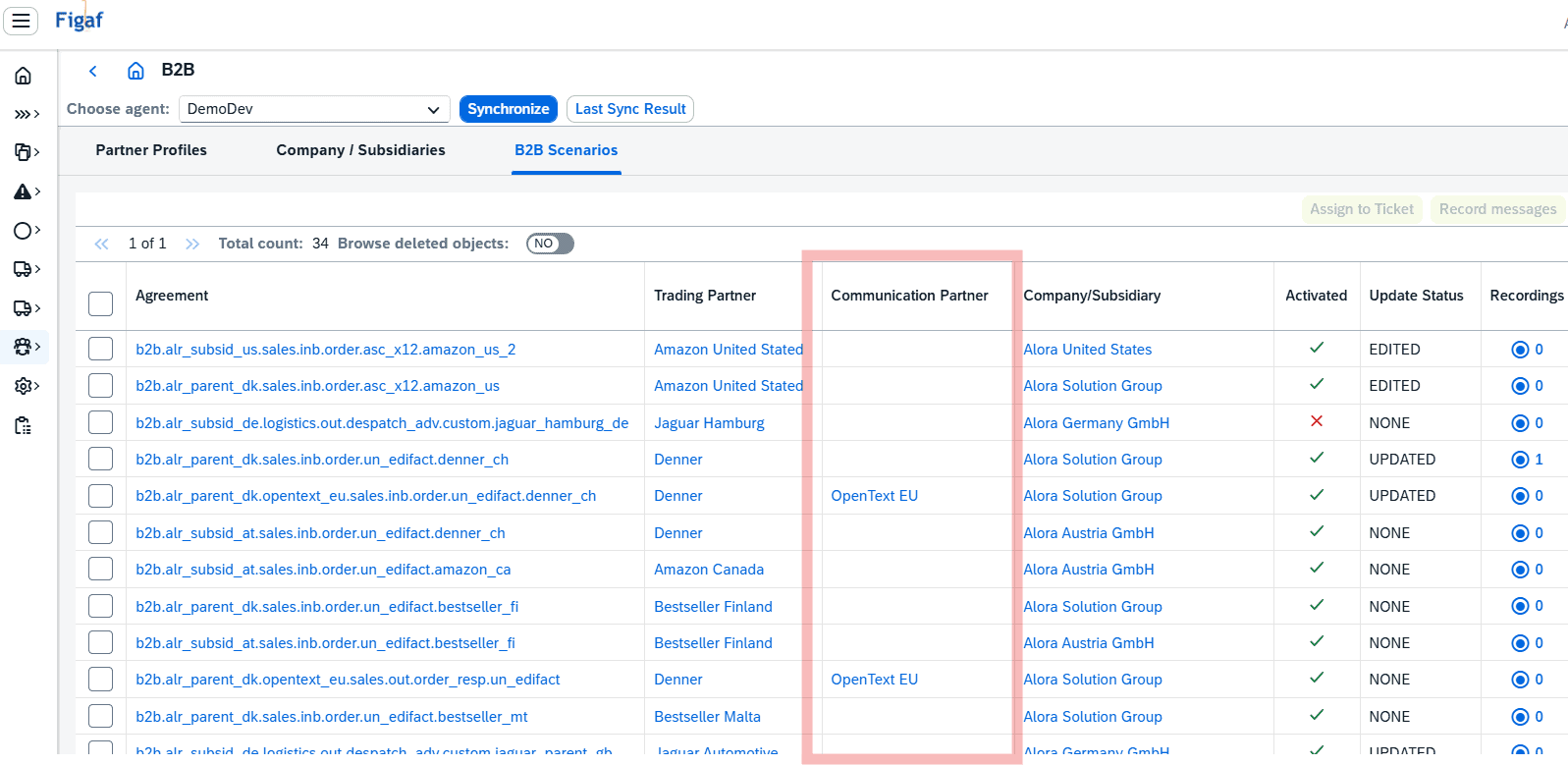
Back in old PI/PO, it could often get a bit confusing how to deal with VAN providers. Now in CPI TPM, they are given specific partner role: Communication Partners. And as such, they can be utilized in Trading Partner’s agreement. It is now also possible to view and manage your Communication Partners in the Figaf B2B overview.
New B2B feature: define communications (channels) across systems/purposes for company/subsidiary or partners
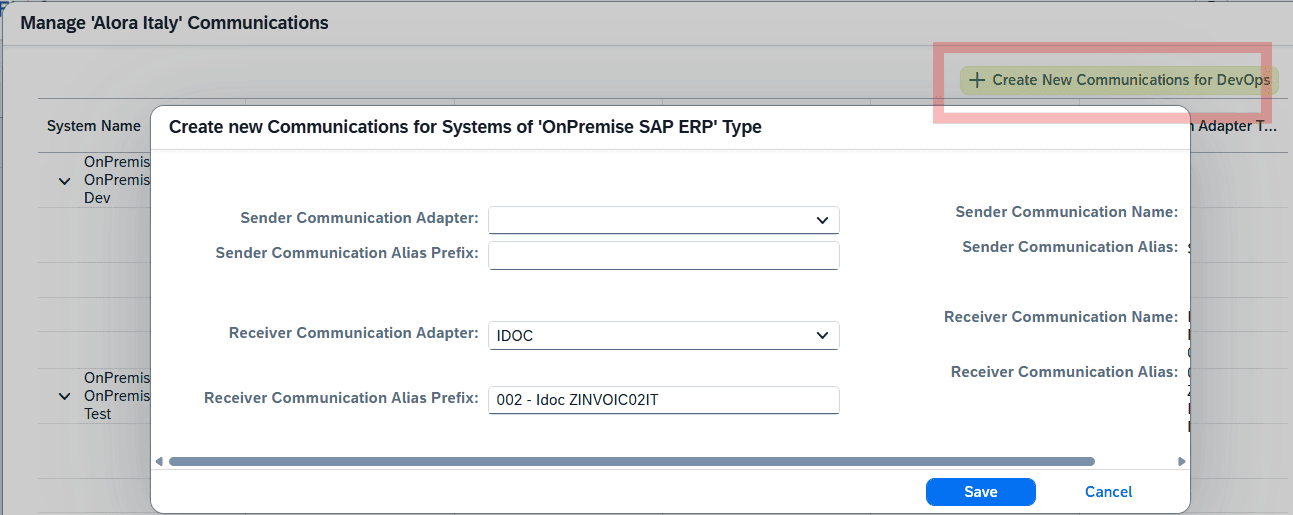
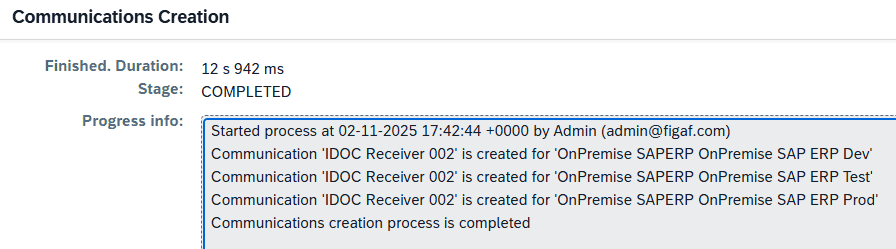
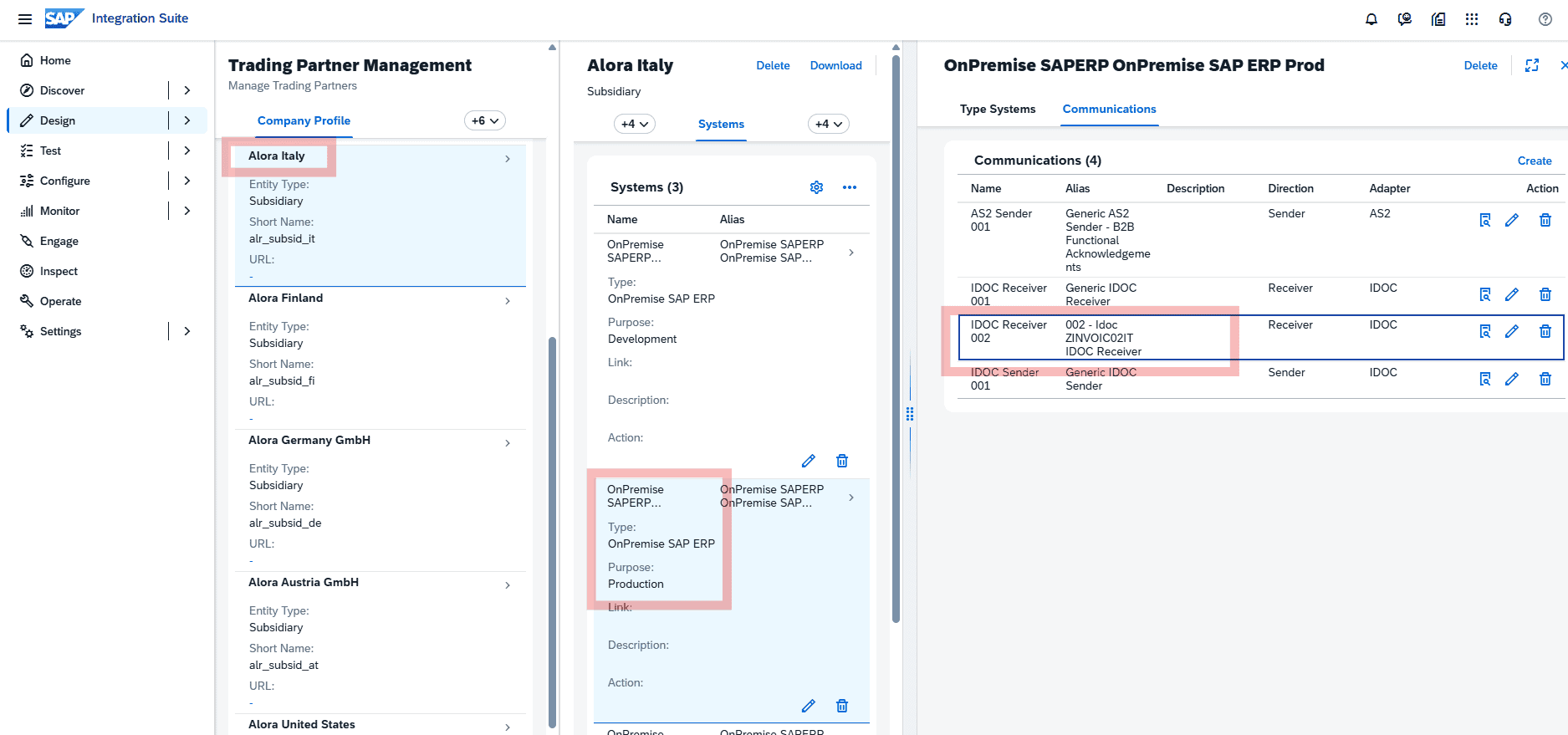
With the previous release of a fully supported DevOps and transport setup for CPI B2B, with system environment/purpose translation performed for the transported agreements, the need for consolidation and governance for communications have increased and is critical. To support with that, Figaf B2B now has a fast-track feature for creating communications for a given system type. With this feature, you can provide the basic communication parameters, and Figaf will create communications in all of the systems (dev, test, prod) for the respective Partner or Company/Subsidiary. This is a great and cannot-live-without-feature for any big B2B landscape.
New B2B feature: Figaf Test Tool customizable for “SAP Standard TPM V2” or “SAP Community Factory TPM”
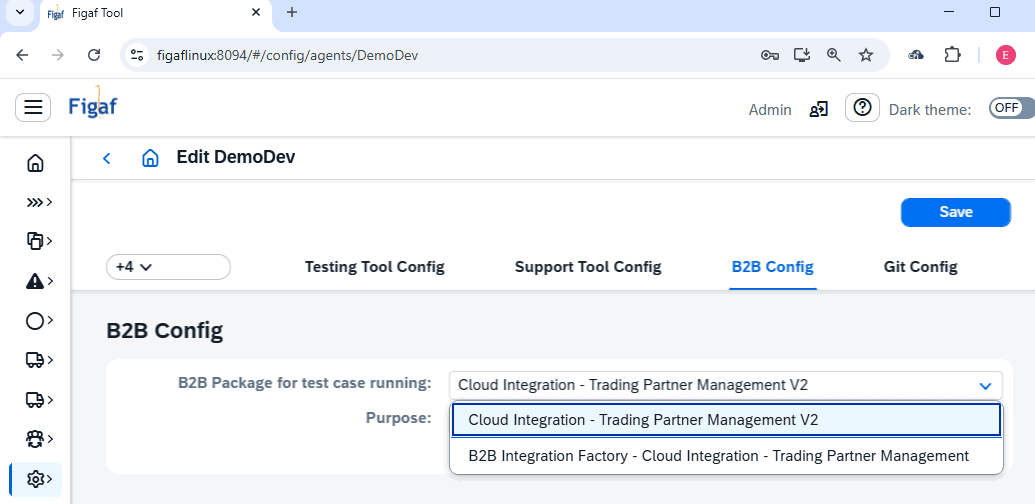
You might find yourself uncertain about selecting SAP package content. There are two options, SAP Standard TPM V2 content or the SAP Community Factory TPM content. Pros and cons can be made on an individual basis, but regardless of choice, you now have the option to specify, which is to be used when performing your CPI B2B test cases in Figaf. The choice is yours.
New B2B feature: monitor TPM agreement status in overview
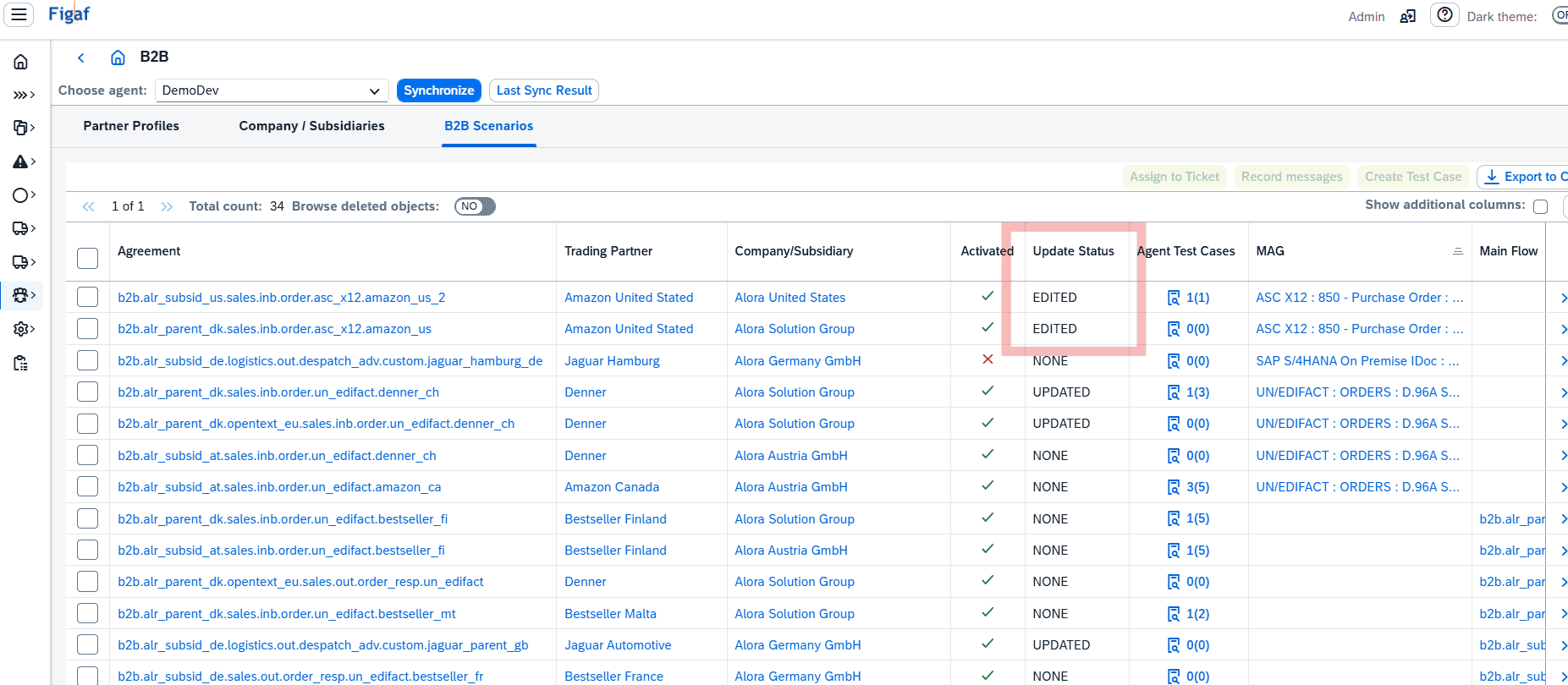
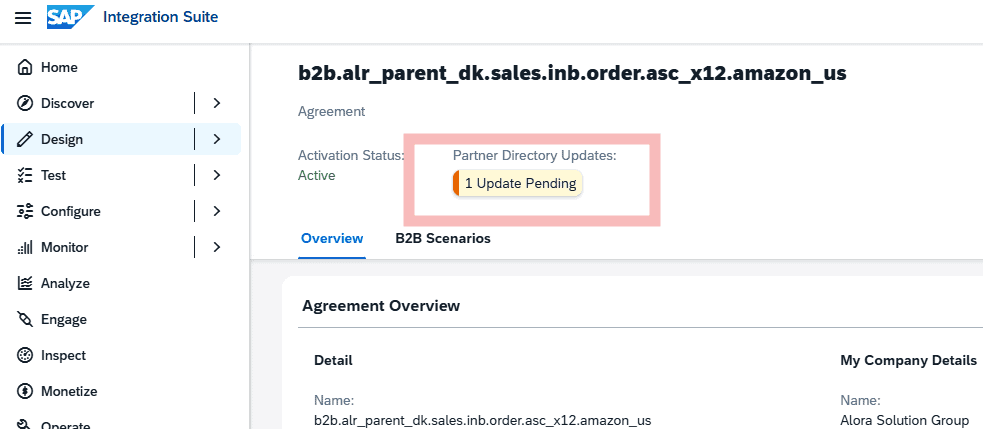
What might seem a little change, is in my opinion one of the most important news. You can now monitor the update-status of your TPM Agreements in the Figaf B2B Scenario Overview. Not to be mistaken with the state (active/draft), the update-status indicates whether changes have been made to the agreement, which are now pending activation. This is, practically impossible to know in the CPI as-is TPM, where the only way to know, is to open each Agreement individually, and do a visual check. Not fun when/if you have +1000 agreements. With Figaf, you can now filter and identify those pending updates in seconds. Making sure your TPM setup is maintained properly.
New B2B enhancement: various optimizations and background stuff
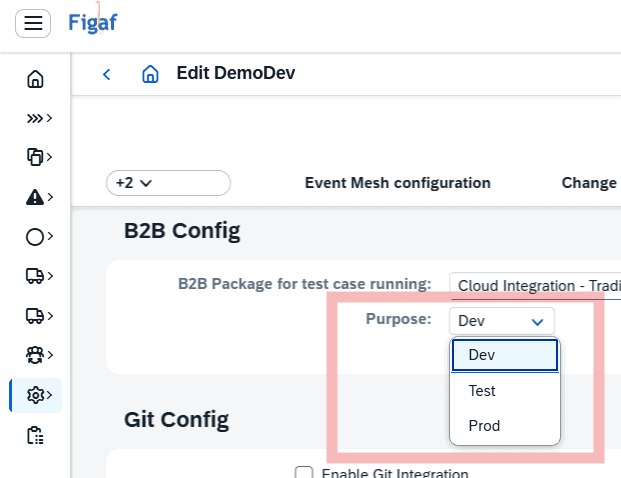
TPM purpose/environment assignment is moved from Landscape configuration to the Agent Configuration, still reflected in Landscape as display. This was done, partially, to provide better options for security policies/controls. Make sure to update your agent configuration for B2B.
Scenario Overview default column setup was slightly adjusted. We hope this puts the most relevant columns first, but you can also drag-n drop to match your own preferences. And you can also see/filter agreements with Communication Partner assigned.
Generate partner or subsidiary short_name suggestions. To help with your naming convention, Figaf now proposes a short name, which can also be manually adjusted.
Bye-bye “B2B Scenario Profile”. With the consolidation of an end2end B2B migration process based on Operation Mappings, this will from now on be Figaf’s best and only practice. The previously available “B2B Scenario” migration profile has been decommissioned and removed.
Migration of Java mappings
We have improved our migration scripts wrapper for java mappings making it easier for you to run your mappings and support more cases.
Notice: It will be more long term sustainable to rewrite the java code to a groovy, instead of having a Jar in your iFlow that cannot be maintained.
Auto-licensing
In Figaf we licenses objects like iFlow or PI ICO when adding new objects. We have added this because we wanted you to take the decision. But there are many cases where you just want to ignore that extra step giving you a faster processing.
Now you can select “Request object license automatically on demand” on the Application configuration. Then objects will be automatically registered under license when a new object is used.
Split multi-messages
When we test a PI to CPI migration case we customers have 1:unbounded multi mappings. This previously required us to need to change the recording to adapter logging instead of ICO logging. Now Figaf will just the Multi structure payload then split it to multiply payloads. This will make it easier to test your migration.
This simplifies some of our recording. When working with structure you would still need to give Order expressions to find a similar document like line number.
This is only if you use one message type, if you use multiple message types you still need to use Adapter logging.
Tags upload
The tags can provide a lot of value when you are working on projects. You can assign tags to ICO, iFlows and other objects to make it easier to manage. Up til this release it was manual or by using an API to mass upload tags. Now we have added the option for you to upload a file that can tag multiply objects.
You could for instance the take the ICOs from our PI to CPI migration report and then create tags for wave1, wave2 and then link the objects with this or even responsible developer. Then you can see what is in your scope of work.
Parameters replacement new option exact match
On the landscape you have the option to select how to replace certain values of the external parameters when moving from Dev to QA, and later to production. This is normally for replace host names like S/4 Dev host names that is predicable in your landscape.
We used only to have substring replacement, which you would need most of the time. But there is cases where you have system IDs like DH1 that need to be replaced to TH1 with a substring this was not possible on a global level without potentially running into problems about replacing too much.
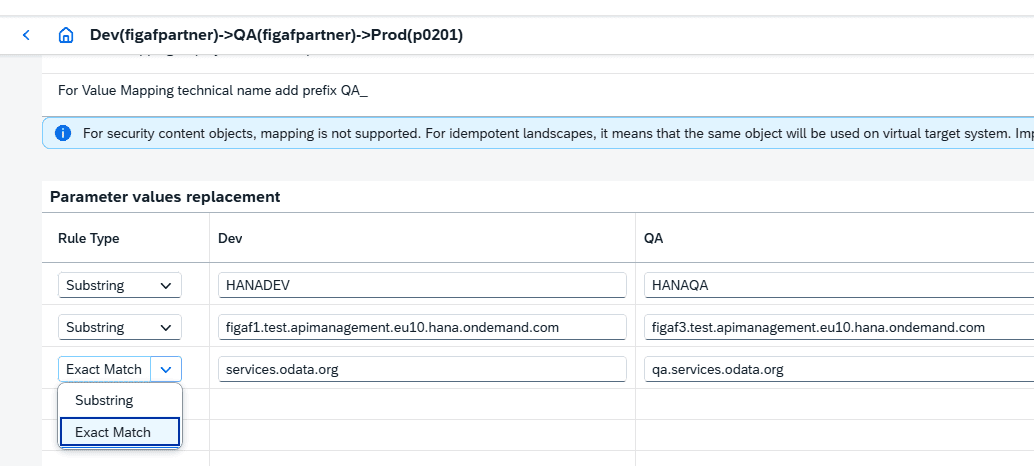
This is one of the areas that greatly reduces the effort you need for managing your migration.
Bugs resolved
- Alert processing. We found a bug on our systems that caused CPU usage and resolved it.
- Use runtime location id for newer instance of integration suite. This is something you see when calling APIs related to the monitoring.