
We added some great features to the November release. We were able to upload EDI messages but that took quite a bit of effort.
We did find a use case for some AI-based search. Also a huge effort in the B2B space, and we have much more lined up here.
AI-based search/embedding
One of the areas that we have been missing is how to make a good search for SAP Cloud Integration content. You could only search for concreate names of iFlows, script etc. Now we have added context aware search that allows you to search for more specific context in the iFlows.
Now we have added the ability to search for content in the BPMN model. This gives you great opportunities for search for different content like descriptions, step names and content, security artifacts.
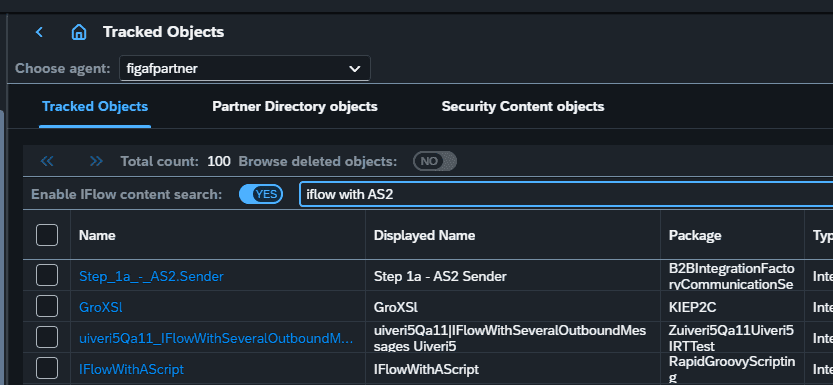
We had explored if we could use send this back to the LLM for future processing but it did just returned some random stuff and took a long time. Maybe at a later point we will give it a try again.
To use this you need to provide an OpenAI key. This will allow you to explore the process and see what is possible. On the agent you must enable this to work. Once you enable it on synchronization Figaf will convert the iFlow into a semantic model and upload it to OpenAI for creating it as an embedding. This will take some time to process.
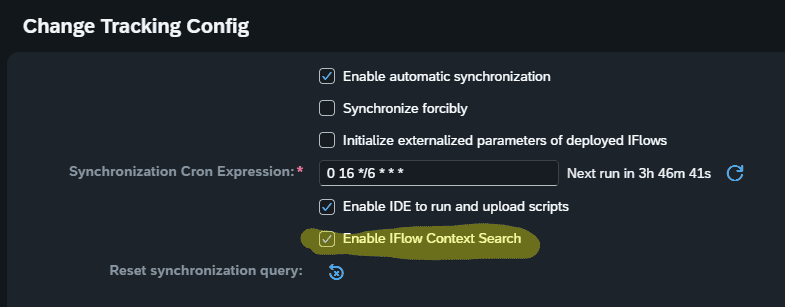
We are looking forward to get your feedback on this search, if it works simplifying your work.
This is only works if you are using Postgresql.
B2B
This month’s release might seem more modest concerning new B2B features, but many cool things are in pipeline, and some of them take some preparations. Which has been the focus for the B2B enhancements in this release.
B2B: Figaf tracking of MIGs and MAGs
Figaf now supports versioning of the MIGs and MAGs including the linking between correlating objects. Knowing precisely which versions are used where and when in the change management process, is a core prerequisite for a robust and controlled landscape. This is a fundamental prerequisite for adding the MIGs and MAGs to the DevOps transport functionality, which is coming soon, and is going to be a serious B2B governance game changer. For now, you can open the Tracked Objects in Figaf, and find all MIGs and MAGs, with all their version details.
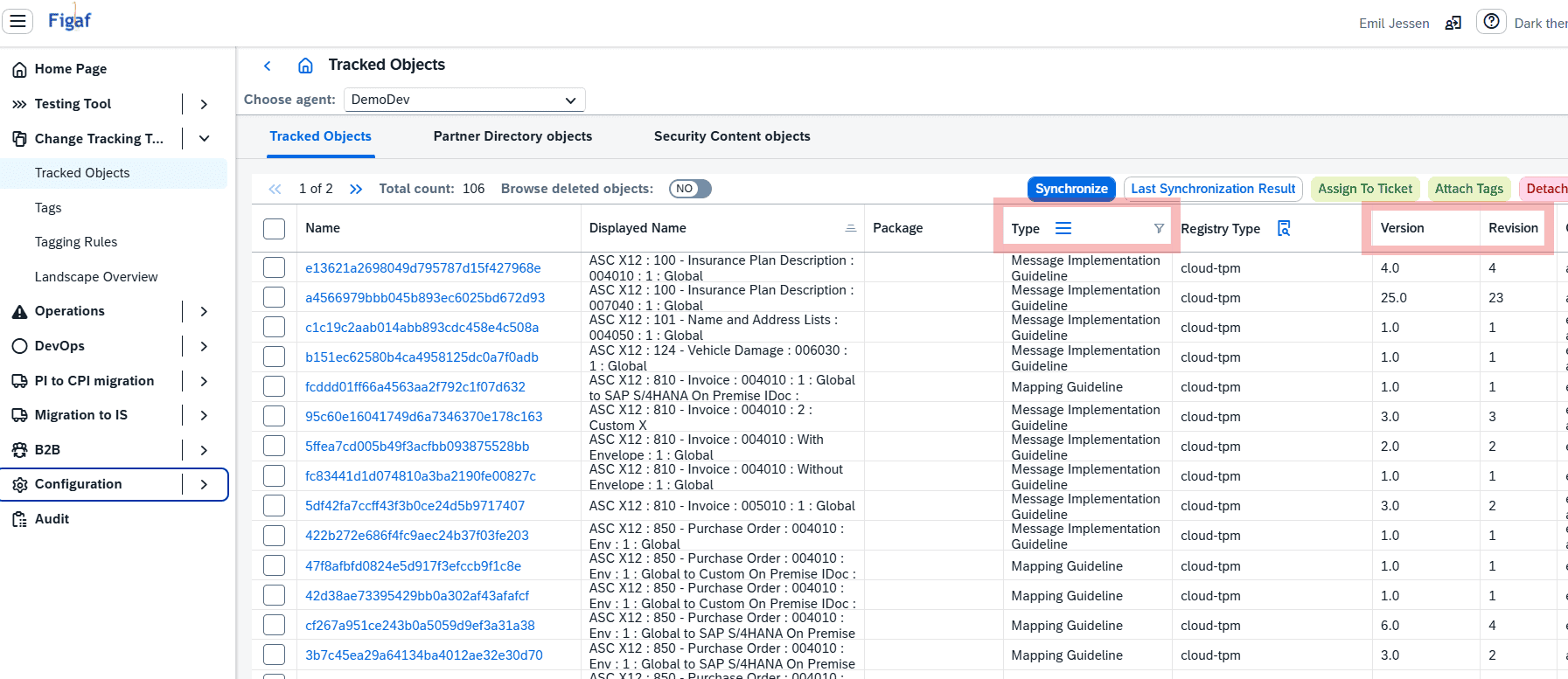
Providing a solid base for a comparison analysis. Which you can, of course, view directly yourself, like in the example screen-print below.
Not that you have to understand such comparison report in detail, since the real goal here is to ensure that Figaf will and can always guarantee, that all your landscapes are properly aligned, as well as that transports are complete with all required objects, and that changes to your system, even a deeply deep almost invisible little change to a complex MAG XSLT, will ALWAYS be known and identifiable before approving release. All done automatically, so when you need to make a decision regarding: “have all the affected agreements and exchanges been properly tested before release of given correction?” Well, with Figaf, you will have all the documentation needed to make that a qualified decision. Soon also in a complex B2B landscape full of MIGs and MAGs.
Next improvement is going to be transport of the MIG/MAGs as a part of the DevOps. This is going to be essential for operating B2B at the governance level you need. This will be in 2512, but start already to explore the B2B
Import of B2B messages
We are often asked: “we are moving form this non SAP PI platform to SAP TPM, can you help?” Similar, some might be in a situation, where they have a large archive of B2B Messages from historically processed SAP PI exchanges, wanting to use such archive for large scale regression testing. With this release, we have added a effective and generic import function of B2B messages, linking them directly to TPM agreements.
Since our B2B testing is based around the agreement-scenario object, it is now possible with very little effort to upload an extensive content for the B2B input and output messages. You just need to:
- prepare a Zip file with input and output file with some correlation, e.g. “in_002.xml” and “out_002.edi”.
- Specifcy the default agreement
Once the zip file is uploaded all agreements is parsed to check which agreement they match and then distributed to the relevant ones. This makes it straightforward to create a large set of test cases based on multiple messages. Additionally, you can even, via a validation log, what was assigned where, and what is still be be assigned, so you can continuously upload the compiled messages until all have been assigned scenario, which you are ongoing creating.
In the video you can see this in action. Notice how little information is needed to get started with this super generic approach for creating a large test case repository for your B2B setup in the Integration Suite.
Tags filter options OR/AND
Using Tags in Figaf can provide much improvements to your management of integrations. They can be used to:
- Classify migration effort
- Define waves of migration projects
- Assign integrations and migrations to specific resources
- Auto-tag content per custom-defined rules
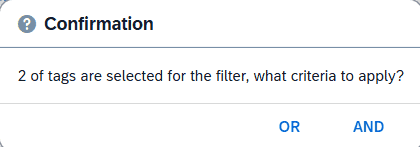
Now you have the option to consider if the query for multiple Tag should be by conjunction or dis-junction, making the selected Tags filtered by OR vs AND logic. This gives you much better options for organizing the content for your migration projects.
Result:
Smaller improvements
- API Proxies with multiply target endpoints can now be transported and configured.
- Removing Transport of SAP_TPM Partner Directory entries, this should be handled by the normal transport process.
- Bunch of refactoring to make it easier to maintain.