The first release of 2026 is out. We have been focusing on making the development and exploring how we can search for integrations with AI. There are of many small and large improvements.
Groovy editor vibe coder
You need a better way to edit your Groovy scripts and XSLT. Our Groovy Editor has is the best place to work on it. You can easy run the script on your own tenants with full groovy support. And you can reuse your test cases to run the code and check if it produces the expected result.
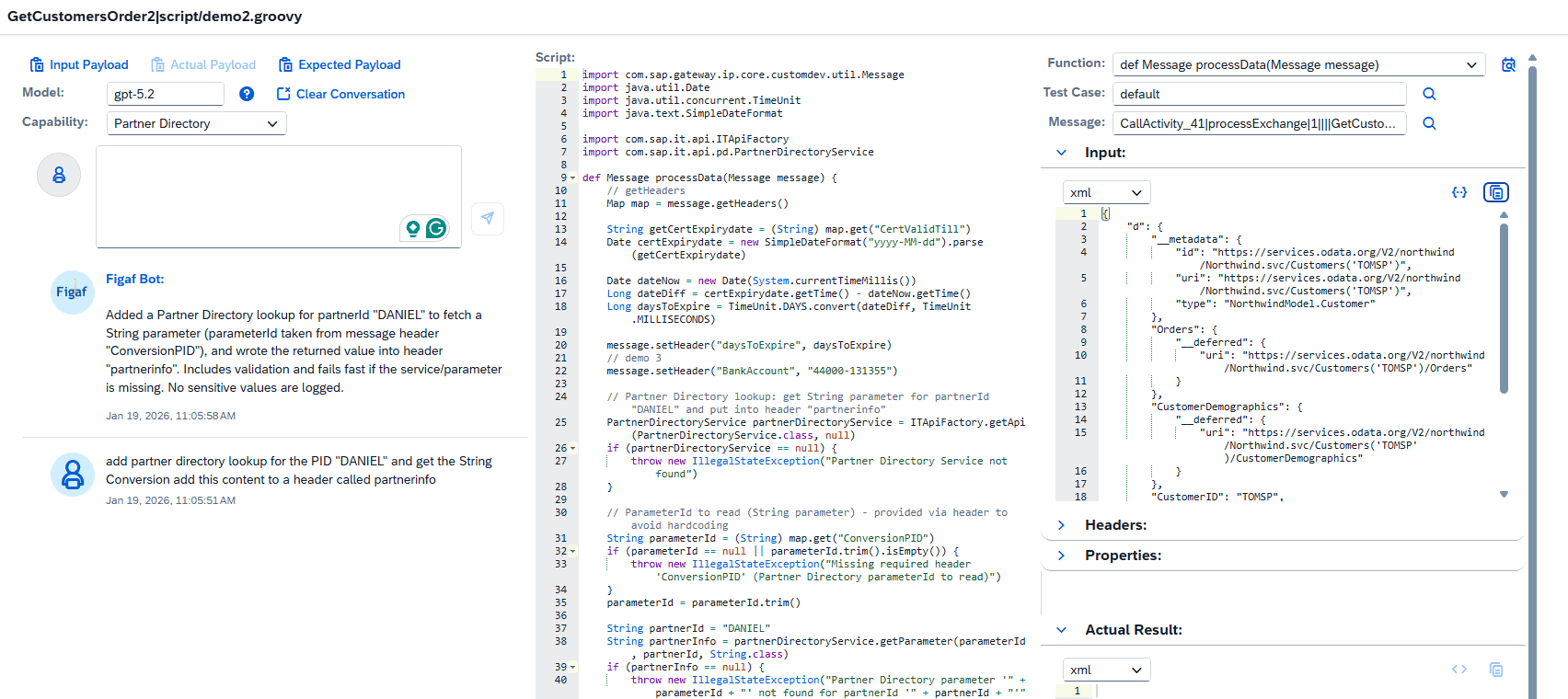
If you have tried to Vibe/AI code you may have found that it starts create the own Partner directory lookup that does not match anything. We wanted to improve this to make it much better and use the correct APIs
The vibe coder has been improved around
- Partner Directory
- Value mapping
- Security Material
You select the option that you want and then Figaf will serve an more context as a part conversation with AI. We have seen this improve the level and quality of the responses.
CPI Helper plugin
We have also added support for the CPI Helper plugin GroovyDebugX IDE where you can add Figaf url https://figafhost/#/groovy-ide/deeplink/ and then you will be able to use the trace info.
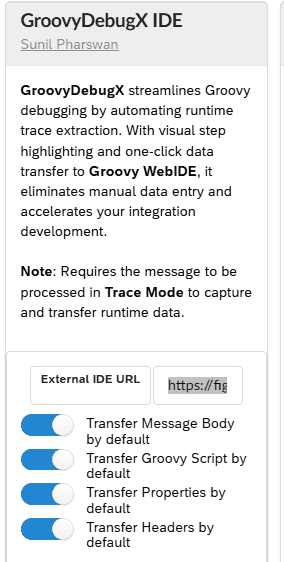
It is not ideal setup. I would recommend you open the groovy script from Figaf plugin and uses the test cases for it. This will also allow you to update the flows.
You can see a demo of both here.
Watch on YouTube Making it easier to work on Groovy script from SAP Cloud Integration
AI searching
We have been exploring and improving, how to improve the way you search for iflows on the tracked object page. This makes it much easier for you to search for context about a given iflow.
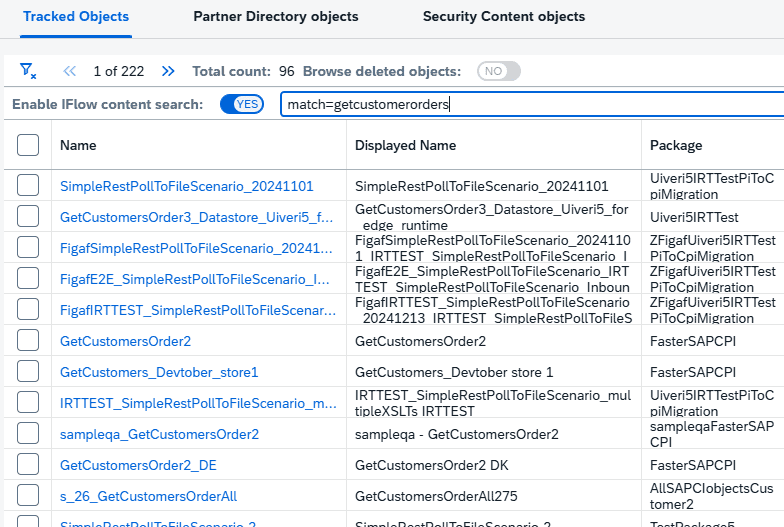
It does require you add an OpenAI key to your figaf installation to use this.
Testing tool improvements
We have now enabled you to test XI 3.0 messages directly. This makes it easier to test XI scenarios without having to create new channels.
If you have unsupported testing adapters where Figaf normally would create a new flow like SFTP. Now you have an option to select the usage of another HTTP step to process the testing.
Send message support method
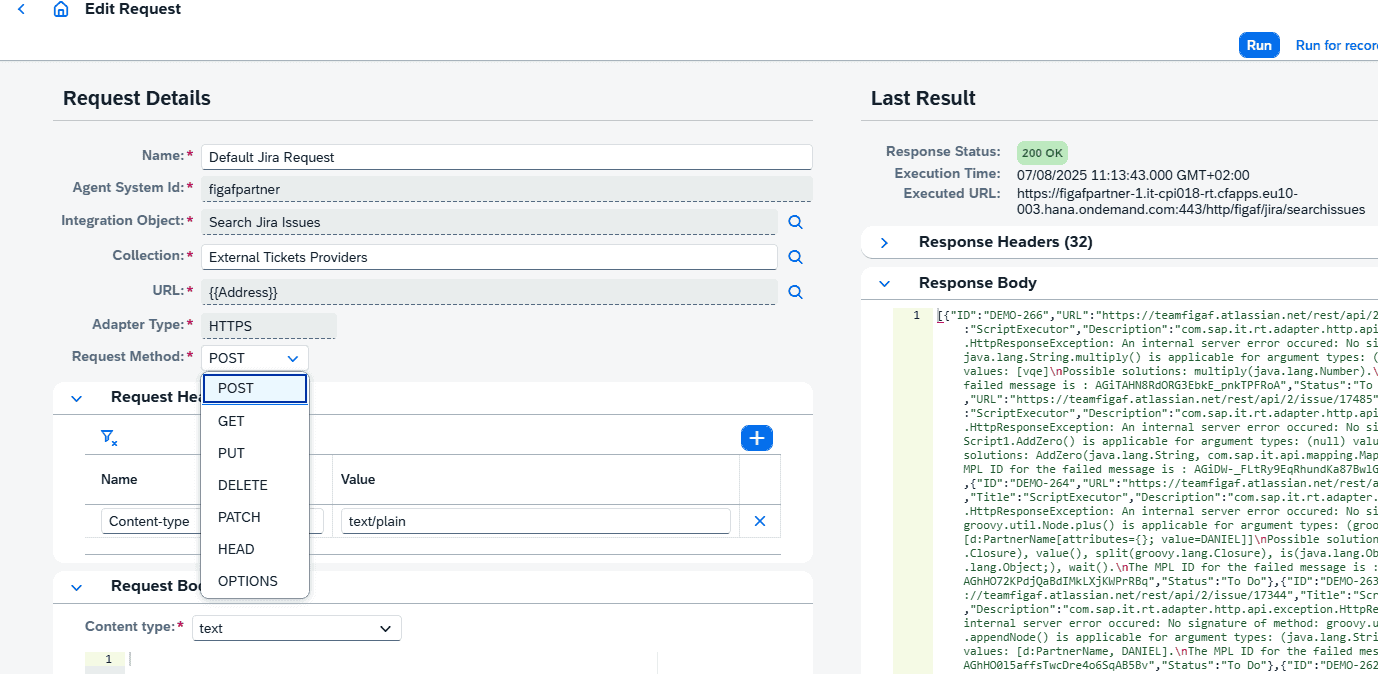
Send Message now supports the option to change the method for sending HTTP request. This enables you to call the iflows with the method required for processing your flows.
Deployment of artifacts
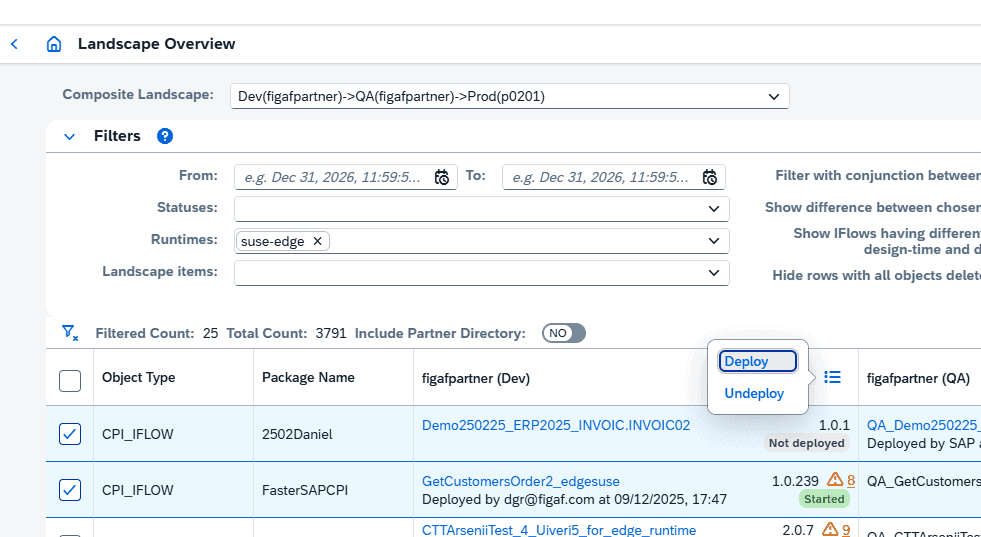
We have improved the number of artifacts that can be deployed from the landscape overview. If an iFlow depends on script or mapping they also be deployed. If the iFlow is on Edge profile it will also be deployed including all dependencies. You can see what is deployed on each node in your landscape.
From the landscape overview you select your runtime, this will read all the profiles from the iFlows. You can select on or more iFlows or other objects that you want to deploy. Select the deploy button.
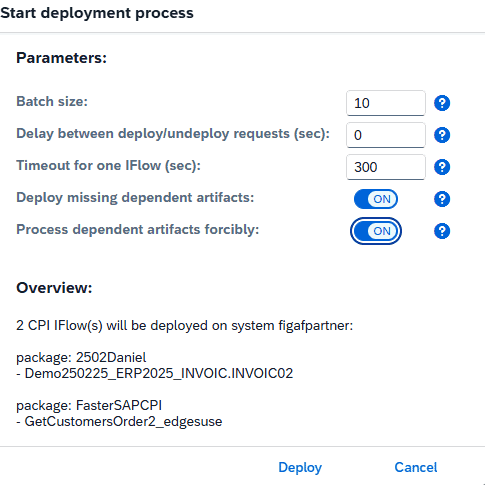
You will can now select if you want to deploy missing dependent artifacts and if your want to force the deployment.
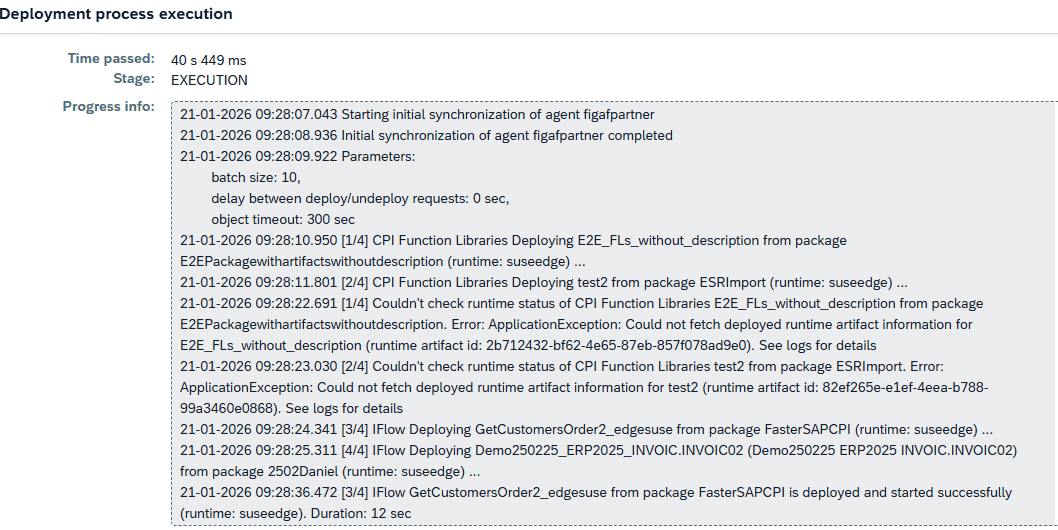
Once you run the deployment it will check the artifacts to deploy, then check the status.
B2B Management improvements
There are a few new improvements to the Figaf B2B component in this release.
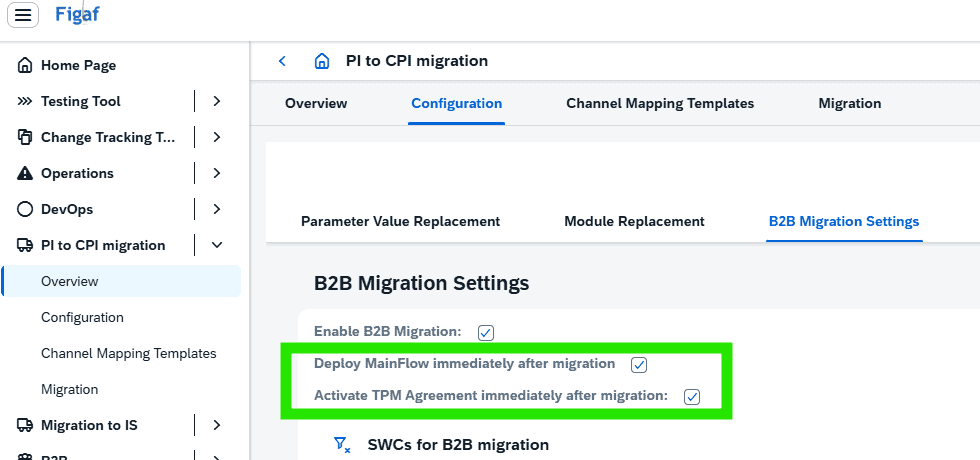
When migrating PI to CPI B2B mappings, there is now the option to enable automatic activation of TPM agreement and automatic deployment of custom iflow containing migrated mapping. Thereby, making the migration immediately ready for regression testing (after migration of your existing PI test cases 😉
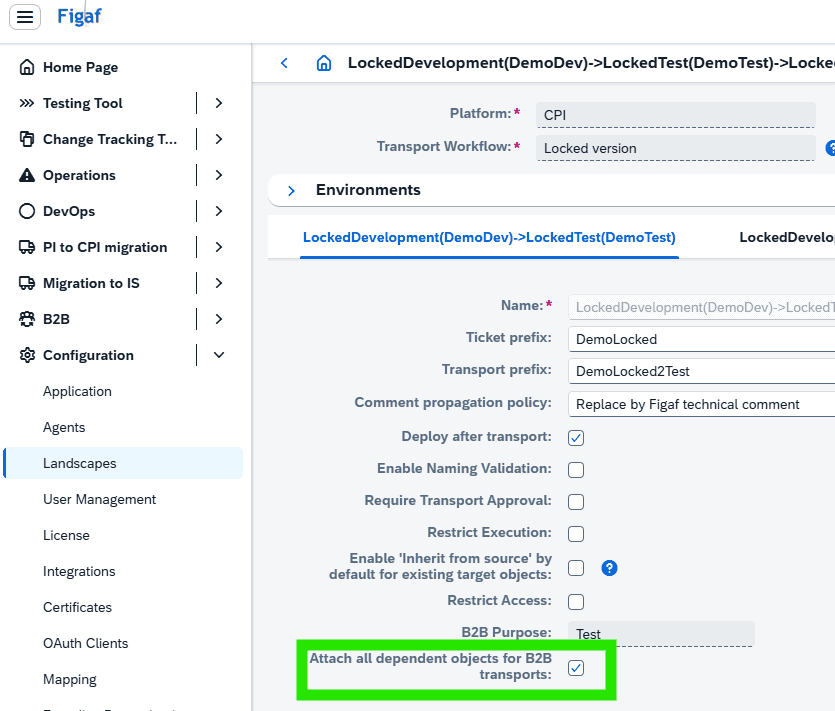
When defining your landscapes, it is now possible to enable an automatic “Append all dependent objects” for TPM agreement/scenario transports.
Since this would also be a recommended action, some users might prefer it done automatically always.
The B2B DevOps Change Management process has been enhanced.
- Mapping of systems assigned in the TPM agreement. This used previously to be always/only done using the Purpose (dev => test => prod). Figaf is now enhanced to also consider SystemType. You can, hereby, assign multiple system landscapes to a company or partner, and have the appropriate systems mapping supported when transporting. This could be relevant in system-upgrade scenarios, where there might be a requirement to support two system landscapes for a given company or partner in parallel. So some agreements for a given partner might have a system SAP PO, where other agreements for same partner might use SAP Integration Suite. The governance of such scenario is now supported by Figaf B2B and DevOps.
- Use of Functional Acknowledgements for outbound EDI is now supported, meaning, this process is a bit unique in TPM, since the sending communication used for the Functional Acknowledgement has to be one defined for the sending company/subsidiary. This meant that the “mapping logic of system+communication” had to be somewhat different for this one communication for this specific scenario. This has now been implemented, and the appropriate mapping of communication is now also done for Sending Communication used for acknowledgements for outbound EDI.
User experience improvements
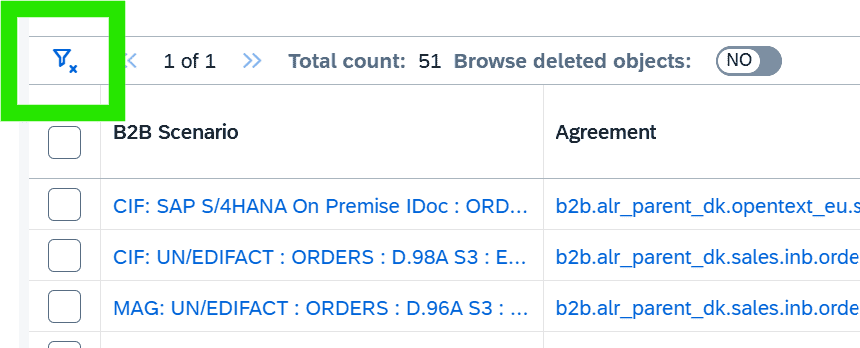
- it is now easy to remove filters added to most FIgaf tables. Very helpful in larger tables or when multiple filters have been applied.
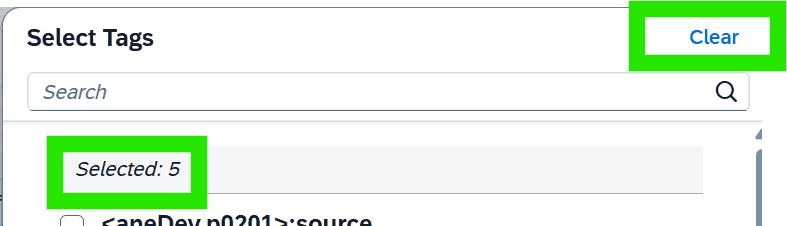
- Similar, you can clear a given Tags assignment, also very helpful when scope of Tags defined has become large.
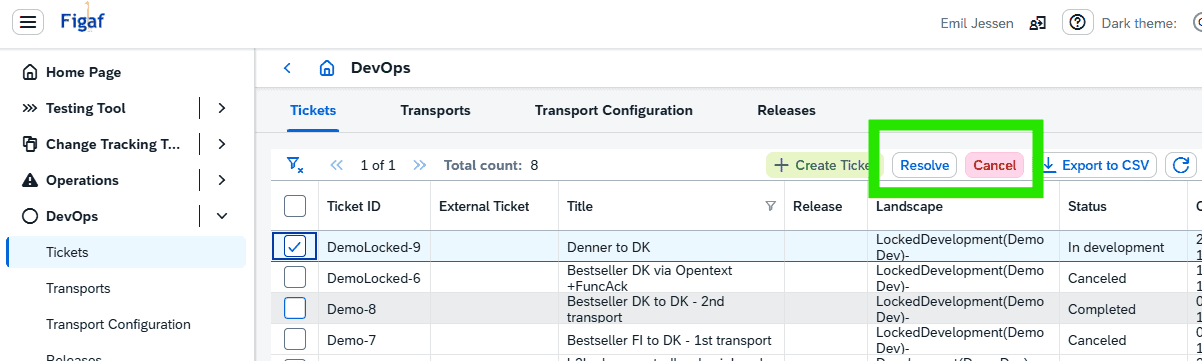
- When managing all your tickets, there are now the options to Cancel or Resolve 1-n tickets directly in the overview. This will make your ticket management much more efficient.