In this release we have worked on making it easier for users to manage the B2B framework. As a part of our journey we have seen that it caused a lot of challenges to handle the transport to production.
We have also added vibe coding framework so you can build mappings and scripts without leaving Figaf. This will dramatically reduce your development time for coding Groovy.
And then there are much more smaller bugs around the application.
Vibe coding for SAP Groovy and XSLT
I can Vibe code a Web application that does create a simple math calculator. There is all the framework around what you need and you get help to errors.
It is not the same experience you have when you are working with SAP Integration. Then there is a lot of copy-paste for users to figure out. We had all the components in place so why not create a Vibe coding experience.
You can always use OpenAI to generate the code. That part that you are missing is the easy way to run the code and get a result back. That is what this new feature will simplify.
We have refactored the Groovy/XSLT editor to make it easier for you to work with the help of the Figaf bot.
You can now see everything side by side making it possible to see the scripts, add expected output and get help on your coding.
So if you have an input and an output payload you can easily create the mapping between the two. Notice you cannot give it a large document and expect it to have everything mapped. You will need to have a few iterations to fix your mapping.
Watch on YouTube Vibe coding groovy for SAP Integration Suite (Preview)
You need an OpenAI API key to test this to check that it works. Your input, output and script is sent to OpenAI directly. We cannot see the data. Also we don’t any token limiter and dont support other API providers at the moment.
Baseline testing to extend with 3rd-party testing
One of the topics we have been asked about is how to we extend our Tricentis test cases to also cover SAP Integration flows.
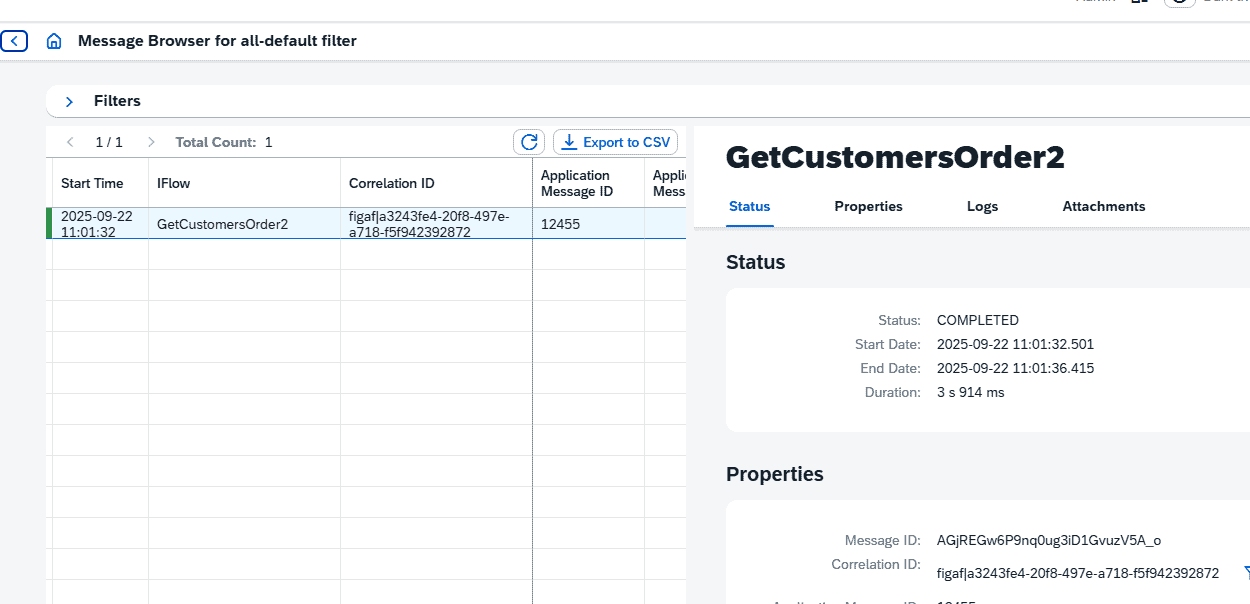
We had an initial version that allowed users to check the status and compare it to a set of documents processed. We have in this release improved it so you can correlate messages based on document numbers.
So the case is you have a test case in Tricentis that creates a Purchase Order. This purchase order is sent to SAP Integration Suite. The iFlow triggered should always look the same.
You can then run the Purchase Order test case and then record the message in Figaf. You will need to use the Application ID in the iFlow to long the PO number.
You can then extend your PO test cases with the following:
- Call to Figaf to start expecting messages for a given scenario
- Trigger the PO test case
- Send a request to Figaf with the link between the old and then new PO number
- Check the result in Figaf
Notice it can take some minutes for Figaf to return a testing status.
B2B improvements
As with previous releases, the 2509 Release delivers a range of valuable new features and enhancements. Some extend existing capabilities, while others introduce brand-new functionality.
B2B TPM transports now supported in standard Figaf DevOps
One of the biggest challenges in the SAP Integration Suite B2B setup has been the lack of a robust transport system for Trading Partner Management (TPM). Traditional TMS solutions do not support B2B TPM and offer limited transparency and governance.
With this release, Figaf DevOps closes that gap:
- You can now transport B2B Agreements and Scenarios using the same DevOps framework that governs your integration artifacts.
- Any Agreement(s) or Scenario(s) can be assigned to an existing ticket, or even to a newly created one automatically, allowing you to leverage all the standard DevOps features (testing, approvals, release controls, etc.) for B2B TPM.
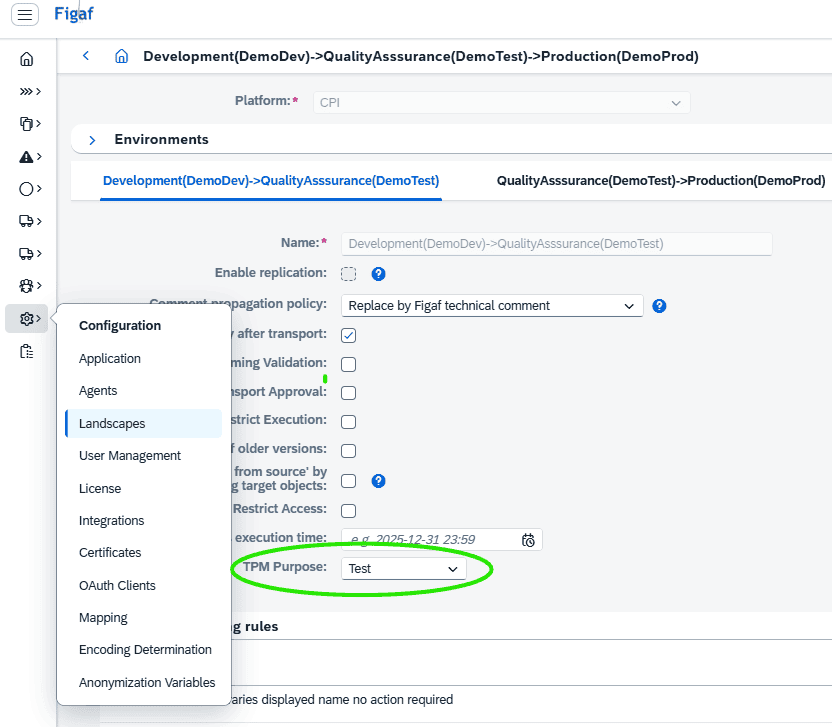
To enable B2B transports with correct system/purpose translations, simply define the transport purpose for the target agent in the Figaf Landscape.
End-to-end transparency in B2B transports
From the B2B Scenario overview, you can select one or more scenarios and assign them directly to a ticket.
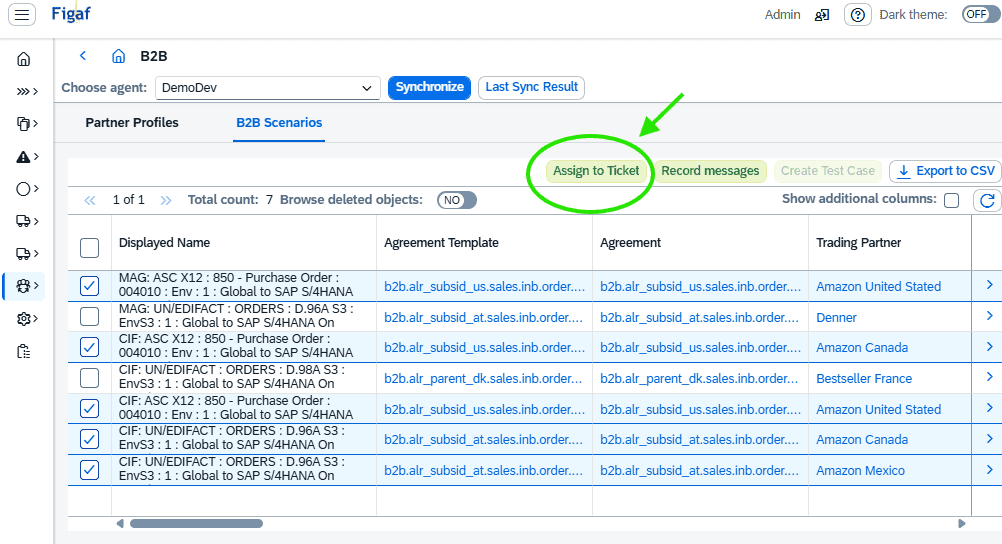
Both Agreements and Scenarios are automatically included, but you can also assign them manually if needed.
Dependent objects are automatically tracked and added, ensuring that nothing is overlooked.
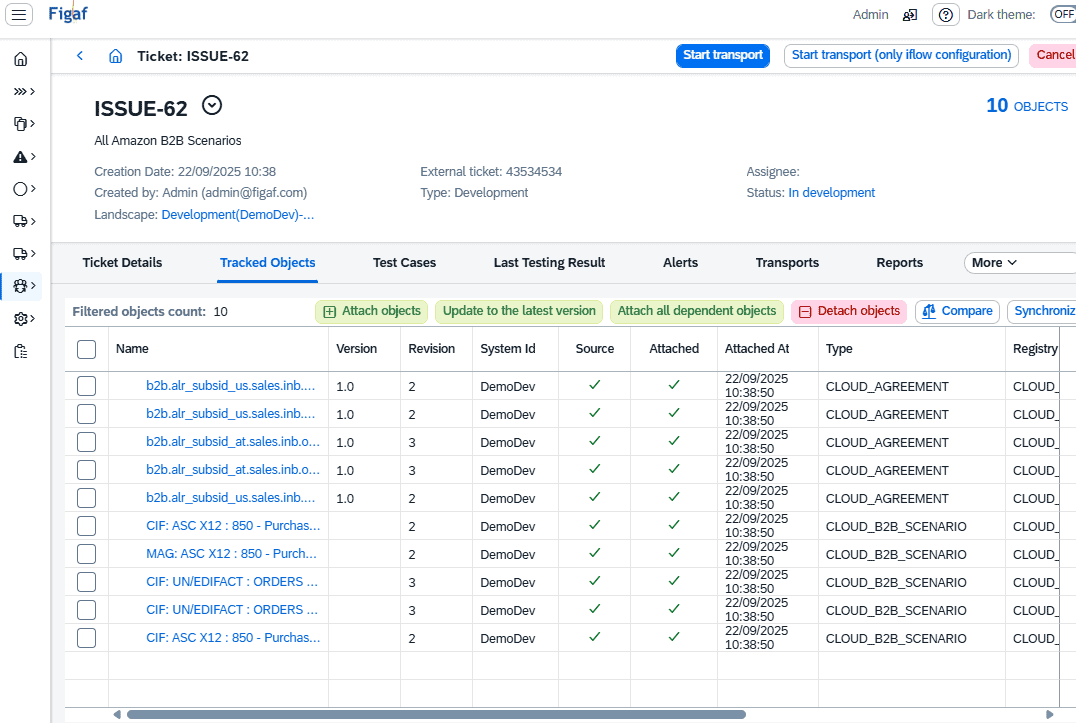
By clicking “Attach all dependent objects”, you can view the complete list of included objects, often significant even for a small number of Agreements.
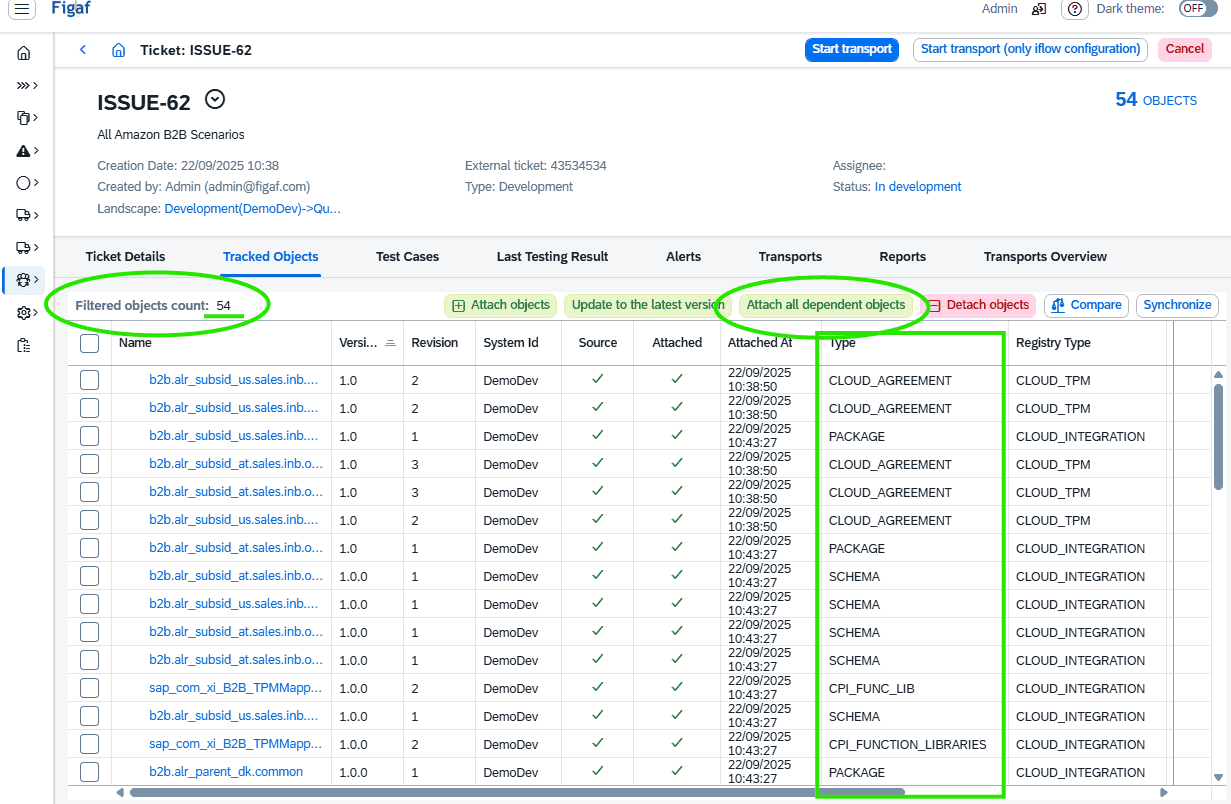
This ensures full transparency and eliminates the risk of missing components when transporting B2B solutions.
As shown in the example above, even 5 very similar B2B agreements for same customer can quickly end up representing +50 technical objects, an aspect of B2B change management, that makes it very risky to base any transport on individual manual selections. Now Figaf can do it all reliably for you.
Integrated change management and testing
Once assigned, the transport follows the standard Figaf DevOps lifecycle:
- Automated tests can be triggered and linked directly to the ticket.
- Approval workflows and release controls apply as they do for other artifacts.
- Change tracking ensures you know exactly which objects were updated versus which already existed in the target system.
For the actual import, Figaf relies on SAP’s standard TPM Cross Actions feature.
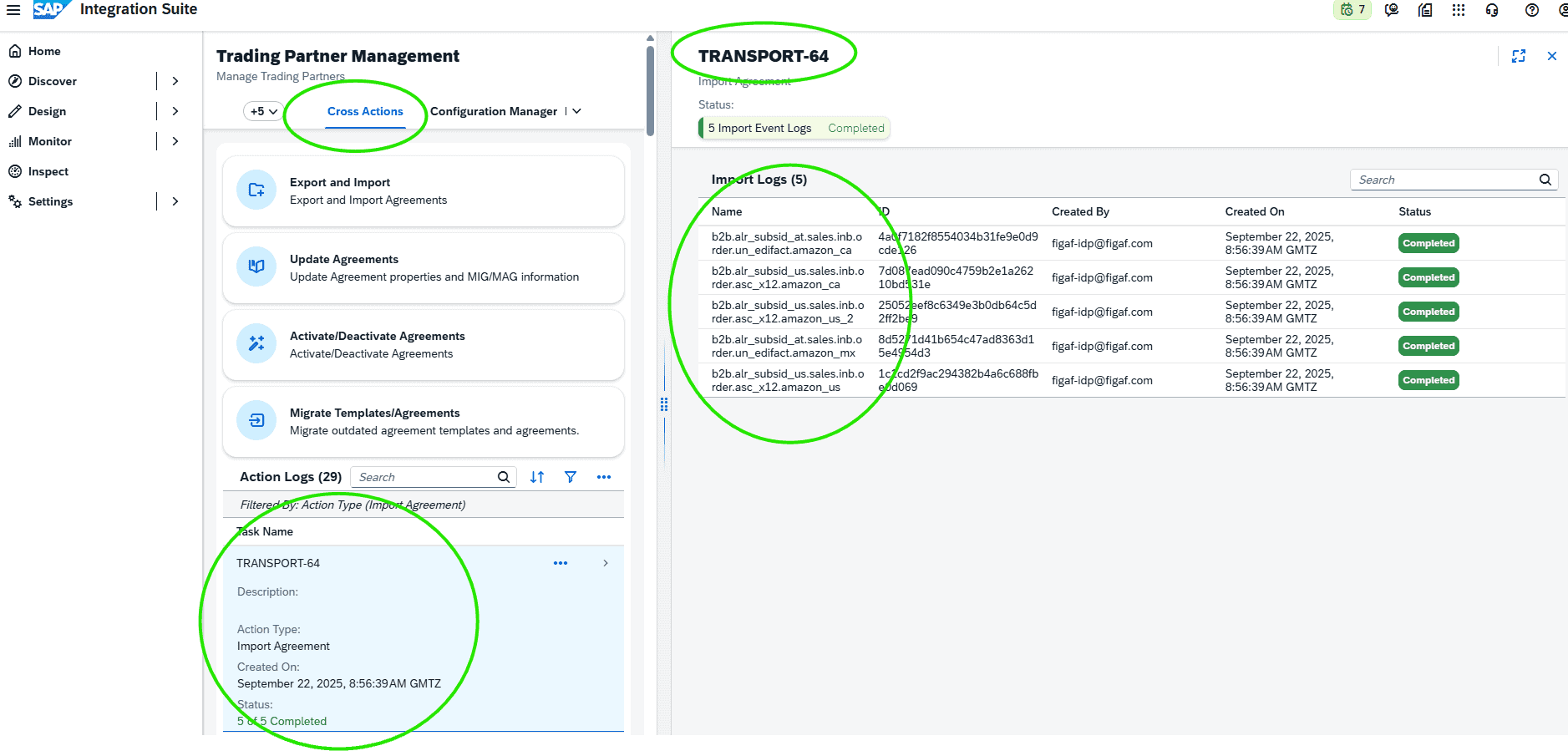
- The Import Agreements process has been enhanced to respect the system/purpose translations defined in the Figaf Landscape.
- This means you benefit from both SAP’s standard logs and Figaf’s own audit trail, providing robustness and reassurance.
Smooth transition to testing and production
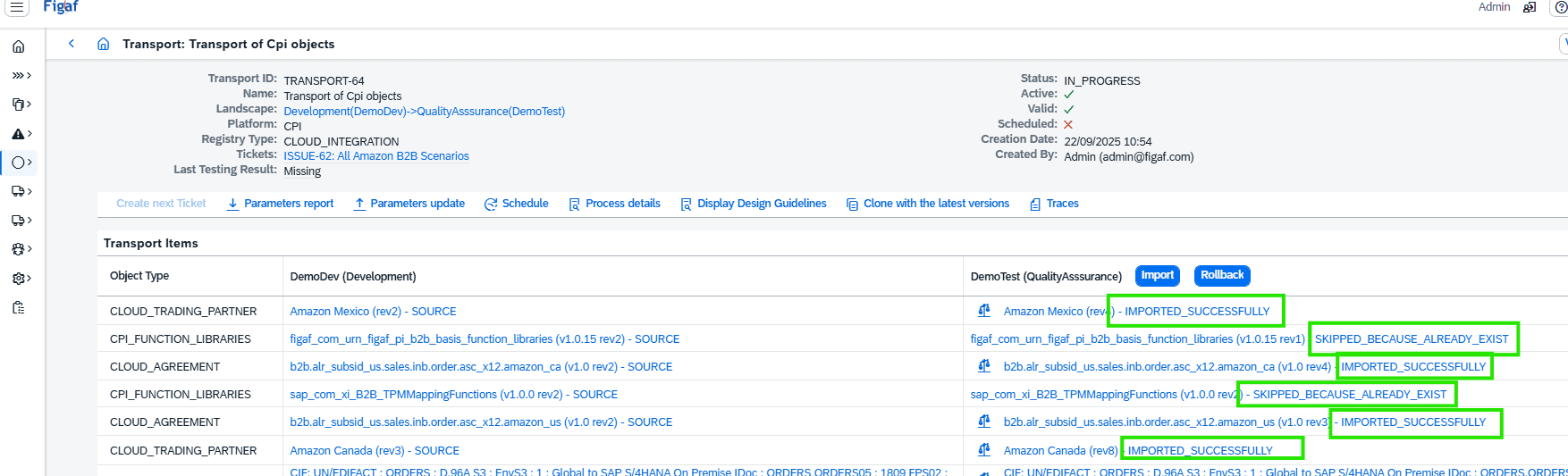
Once the transport completes successfully, you can:
- Review and activate Agreements.
- Deploy any new or updated design objects in the target Integration Suite tenant.
- Reuse existing test cases (in Test) and see the results directly in the ticket.
- Move seamlessly to business use in Production with full governance in place.
With Figaf DevOps Suite, Release 2509, you now have end-to-end, governed, and transparent transports for B2B TPM, closing a critical gap in SAP Integration Suite B2B operations.
Send message request navigation
The Figaf Send message is like the Send Test message in SAP PI. Just for Cloud Integration where it also is quite challenging to send messages. You can save payload for the team to use and then you can send them to your SAP Cloud Integration. You therefore don’t need to have a Postman/Bruno collection that you need to share. Most can be done with the tool.
We have now added the option to open message monitoring for the message or messages that you have sent.
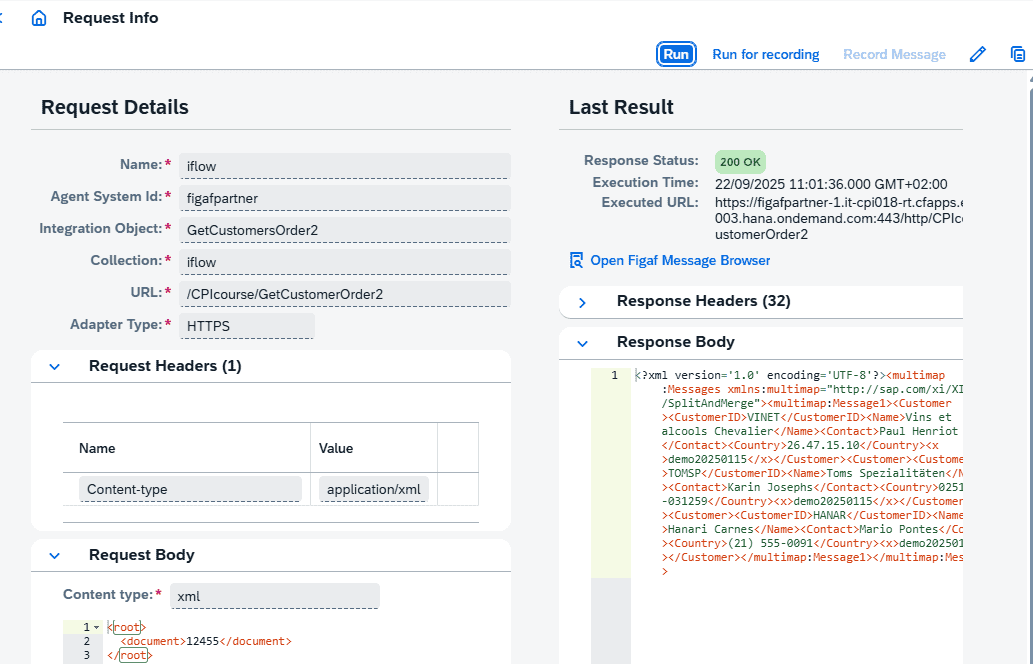
You can then see all the messages in the Figaf monitor to see if you reach the correct endpoints. This is extra important when you have flows with many steps like pipeline concept.