← All features

Testing

API Management testing

Changes to an API proxy go live without a regression test, because API Management has no simple way to replay real calls.

API Management testing brings SAP API Management proxies into the same testing process Figaf uses for iFlows. You record messages that pass through a proxy, keep them as test cases, and run them again after a change to see whether the proxy still returns the same result. It is used by integration developers and testers who already have DevOps and monitoring of API Management in Figaf.

How it works

Figaf reuses its existing recording methods, so the steps are the same as for other test cases:

  • Connect API Management to Figaf. Create an API provider called FigafTestingToolApiProvider, which API Management uses to send the messages to Figaf. It can go through Cloud Connector or directly to the BTP subaccount where Figaf is running.
  • Choose the proxy. Select an API and decide to record messages from it. Figaf adds some policies on the proxy to enable testing.
  • Record. Select record message on the test case and send some messages through the proxy. They are all recorded in your Figaf test case.
  • Handle OAuth. If a policy uses an OAuth token, you add it on the common recording page.
  • Run and compare. When the test case has run, you see the result of the processing and compare the payloads like any other test.

Some limitations are not covered yet. They can be added if customers need them.
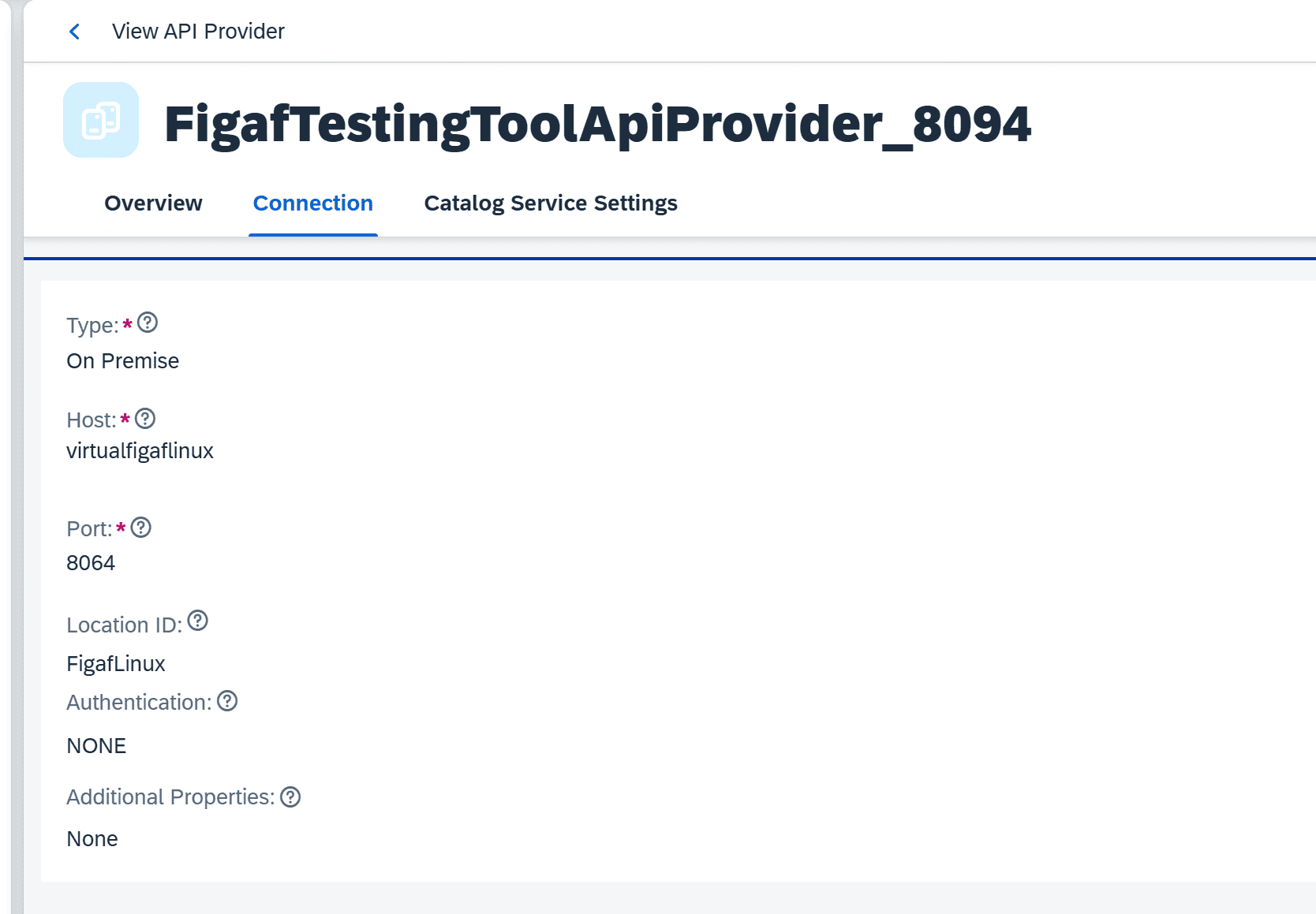
Configuration of the FigafTestingToolApiProvider API provider in SAP API Management, used to send recorded messages to Figaf
The API provider that sends recorded messages to Figaf.
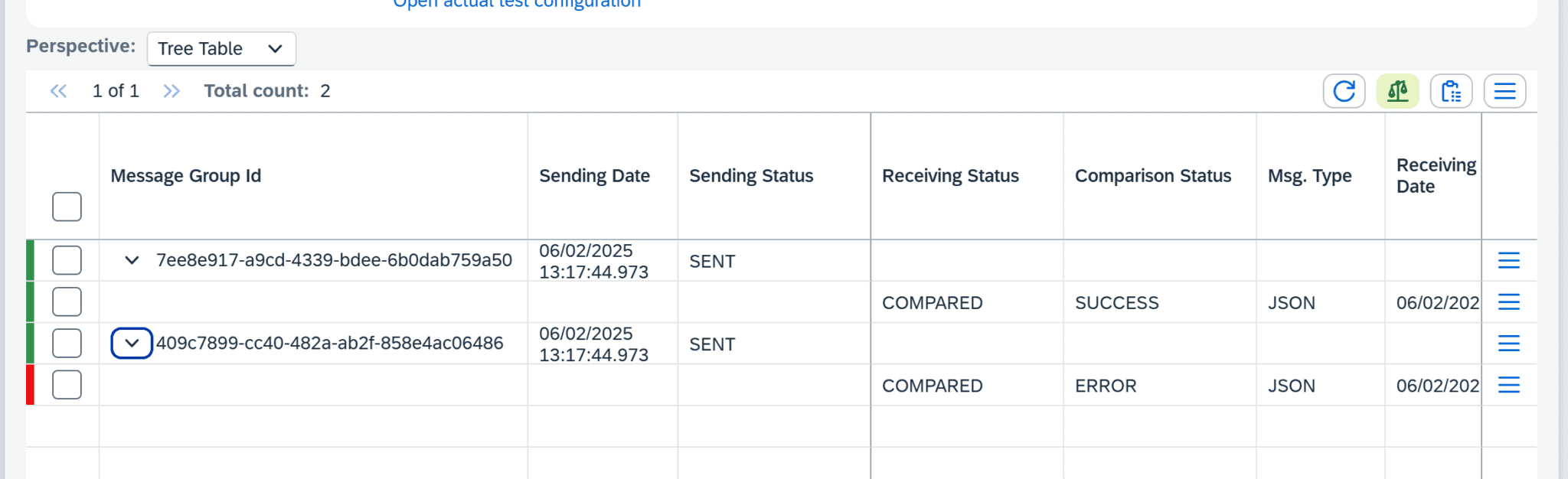
Test run result for an API Management test case in Figaf, with the payload comparison
Run the test case and compare the payloads.

Business value

  • Lower risk when proxies change. A change to a proxy or its policies can be tested with real messages before it reaches production.
  • One testing process. APIs, iFlows and events are tested with the same recording and comparison, so the team does not need a separate tool or method for API Management.
  • Less manual work. Test cases are built from recorded traffic instead of being written by hand.
  • Evidence for audits and approvals. Test results are stored in Figaf, so you can show that a proxy was tested before it was transported.

Good to know

  • Available since release 2502, which also added testing of SAP Event Mesh.
  • Figaf has supported DevOps and monitoring of SAP API Management for many years. See DevOps for SAP API Management.
  • Part of Figaf DevOps Suite and the Figaf Testing Tool.

Learn more

Included in

Figaf DevOps Suite

Test your API proxies the same way you test your iFlows

Record real messages on SAP API Management proxies, turn them into test cases, and compare the payloads each time you run them.

See api management testing on your landscape

No credit card required.

Integration cost calculator →

Start your free trial

No credit card required

Try Figaf DevOps Suite free for 30 days. It takes less than an hour to get started, and we send everything you need by email.

Join our newsletter

Get the latest about Figaf, SAP and anything relevant to SAP integration, every week in Figaf Weekly.