Your policy says every B2B message must be archived, but nothing checks that each agreement in production actually has archiving switched on.
Archiving governance makes sure your B2B archiving policy is applied when B2B content is transported through your SAP Integration Suite landscape. It is used by B2B teams and integration architects who are responsible for meeting legal and audit requirements for B2B messages.
How it works
Archiving B2B messages can be defined in SAP Integration Suite Trading Partner Management, but TPM does not make sure it is enforced. Figaf adds two things:
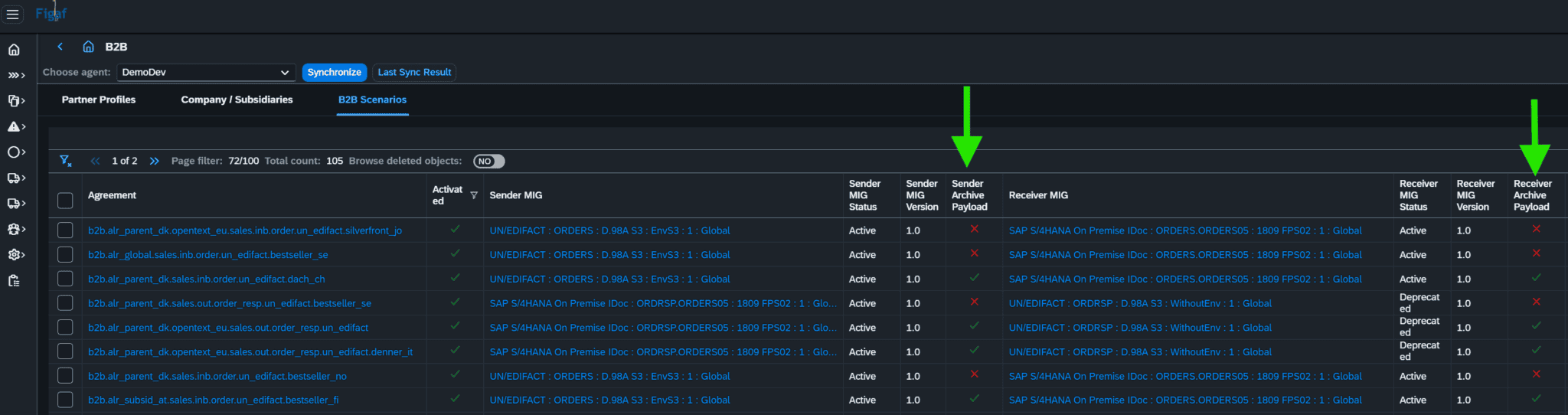
See where archiving is missing. The B2B scenario overview shows the archiving settings for both sender and receiver payloads (release 2603), so you can quickly identify scenarios with missing archiving settings. The columns appear when “Show additional columns” is enabled.
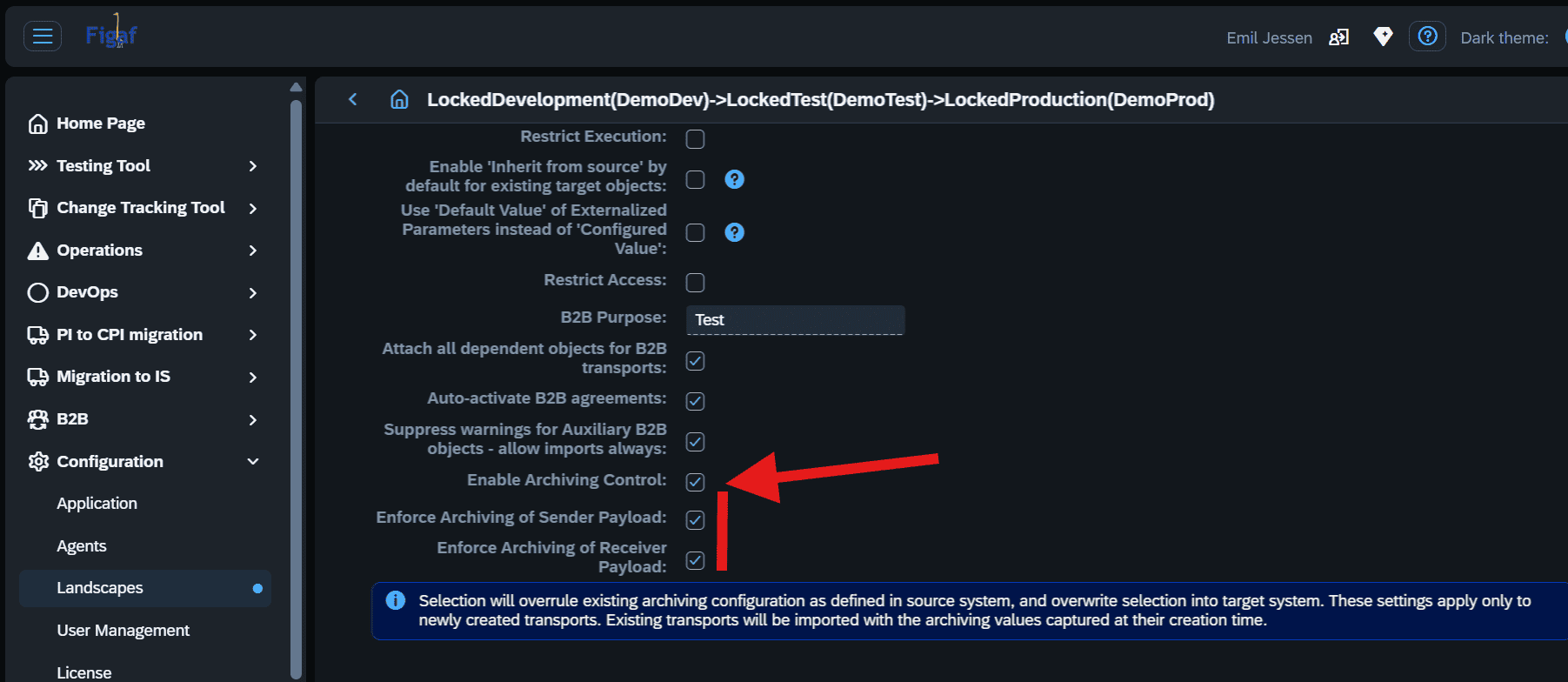
Enable archiving automatically on transport. The landscape settings for B2B transports have a configuration setting, Automatically enable archiving in target system (release 2605). When it is set, archiving is switched on in the target system as part of the transport, instead of being cleaned up by hand afterwards.
The setting works with the B2B TPM transport in Figaf DevOps Suite, where transports follow the standard Figaf lifecycle with tests, approvals and change tracking, and the import uses SAP’s standard TPM Cross Actions.
The landscape setting that enables archiving during B2B transports.Archiving settings for sender and receiver payloads in the scenario overview.
Business value
Compliance by default. It is mandatory in most countries to archive B2B messages, and some require the full end-to-end EDI flow of sender and receiver message. The policy is applied with every transport.
No tedious cleanup. Instead of finding and fixing scenarios with missing archiving settings one by one, the transport takes care of it.
Audit readiness. You can show both the archiving settings per scenario and the audit trail of the transport that applied them.
Less reliance on memory. Archiving does not depend on the person doing the transport remembering to switch it on.
Make sure every transported B2B scenario archives its messages
A landscape setting enables B2B message archiving in the target system automatically during transports, and the scenario overview shows the archiving settings for sender and receiver payloads.
Enforce archiving as part of the transport, not as a cleanup task
B2B transports in Figaf DevOps Suite can switch on archiving in the target system automatically, so the archiving policy is applied every time content moves.