A partner asks about an EDI message from last month, and finding it means digging through raw logs and archive tools.
Figaf B2B Management gives operations and support teams one place to see B2B interchanges, groups and transactions, with payloads archived and searchable. It answers what happened to a message without digging through raw logs, and makes the archive something you can use for daily operations and audits.
How it works
One view of interchanges. Interchanges, groups and transactions are shown together, so you can follow a message from the interchange down to the individual transaction.
EDI monitor. The EDI monitor downloads and persists messages from SAP PI/PO and SAP Cloud Integration, so it can serve as a long-term archive and keep messages for longer than 30 days. You can also fetch and view custom headers, and re-download messages that were not completely downloaded.
Archiving settings in the overview. The B2B scenario overview shows the archiving settings for both sender and receiver payloads (release 2603), so you can check that they match your governance, legal and audit requirements. The columns appear when “Show additional columns” is enabled.
B2B Archiving Setup. Setting up archiving in SAP Integration Suite by hand spans a Document Management instance and service key, a CMIS repository, two destinations, a protected activation API call and the archiving flags in Trading Partner Management. This FAID app turns it into seven guided steps on one page, uses SAP APIs where they exist, and verifies the result live. What it configures stays SAP standard.
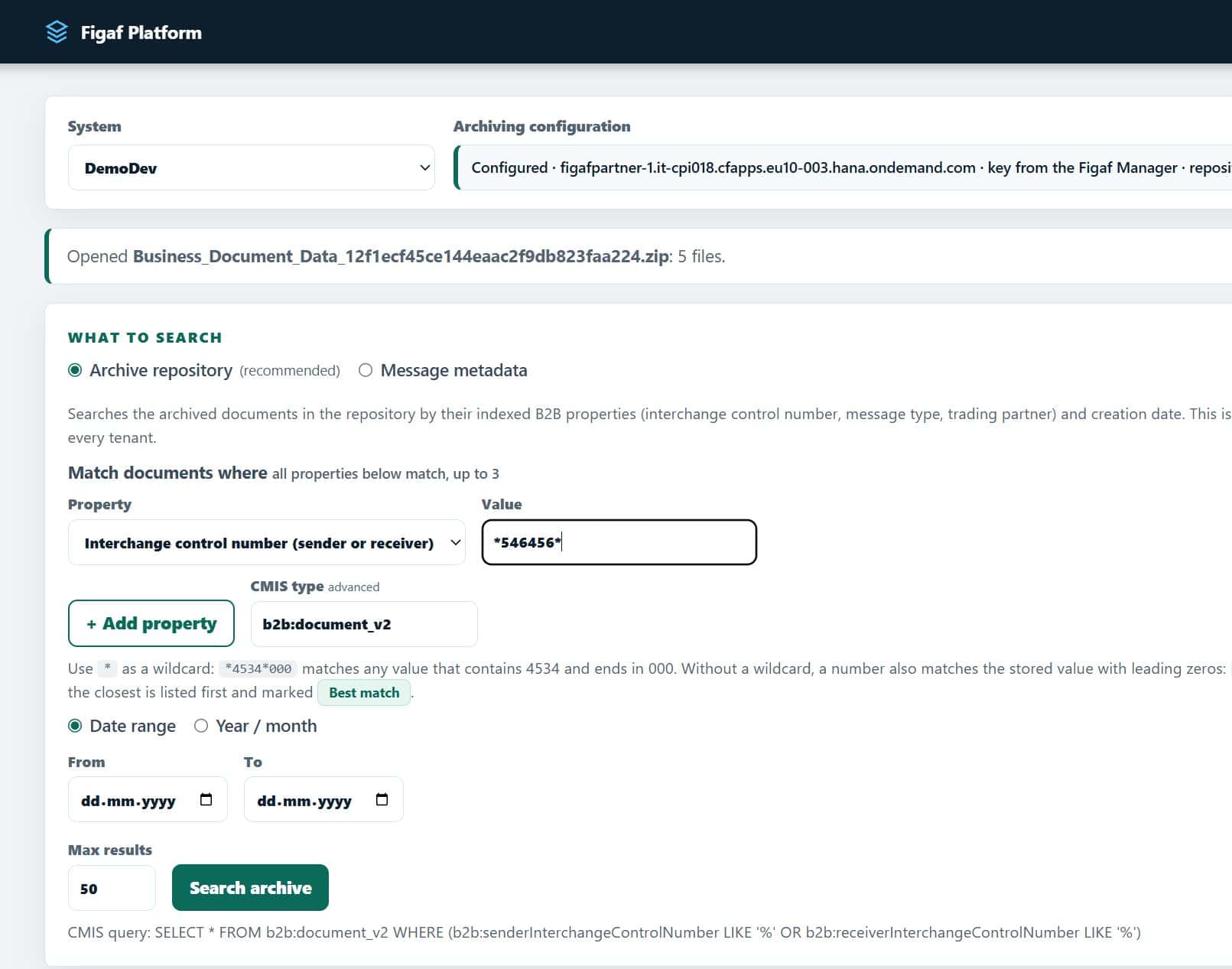
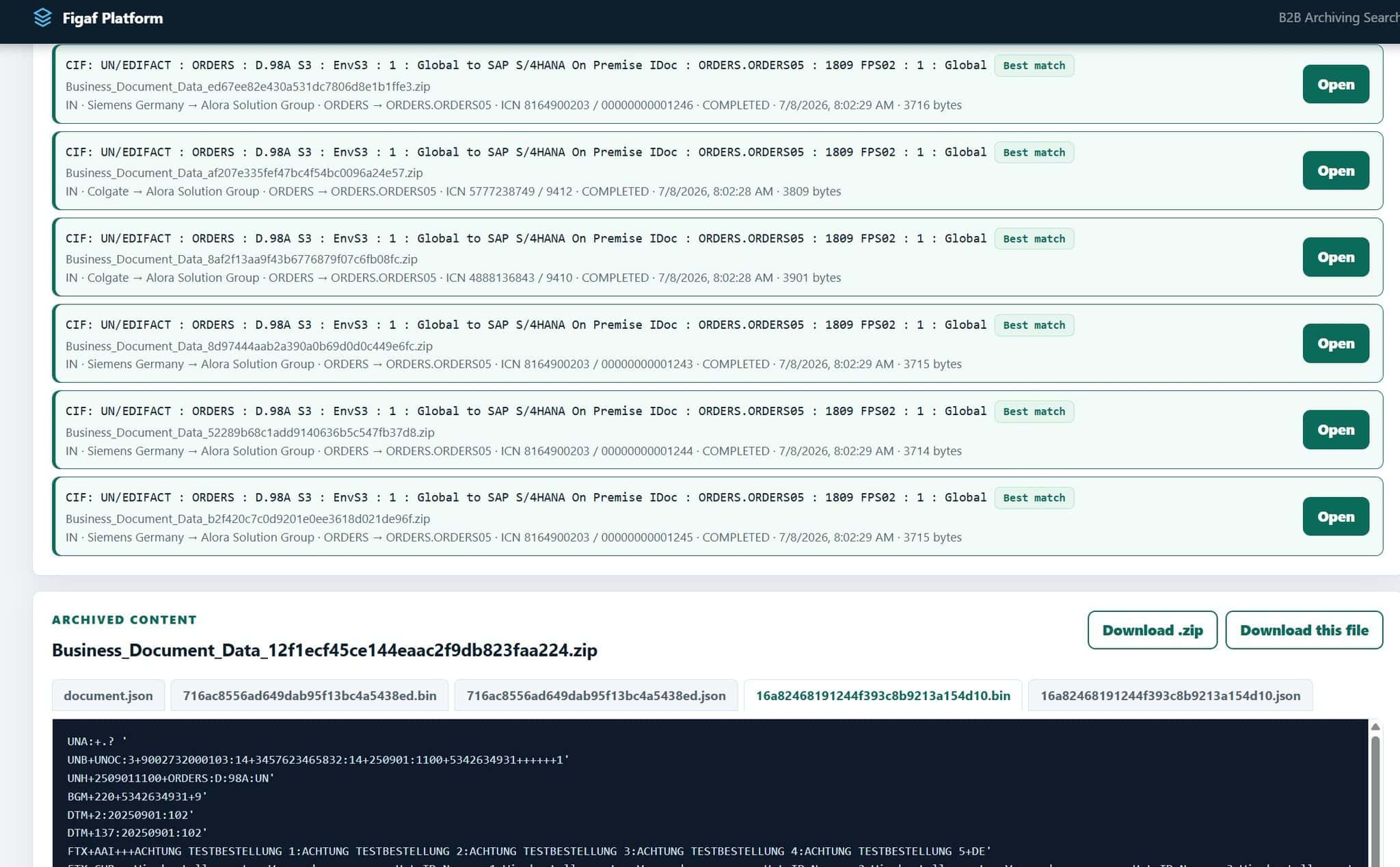
B2B Archiving Search. Search the archive by interchange control number, trading partner, message type or date, using the indexed B2B properties SAP writes to the archive. You can combine up to three properties, use wildcards and narrow by date or month, and the CMIS query is built for you. Each hit shows the agreement, direction, partners, source and target message type, ICN, status, timestamp and size, ranked by best match.
Open and download. Open document.json and the source and target payloads side by side in the browser, including the raw EDIFACT or X12, and download the full zip or a single file.
Combine indexed B2B properties, and Figaf builds the CMIS query.Open an archived interchange and see the raw message.
Business value
Faster answers to partners. Support can find a specific interchange and its payloads quickly, and download it as evidence, for example in a partner dispute.
Compliance with archiving rules. Archiving B2B messages is often a legal requirement. Guided setup and visible archiving settings make it easier to show that it is in place.
Audits without specialist tools. The archive can be searched in the browser, with no desktop CMIS workbench needed.
Less dependency on experts. The guided setup and search mean the knowledge of how archiving is configured does not sit with one person.
Good to know
B2B Archiving Setup and B2B Archiving Search are the first FAID (Figaf AI-Driven) apps. They were announced in October 2026. The same search is planned as an API and an MCP tool, so your own applications and AI agents can query the archive.
To make sure archiving is enabled whenever B2B content is transported, see archiving governance.
Every interchange in one view, with payloads archived and searchable
See interchanges, groups and transactions in one view, keep B2B messages for the long term, and find an archived interchange by control number, partner, message type or date.
See b2b interchange monitoring and archiving on your landscape