Documentation is either missing, or present and out of date, which is worse.
Most SAP integration teams face one of two failures: documentation that was never written, or documentation that was written once and has been wrong ever since. Figaf generates the record from the change itself, so it cannot drift from reality, because reality is where it comes from. It is used by integration developers, support teams, architects and auditors who need to know what an interface does and what changed.
How it works
Figaf creates the two kinds of documentation you need, automatically:
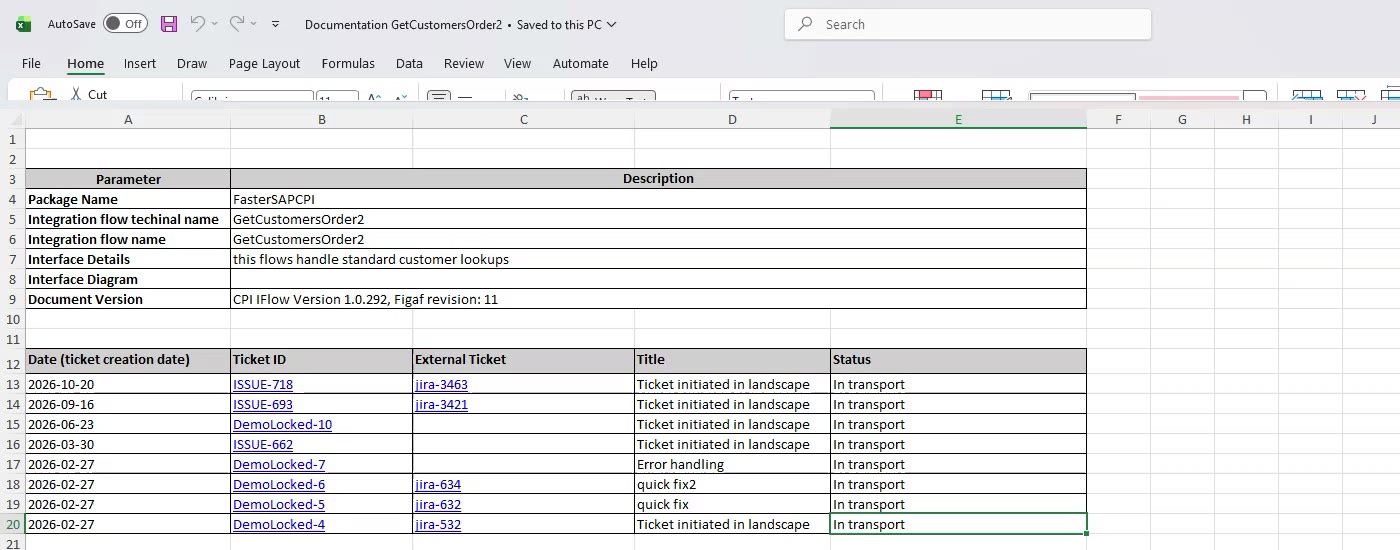
Change logs per ticket. Changes are linked to a ticket, which can be a Jira or ServiceNow ticket, so you get a list of the changes in a ticket or business requirement, including the test runs.
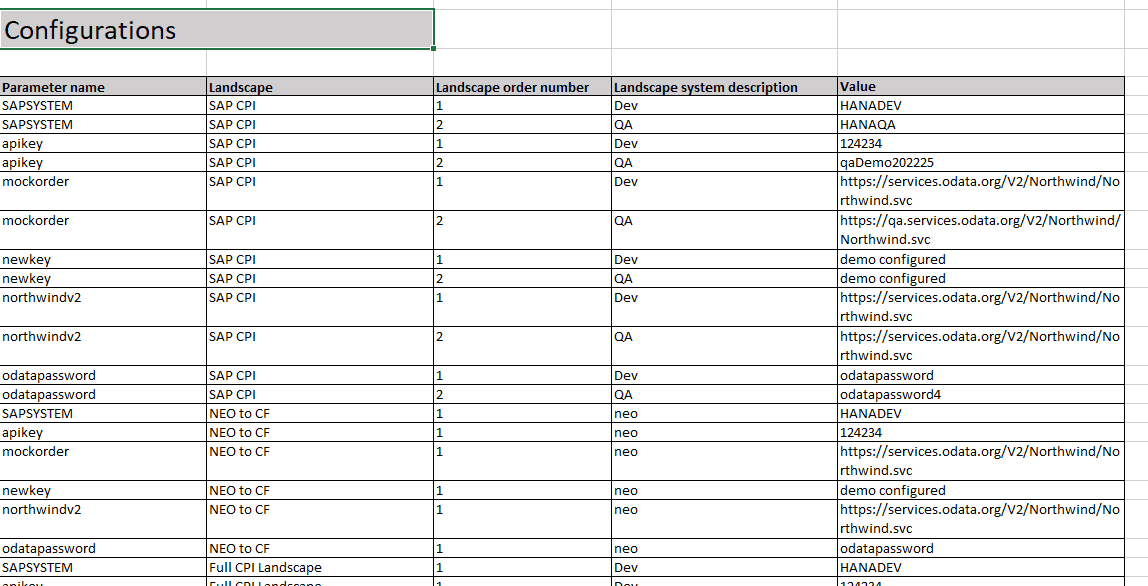
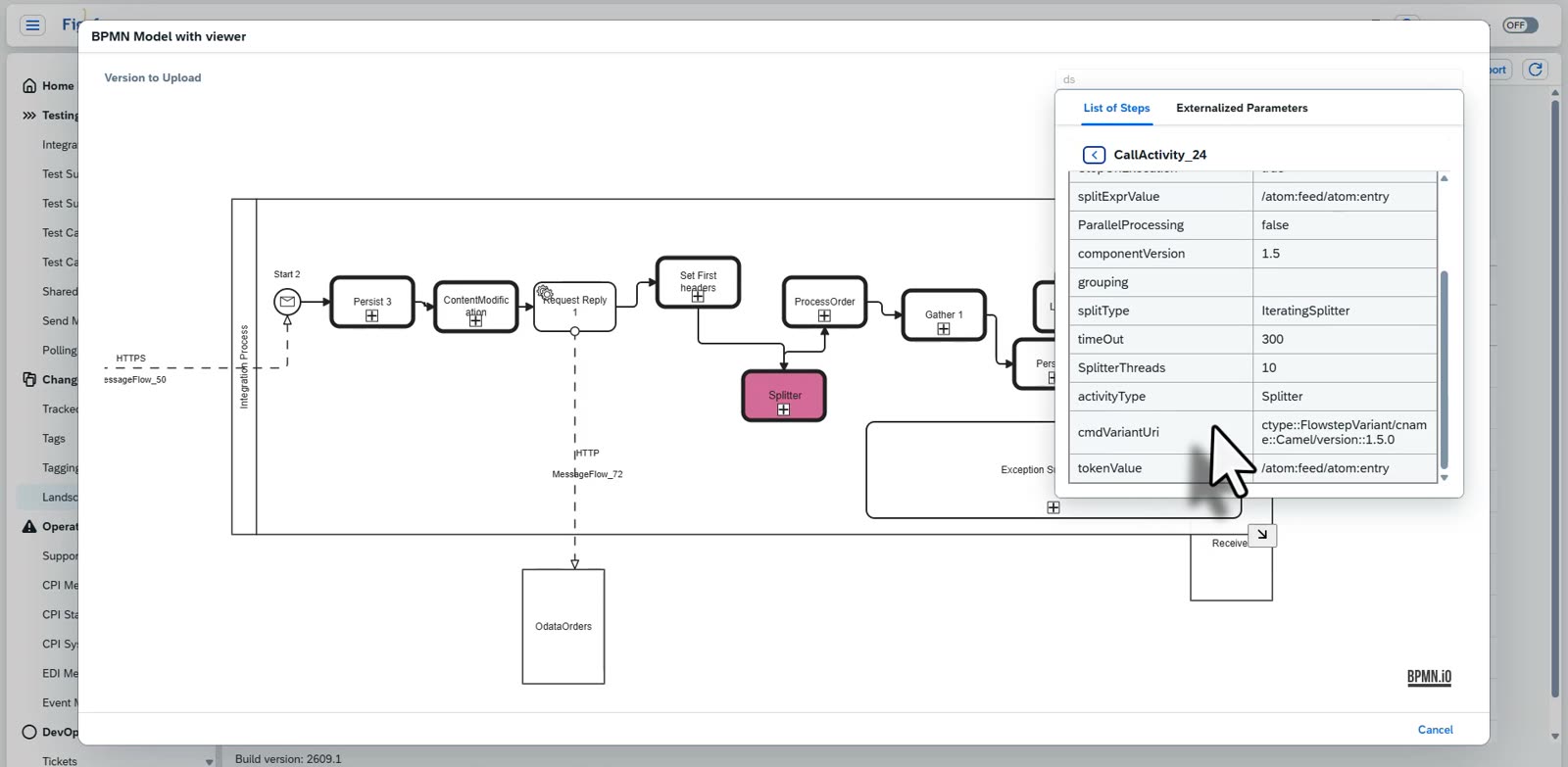
Scenario documentation for SAP Cloud Integration. For each iFlow, Figaf generates an Excel document with the iFlow header information, the history of changes with the business requirements behind them, an overview of the process, sender and receiver connections, the test cases, a table representation of the flow, the configuration parameters across the landscape, the resources and their last change, the message mapping flows and the external ticket. Since patch 2202.1 the iFlow diagram is part of the same report. You find the iFlow in the Change Tracking Tool, select More and then Scenario Documentation.
Always updated in Git. Since release 2303.1 you can switch it on in the Git repository settings, and the documentation is updated each time Figaf detects that an iFlow has changed. This version is without the image of the flow.
SAP PI/PO scenarios. For SAP PI/PO, Figaf generates the documentation of each interface from a Word template, with a change history linked to tickets. If someone changed a message mapping used by the ICO, you see it in the list.
Message mapping documentation and diff. Since release 2101 Figaf documents SAP PI/PO message mappings in Excel and can compare several mappings in one file, which helps with EDI mappings. This function is free in the Migration Edition.
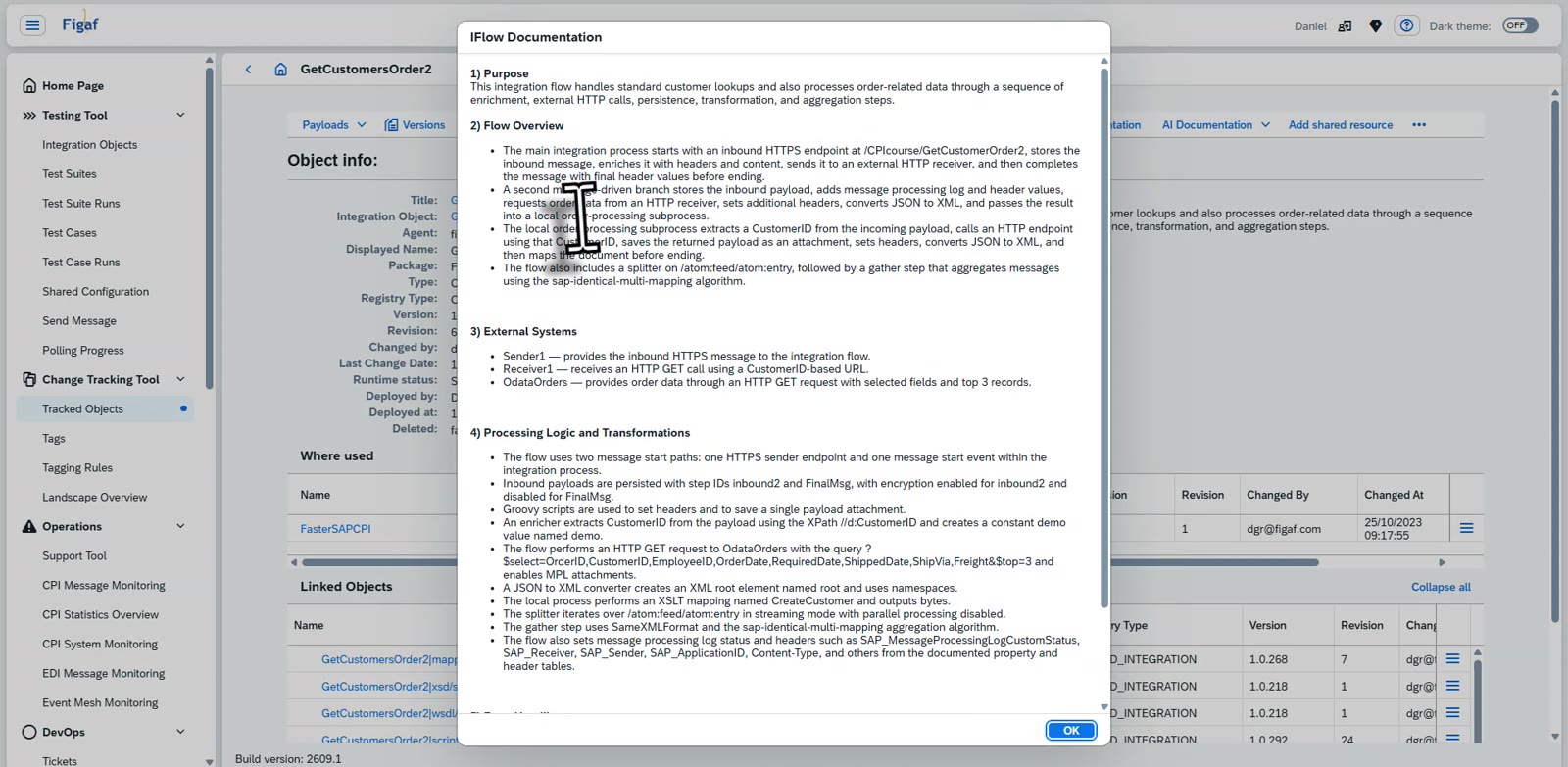
AI documentation. Since release 2605 Figaf can create AI documentation of your iFlows, and the details are also in the normal iFlow documentation. On the agent configuration you can schedule a job to create it automatically. The first run takes some time.
Scenario documentation generated for an iFlowConfiguration of the iFlow across the landscapeThe full documentation of an iFlow: purpose, flow overview, external systems and processing logicThe Excel documentation lists the tickets that changed the flowThe iFlow as a diagram, with its steps and parameters
Business value
Audit answers in minutes. When an auditor asks what changed in an interface last quarter, the change history and the tickets behind it are already recorded.
Documentation that matches what is running. Because it is generated from the change, the documentation is never left at its initial version in a repository nobody opens.
Less time spent writing documents. Documentation is one of the processes that takes the most time. Generating it removes a manual, last-minute task from every project.
Less dependence on the people who built it. Consultants often move on after go-live. Current documentation and test cases mean your own team can support and improve the integrations.
A better starting point after migration. The migration produces a current record of every interface it moves, so teams often end up better documented after the move than before it.
Good to know
Automatic documentation is part of the Figaf DevOps Suite, and is used in the Figaf Migration Tool and Figaf B2B Management.
Automated documentation has limits, for example updating it in several places, or adding extra information that only a person knows.