Moving a change between systems is manual, undocumented, and often done by someone outside the integration team.
SAP’s native transport process for integration content asks a lot of manual steps of people who often are not integration developers. Every one of those steps is a place where documentation gets skipped, and nobody notices until an audit. Figaf DevOps Suite makes the change the unit: it carries what changed, why, which ticket asked for it, what was tested and what the result was. That record exists because the work happened, not because somebody wrote it up afterwards.
How it works
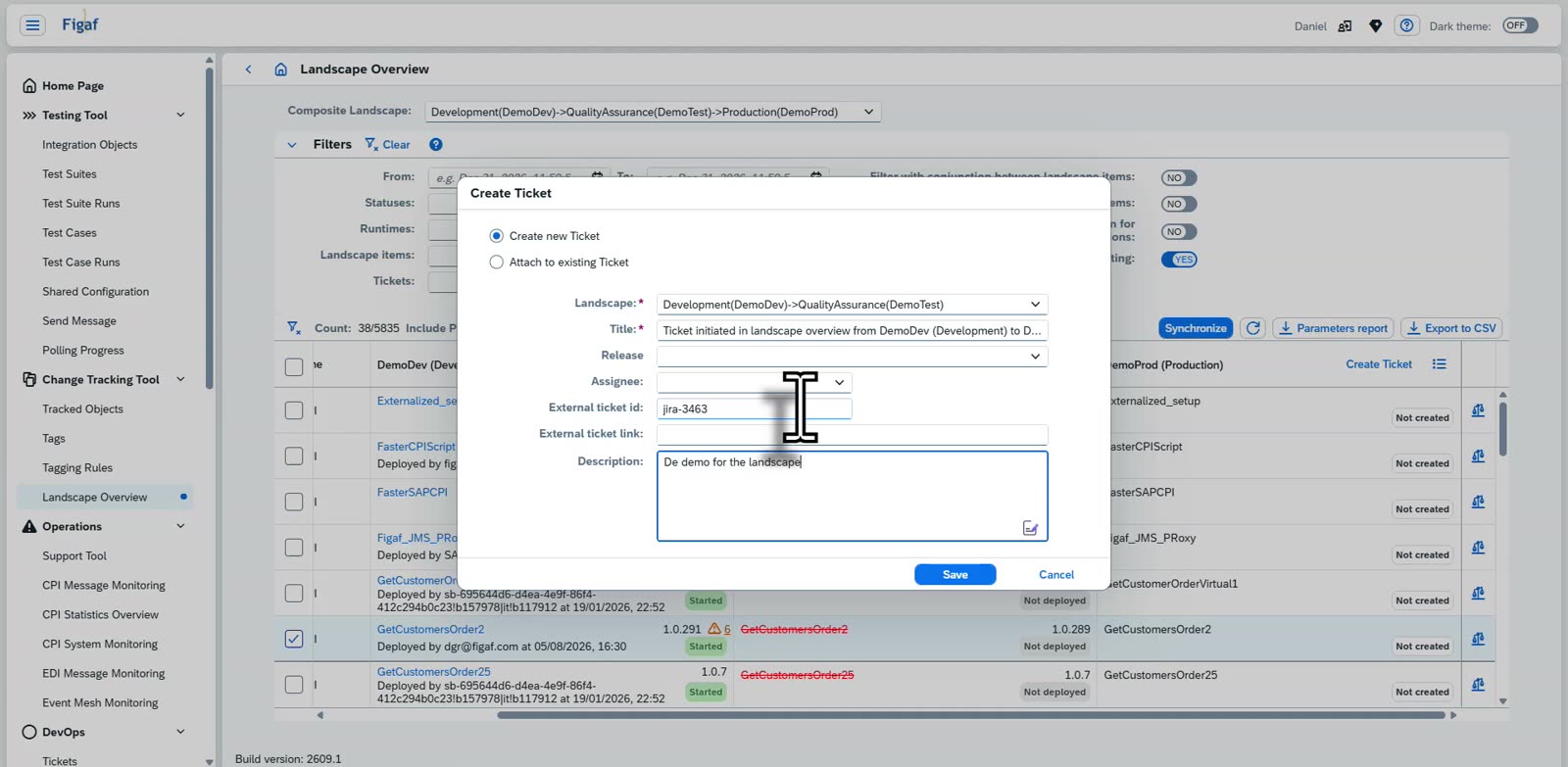
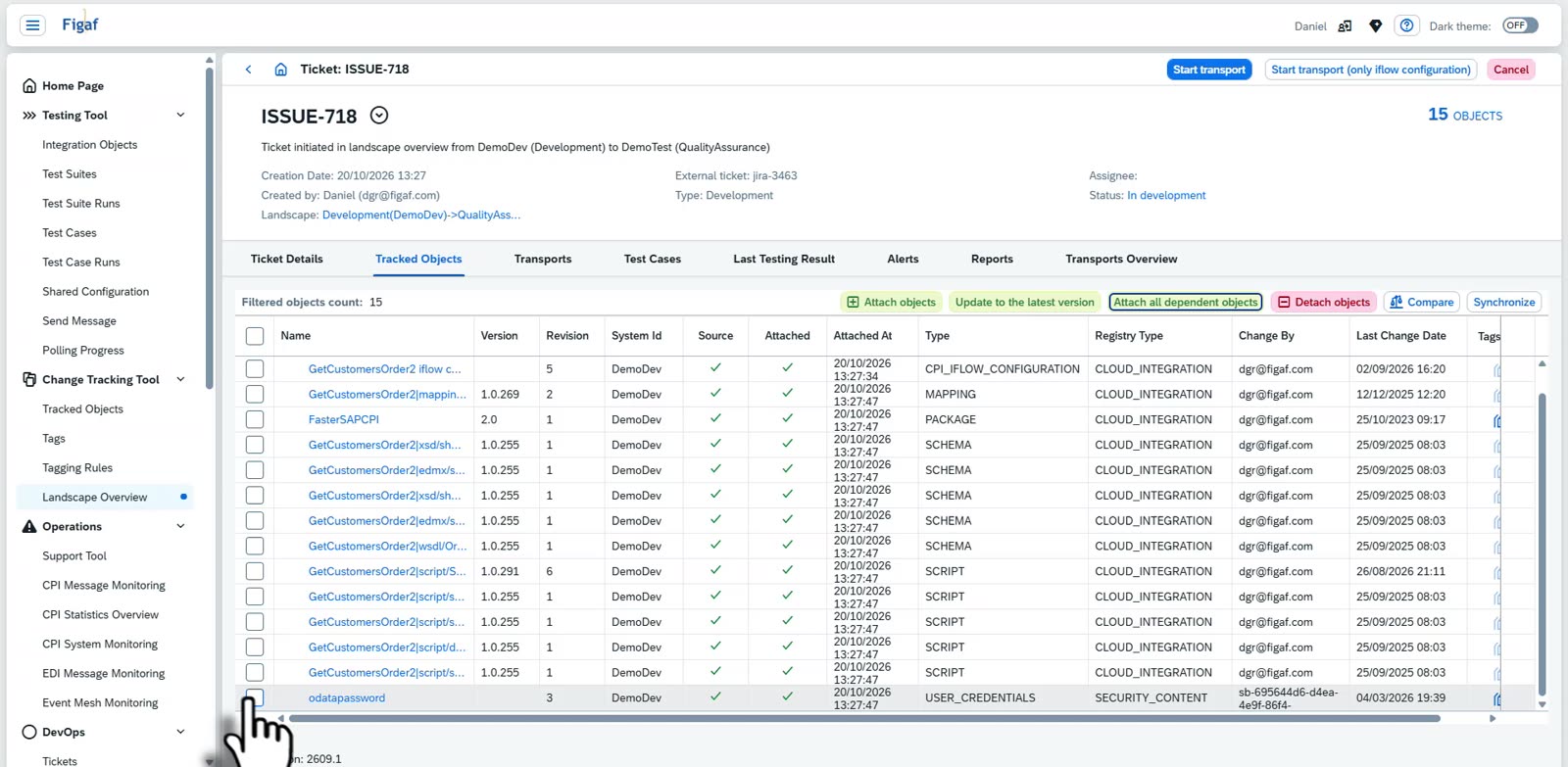
Ticket first. Changes are linked to a ticket from your ITSM tool, such as Jira or Cloud ALM, and the changes on the ticket can be tested directly in Figaf before you create the transport.
Synchronized versions. Figaf keeps synchronized versions of your integration artifacts in its own database, so it knows exactly which version is moved and can show the transport information in the version history of each object.
Binary landscapes. You transport from development to QA as many times as you like, and once you are satisfied with the test status in QA you create a new transport to production. Approvers do not need to approve all the way from development.
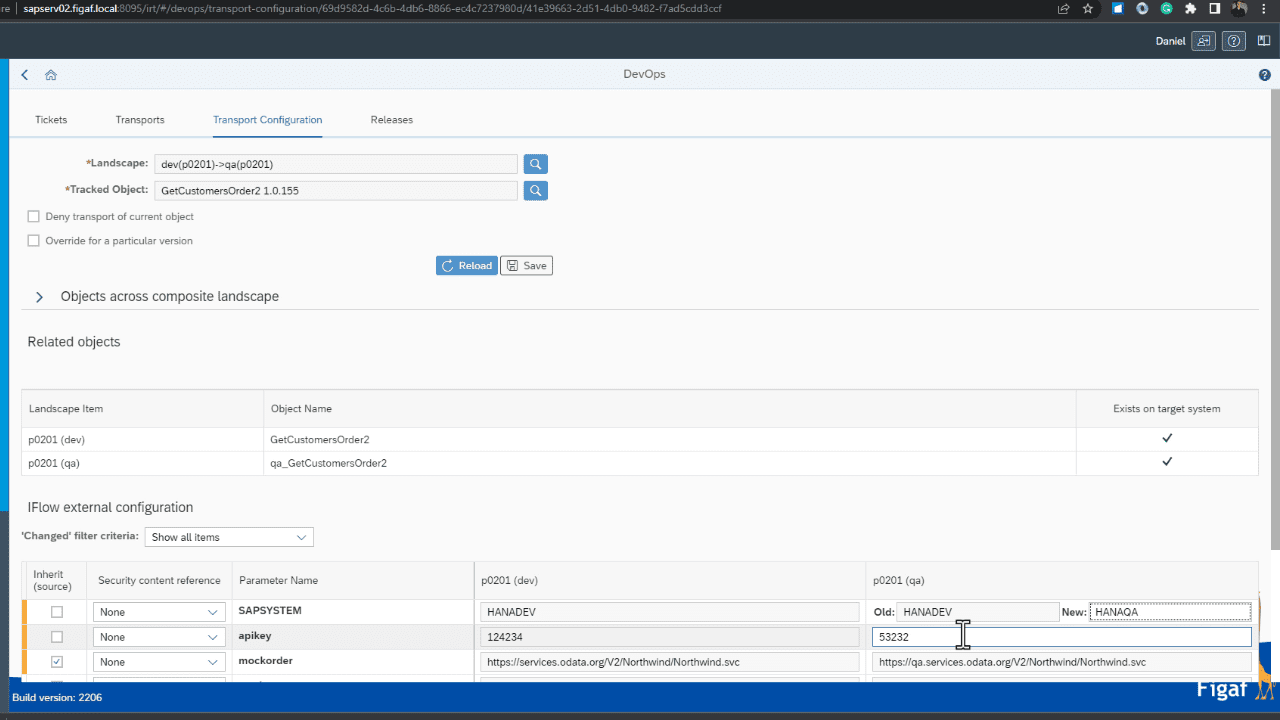
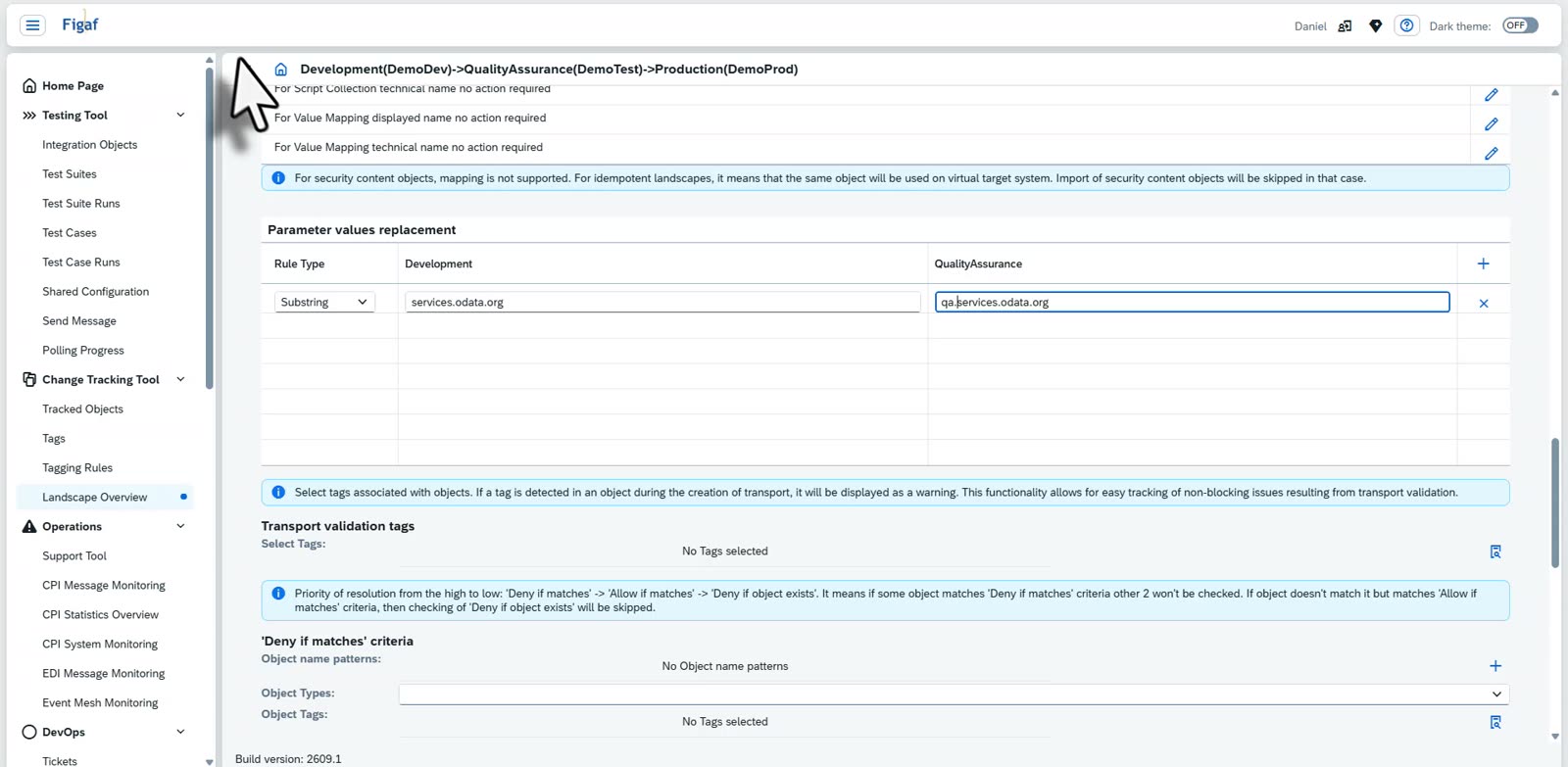
Configuration in the transport. A transport can carry the configuration of externalized parameters, so you import, configure and deploy in one action. Host names, such as dev.figaf.com to qa.figaf.com, are translated between environments, and you can export all properties to Excel for a sanity check on large transports.
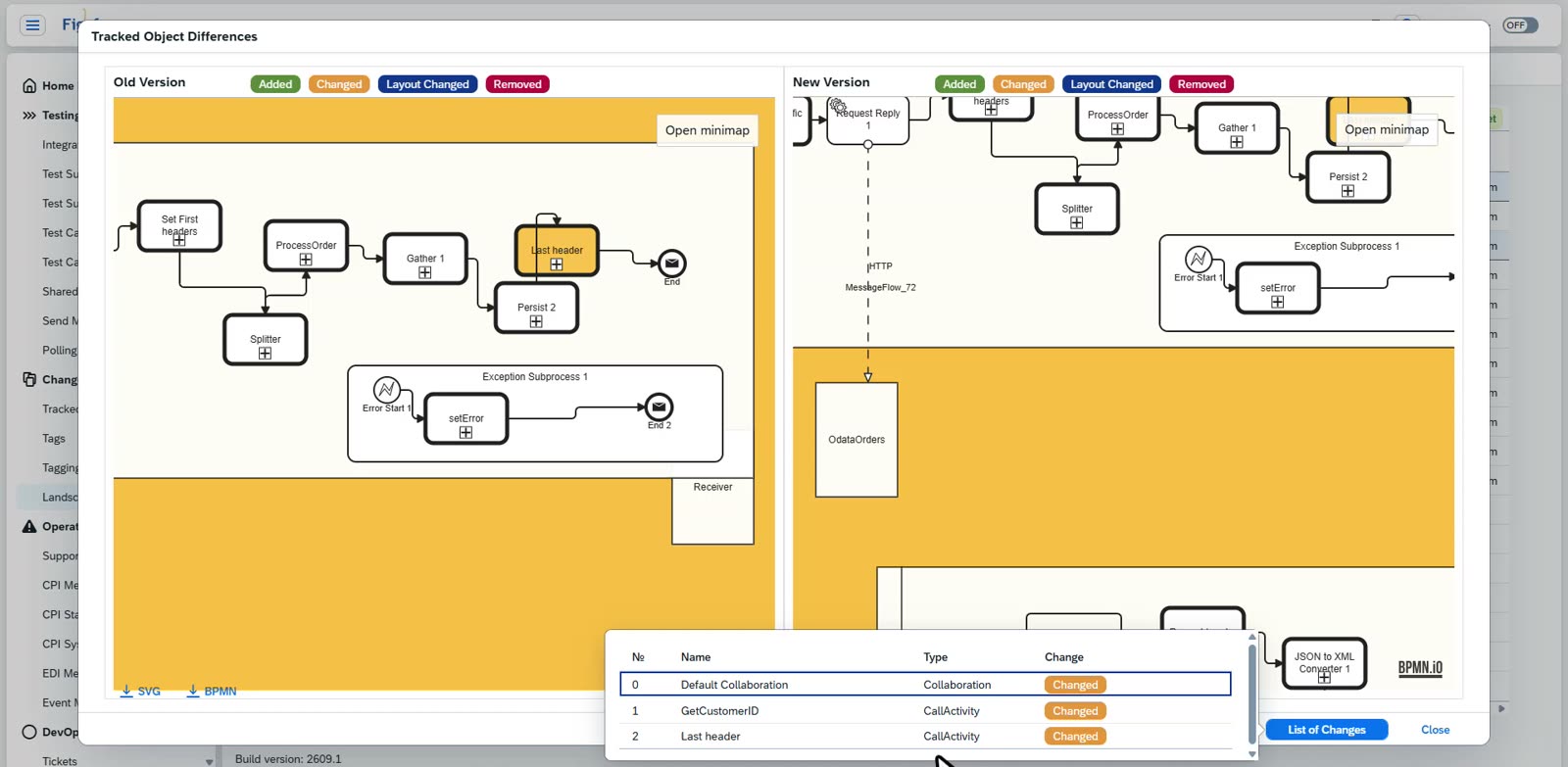
Review before approval. The approver sees a graphical comparison of the iFlow versions, a source code diff and the changes in configuration, and adds a comment when approving.
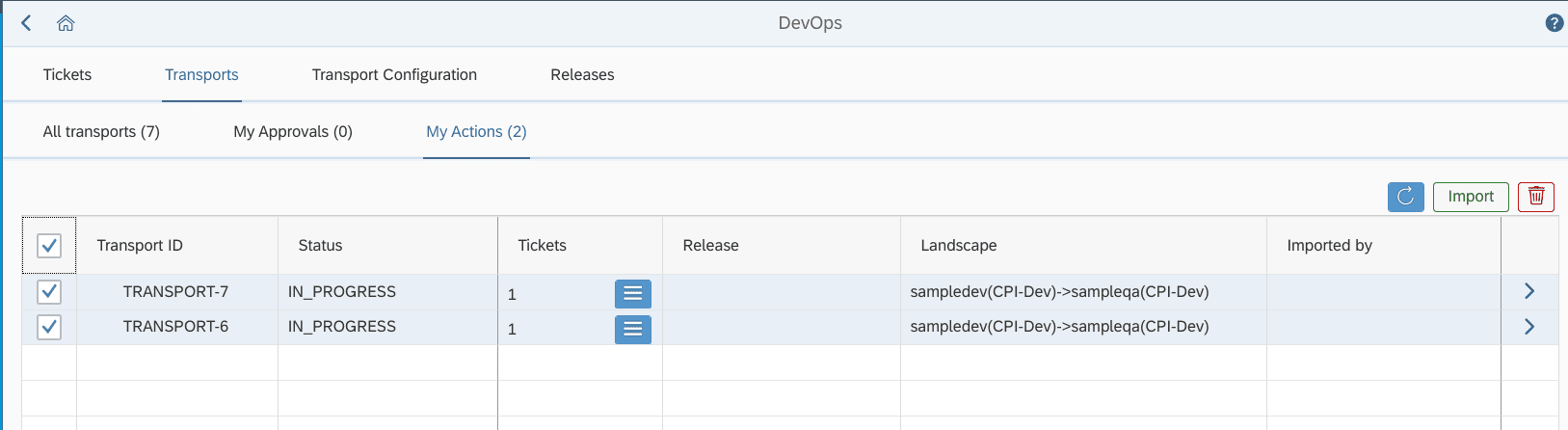
Many transports in one go. From “Transports, My Actions” you select several transports on the same landscape and import them together, for SAP Cloud Integration, API Management and SAP PI/PO. If the same object is in more than one transport, the version from the highest transport number is used.
Rollback. If something you deployed fails, you roll back one step to the last backed up version of the iFlow. This works for SAP Cloud Integration, API Management and SAP PI/PO Directory objects, and for each transport in a batch import. Objects handled by another transport are not rolled back.
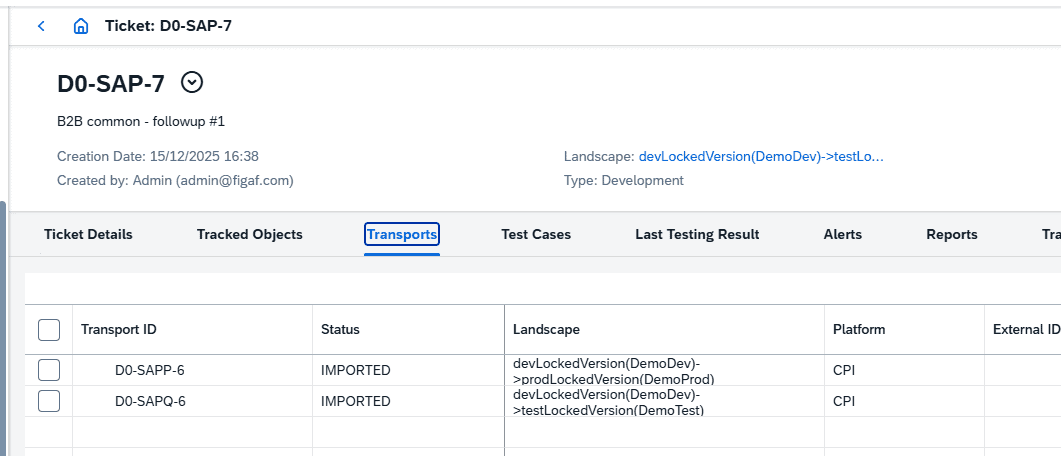
Locked version transports. For teams that want a CTMS+ style process, one ticket creates both the Dev to QA and the Dev to production transport, and the production import is only possible after the QA import.
More content. You can also schedule imports outside working hours, transport SAP Discovery packages, transport security artifacts, and transport to more than one production system for regional distribution.
Configuration is set as part of the transportImport several transports in one goLocked version transports: QA and production created from one ticketCreate a ticket from the landscape overview, linked to the external ticketThe ticket carries the iFlow with its mappings, schemas and scriptsThe transport items and their status in the target systemReview the old and new version of an iFlow before it moves
Business value
Audit ready by default. Every transport is linked to its ticket, test result and approval, so you can show auditors what changed, why and who approved it, without writing it up afterwards.
Less manual work. Configuration, deployment and ticket updates happen in the transport, instead of in separate manual steps after each import. At Dürr, the time saved on transports alone was enough to justify Figaf.
Lower risk in production. Approvers see the real impact of a change before it moves, and rollback gives you a known previous state if a release fails.
Better use of approvers. Architects review actual differences and configuration, not just an object name and a version ID.
Less dependency on specialists. The process, not the memory of one developer or Basis colleague, decides what gets configured and in which order.
Good to know
Transport is part of Figaf DevOps Suite, and the Figaf Migration Tool uses the same transport capabilities to move migrated interfaces to production.
Binary landscapes and rollback came in release 2201, importing several transports in one go in release 2207, the transport overview in release 2301 and locked version transports in release 2512.