Approvers sign off on transports without a clear view of what moves, or whether it follows your naming and design rules.
Approvals and transport checks give architects and integration managers control over what reaches production. In Figaf DevOps Suite you set who approves and who imports at each stage of the landscape, and every transport is checked against your naming conventions, SAP’s design guidelines and your own rules before the approver decides.
How it works
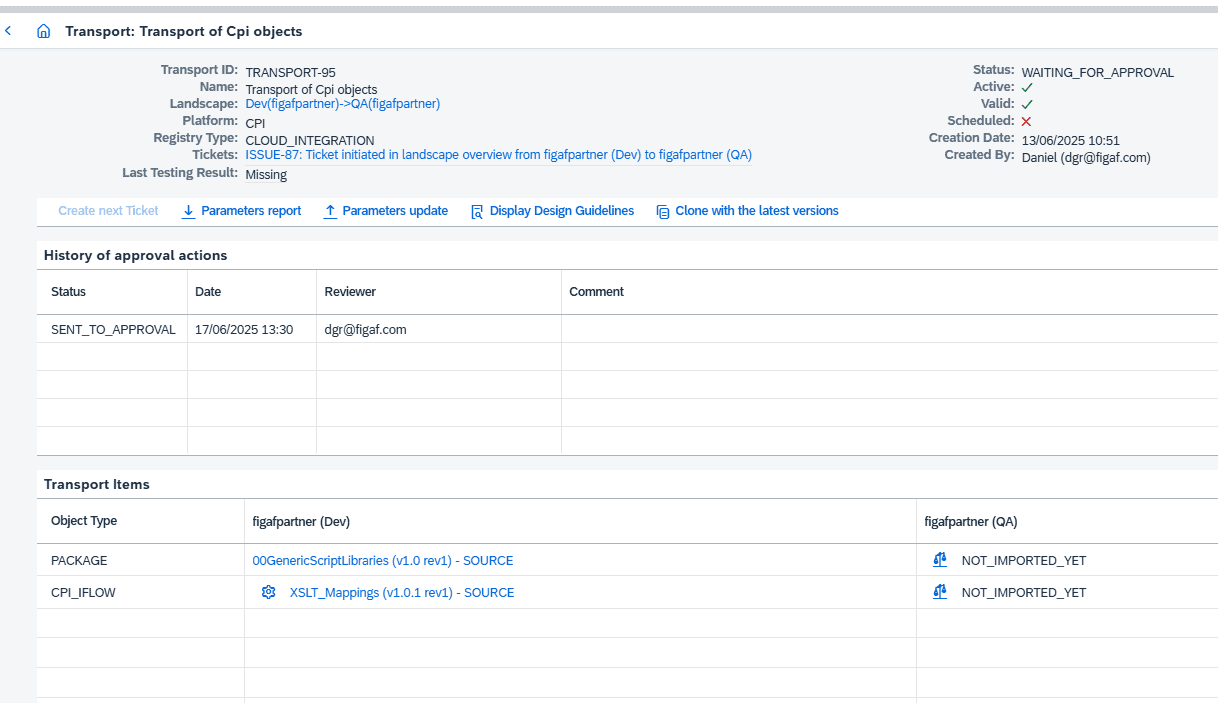
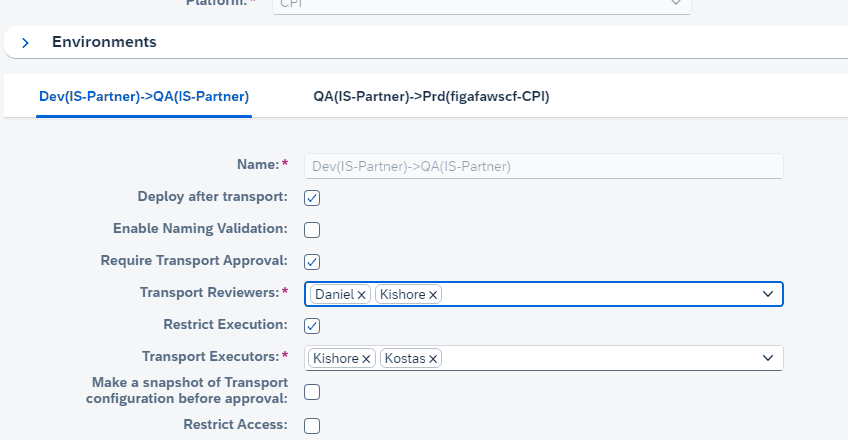
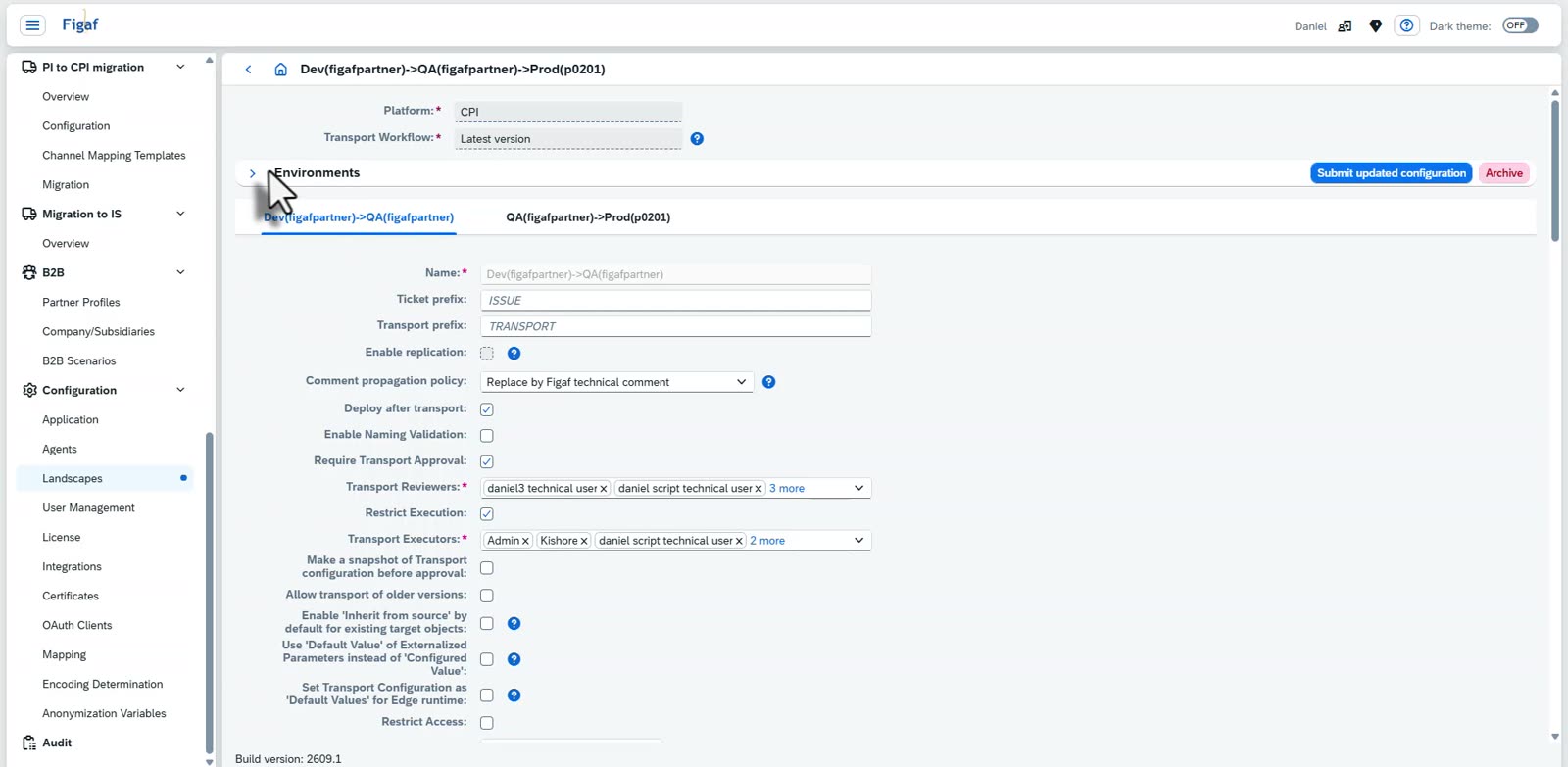
Approvers per stage. On each landscape transition you define who can approve and who can import a specific package. You can configure Dev to QA differently from QA to production, so a separate team can handle imports to production. Transports can be sent for approval including their configuration.
Several approvers. A landscape can have more than one approver, so approval does not wait on one person. By default you cannot approve your own transports, which gives you the four-eyes principle on every approval.
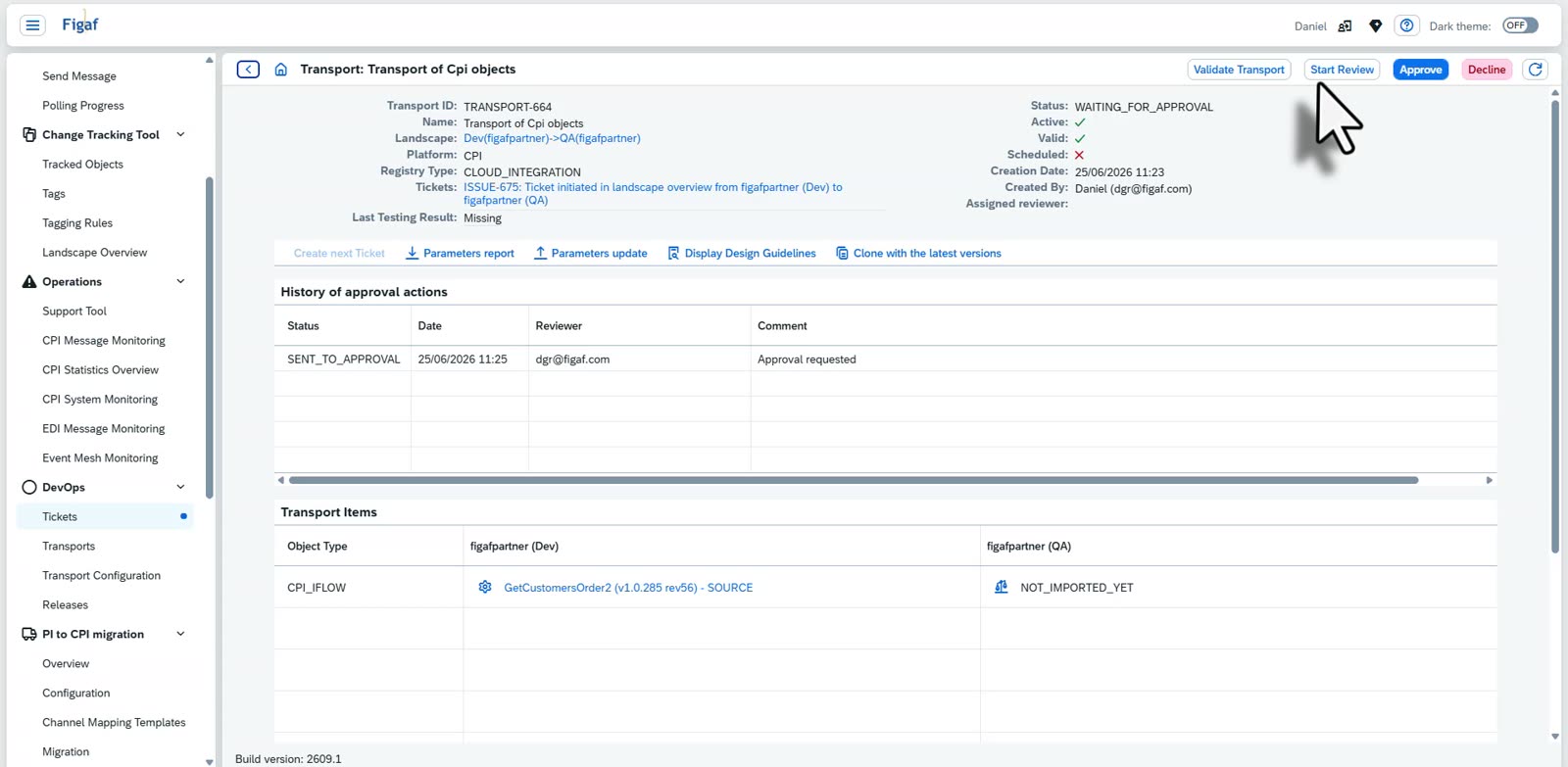
Take the review. The reviewer starts the review of a specific ticket. From then on nobody else on the team can take it, so two people never review the same change and nobody assumes someone else has it.
Separate transports per stage. You transport from development to QA as many times as you like, and create a new transport to production once you are satisfied with the test status in QA. You do not need to approve transports all the way from development.
Naming conventions. For objects such as PI communication channels, systems and Cloud Integration iFlows, you define regex rules for valid names in a CSV file, with tags for different projects. With naming validation enabled on the landscape, an object that breaks the convention gives a warning when you transport it.
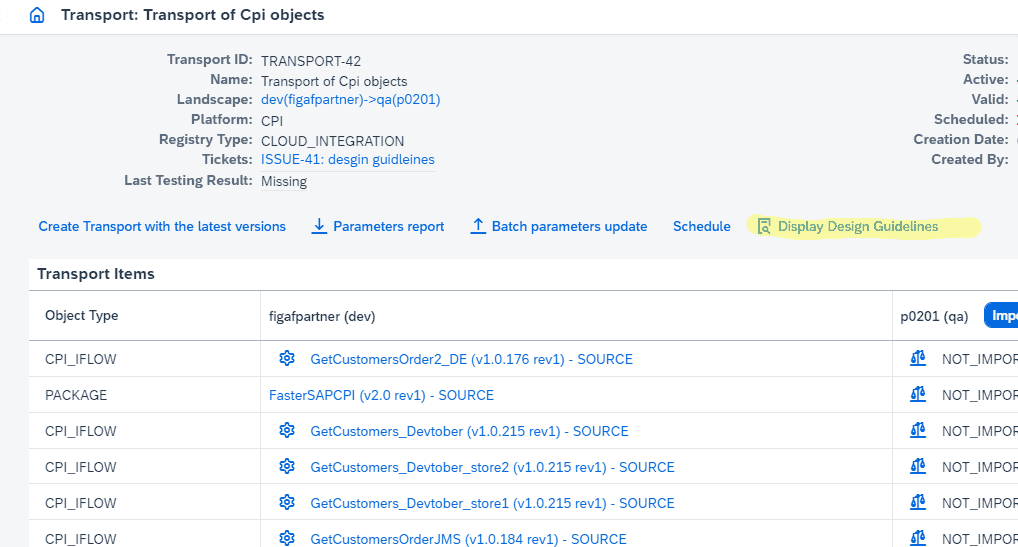
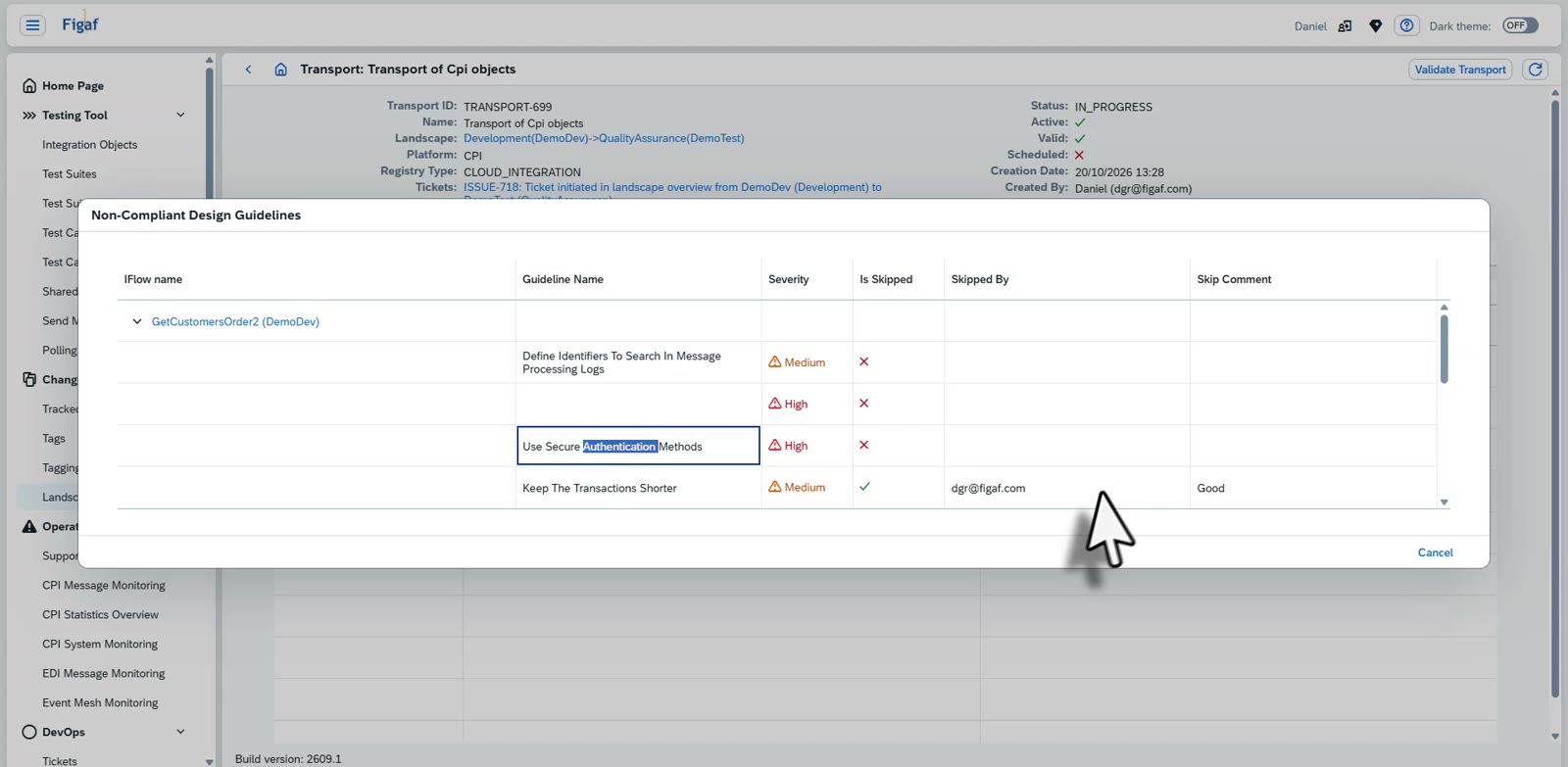
SAP design guidelines. From the ticket page you run SAP’s design guideline check for all iFlows in the transport. The list shows every guideline that is not compliant, and if someone has skipped one, the reason.
Your own rules as tags. Tagging rules search the BPMN model with XPath or regex, for example to find iFlows that use plain FTP or payloads greater than 40MB. Externalized parameters are resolved before the rule runs. On a landscape item you select which tags give a warning during transport, and auto tagging runs the rules each time Figaf synchronizes a new object.
Static analysis through Git. Figaf can send your iFlows to a Git repository where you run CPILint or other static code analysis, and show the status in the transport overview, so users do not need Git access.
Warnings, not blocks. The checks do not block a transport. The approver validates whether the result is correct or an accepted exception. Imports to a lower version also show up as a warning when approving.
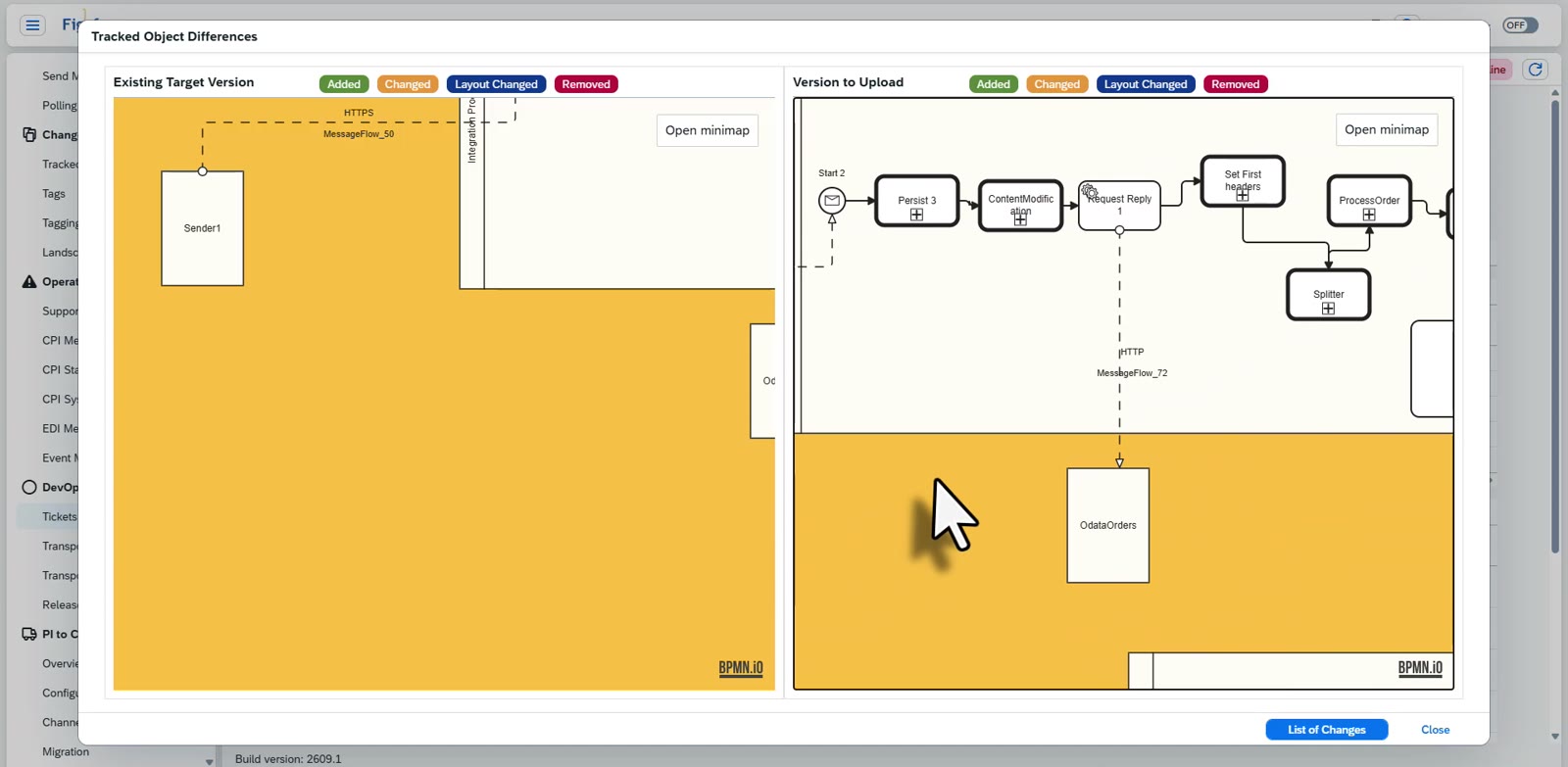
Context for the approver. The transport overview shows what is transported, including configuration, and from the target object you can see which externalized parameters are used and which are not. For SAP PI/PO, the overview also covers receiver mappings and ICO conditions.
APIs and notifications. Transports can be approved and imported through the Figaf API, for example from ChaRM or Jira using an external ID, and Figaf can send emails or webhooks when a transport is ready for approval or its import is completed.
A transport waiting for approvalDefine who can import, per stage of the landscapeRun the design guideline check for every iFlow in a transportApproval, reviewers and executors are set on the landscapeThe approver can compare the existing version with the version to uploadNon-compliant design guidelines, with who skipped each one and whyApprove or decline from the transport itself
Business value
Developers stay out of production. Changes go live through a controlled process with named approvers, which reduces the risk of unplanned changes. At Dürr, developers no longer change the production tenant, and only admins keep emergency access.
Four-eyes principle with evidence. Approvers see what they approve, with the checks already run, which gives you a record that supports audit and compliance.
Standards are checked every time. Naming and design reviews no longer depend on an approver remembering them or finding time for them, so quality stays consistent as the team grows.
Less dependency on individual architects. Your rules are written down as regex and tags, so the knowledge of what good looks like is part of the process rather than in one person’s head.
Coordinated releases. Different teams can own imports to production, and approval can be driven from the ticket system you already use.
Good to know
Approvals and transport checks are part of Figaf DevOps Suite. Naming convention checks came in release 2210, approver lists for imports in release 2404, tag warnings in release 2408 and design guideline checks in transport in release 2409. Related features: change and transport and iFlow content search.
Decide who may move what to production, with checks before every import
Set approvers and importers per landscape stage, and get warnings on naming conventions, SAP design guidelines and your own rules before the approver decides.
See approvals and transport checks on your landscape