A third SAP Integration Suite tenant for QA is expensive, but copying iFlows by hand onto the development tenant has no governance.
A virtual tenant is a QA (or test) stage that Figaf runs on one of your physical SAP Cloud Integration tenants, usually the development tenant. It is used by integration teams that want a development, QA and production landscape while paying for two tenants. Virtual tenants were earlier called virtual agents or virtual landscapes.
How it works
Without Figaf, teams on two tenants usually copy an iFlow, add a prefix such as QA_ and edit it directly. In Figaf, the virtual tenant is part of the transport landscape, so you create a transport the normal way and Figaf does the renaming.
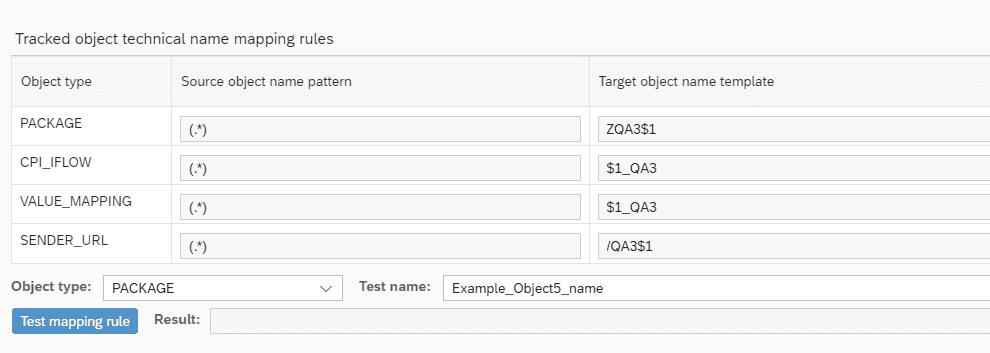
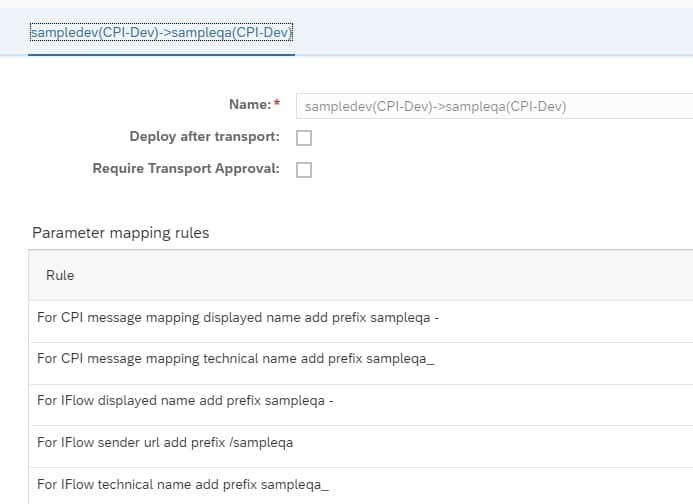
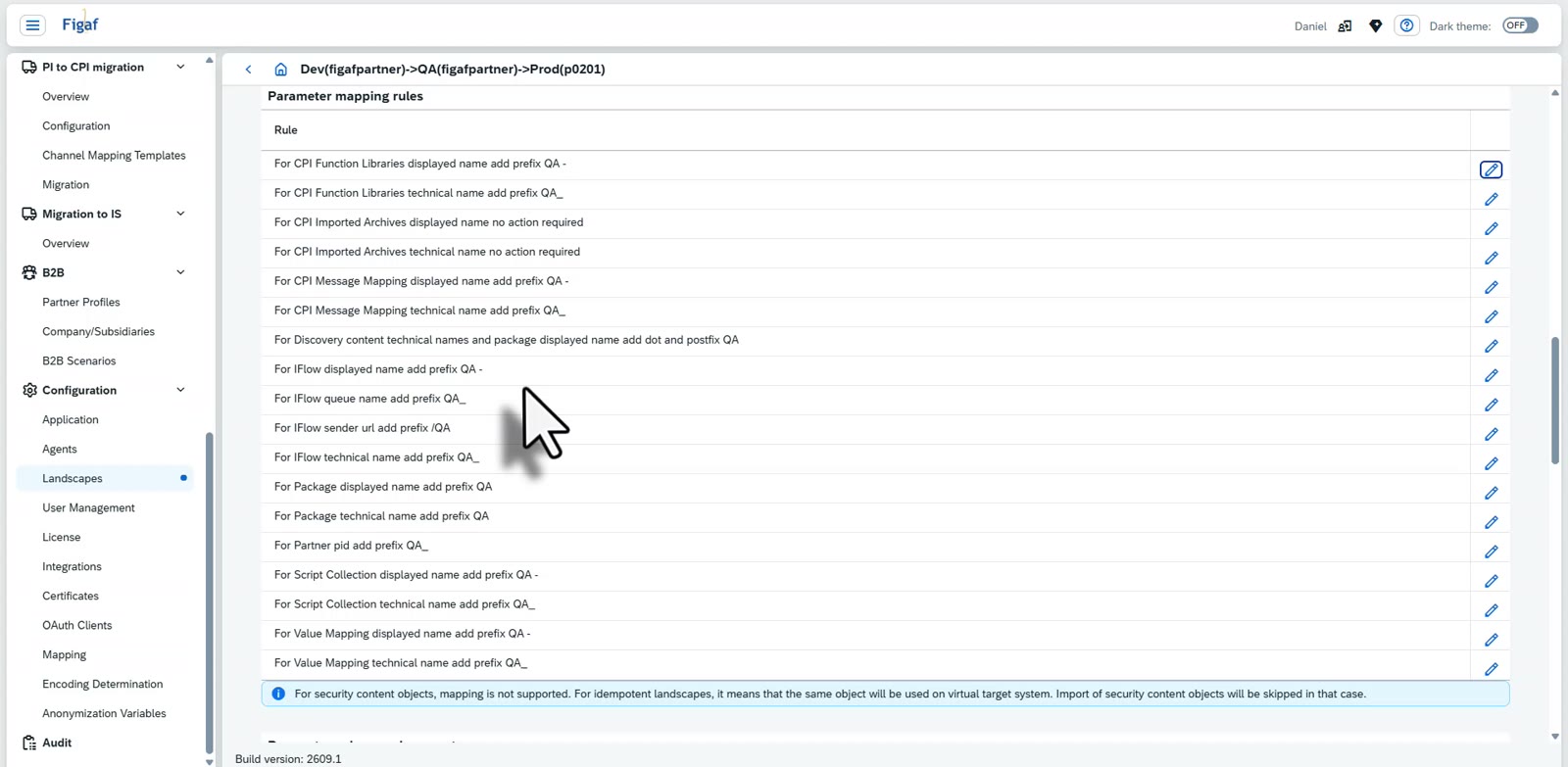
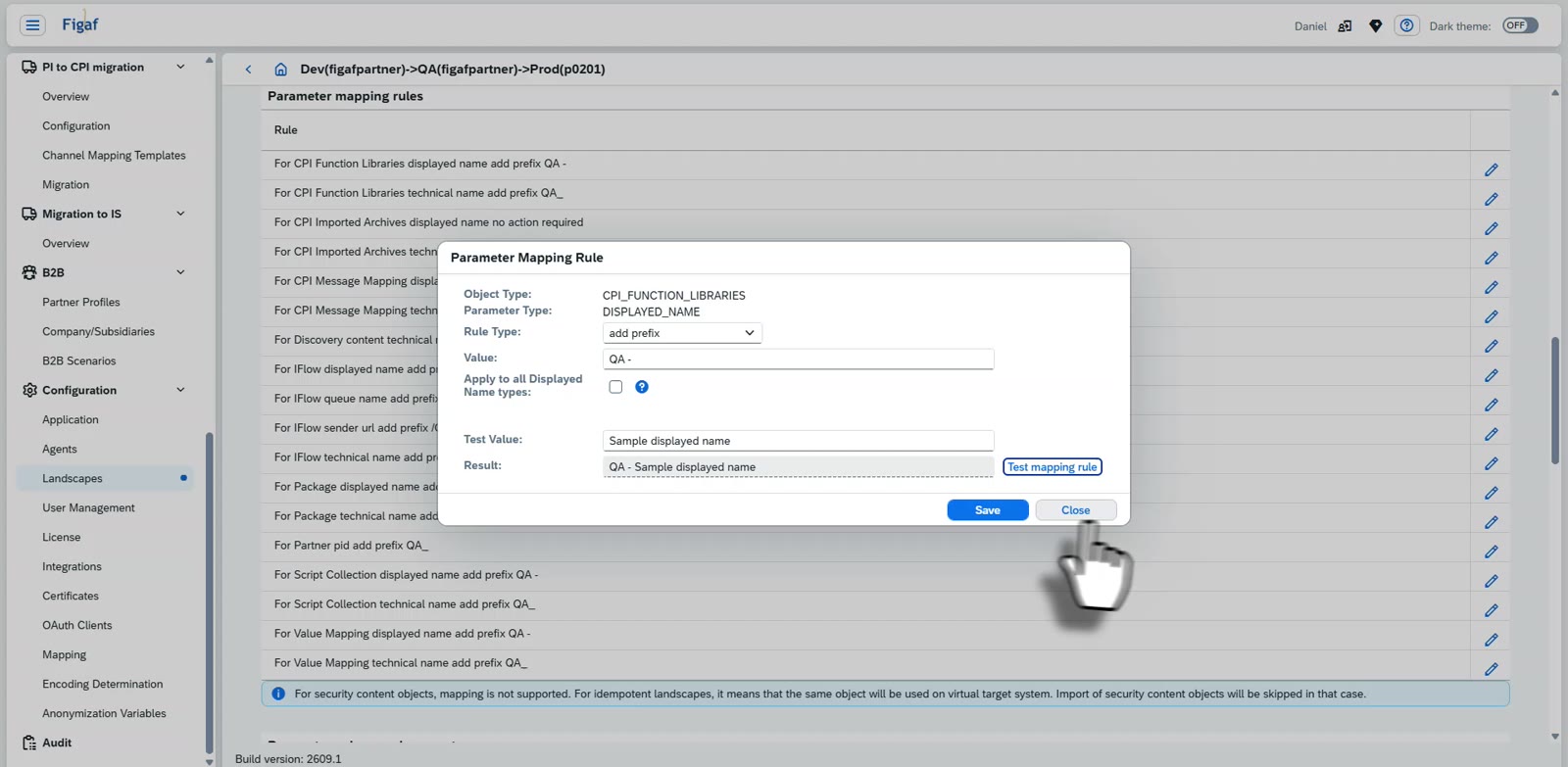
Renaming per stage. When content is transported into the virtual stage, Figaf adds a prefix or postfix to packages, iFlows, script collections, message mappings and value mappings. Name mapping rules decide how objects are named, and you can overwrite the template Figaf delivers to match your own naming convention.
Unique endpoints. All URLs, including HTTP sender URLs and ProcessDirect sender and receiver addresses, get a prefix such as /QA, so the full flow can run in the virtual stage without colliding with development.
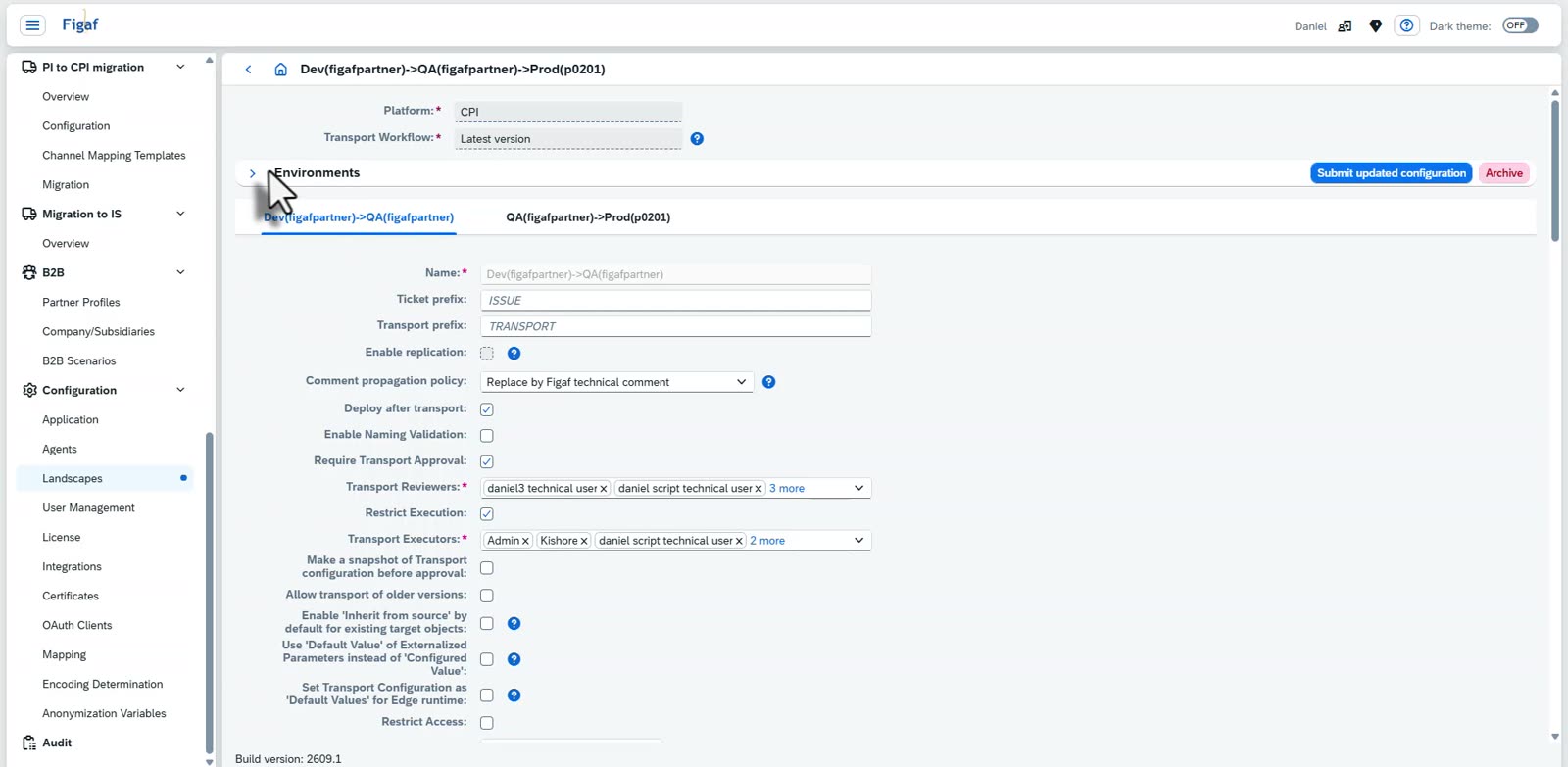
Same transport process. Transports into the virtual stage have configuration of externalized parameters, approvals, deployment, testing and comparison of objects, just like a transport between two physical systems. An imported package is deployed automatically.
Partner Directory. Since release 2406, Partner Directory entries can be transported with a prefix for the virtual stage. You adjust your own setup to handle the QA naming.
Protecting the copies. You can use access policies in SAP Cloud Integration to stop people from editing the renamed objects, and give the Figaf user the role so Figaf can still create and update them.
Landscape overview. The landscape overview shows the virtual landscape alongside the physical ones, with the version of each iFlow deployed on each.
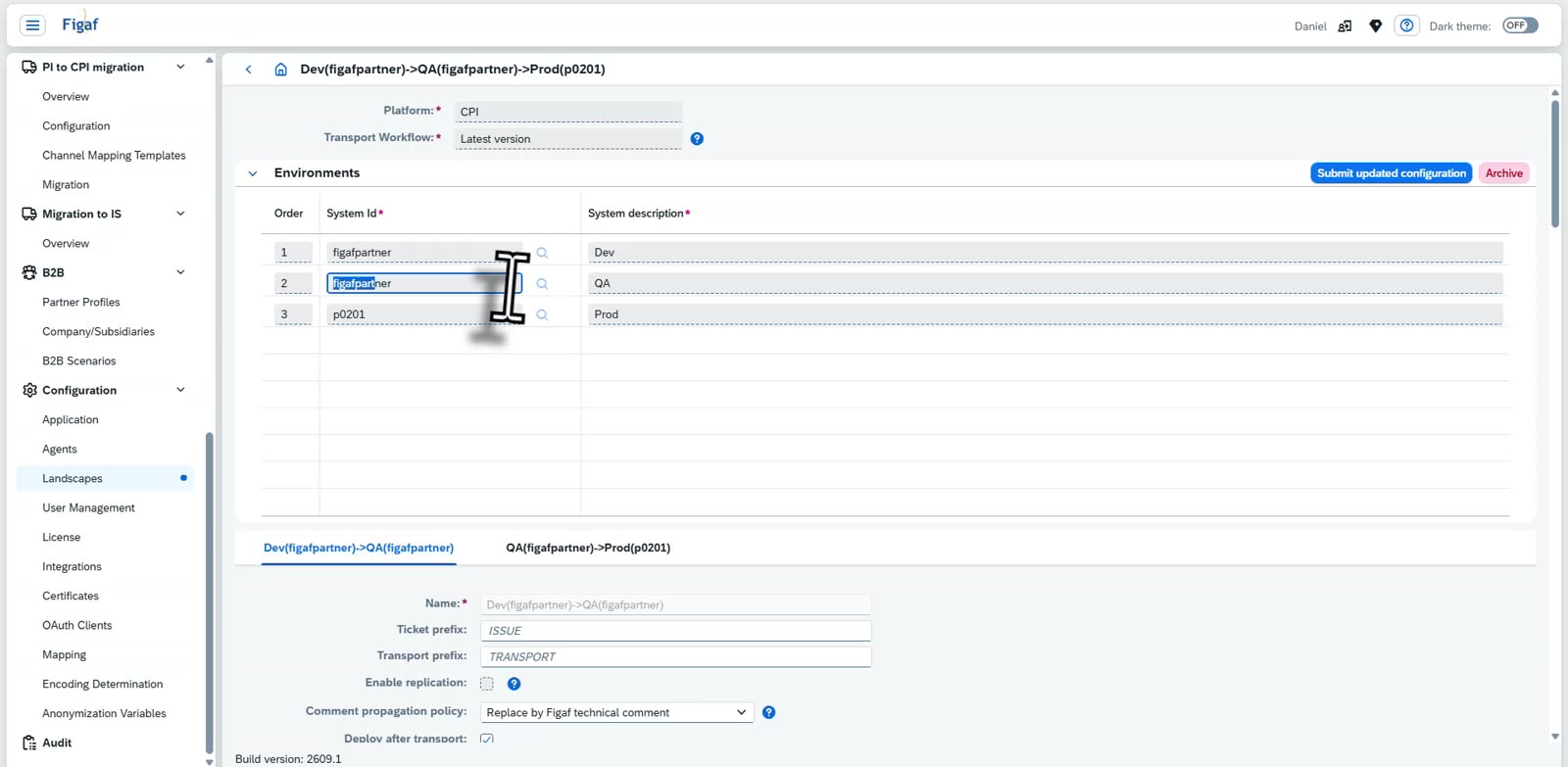
Name mapping rules for a virtual landscapeTransport from development into a virtual QA landscape
There are limits. Value mappings are transported, but they cannot be deployed on the same tenant, because the keys are the same. You may need external properties to make sure the two stages do not use the same resources. Figaf estimates that 95% of use cases are covered.
A landscape where Dev and QA are the same system, so QA is a virtual tenantOne rule per object type, so everything in the virtual stage is named for its stageTest a prefix rule on a sample value before you save itRestrict execution and access, so nobody changes the objects in the QA stage
Business value
One tenant less to pay for. Running QA as a virtual tenant on the development system saves the monthly subscription of an extra SAP Integration Suite tenant. Figaf estimates this at about €4,600 a month. Soluvia IT-Services uses a virtual tenant for testing on its development tenant, so it gets a three-tier landscape while paying for two tenants.
Governance without the extra cost. Teams no longer have to choose between saving a tenant and having a controlled process. Every move into QA has approval, configuration and a log, instead of manual copies and direct edits.
Fewer errors in QA and production. Figaf handles renaming and configuration, so developers do not forget to externalize parameters, change channels by hand, or lose track of which version was copied where.
A transport process that justifies itself. At Dürr, the transport use case together with the virtual tenant and the limited manual work was enough on its own to justify Figaf. Dürr runs development, QA and production on two tenants, with the same transport process throughout.
Room to grow. You can start on two tenants and move to a normal three-tier landscape later. Figaf suggests the virtual approach makes most sense with fewer than 200 to 300 integrations.
Good to know
Virtual tenants are part of the Figaf DevOps Suite, and are included in the full version of the Figaf Migration Tool.
You can reuse a tenant for other combinations too, such as test and QA, and it works for both SAP Cloud Integration and SAP API Management. Running development, QA and production on a single tenant is possible, but not recommended.
Run three stages on two tenants, with full governance
Figaf adds a virtual QA stage on your development tenant. Content is renamed per stage and moves through the same transport, approval and configuration process as any other landscape.