Activating or cleaning up many trading partner agreements one at a time takes hours on every go live and every mass update.
Bulk agreement actions let B2B teams manage many SAP Integration Suite TPM objects at once from a table selection in Figaf B2B Management. You select the agreements, B2B scenarios or partner profiles you need and run one action on all of them. It is an alternative to SAP’s standard Cross Action functions.
How it works
Select in the overview. In the B2B scenarios overview you select the scenarios or agreements you want to work on, using filters and saved presets to narrow the list.
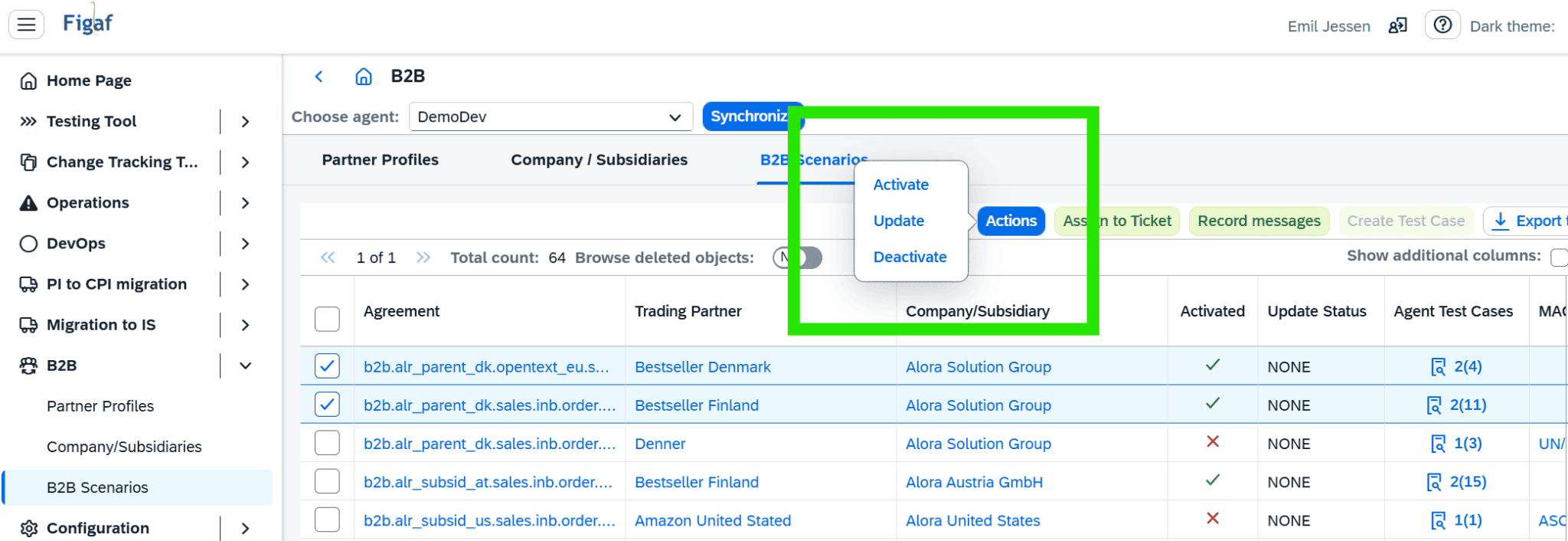
Activate, update, deactivate. Run Activate, Update or Deactivate on all the selected B2B scenarios at once.
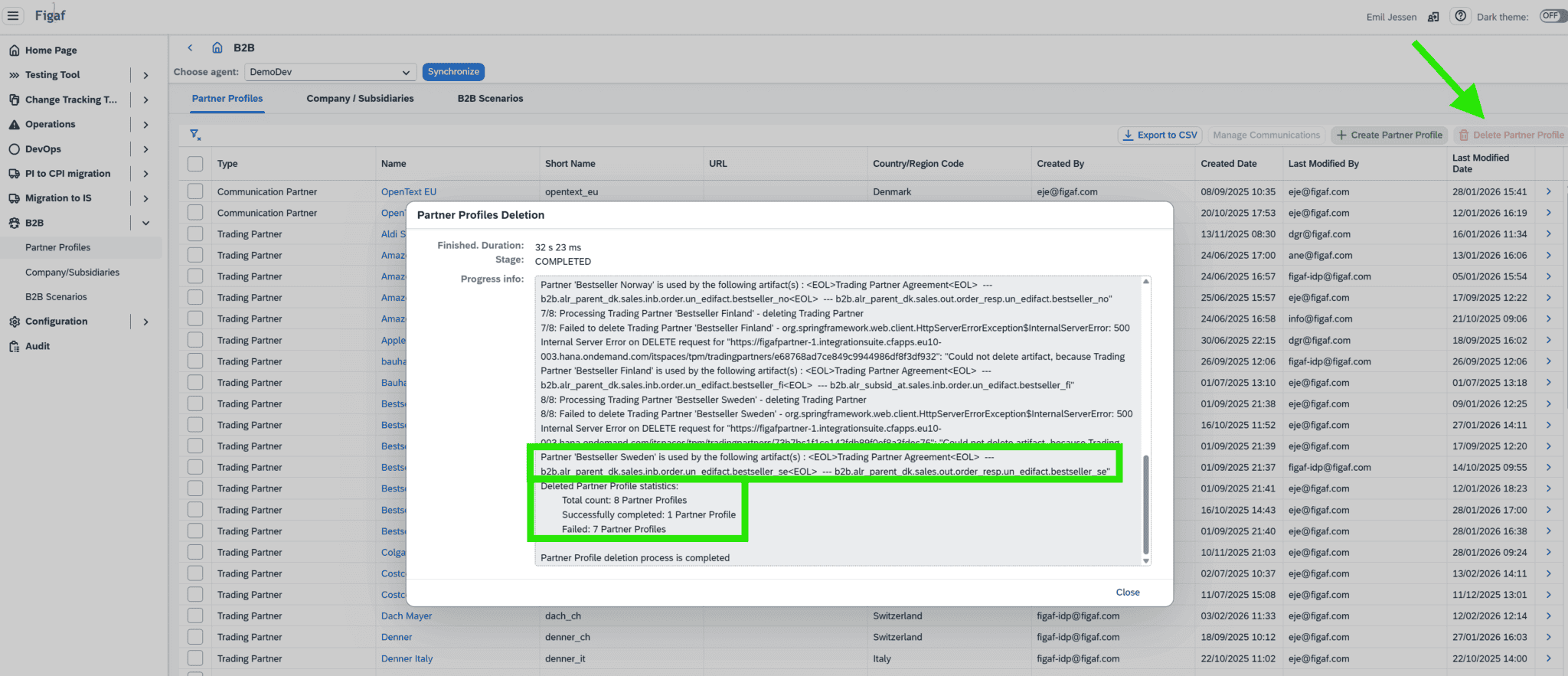
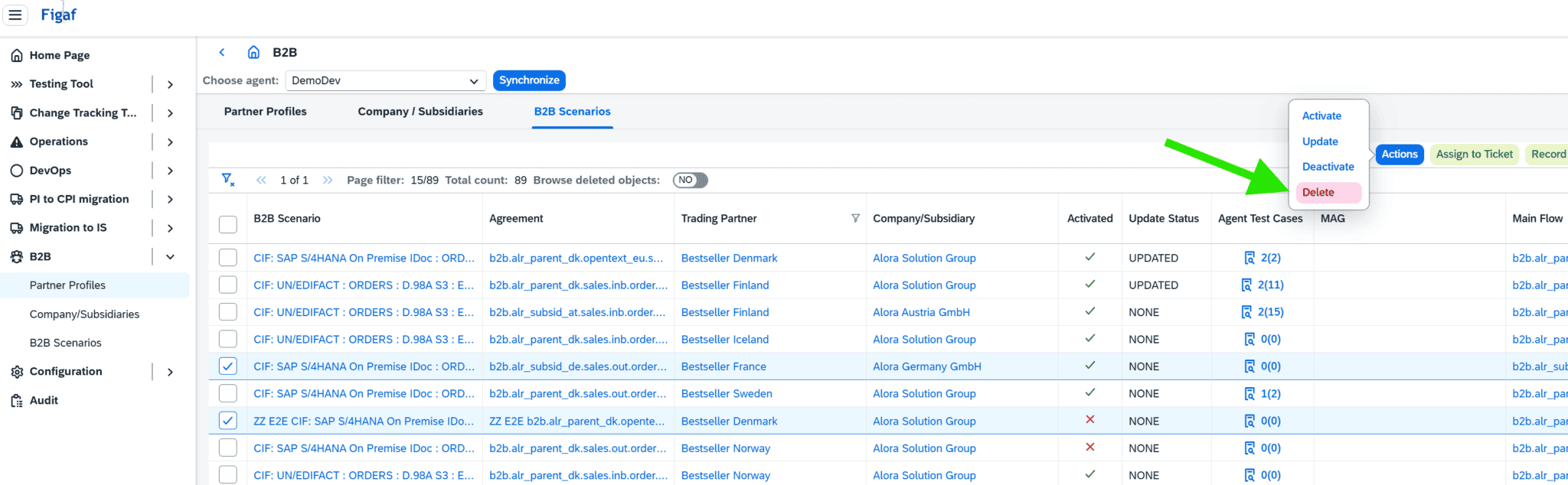
Delete. Select several TPM partner profiles, scenarios or agreements and delete them with a single click and one confirmation click.
Safety check. Figaf only lets you delete partners that are not assigned to any active agreements.
Standard SAP underneath. The actions work on standard TPM objects, so the result is the same as doing it by hand in SAP Integration Suite, without repeating each step.
Activate, update or deactivate the selected B2B scenariosDelete several partner profiles in one actionDelete many agreements with a single click
Business value
Faster go lives. Activating all the agreements for a rollout is one action instead of one per partner.
Easier mass updates. Updates after MIG or MAG changes, and incremental communication or system corrections, are applied to many agreements at once.
Fewer mistakes. One selection and one action leave less room for skipping an agreement or activating the wrong one, and partners in active agreements cannot be deleted by accident.
Cleaner landscapes. Removing outdated partners and agreements becomes routine work rather than a project.
Good to know
Bulk agreement actions are part of Figaf B2B Management on SAP Integration Suite TPM.
Activate, Update and Deactivate came in release 2512, and Delete for partner profiles, scenarios and agreements in release 2602.