With hundreds of TPM agreements, you have to open each one to see what it uses and whether it has changes waiting for activation.
The B2B scenarios overview in Figaf B2B Management is one view into what is configured in your SAP Integration Suite TPM agreements, and where they link to ProcessDirect iFlows, MIGs and MAGs. It is used by B2B teams who operate large TPM landscapes and need to review, monitor and change many agreements at once.
How it works
One row per scenario. The overview lists each trading partner with its agreement, and you can search for specific content, navigate to the agreement, and search for a partner to see everywhere it is used (release 2506).
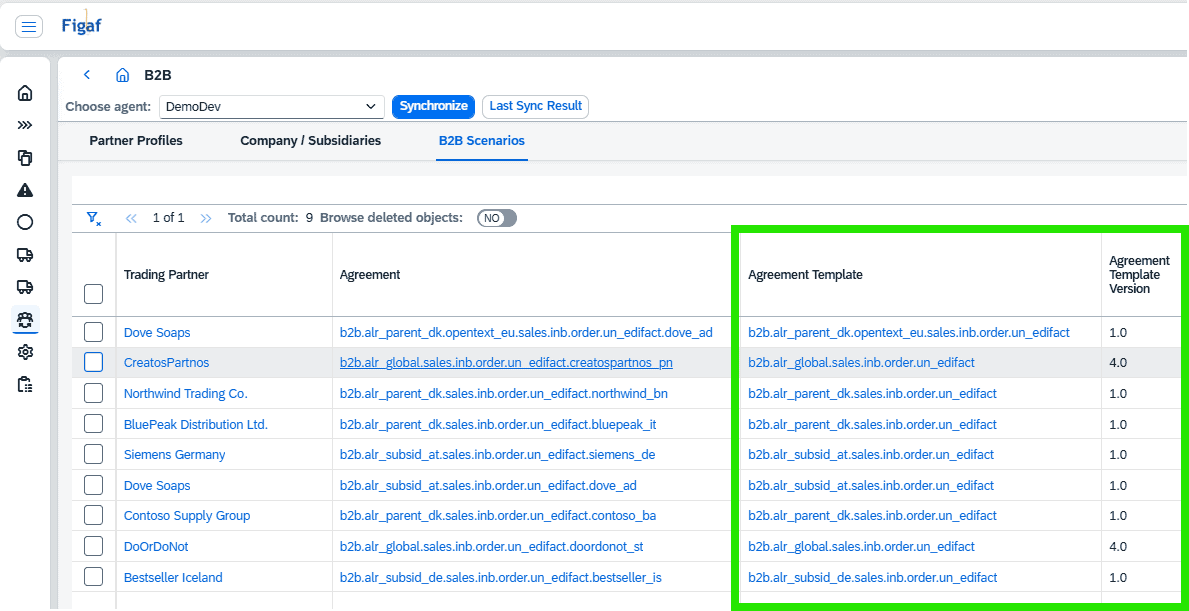
Versions and status. The table shows MIG and MAG design status and version and assigned (runtime) status and version, and the agreement template version, since SAP made agreement template versioning mandatory (releases 2603 and 2604).
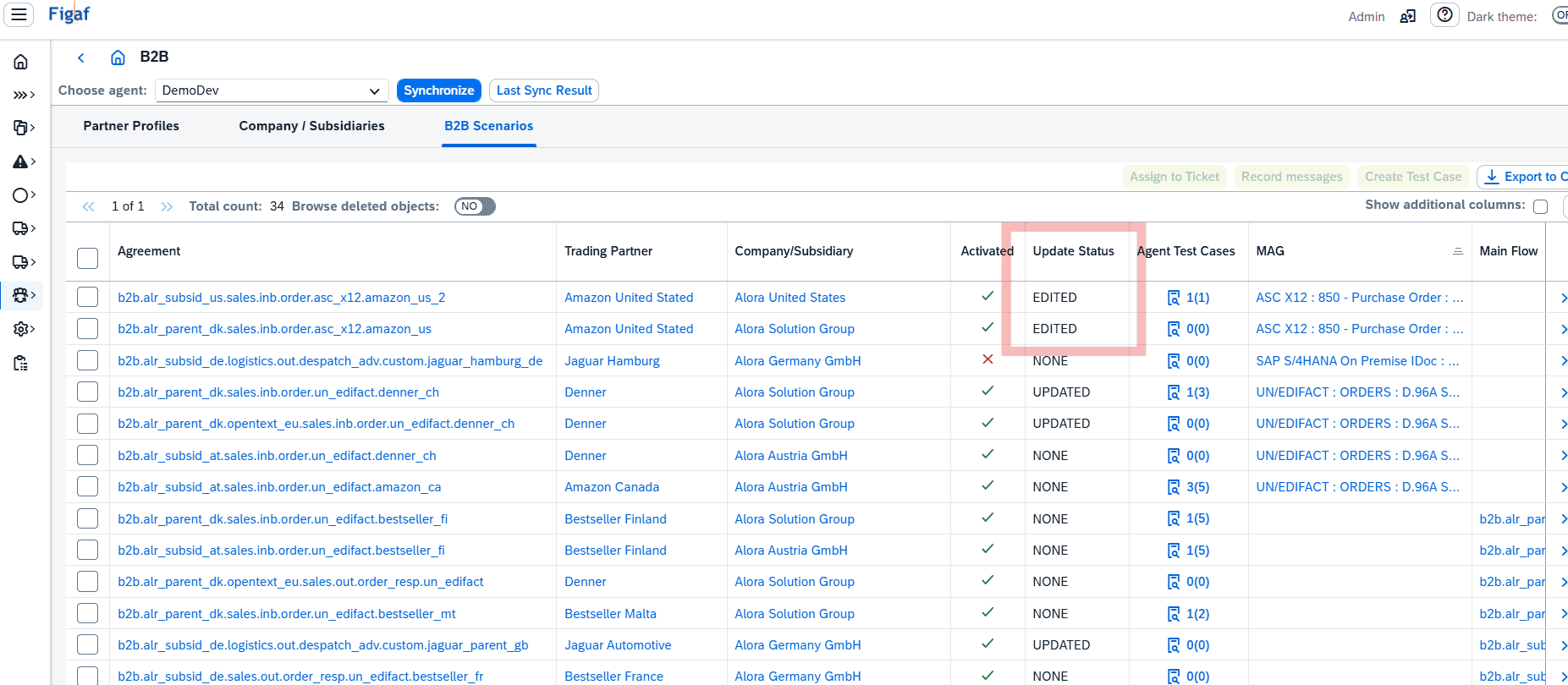
Pending updates. You can see and filter the update status of each agreement, which tells you whether changes are waiting for activation. In SAP’s TPM, the only way to know is to open each agreement (release 2510).
Filters. You can filter by partner or company and subsidiary country, by communication partner, and, from any B2B object link, by that object, choosing to keep or clear your existing filters (releases 2508, 2604 and 2605).
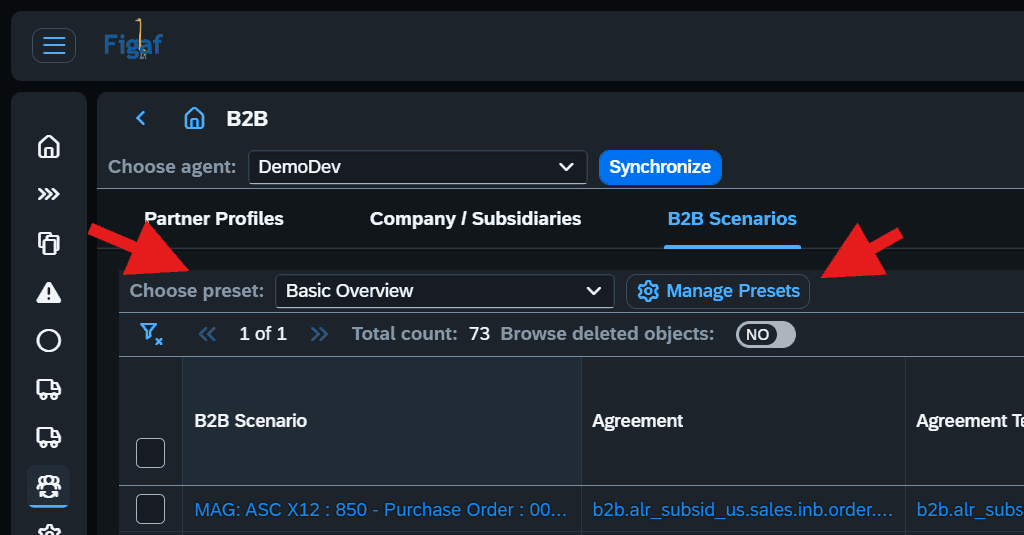
Presets. Since release 2605 you can define several preset views, for example one for MIG and MAG details and one for iFlow details, and set an organization default that opens every time. Columns can also be reordered by drag and drop.
Actions on many agreements. Select scenarios and activate, update or deactivate them in one step, as an alternative to SAP’s cross actions (release 2512), or assign them to a ticket for transport (release 2509).
Across the landscape. A button leads from the scenarios in development to an overview of how many are in production and in what state (release 2608).
Export. The scenarios list can be exported to CSV or Excel for planning, review and quality control in your own tools (release 2508).
The B2B scenarios overviewPresets for different views of the same scenarios
Business value
Answers in seconds. Questions such as how many active agreements exist for one customer country and one subsidiary, or which agreements have pending changes, take a filter instead of opening each agreement. That matters with 1,000 or more agreements.
Fewer missed changes. Seeing pending updates and runtime versions in one place helps keep the TPM setup maintained properly and avoids agreements left in an unexpected state.
Faster go-lives and mass updates. Activating, updating or deactivating many agreements in one selection supports go-live, mass updates of MIGs and MAGs and corrections to communications.
Shared overview. Presets and exports let architects, operators and managers each see the view they need, without depending on one specialist who knows the TPM by heart.
Governed transports. Scenarios move to tickets and transports straight from the overview, which links every change to its reason.
Good to know
The B2B scenarios list was introduced in release 2506 and has been extended in most releases since.
See each B2B scenario with its iFlows, MIGs, MAGs, template version and pending update status, filter it, save your own presets, act on many agreements at once and export the list.