Every migrated SAP PI channel needs the same Cloud Integration adapter set up by hand, again and again.
When you migrate from SAP PI/PO to SAP Integration Suite, each communication channel has to become a Cloud Integration channel. Some change little, like a SOAP sender, while others need a different setup, such as File moving to SFTP or JMS moving to AMQP. Channel templates in the Figaf Migration Tool convert the PI channel automatically, so integration developers do not configure the same adapter by hand for every interface.
How it works
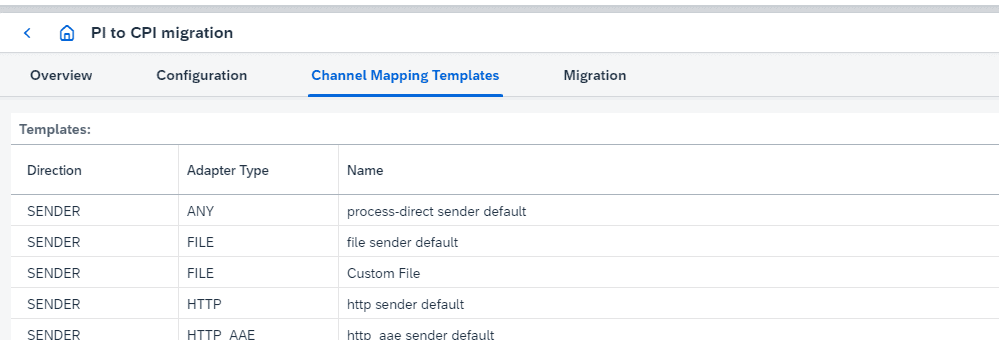
Predelivered templates. Figaf comes with templates for the common adapters. They were updated in release 2604 so all adapters are created in a consistent way.
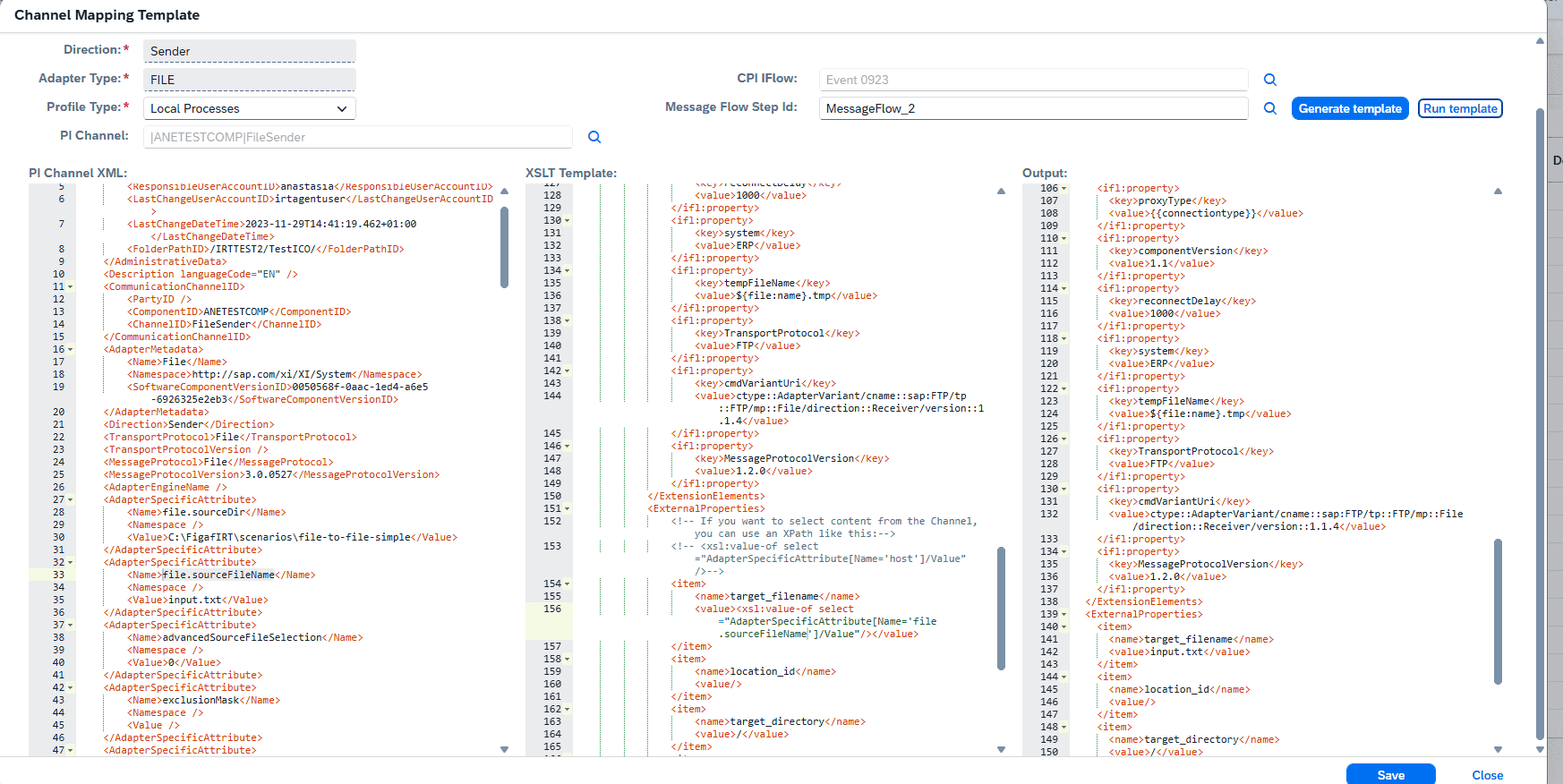
Templates are XSLT. A template transforms the SAP PI channel XML into the Cloud Integration channel. Standard settings are mapped, and values are set as external properties, marked with {{...}}.
Create your own from a working channel. Build an iFlow where the adapter works and the right values are externalized, open Channel Migration Templates in the PI to CPI migration section, select the channel, the iFlow and the step, and click Generate template. Figaf creates a default template with parameters you can use, such as the iFlow name and package.
Look up values from PI. If the PI channel XML has data you can use for external properties, the XSLT can look it up. Otherwise you use default values.
Notifications to users. A template can tell the person running the migration what to check by hand, such as making sure a password has been created.
Test before saving. Run the template against a sample PI channel to see that it produces the expected result, then save it so the team can select it when migrating channels of that type.
Edge Integration Cell and Cloud Connector. Templates can migrate to Edge Integration Cell and use Cloud Connector and a location ID for channels. You define the default location ID on the configuration page.
Host names. When migrating from SAP PI production to a development tenant, you can translate production host names to development host names.
The list of channel templatesEdit and run a template against a sample PI channelChoose a template for each channel during migration
Business value
Less configuration work. Once a channel type works, every later migration of that type reuses it, which cuts the manual setup per interface.
Fewer externalized parameters. Values are taken from the PI channel where possible, so there is less left to fill in after the migration.
Consistent results. All developers use the same approved template, so channels are configured the same way regardless of who migrates them.
Knowledge captured. The notifications in a template record what must be checked by hand, so the team does not depend on one person remembering it.
Good to know
Channel templates are part of the Figaf Migration Tool. The first templates were released in release 2107 as XSLT files in a Git repository. The template editor moved into Figaf in release 2309, and the predelivered templates were updated in release 2604.
If you migrate to a channel type several times, Figaf recommends creating your own template, which takes about five minutes.
Configure a channel type once, reuse it in every migration
Convert SAP PI channels to Cloud Integration channels with predelivered templates, or turn a working iFlow channel into your own template in about five minutes.