You work in SAP Cloud Integration all day, and switching to another tool to test, version or edit a script breaks your flow.
CPIHelper is a free Chrome extension, developed by Dominic Beckbauer, that integration developers use to work faster in SAP Cloud Integration. The Figaf plugin for CPIHelper connects it to Figaf DevOps Suite, so you can jump from the iFlow you are looking at straight to the right place in Figaf. It is built for developers who live in the SAP Cloud Integration web interface.
How it works
You install CPIHelper from the Chrome Web Store. On an iFlow page, open the Plugins link, click Activate on the Figaf plugin and enter the URL of your Figaf system, without /irt and without a / at the end. If the same URL is used by several agents, you can also enter the agent name. The Figaf functions then appear in the Messages part of CPIHelper.
Navigate to Figaf. Opens the Figaf page for the iFlow, where you see its versions, compare revisions and start a transport.
Synchronize. Starts the synchronization of the iFlow into Figaf, and on to Git if Git is connected to your landscape. Once the package is synchronized, you can start transporting the iFlow.
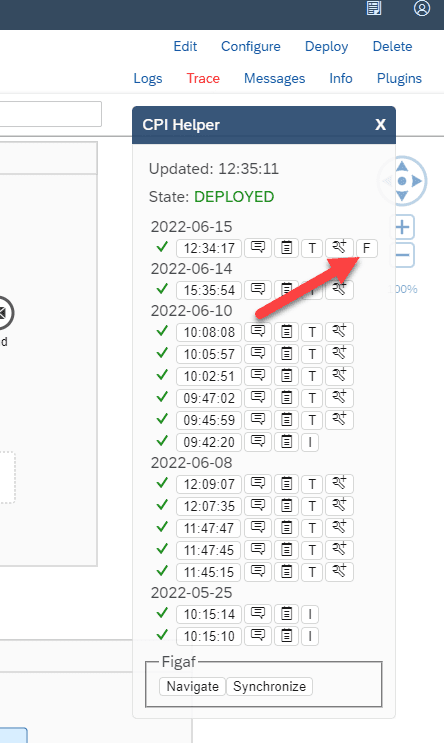
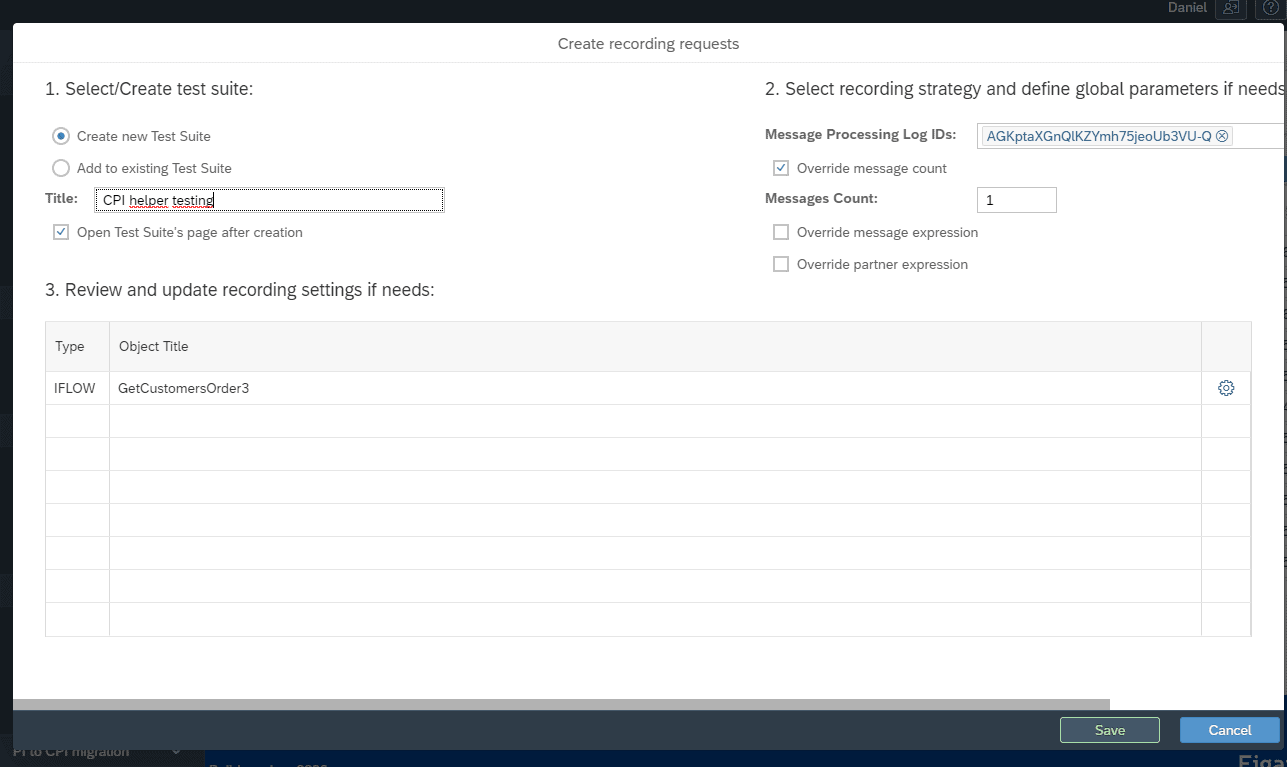
Create test cases. For an iFlow processed in trace mode, click the F button next to it to record the message, create a test suite with it and save. Figaf then fetches the payloads, and you create the recording and the test case. You can record one message at a time from CPIHelper and add more messages to the test suite later.
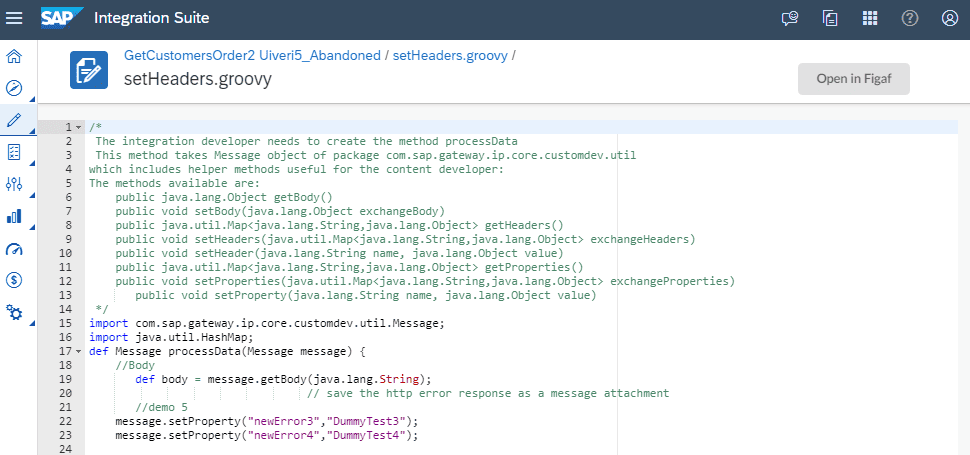
Open Groovy scripts in Figaf. When you open a Groovy script in SAP Cloud Integration, from an iFlow or a script collection, one button opens it in the Figaf Groovy editor.
Open Figaf test runs. If you click the F logo on a message that was a test run by Figaf, it opens the test case.
GroovyDebugX IDE. You can add the Figaf deep link URL (https://figafhost/#/groovy-ide/deeplink/) to the CPIHelper GroovyDebugX IDE to use the trace information. Figaf recommends opening the script from the Figaf plugin instead and using test cases, which also lets you update the flows.
Open a Groovy script from SAP Cloud Integration in the Figaf editor.The Figaf functions in the Messages part of CPIHelper.Create a test suite from a traced message.
Business value
Faster development. Developers synchronize, test and edit without leaving SAP Cloud Integration to search for the object in another tool.
More test cases, with less effort. Turning a real traced message into a test case takes a few clicks, which makes it more likely that changes are tested before they are transported.
Versions and transports stay in the process. Synchronizing from CPIHelper keeps every version in Figaf, and in Git when connected, so the transport and its documentation start from a known version.
Builds on a tool your developers already use. The plugin adds Figaf to a free extension many SAP Cloud Integration developers already have installed.
Good to know
The plugin requires Figaf 2206 or higher and the latest version of CPIHelper.
In the first release, Figaf had to know the iFlow or package in advance, so you had to synchronize it first. Release 2305 made it easier to synchronize or create a test case for an iFlow Figaf does not know yet, without a full synchronization.
If CPIHelper cannot be used on your PC, you can create test cases from the Figaf Message Monitor instead.
Available since release 2206. Groovy script opening came with release 2309, and GroovyDebugX IDE support with release 2601.
Go from SAP Cloud Integration to the right place in Figaf in one click
The Figaf plugin for the CPIHelper browser extension opens Groovy scripts in the Figaf editor, shows versions, starts a synchronization and turns a recorded message into a test case.