Writing and debugging Groovy in SAP Cloud Integration means a lot of deploy-and-see.
Groovy scripting in SAP Cloud Integration has no good local loop. You change the script, deploy it, send a message, read the log, and start again. With the built-in editor, that round trip takes one to two minutes each time.
Figaf DevOps Suite gives integration developers a real editor for Groovy scripts, message mapping UDFs and XSLT, with the message in front of it. Because Figaf already holds the flow, the change history and the test cases, the AI assistance has the context to be useful rather than generic.
How it works
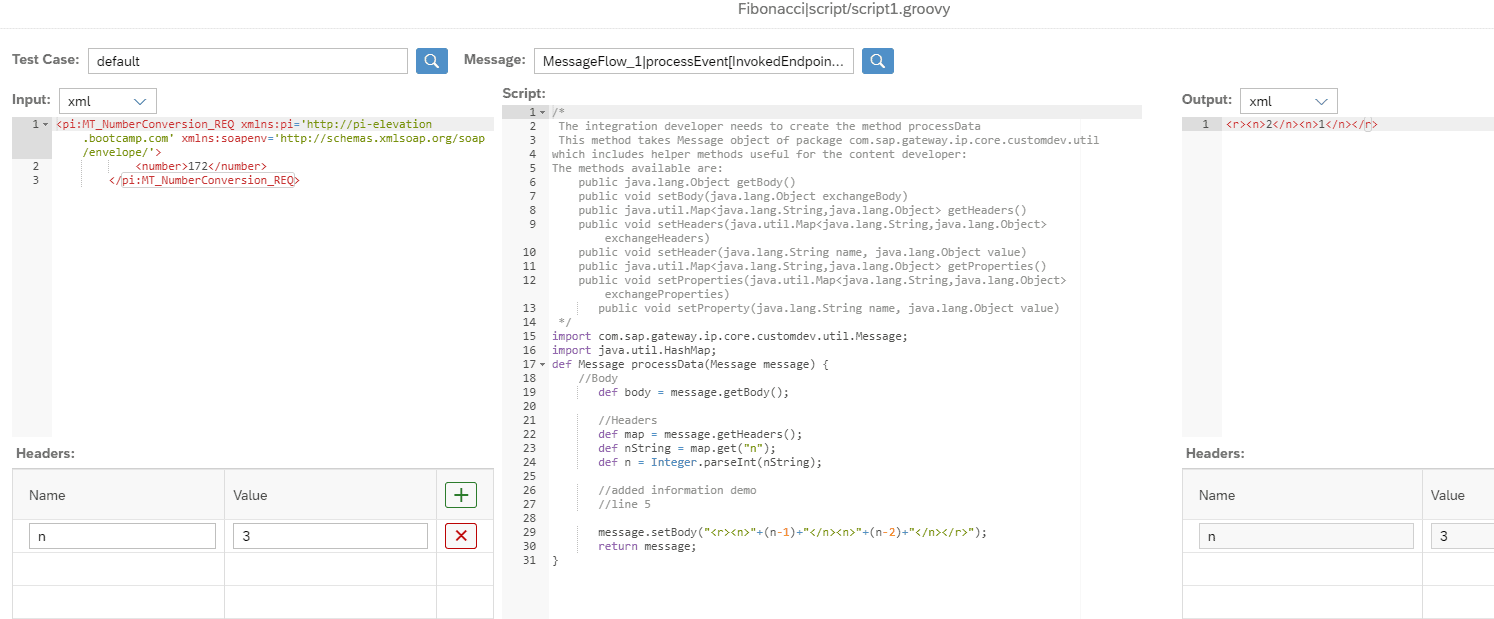
Open the script where it lives. Select a Groovy script from an iFlow or a script collection in the Change Tracking Tool and click IDE. With the CPI Helper plugin, an Open in Figaf button takes you from the script in SAP Cloud Integration straight to the editor.
Use real data. Fill in the input and headers by hand, or pick a test case you already created, including test cases from other parts of the iFlow. After the run you compare the output with the expected result from the test case.
Run on your own tenant. Figaf deploys a small iFlow on your SAP Cloud Integration tenant and runs the script there, so it runs in the same runtime and with the same APIs as in a real iFlow. No data is processed outside your Figaf instance or Cloud Integration.
XSLT. You can edit an XSLT and reuse your unit tests. You run it either locally in the Figaf runtime or on SAP Cloud Integration through an XSLT executor iFlow, which takes a few seconds longer but supports CI-specific Java extensions.
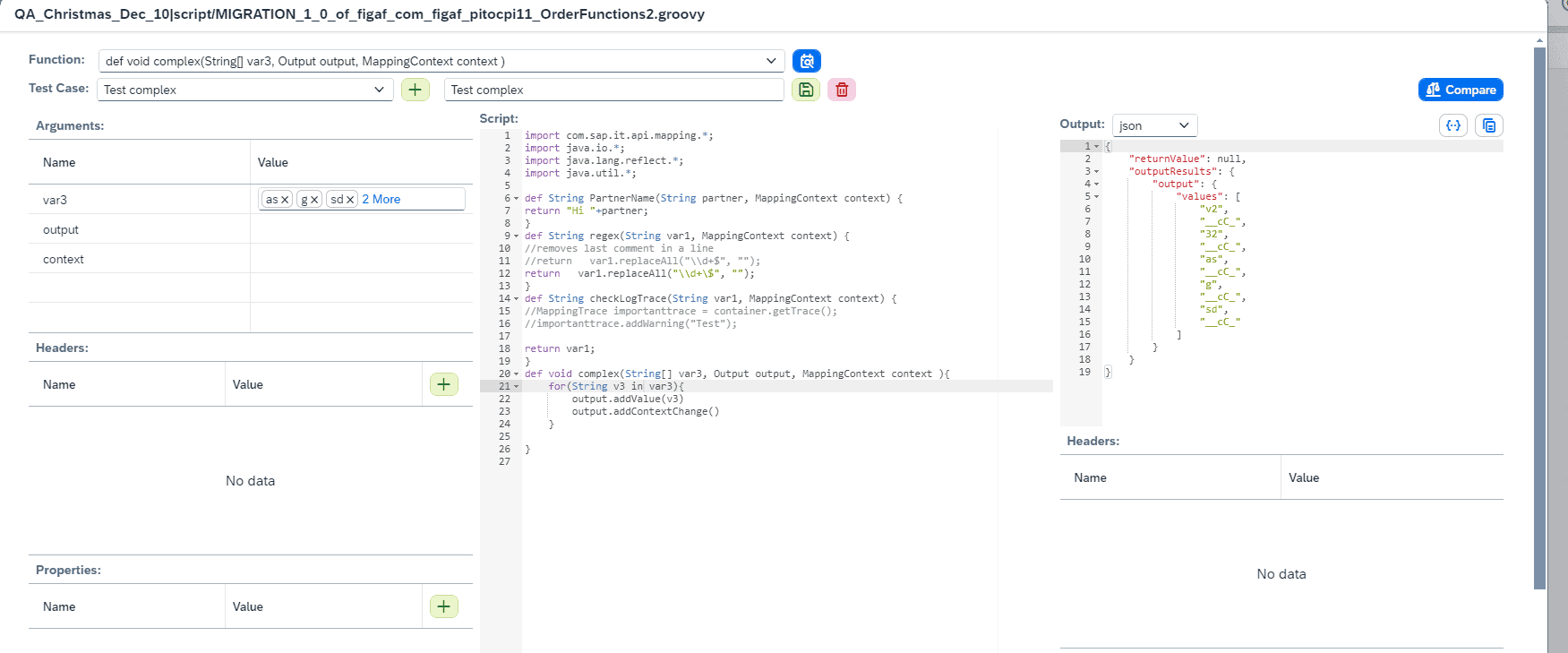
Groovy UDFs. For message mapping UDFs you enter inputs and lists, run the function on Cloud Integration as close as possible to the real engine, with value mappings and security artifacts, and save the run as a test case with its results. It works for both simple and complex functions.
Upload the change. When you are happy, you upload the script. The iFlow is set to draft so you can test end to end, the change is synchronized back to Figaf, and you save the iFlow as a version when you are satisfied.
AI assistance. A Figaf Bot button in the editor starts a conversation with AI about the script, using your own OpenAI or SAP AI key. You can add input and target payloads, minimized and anonymized, describe what the code should do, and copy the generated script into the editor to run it. For building new scripts from input and expected output, see vibe coding for Groovy and XSLT.
Limits. The editor is a web editor with limited syntax highlighting and auto-completion, external jars are not supported, and output goes to a message object only, so you cannot write to the trace.
Run a Groovy script against a test case and see the outputThe XSLT editor compares the output with the expected resultRun and test a Groovy UDF on SAP Cloud Integration
Business value
Faster development. Developers run a script in seconds against real data instead of saving, deploying and running it for each attempt, so fixes and new logic are delivered sooner.
Fewer errors in production. Every change can be checked against saved test cases and the expected result before it is uploaded to the iFlow.
Data stays in your landscape. Scripts run on your own Cloud Integration tenant, and no copying of code and test data to online editors on other people’s hardware is needed.
Less dependency on specialists. Test cases, change history and AI assistance are available to the whole team, so working on Groovy and XSLT does not rely on the few developers who know each script.
Changes stay governed. Uploaded scripts are synchronized back to Figaf and move through the same versioning and transport process as the rest of your content.
Good to know
The editor is available to users with the IRTAdmin role. You enable it with the “Enable IDE to run and upload scripts” option on the development agent.
Since release 2410, the Groovy and XSLT editor requires a Git license.
The Groovy editor came in release 2306, the XSLT editor in release 2307, CPI Helper integration and script collections in release 2309, and the Groovy UDF editor in release 2403. Release 2601 added support for the GroovyDebugX IDE in the CPI Helper plugin, using a Figaf deep link, so you can use the trace information.
At Dürr, a better Groovy editor was one of the results of adopting Figaf DevOps Suite.