AI can write a Groovy script or XSLT, but you still copy and paste it around to find out whether it works in SAP Cloud Integration.
You can always use AI to generate code. What is missing for SAP integration developers is an easy way to run that code and get a result back, without copying and pasting between tools. Vibe coding in Figaf DevOps Suite builds Groovy scripts and XSLT mappings with AI inside the Groovy and XSLT editor, so you write, run and check the code without leaving Figaf.
How it works
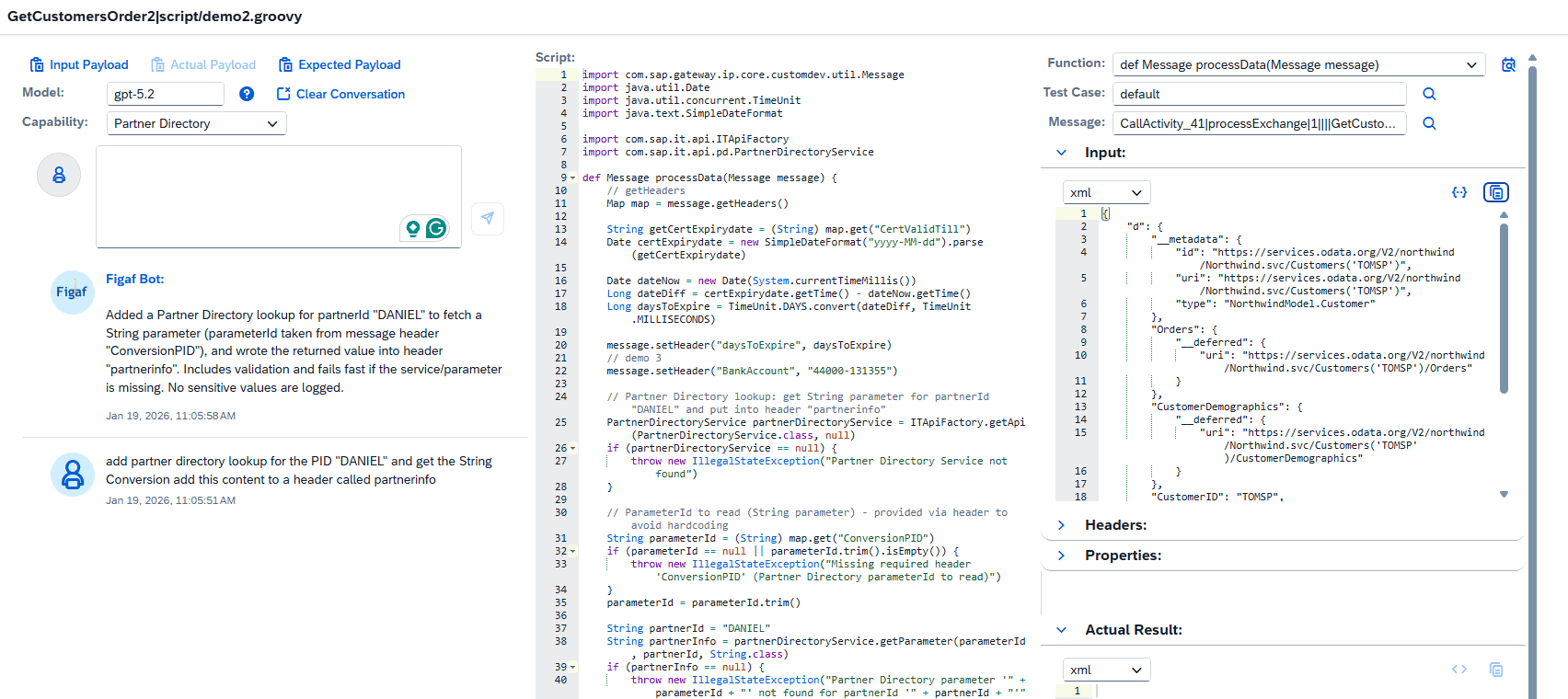
Side by side. The editor shows the script, the input, the expected output and the conversation with the Figaf bot next to each other, so you see everything while you get help with the code.
From input to output. If you have an input and an output payload, you can create the mapping between the two. You cannot give it a large document and expect everything to be mapped: plan for a few iterations to fix the mapping.
Run the result at once. The generated code runs in the editor on your own SAP Cloud Integration tenant, with your test cases, so you see whether it produces the expected result. See the Groovy and XSLT editor for how scripts are run and uploaded.
SAP specific context. Generic AI coding tends to invent its own Partner Directory lookups that match nothing. Since release 2601 you select Partner Directory, value mapping or security material, and Figaf gives the AI more context so it uses the correct APIs. This has improved the level and quality of the responses.
Your own AI key. You need your own OpenAI API key. Your input, output and script are sent directly to OpenAI, and Figaf cannot see the data. There is no token limiter, and other API providers are not supported at the moment.
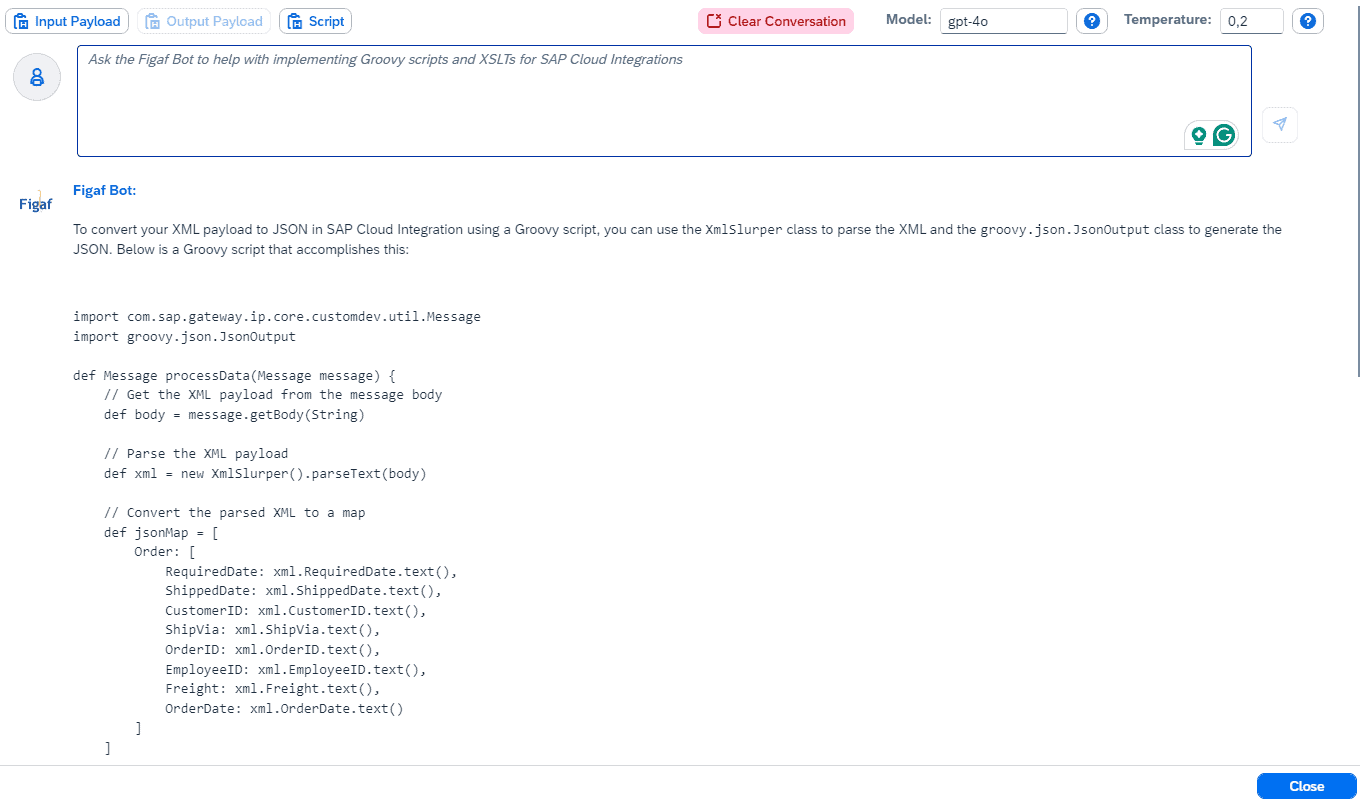
The vibe coder in the Groovy editorAsk the Figaf bot for code, then copy it into the editor and run it
Business value
Shorter development time. Developers build mappings and scripts without leaving Figaf, and see the result of each AI suggestion right away instead of copying code between tools.
Code that fits SAP Cloud Integration. Context about Partner Directory, value mappings and security material gives answers that use the correct APIs, which means less rework.
Quality checked before upload. Every generated script can be run against real test cases before it goes into an iFlow, so AI output is tested, not trusted blindly.
Control over your data. You use your own OpenAI or SAP AI key, and the data goes directly to the AI provider, not through Figaf.
Lower entry barrier. Developers who are less experienced in Groovy or XSLT can produce working code with help, which reduces dependency on the few specialists.
Good to know
Vibe coding is available since release 2509 and builds on the Figaf bot added to the Groovy and XSLT editor in release 2406. Release 2601 added the Partner Directory, value mapping and security material context. It is part of the AI assistance in Figaf DevOps Suite.