SAP Cloud Integration only gives you basic statistics, so you cannot see at a glance what each iFlow processes and how long it takes.
SAP PI developers have long used the Message Status Overview to understand what is going on in the landscape. SAP Cloud Integration has no such option, only some basic statistics. Figaf DevOps Suite adds a CPI message overview that aggregates every processed message, so developers and support teams can see what each iFlow is doing.
How it works
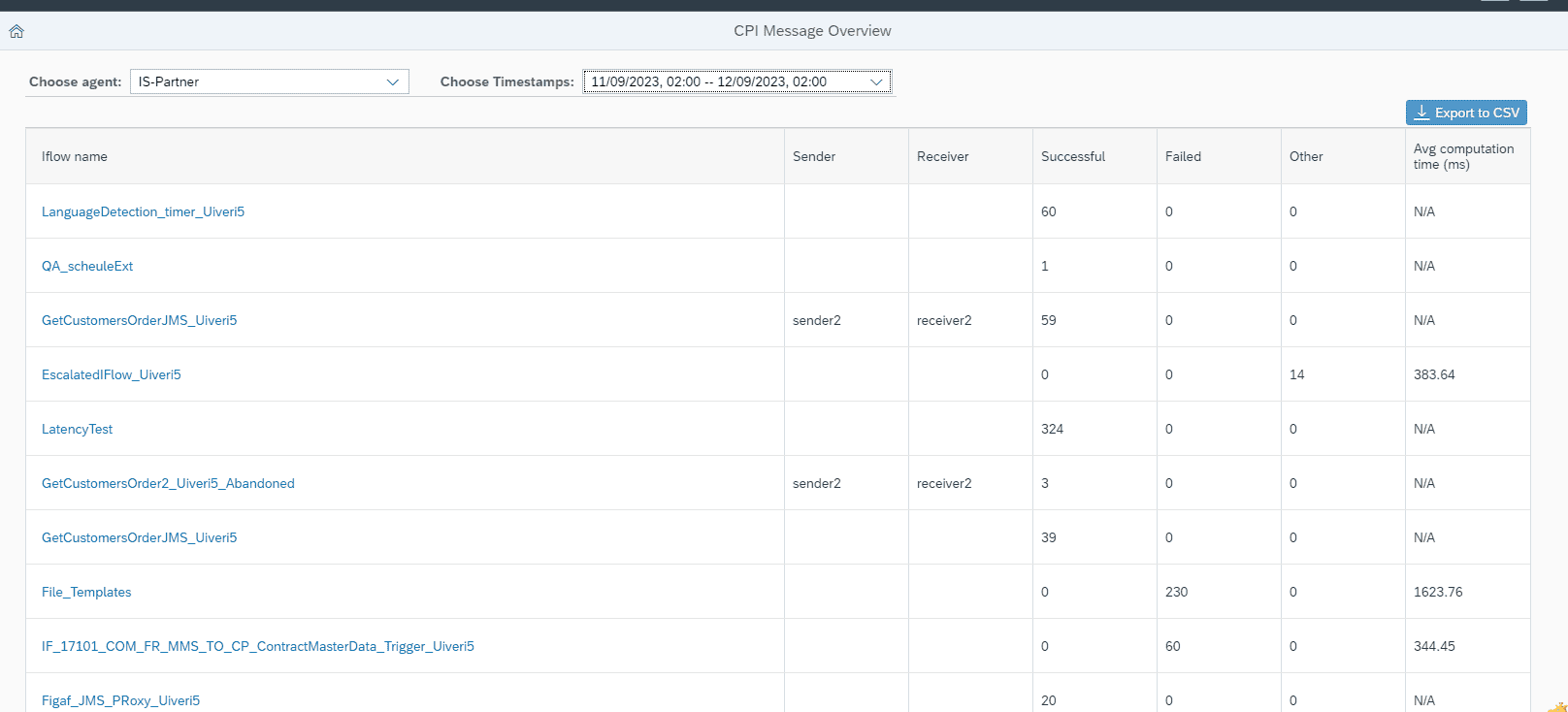
Aggregated per iFlow. Figaf keeps reading the message processing logs from the Cloud Integration API and aggregates the messages per iFlow, including sender and receiver, grouped into successful, failed and other statuses.
Processing time. For each iFlow you see the average processing time of its messages.
Drill down. You can filter on the status type and drill into the messages behind a number, to see what happened at a specific point in time with the same sender and receiver filters.
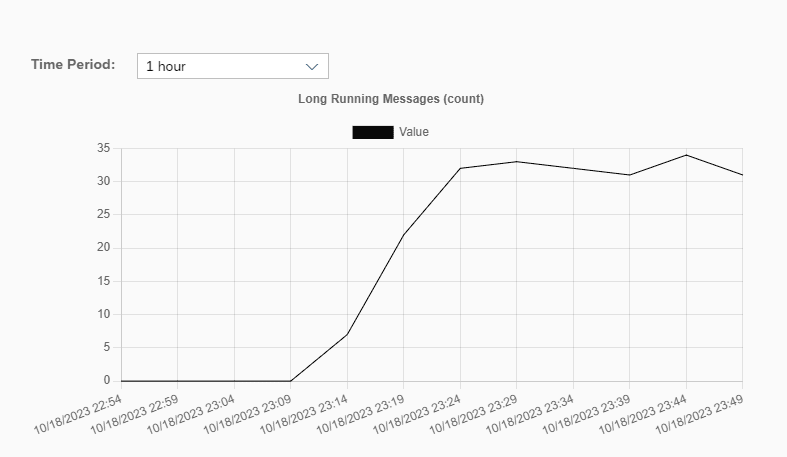
Long running iFlows. Figaf gives an early warning about how many long running processes you have, for example because backend systems run longer or the tenant is at the limit of its scale. You see the development in the monitoring overview and can get emails when there are more than a certain number of such messages.
Display names. The overview can show display names, for teams that find the technical names hard to interpret.
Setup. You enable it on the agent with the option “Enable message processing logs statistics”. Figaf polls the messages every 5 minutes, and if there are gaps, they are displayed.
Message counts and average processing time per iFlowEarly warning about long running processes
Business value
Problems surface sooner. A growing number of failed or long running messages shows up in the overview and by email, before the business notices.
Capacity insight. Average processing times and long running processes show when a backend or the tenant is reaching its limits, which helps you plan instead of react.
Faster support. Support teams start from a single overview and drill into the messages, instead of searching the SAP monitor flow by flow.
Shared view of the landscape. Counts per iFlow, sender and receiver, with display names, give developers and less technical stakeholders the same picture of what runs.
Good to know
Available since release 2309 in Figaf DevOps Suite. Status filters came in release 2309.2, long running iFlow warnings in release 2310, and the overview was improved for Edge Integration Cell in release 2412. Related feature: monitoring and alerting.