After a migration you need proof the new iFlow behaves like the old interface, and building test data by hand is slow.
Test case migration lets you reuse messages from your SAP PI/PO system to test the iFlows you migrated to SAP Cloud Integration. Migration teams use it to check that everything that matters was migrated correctly, without needing deep business knowledge of each interface. The same test cases then serve as the basis for regression testing on SAP Integration Suite.
How it works
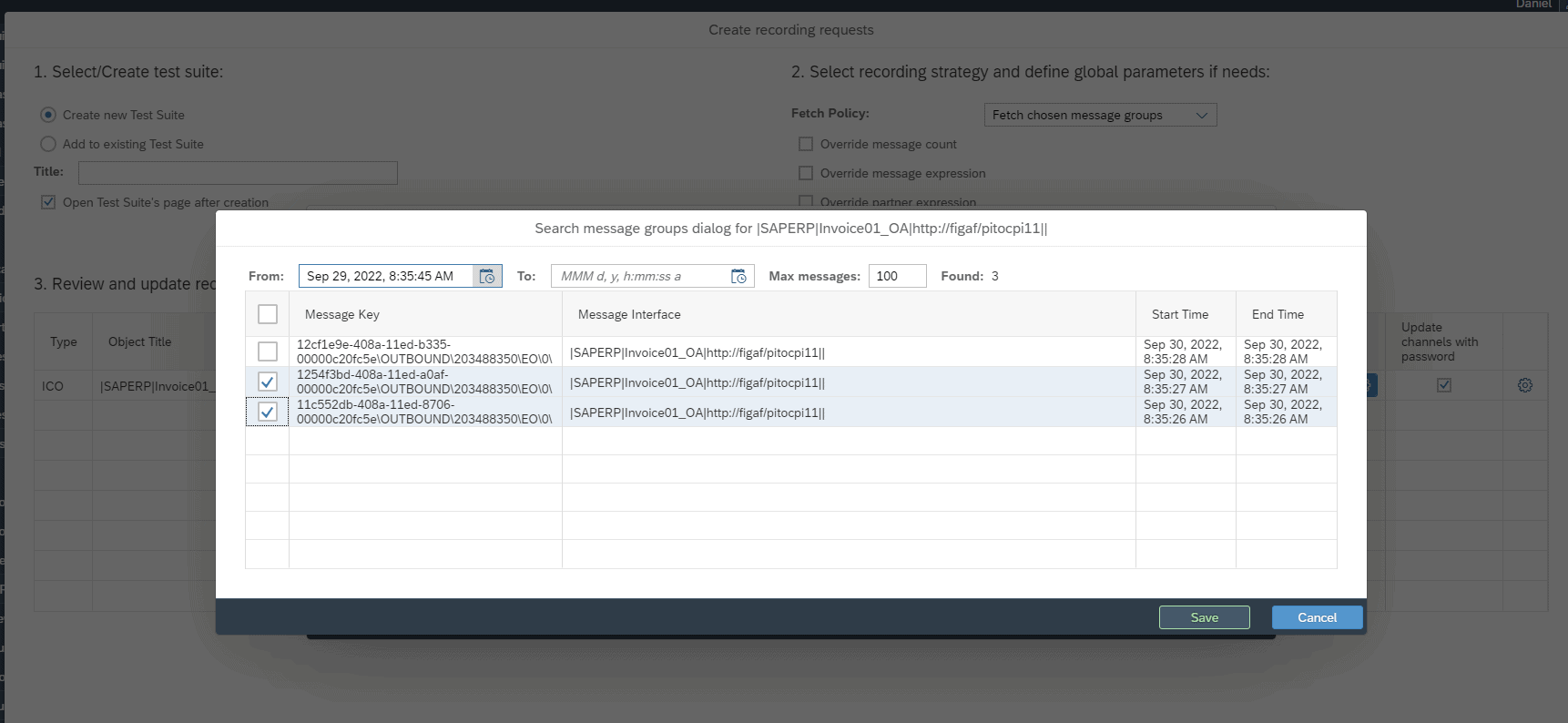
Record on SAP PI/PO. You set up a recording for an ICO, which takes about 2 minutes. Figaf needs a successfully processed message for the interface, with the payloads logged before and after mapping. Nothing has to be installed on the PI server.
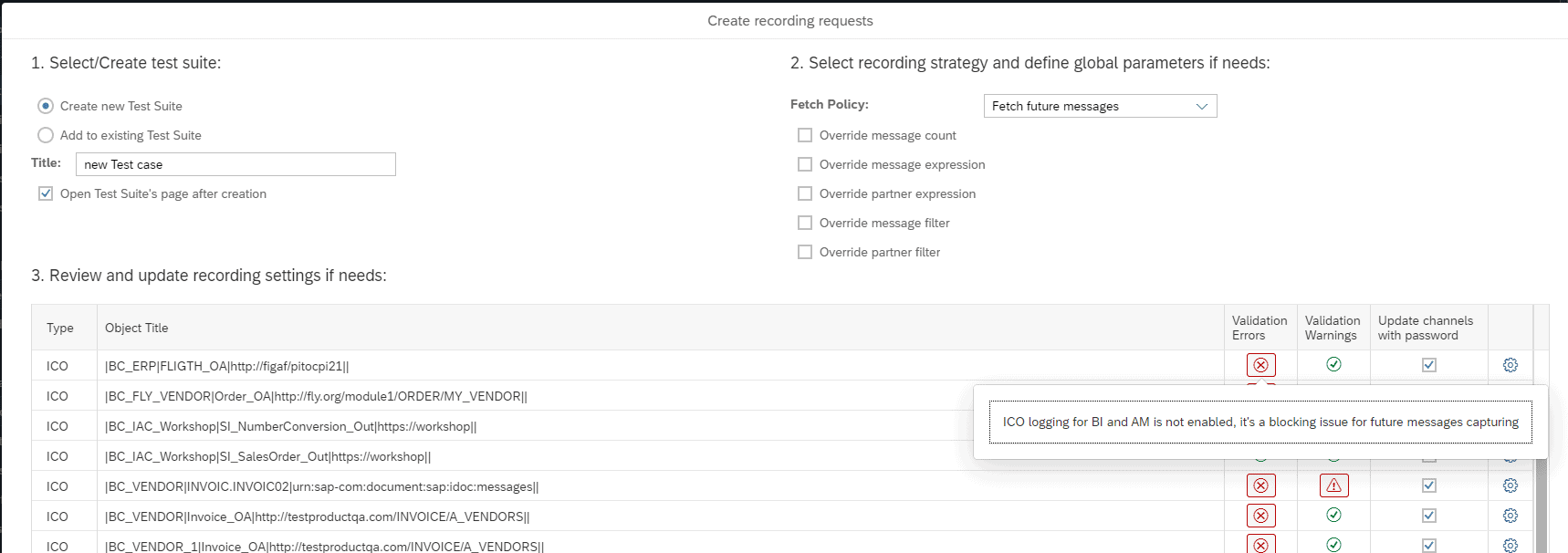
See recording problems early. When you create the recording, Figaf shows potential problems caused by the logging settings, sometimes with an action to fix them, and a viewer shows the processed messages without access to the PI system.
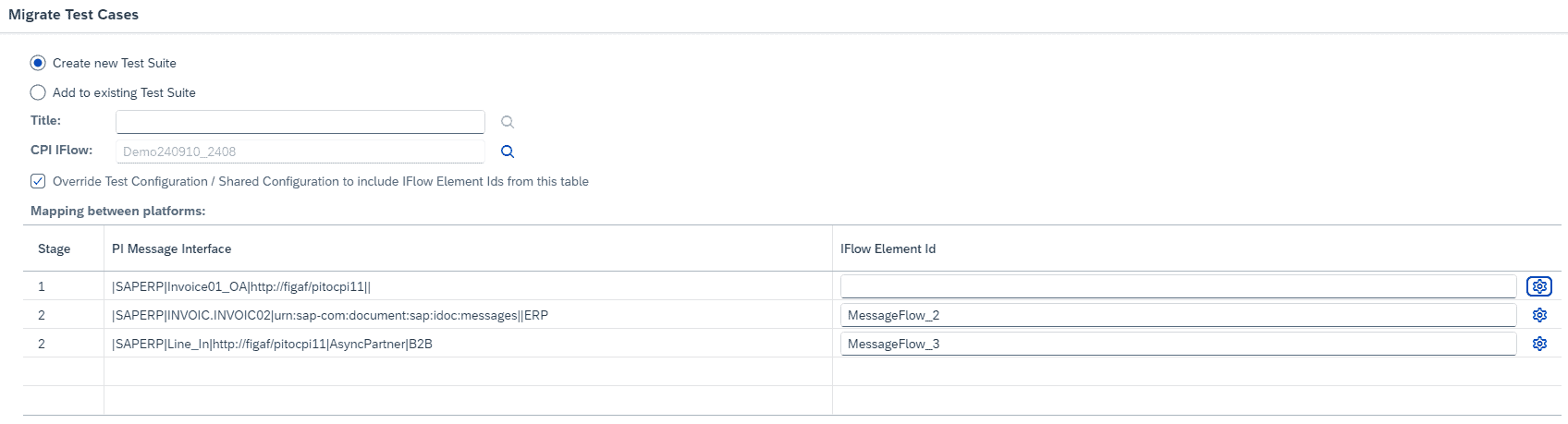
Convert in a few clicks. The SAP PI test case is migrated to a Cloud Integration test case for the migrated iFlow. Figaf can migrate the interface, record the test case and run it on the migrated iFlow from a single screen.
Where to test. When you migrate a scenario, you select the iFlow and the message it should be tested on, and where to fetch the messages. This must be after the mapping has taken place. Keep the PI test cases and the Integration Suite test cases in separate test suites: you do not need the PI ones once the scenario is fully migrated.
Unexpected messages. If a run reports unexpected messages, add an order expression to the test case configuration and the recording configuration and run it again. Differences that do not matter, such as extra payloads or a timestamp, can be ignored, and you process the comparison again without a new run.
Choose what to compare. You decide which steps to ignore, and you can use the BPMN diagram to select which steps to record or exclude when migrating the test data. If an iFlow can be triggered through several endpoints, you define where the message is sent in.
Supported scenarios. Asynchronous and synchronous interfaces, JSON payloads for REST senders and receivers, and channels with JSON to XML conversion, where you can record the payload in its original format. You can also check the delivery status of the message on SAP PI/PO.
B2B mappings. For migrated B2B mappings, existing PI test cases are migrated to new Cloud Integration test cases, reachable from the Figaf B2B overview.
Migration Edition limits. In the free Migration Edition, test cases recorded from SAP PI/PO run on your migrated iFlows for 30 days. After that you fetch new messages from SAP PI or get a testing license.
Create test cases from SAP PI and run them in Cloud IntegrationFigaf flags logging settings that would affect the recordingChoose the endpoint the migrated test message is sent to
Business value
Proof, not hope. The migrated iFlow is tested with real production messages, with all their variations, so sign off is based on matching output.
Less dependency on business users. Developers can create and run the tests with limited knowledge of the interface, which reduces the time business people spend on the migration.
Faster testing. About 10 minutes to migrate an ICO and another 10 minutes to test it, when there are no complications.
Reuse after go live. The test cases stay available for regression testing of later changes on SAP Integration Suite.
Works with SAP’s tool too. If you migrate with SAP’s own migration tool, Figaf can still automate the regression testing.
Good to know
Test case migration is part of the Figaf Migration Tool and the Figaf Testing Tool, and it is included in the free Migration Edition with the 30 day limit.
In the full version you reuse the test cases from your migration for regression testing, and you can upgrade at any time and keep your test cases.
At Foodstuffs South Island, test cases were retrieved from the SAP PI/PO production environment to test the migrated iFlows, so the test data was like for like.
Test migrated iFlows with the messages your SAP PI system already processed
Record messages on SAP PI/PO as test cases and convert them in a few clicks to Cloud Integration test cases, so you test the migrated iFlow like for like.