
Are you considering migrating to SAP Integration Suite but find it a bit expensive to pay for three tenants in a complete 3 tier landscape? What if you could save one of the systems? Then it becomes a much better business case.
Normal SAP landscapes consist of 3 or 4 systems like Development, Test, QA and Production. In most cases you will need to replicate this to all of your landscape. Each system will add a cost to your landscape.
One of the features of Figaf DevOps Suite is the ability to reuse a SAP Cloud Integration and API management system for multiple use cases. Like Dev and QA or QA and Test. So you can save a Tenant.
Sure, if you have 100s of integrations it may not be a big thing but for customers starting the journey with SAP Integration Suite then it could make a better business case of using the integration and then at some point you can migrate to a normal 3 tier landscape.
See our prices to compare with the cost of an extra tenant.
And Figaf DevOps Suite can improve the way you are delivering, documenting and testing SAP Integration.
How does it work
The process is nothing new. It is what integration developers have been doing since the first deployment of Hana Cloud Integration (HCI) now Cloud Integration. It was to copy one iFlow and add a QA prefix or postfix. Then it was possible to run this. It is a solution that works if you have few iFlows and you need to be quite careful about the process to make sure you have updated flows.
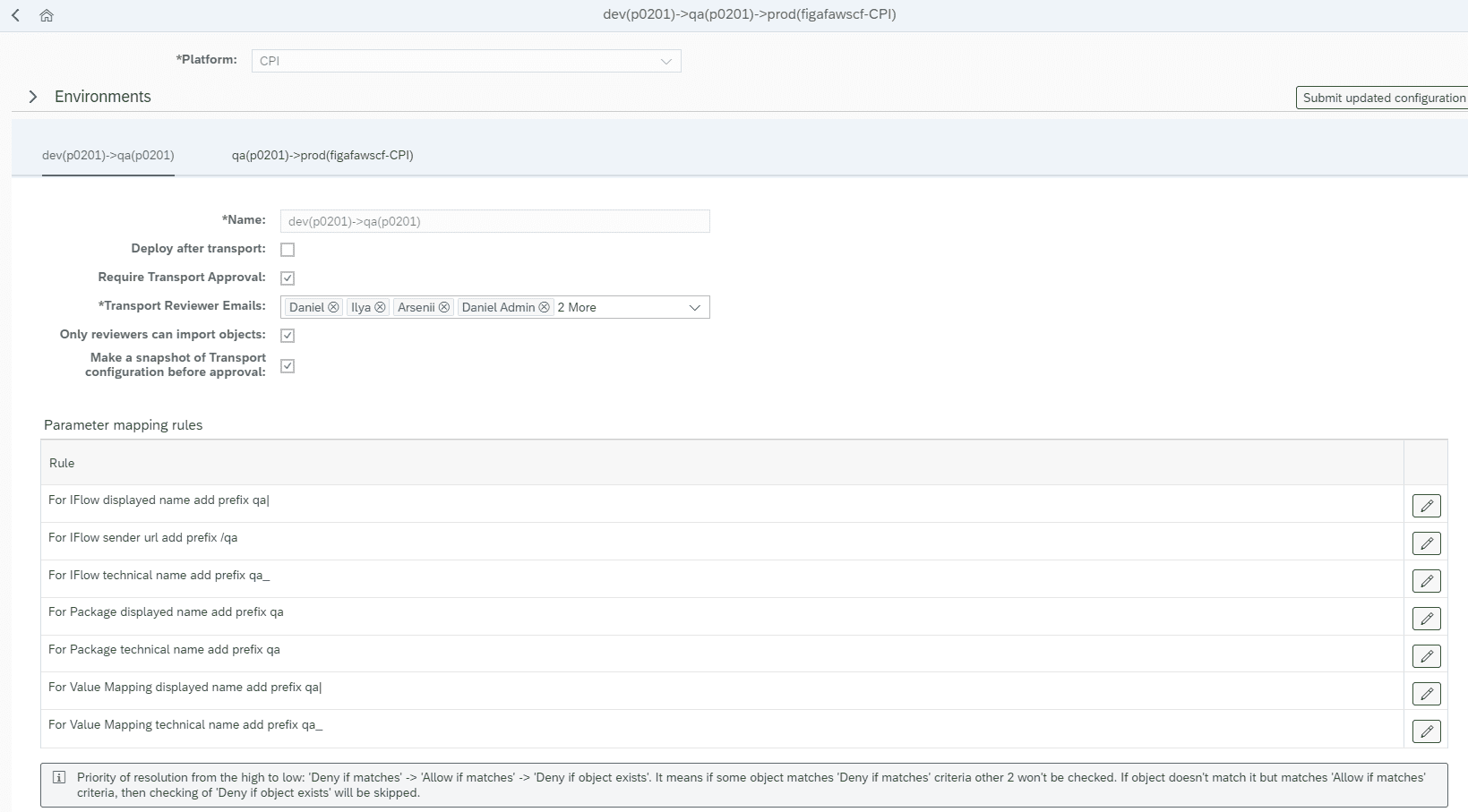
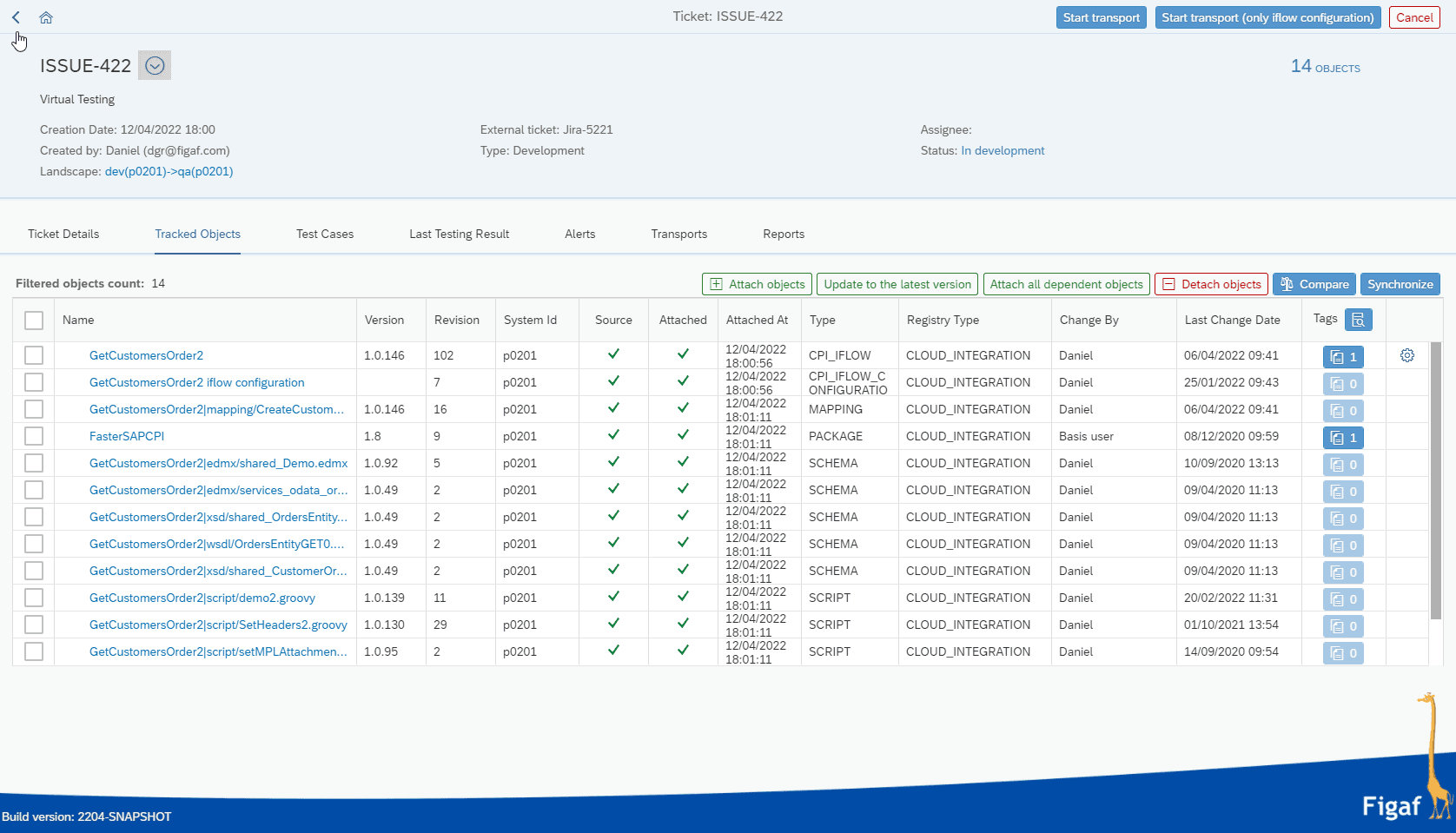
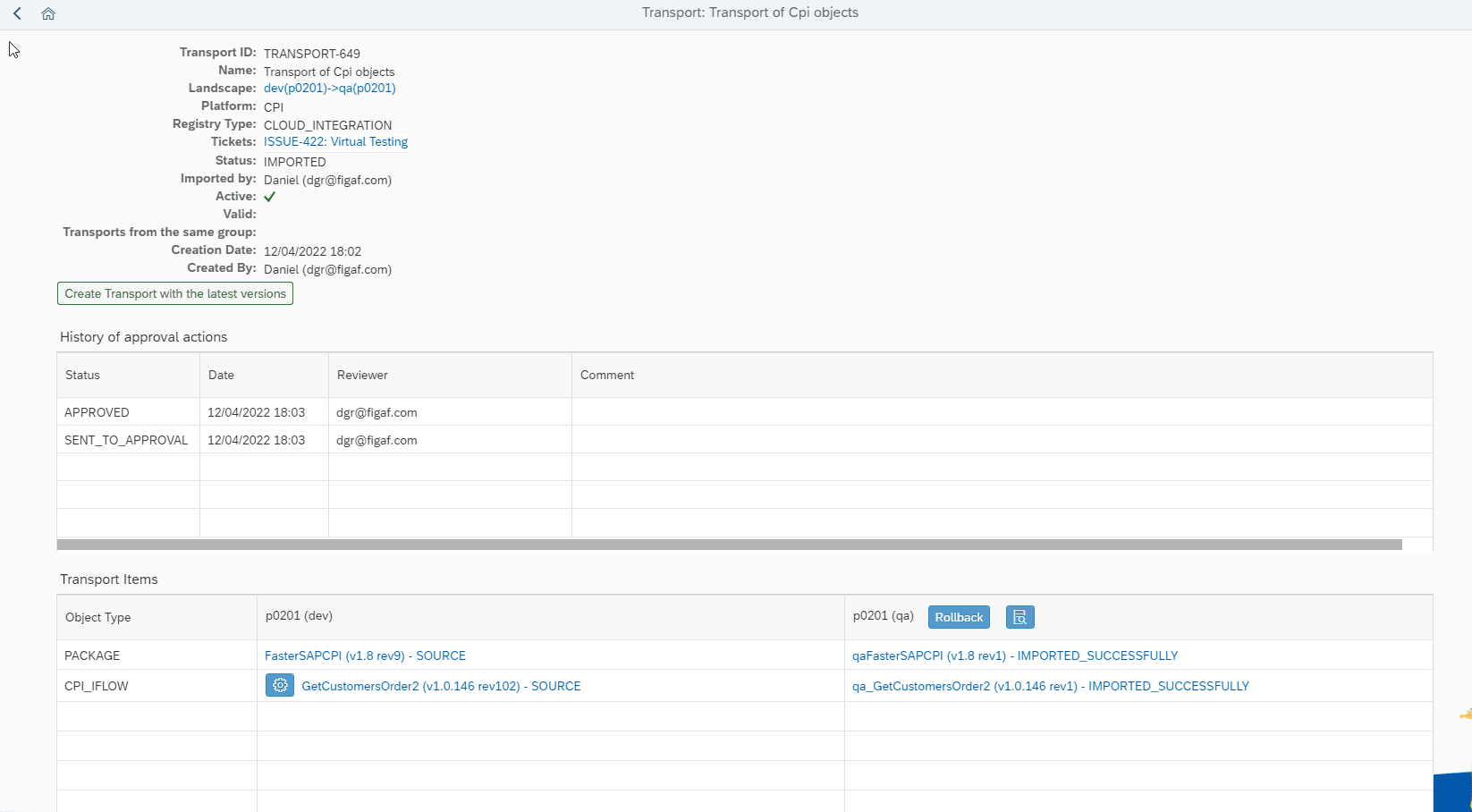
In Figaf it is a part of the transport landscape. You simply just create a transport with the iFlow you want to transport. Then the transport system will add prefixes or postfixes to the iFlows.
In our 2204 release (April 2022) we added better customization of the names so you can get it to follow your expectations. The idea is to make it easier to make all the required modifications.
All URLs, including ProcessDirect, will get a prefix like /QA. This means it will be possible to run the full flow in the virtual agent.
It is already used at clients
There is a great post about how this feature makes it possible to run long-term projects vs being able to support current flows. See this SAP Community blog post on how this feature enables support and projects in the same environment.
Get started
The Virtual Landscape is a part of the Figaf DevOps Suite. start a free trial. You can get started in just 30 minutes. It is easy to install and run the application in SAP BTP Cloud Foundry.
Are there limits
There can be cases we will not be able to support in the testing process. But 95% of use cases should be covered with the tool. Do let us know, then we will try to see what we can improve for the process.
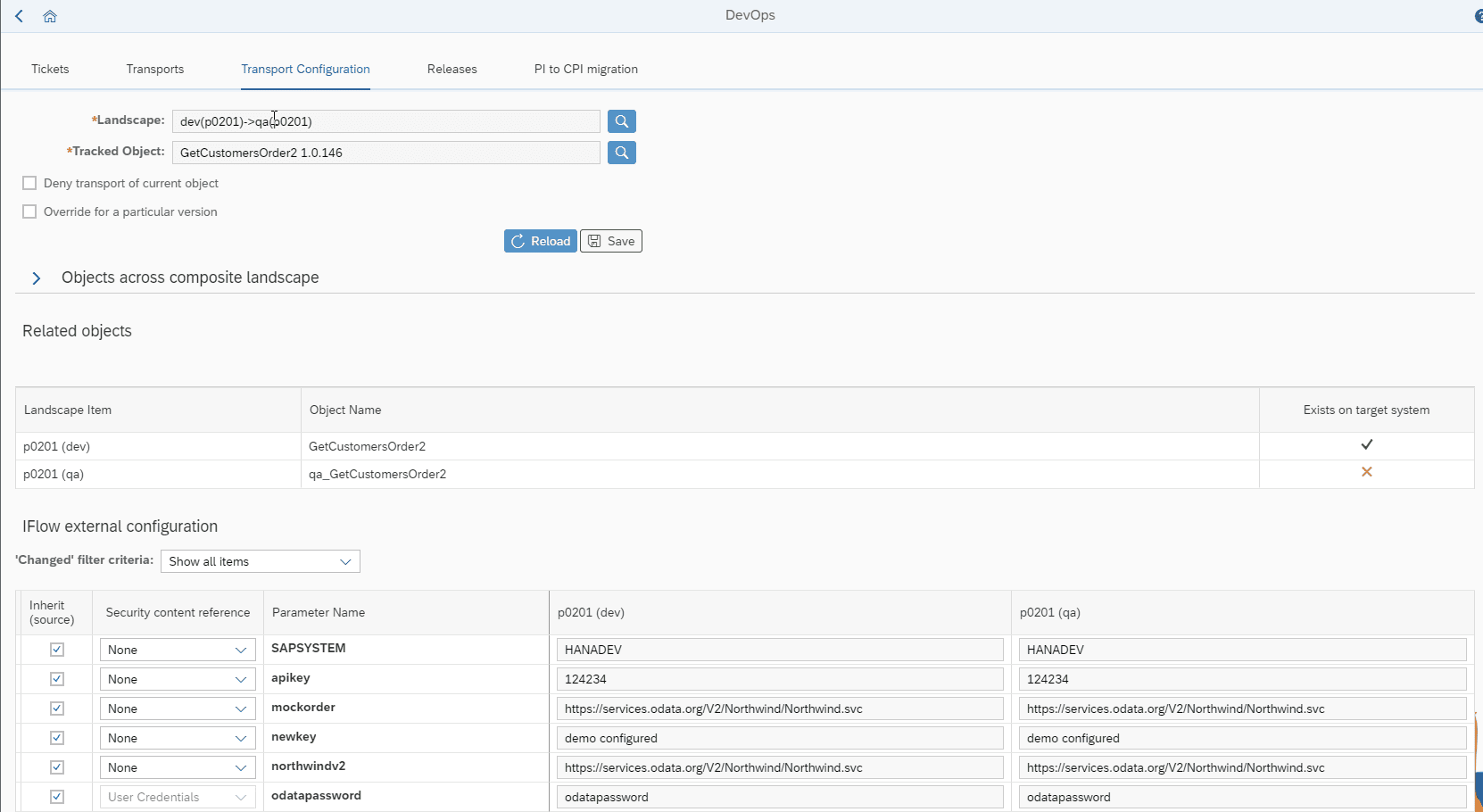
You may need to add external properties to ensure the same resources are not used for both systems if it is important.
Value mappings will be transported but it is not possible to deploy them on the same tenant because the keys are the same. It would require a huge rewrite to be able to support virtual value mappings like changing key pairs.
Figaf supports transport of Script Collection and Mapping artifacts.
