
In the latest update, while there aren’t many significant enhancements, the added features continue to simplify SAP Integration processes.
Detailed SAP PI assessment
Before embarking on a migration, understanding your current landscape is crucial. It’s more complex than just counting message mappings; underlying issues could complicate migration. You shouldn’t need to struggle with extracting ESR or Directory content for your integration.
We’ve encountered issues like Function Libraries relying on SAP-specific libraries or Message Mappings that use local functions with imported archives. Similarly, SFTP channels with ‘Archive on Error’ settings can be problematic. These surface-level assessments might seem fine, but deeper issues often arise during migration. Previously, we relied on developers to identify and add new rules to address these problems. Now, we aim to simplify this by enabling custom queries for your integration assessments.
You can see it in action here
You will need to invest time in analysis and estimation.
Custom search in SAP integration payloads
We’ve faced questions like the number of SFTP channels with enabled archiving in certain projects. Such queries can now be performed directly in the Directory, allowing for more complex searches across multiple parameters and the labeling of ICOs accordingly.
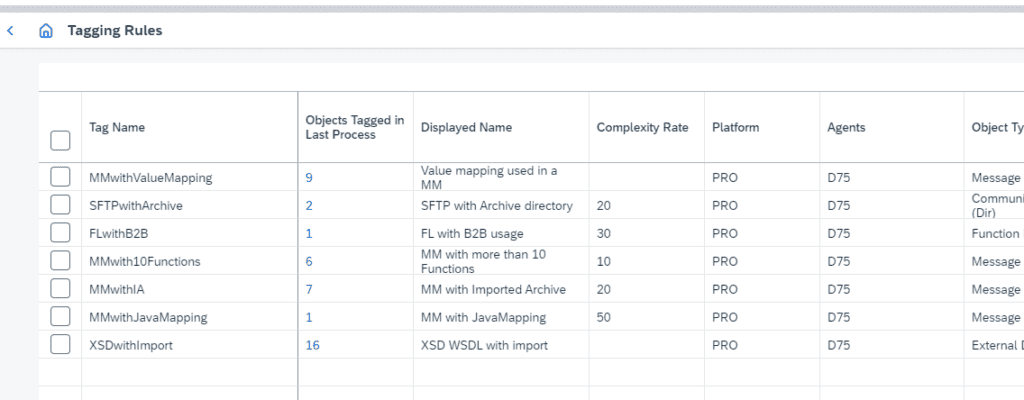
We are introducing the capability to conduct multiple queries using Regex or XPath. Selected objects can be tagged for easier identification in the Change Tracking tool, which is also applicable in Cloud Integration scenarios.
Defining rules is straightforward: start with an example of what you’re looking for, then apply it.
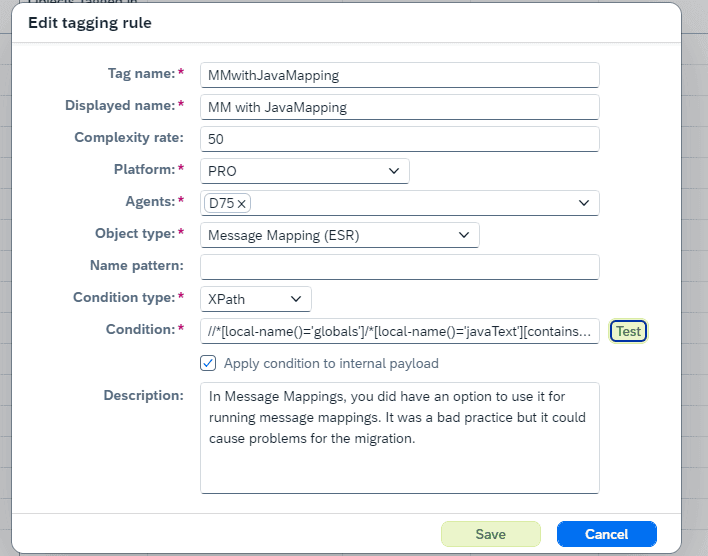
We’ll share rules based on our experiences and welcome your contributions to enhance our collection. Once rules are set, you can run queries across your landscape to understand the extent of linked objects.
Our current list of rules is available here.
Assessment report
Running an assessment report on your PI landscape will reveal which objects have been tagged, simplifying the identification of channels requiring migration. Adding new rules based on findings allows for iterative assessment without reviewing every object, minimizing time expenditure without significantly impacting migration outcomes.
PI to CPI Migration Enhancements
This release brings several improvements to the SAP PI/PO to Integration Suite migration:
Extracting local UDFs to Groovy scripts
Simplifies maintenance and addresses issues arising from the use of imported archives. It seems like the compile time of SAP Cloud Integration Mapping does not look at jars. It is also much easier to maintain groovy than the the building imported archives.
If you migrate a Message Mapping with local Functions you can extract the payload. Then they will be removed to the message mapping but instead added
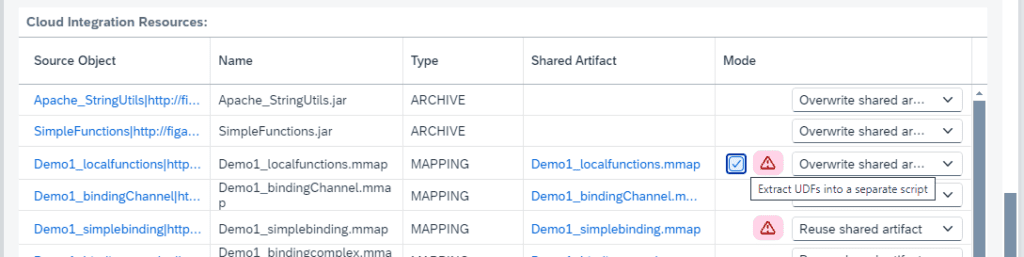
The functions will the be added to MAPPINGNAME_udf.groovy where you can edit the functions.
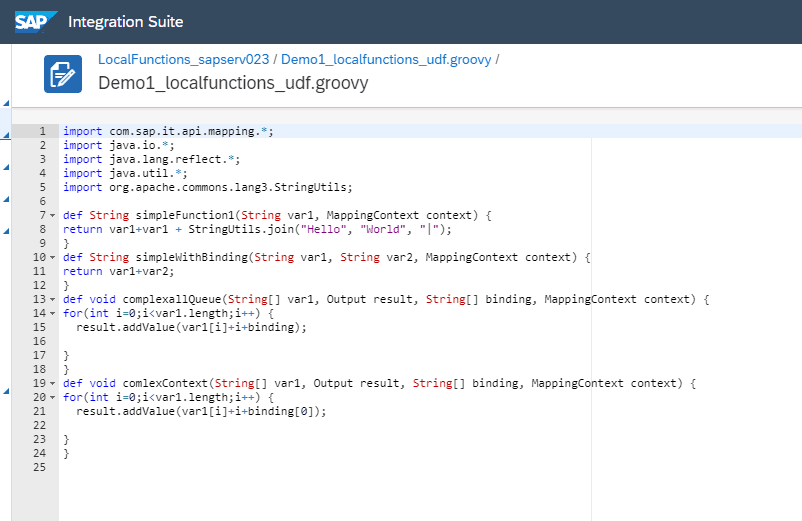
You can see this in action here
IDOC adapter enhancement
We’ve added mapping between SapMessageID and SAP_MessageProcessingLogID in a content modifier, facilitating a smoother transition from IDOC to Cloud Integration monitoring.
API enhancements
We’ve upgraded our API to improve integration with platforms like ServiceNow and Jira, enhancing connectivity and workflow between Figaf and other applications.
Upcoming features
A notable upcoming feature is the integration of our Groovy Editor with UDF testing in Message Mappings, streamlining development and updates. This addition is designed to save time in testing Groovy functions and complements the ability to transition Local UDFs to Groovy scripts, thereby enhancing the development process.
While we cannot meet every requirement, we aim to address a significant portion of user needs through these updates.
