
You need to configure communication channels in test and production. It always requires you to make a lot of configurations and remember which host to use. It is always one of the challenges that take a lot of time to configure and is error-prone.
You know you always need to replace hostnames, users, and passwords. You probably also need a few other paths or something similar that should be replaced in each system.
We have had a one-screen landscape that gave you one view to configure all the channels that you needed. It gave a pretty good overview of where you needed to change something. But you had to change the values manually.
The new functionality works in both SAP PI/PO for channels, SAP CPI, and SAP API Management. So there is just one way to ensure that all hosts and URLs are replaced the same way.
Under the landscape, we have added a table where you can insert Host values from Development that can then be translated into QA and Production values.
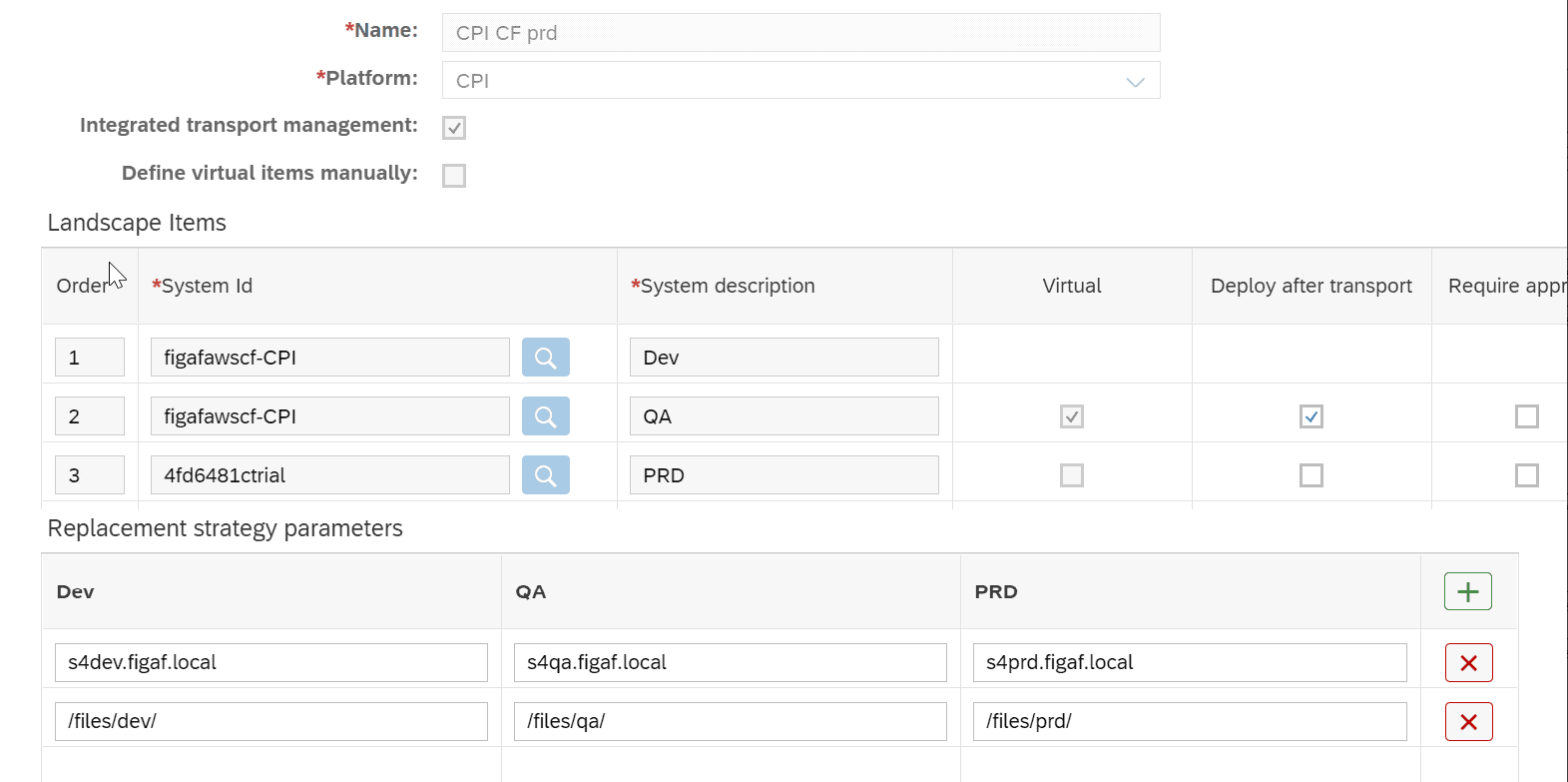
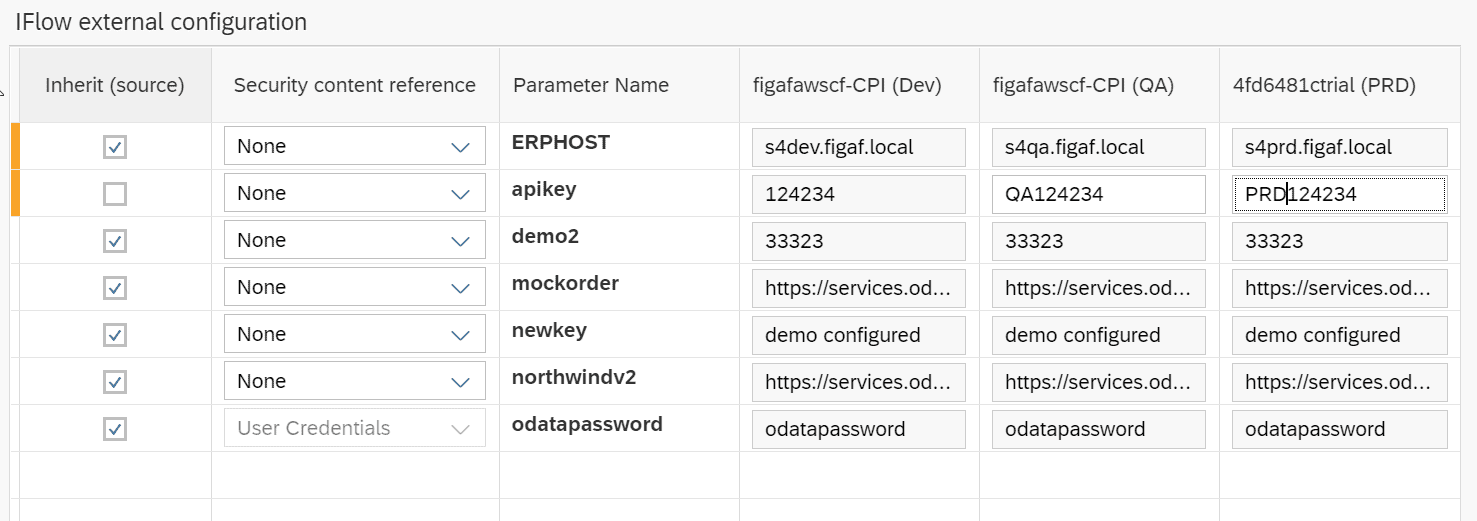
Then once you are transporting an iflow Figaf will automatically determine which attributes will be changed as seen in the first line.
You can also overwrite the values manually as seen in line number 2.
Or use the same value in all instances.
It is possible to use the same options for SAP PI/PO Channels or API proxies and KVMs, so you can use the same type of replacements.
Repository of values
I would have wanted to create a repository like S4_HOST, ARIBA_USER. For developers, they could then leverage this once defining their iflows and then know they would be configured correctly in the landscape. It would only make sense for SAP CPI. It also had a limitation with SAP’s pre-delivered content, which is solved by our current approach.
Passwords for SAP PI/PO
Figaf will give you a warning if a password that exists in development is not filled in for production.
There is much more in the tool
Figaf DevOps Suite is built around the effort to make it as simple for users to develop SAP Integration as possible. It enables you to automate your SAP CPI, SAP PI/PO, and API management processes. It contains a simple process for
- Registration of changes
- Creation of transports
- The approval process for Transports
- Comparison of the objects so you can see what is changed.
- Automatic testing of the affected interfaces
- Support and monitoring of problems
- Git integration to ensure an easier path to develop SAP CPI
See Figaf DevOps Suite for more information
