
FAID, Figaf AI-Driven, is the next concept in the Figaf pipeline: a new Figaf Manager plus a growing range of helper apps that each support one function in your B2B operations, from small conveniences to business-critical tasks.
To show what that looks like, here are the first two: B2B Archiving Setup and B2B Archiving Search.
Watch on YouTube View an example FAID App in action: a four-minute video on a live system.
B2B Archiving Setup
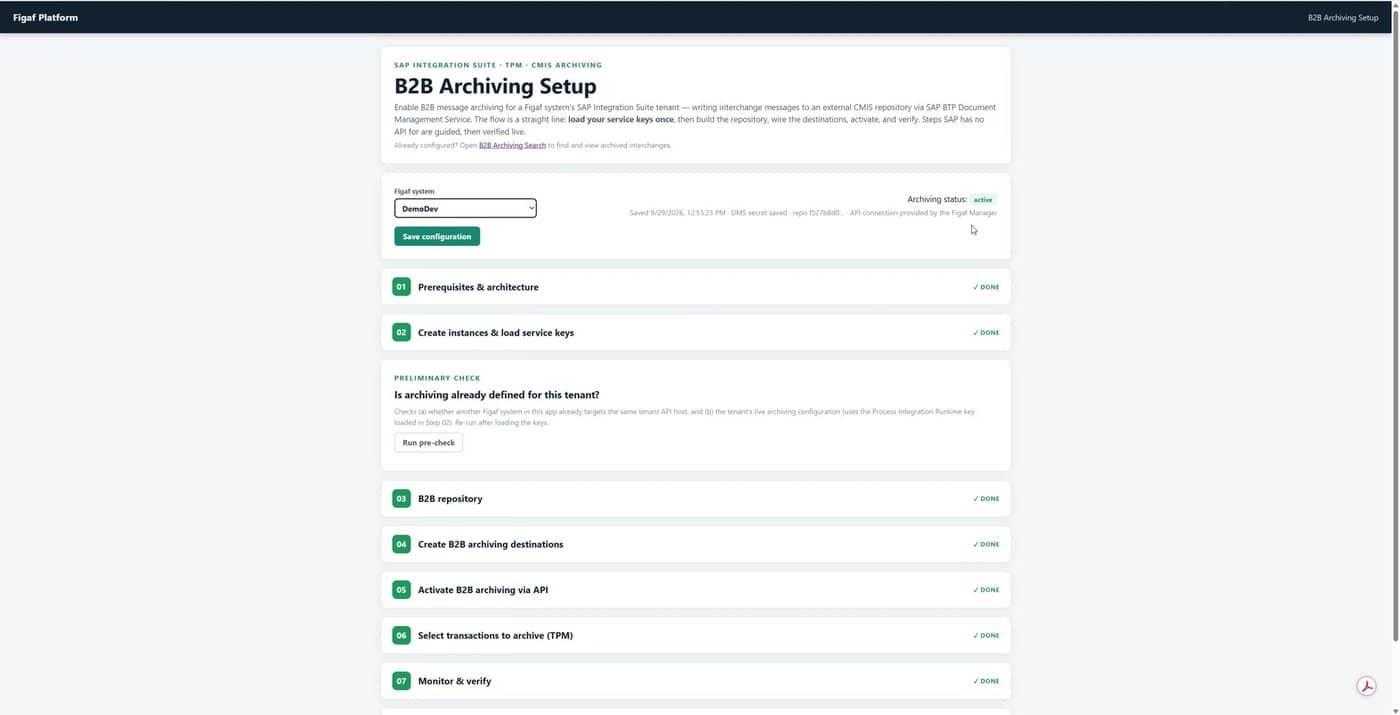
Archiving B2B messages in SAP Integration Suite is often a legal requirement, but setting it up by hand spans several cockpits: a Document Management instance and service key, a CMIS repository, two destinations, a protected activation API call, and the archiving flags in Trading Partner Management.
The app turns this into seven guided steps on one page. It does each step via SAP APIs where they exist, explains the rest, and verifies the result live before you move on. What it configures stays 100% SAP standard.
B2B Archiving Search
Archiving only pays off when you can find things again. B2B Archiving Search makes the archive a day-to-day tool for operations and audits, with no desktop CMIS workbench needed:
- Search the way you think: by interchange control number, trading partner, message type or date, using the indexed B2B properties SAP writes to the archive.
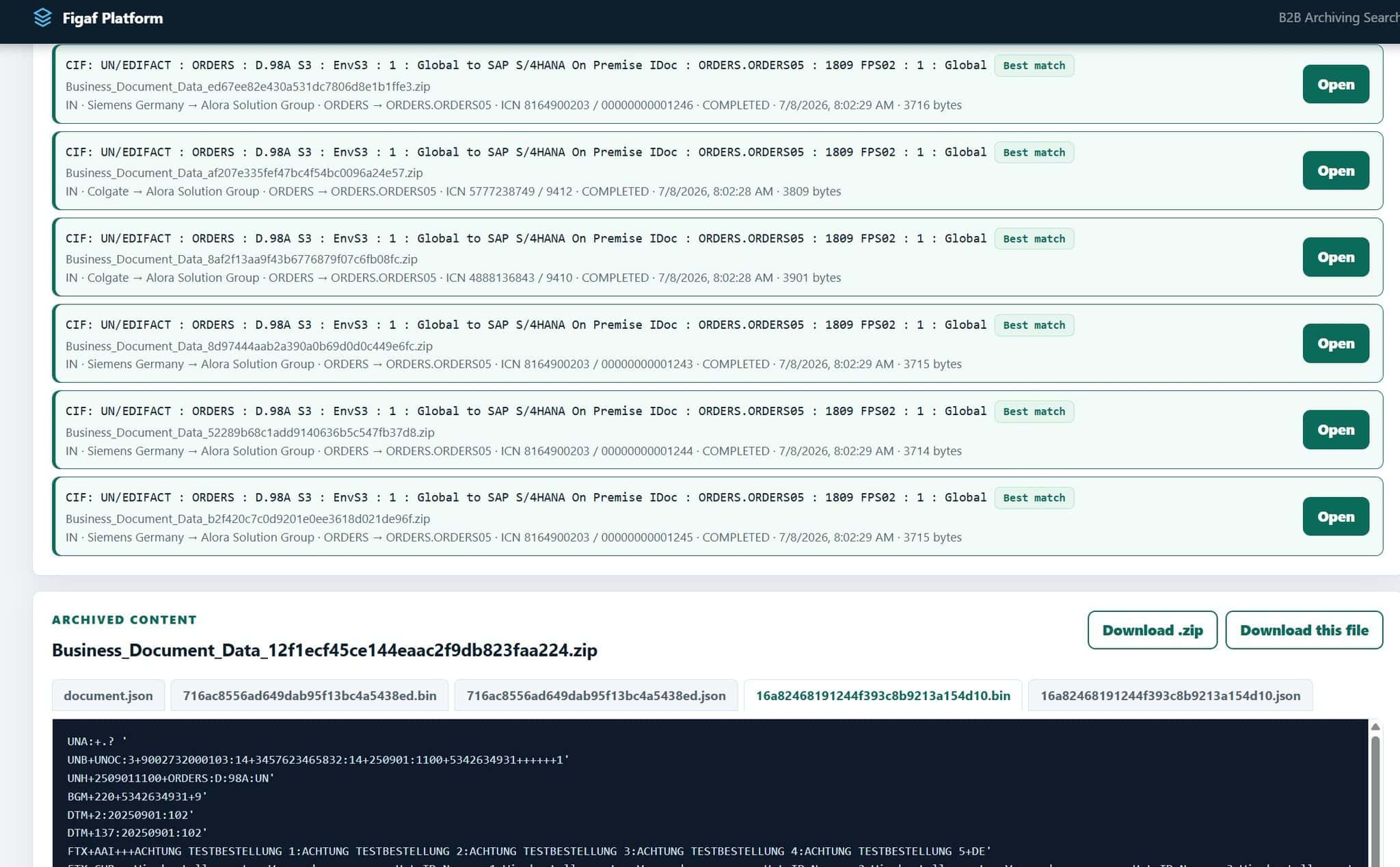
- See the context at a glance: each hit shows the agreement, direction, partners, source and target message type, ICN, status, timestamp and size, ranked by best match.
- Open the archive in the browser: document.json and the source and target payloads side by side, including the raw EDIFACT or X12.
- Take it with you: download the full zip or a single file, for example as evidence for a partner dispute.
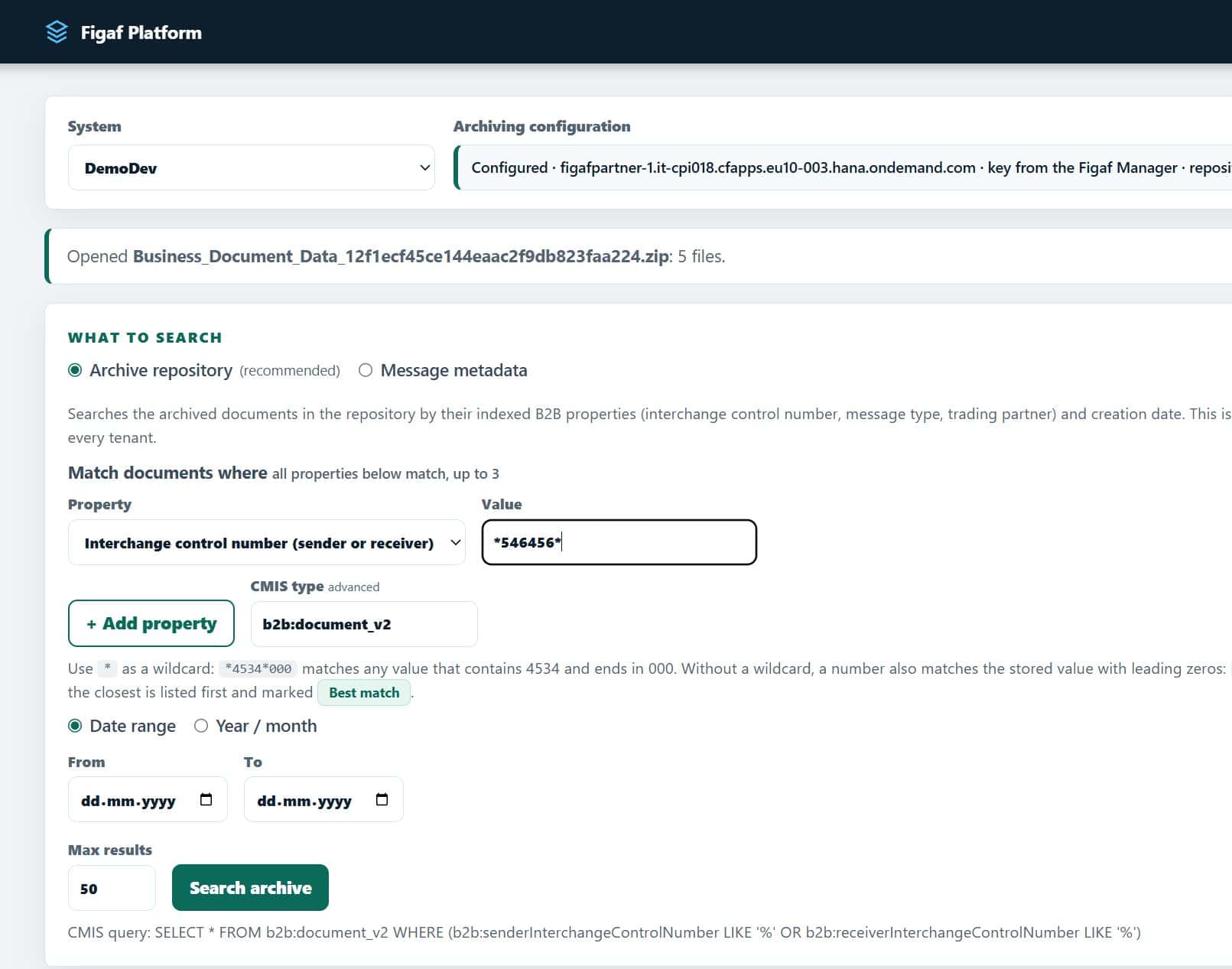
The same search function will eventually also be exposed by FAID as an API and as an MCP tool, so your own applications and AI agents, including FAID Agents, can query the archive directly.
FAID in one minute
Figaf Manager
One central app on your own SAP BTP subaccount, to install, update, health check and configure everything Figaf.
FAID Apps
A large and growing range of small, dedicated apps. Each does one job, guides you through it, and verifies the result live.
FAID Agents
AI agents that support the operational work of running a complex B2B landscape, such as consistency audits, drift checks and transport preparation. MCP tools let them take on maintenance-heavy tasks safely: every agent works with its own identity and narrow permissions, proposes changes for you to approve, and leaves a full audit trail.
The archiving apps are not the core of Figaf or FAID. They are examples of the pattern every FAID app will follow, and of how Figaf becomes a stronger tool for managing SAP standard B2B.
We only enhance SAP standard. We never replace it.
What comes next
More FAID apps are on the way, covering tasks across the B2B lifecycle, such as planning PI TPM migrations and reviewing test reports. Each one follows the same rule: one job, guided, verified, and built only on SAP standard APIs.
Want FAID on your subaccount?
FAID ships with our upcoming release. Book a demo and we will walk you through the Figaf Manager and the first apps on your own landscape.
Book a demo