An iFlow fails with an error you have not seen before, and the usual next step is searching the web for what it means.
Every integration developer has looked at an iFlow error and wondered how to resolve it, and the usual approach has been to search for it on Google. With AI error resolution in Figaf DevOps Suite, you open the Figaf Bot directly from the error, with the prompt already filled in. It is used by integration developers and support teams who handle errors in SAP Cloud Integration.
How it works
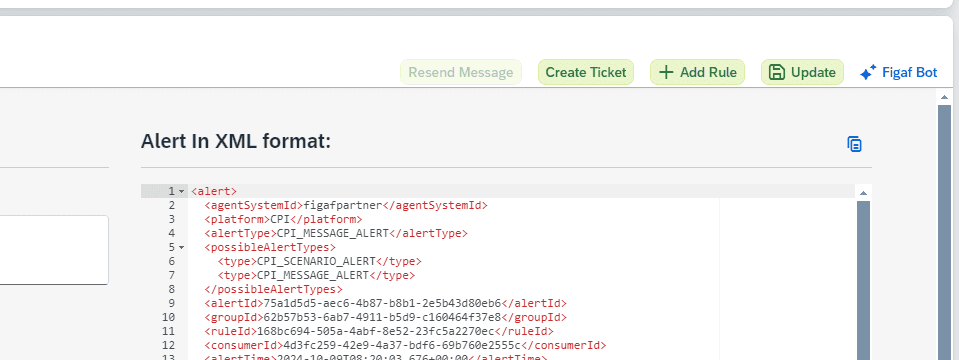
Start from the error. On an iFlow error in Figaf, click Figaf Bot.
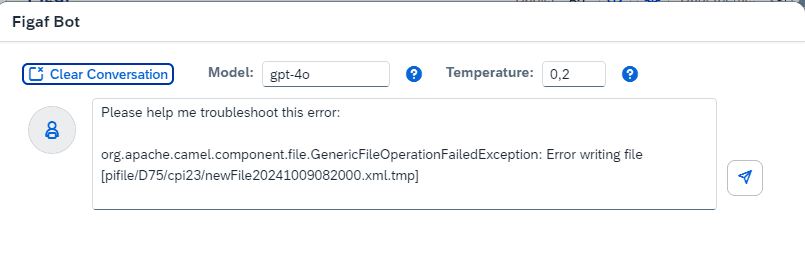
Prompt filled in. You get a prompt filled in with the error. You modify it to your needs and press submit.
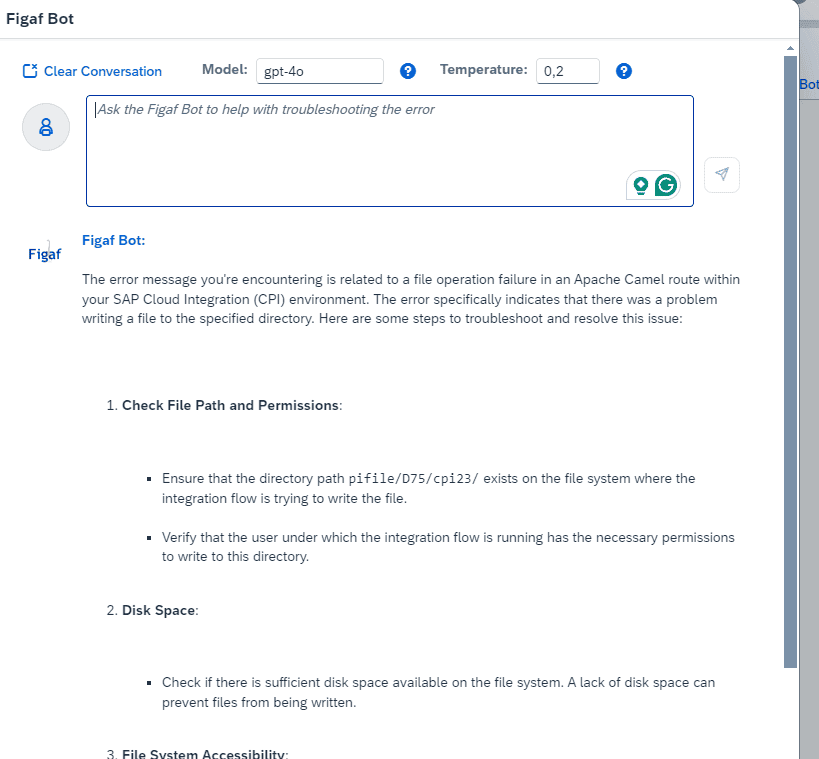
Response. The bot shows the response, with a suggestion for how to resolve the error.
Setup. To enable it, you turn on Figaf Bot in the configuration and provide an OpenAI API key. Without the key, the function does not work.
Data privacy. The data is sent directly to OpenAI on your own API key. The Figaf team cannot read your queries.
Same bot as the editor. The Figaf Bot is also available in the Groovy and XSLT editor, where it helps you create and update code.
Open the Figaf Bot from the error.The prompt comes filled in with the error.The response suggests how to resolve the error.
Business value
Faster error handling. Developers start from a prompt that already contains the error, instead of copying it into a search engine and reading through results.
Less dependency on experts. Support staff who have not seen an error before get a starting point for resolving it, without waiting for the specialist who has.
Control over the AI platform. Your team uses the AI through your company’s own OpenAI or SAP AI key, instead of each consultant using a private ChatGPT account.
Data stays under your agreement. The queries go directly to OpenAI on your key, and Figaf cannot read them.