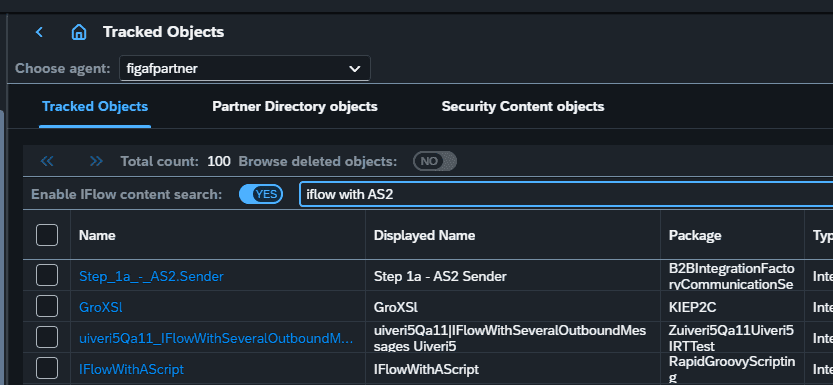
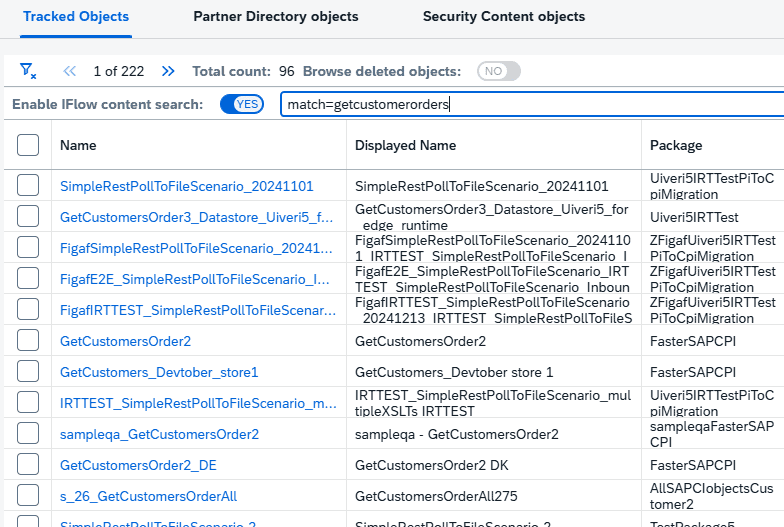
You can only find an iFlow if you remember its exact name, not by what it does or what is inside it.
Searching SAP Cloud Integration content used to mean searching for the concrete names of iFlows, scripts and other objects. AI search adds context aware search, so integration developers and support teams can find iFlows by what is in them, such as descriptions, step names and content, and security artifacts.
How it works
Search the BPMN model. The search covers the content of the iFlow’s BPMN model, not only object names.
Semantic model and embedding. When AI search is enabled on the agent, Figaf converts each iFlow into a semantic model during synchronization and uploads it to OpenAI to create an embedding. The first run takes some time to process.
On the tracked objects page. The search is used on the tracked object page and makes it easier to find context about a given iFlow.
Shared with AI documentation. The embedding is also what the iFlow search uses when you schedule AI documentation on the agent configuration.
Requirements. You need to provide an OpenAI key, and the feature only works when Figaf runs on PostgreSQL.
Search iFlows by their contentAI search on the tracked objects page
Business value
Faster answers. Developers and support staff find the integration that handles a given step, content or credential without opening iFlows one by one.
Less dependence on individual memory. Knowledge about what an iFlow does becomes searchable for the whole team, not only for the people who built it.
Quicker impact analysis. Finding every iFlow that uses certain content or a security artifact helps you see what a change will affect.
You control the AI provider. The search uses your own OpenAI key, so the data is sent to OpenAI under your account rather than processed by Figaf.
Good to know
Part of the Figaf DevOps Suite. Available since release 2511 and improved in release 2601.