Your B2B conventions live in a spreadsheet, so off-standard names, identifiers and MIG or MAG versions are found after go-live, not before.
SAP Trading Partner Management gives you the standard objects, but not the conventions around them. Figaf B2B Management adds validation rules on top of SAP Integration Suite TPM, so the spreadsheet your team maintains today becomes a rule the platform enforces. B2B architects and integration teams use it to keep hundreds of partners set up the same way.
How it works
Naming, identifiers and versions. A rules engine checks naming conventions, identifier schemes, and MIG and MAG version consistency against production, and flags what is off standard.
Conventions applied at creation. When you create a subsidiary, Figaf creates the initial identifiers for the most commonly used formats and schemes or qualifiers, which enforces a naming convention for the identifier aliases. Figaf also proposes a short name for partners and subsidiaries, which you can adjust.
Valid agreements. When you create an agreement and select a scenario with MIGs and MAGs, Figaf checks that the type systems the MIGs represent are assigned to the systems, so the result matches the system configuration. The type system is determined by the scenario, not picked by hand.
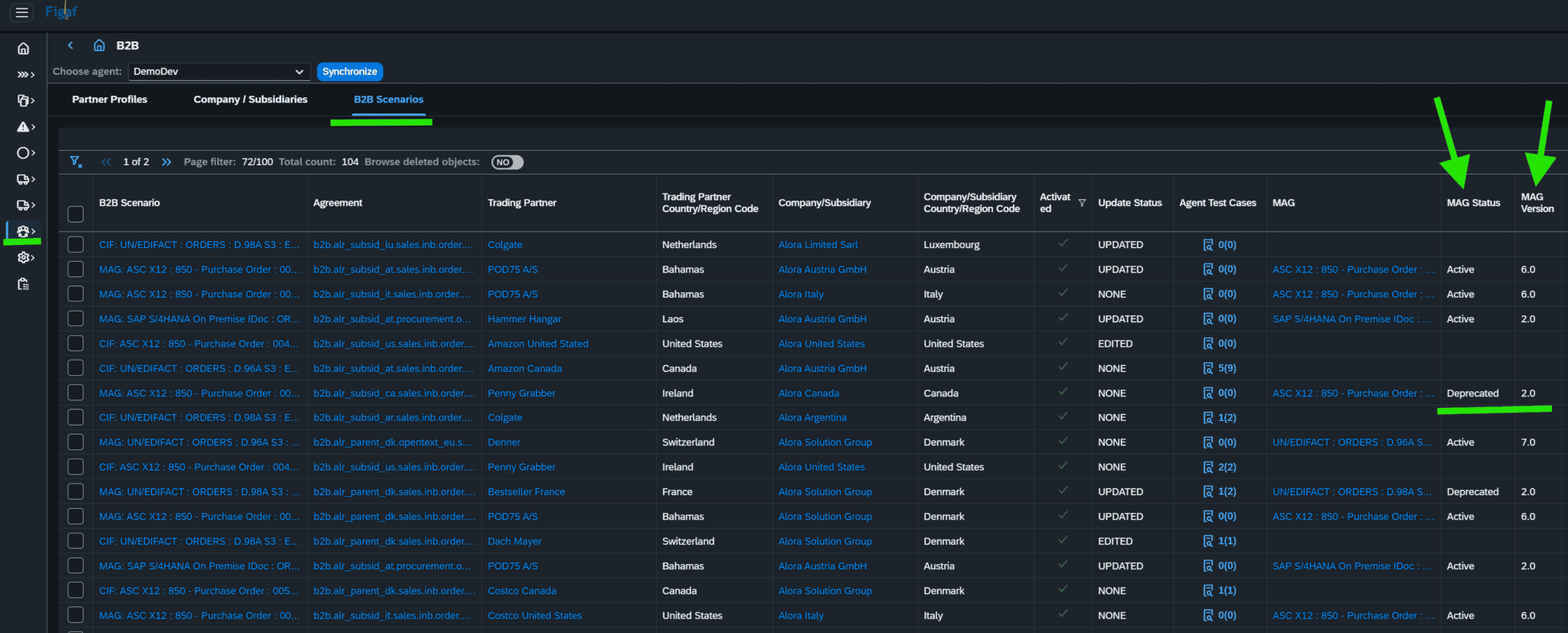
Version overview. The B2B scenarios overview shows the status and version of each MIG and MAG, and the runtime status and version properties of the main, pre and post iFlows, so you see what is not up to date.
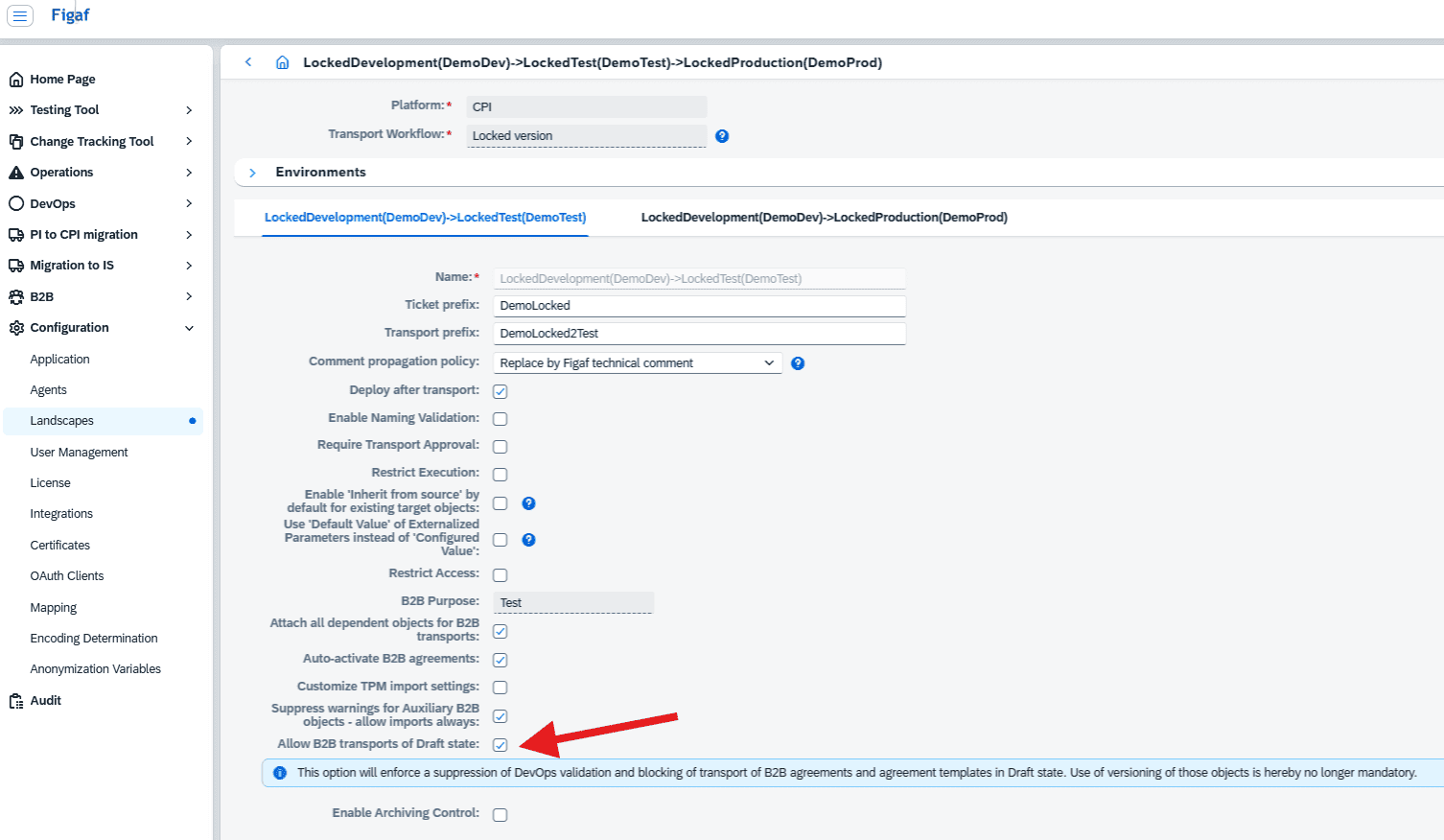
Checks in transport. Figaf checks that all objects in a B2B transport are valid versions. MIG and MAG drafts are stopped by the validation, and you are prompted to correct the setup before you continue the transport. Production import is blocked automatically while anything is unclean. If you choose to keep agreement templates and agreements in draft, you can exempt those two objects from the draft check, at a higher risk.
Archiving policy. A landscape setting for B2B transports automatically enables archiving in the target system, and the scenarios overview shows the archiving settings for sender and receiver payloads.
Severity. Every validation run produces a report ranking issues by severity, so your team fixes what is urgent first.
See which MIG and MAG versions each scenario usesTransport validation settings for B2B objects
Business value
Fewer human errors. Names, identifiers and type systems are set by rules and checked, not typed in by hand for each partner.
Problems caught before transport. Gaps are flagged before a change reaches production, where a misconfigured partner would mean failed messages.
Scales with the number of partners. The hundredth partner gets the same checks as the tenth, and the setup behaves the same regardless of who built it.
Audit and compliance. Valid versions, enforced archiving and a severity report give you evidence that the B2B landscape follows your governance and legal requirements.
Less dependency on specialists. The convention is in the platform, not in the head of the person who usually remembers it.
Catch what is off standard before it becomes someone else's problem
A rules engine checks naming conventions, identifier schemes, and MIG and MAG version consistency against production, and flags what is off standard before transport.