After every import you reconfigure hosts, users and paths by hand, and you are never sure every endpoint was changed.
Each time you import new content into QA or production, it has to be configured to point to the right systems, normally by hand after the import. In Figaf DevOps Suite, the landscape is a central repository of that configuration, so transports carry the right values for each stage. It is used by integration developers who run transports and by architects who approve them.
How it works
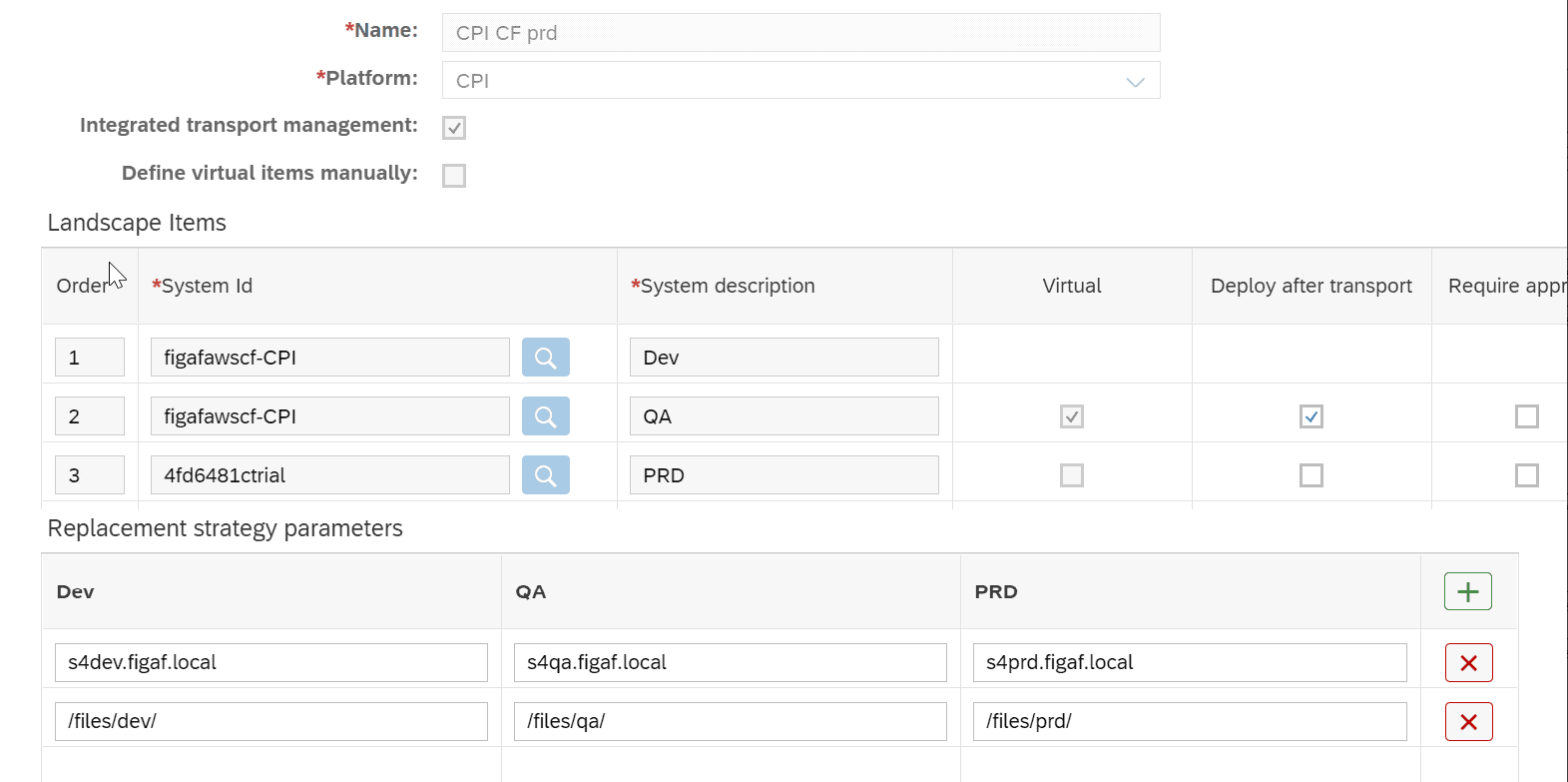
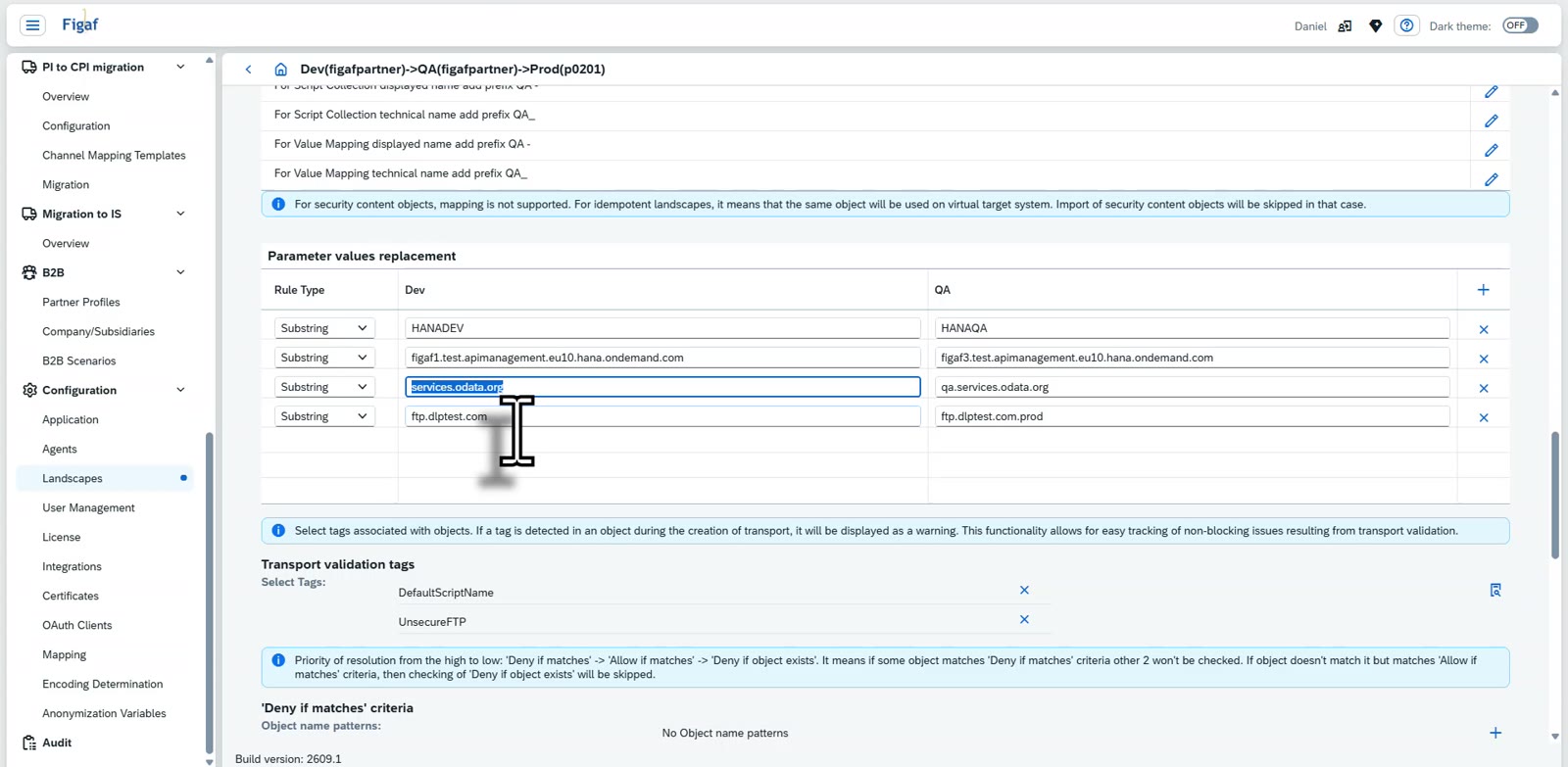
Replacement rules per landscape. Under the landscape you keep a table of values from development, such as an SAP ERP host name, and what they translate to in QA and production. Hosts, users, passwords and file paths are the typical cases.
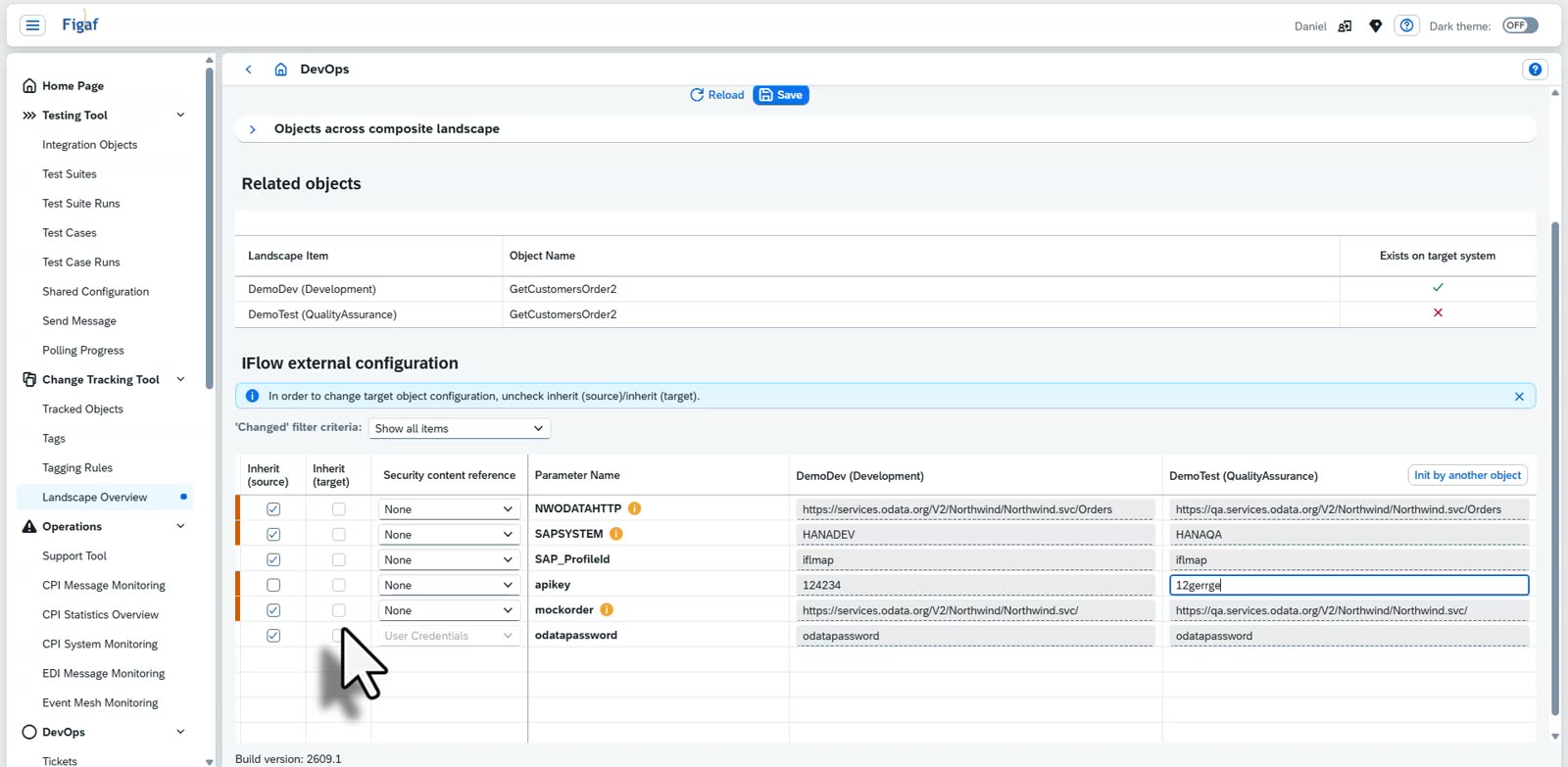
Applied at transport. When you transport an iFlow, Figaf determines which attributes change and fills in the target values. You can overwrite a value manually for one object, or use the same value in all instances.
Substring or exact match. Replacement used to be substring based. Since release 2510 you can also choose exact match, for values such as a system ID DH1 that must become TH1 without replacing too much elsewhere.
One approach across platforms. The same replacements work for SAP PI/PO communication channels, SAP Cloud Integration externalized parameters, and SAP API Management proxies and KVMs.
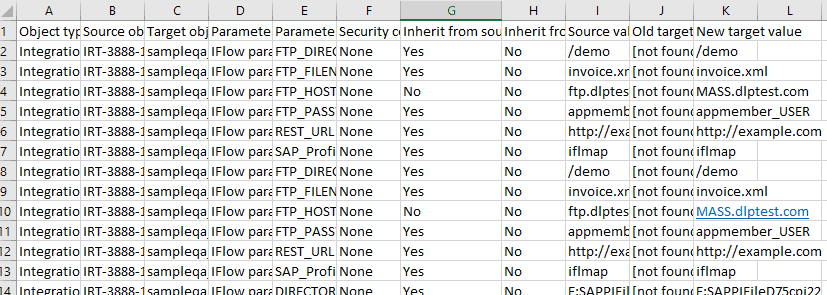
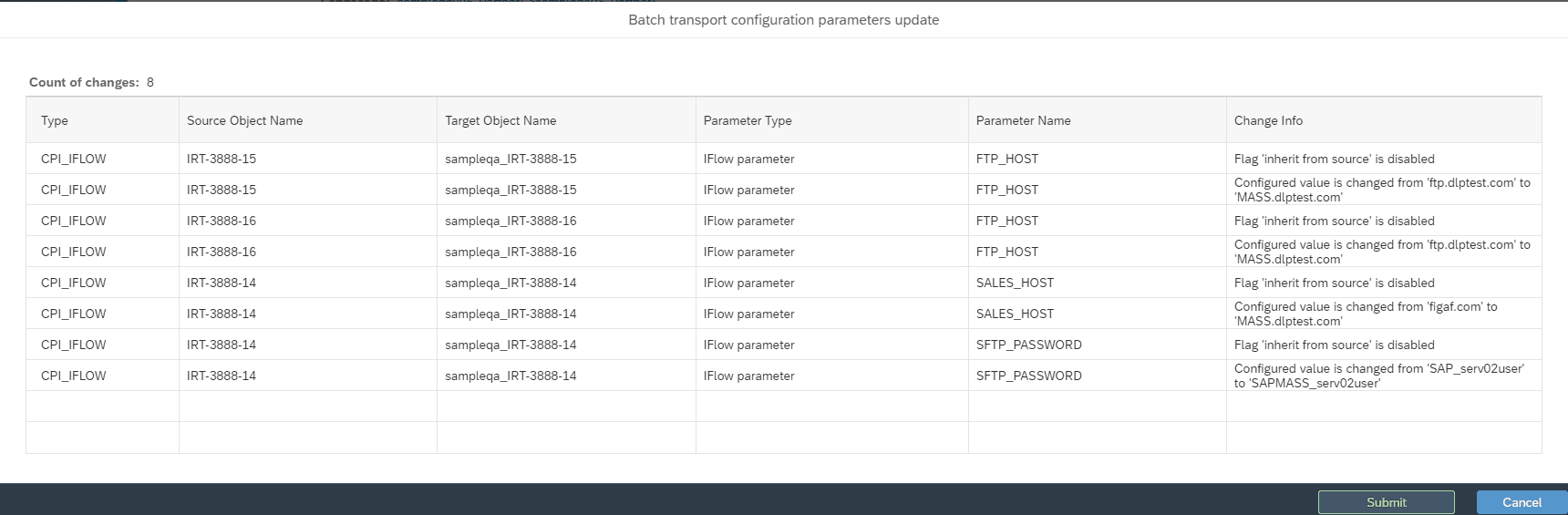
Mass configuration through a spreadsheet. Since release 2308 you can download the configuration of many objects, for example 20 PI channels or 20 iFlows, as a CSV (Excel) file, change host names, directories, users and passwords, and upload it again. Figaf shows the result of the import, applies it to the landscape and documents the change.
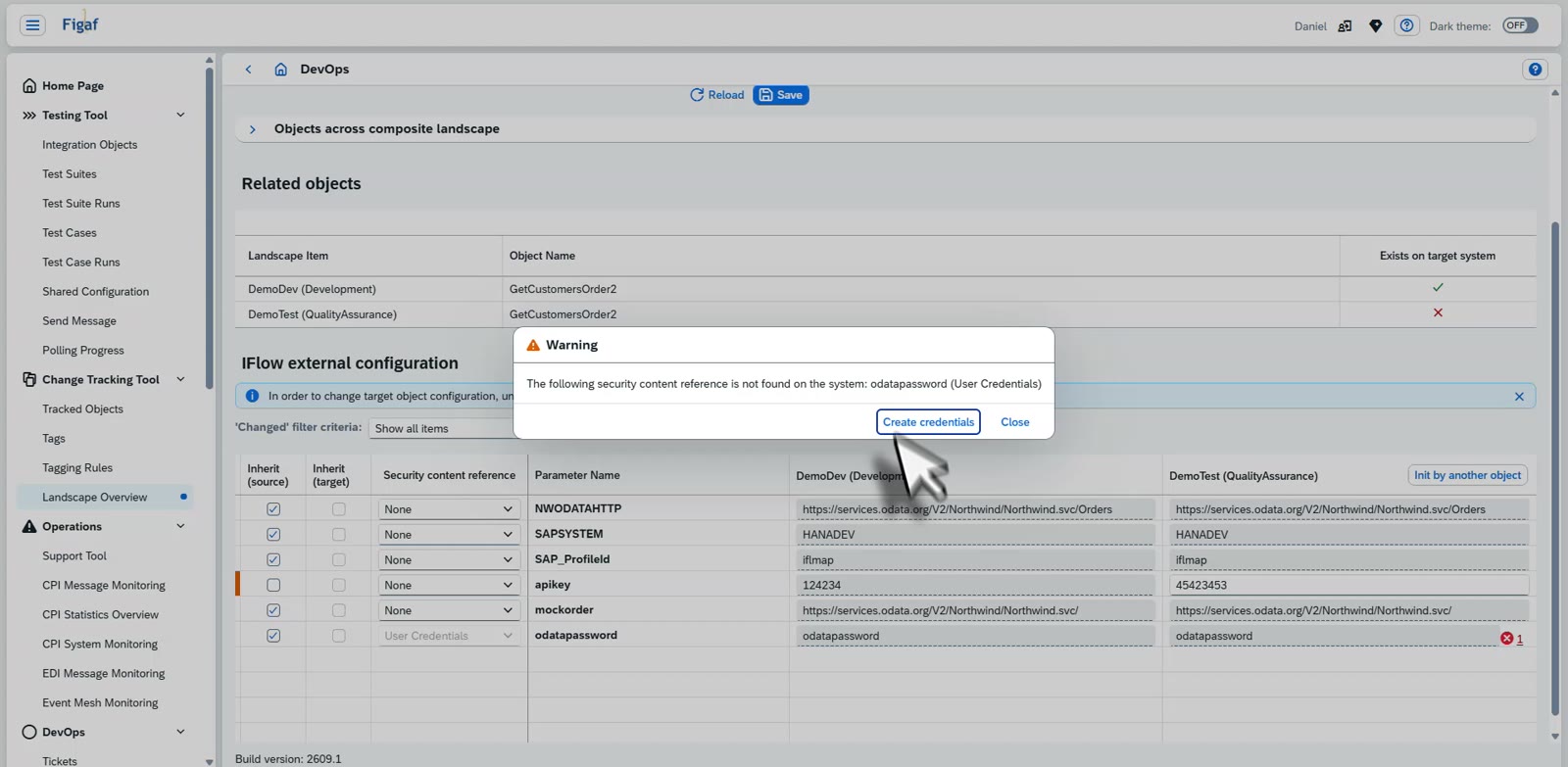
Inherit from target. When an iFlow is already deployed in the target with the same information, Figaf reuses the values that exist there instead of taking the values from development. You can override this and use the newer values.
Checks before go-live. Figaf warns you when a password that exists in development is not filled in for production. The transport overview lets you export all properties of a transport and compare them in a spreadsheet, so you can see where hosts or ports still need updating.
Replacement rules for each stage of the landscapeMass configuration: edit the exported file and upload it againExternalized parameters for source and target, with the inherit choice per parameterReplacement rules on the landscape change the value in every iFlowA credential missing in the target is reported before the transport, with the option to create it
Business value
Less manual work after each import. Configuration is defined once per landscape and applied on every transport, instead of being typed in after each import.
Fewer configuration errors. Values are replaced the same way every time, and Figaf warns about missing passwords, so fewer interfaces go live pointing at the wrong system.
Large changes in one step. At Foodstuffs South Island, interfaces with many conditional endpoints were exported to a spreadsheet, changed all at once and imported again, which the team said saved a huge amount of time.
Documented changes. Every mass update is documented in Figaf, which gives auditors and approvers a record of what was changed.
No dependency on one person’s notes. The configuration for each stage lives in the tool, not in a Word or Excel document that one developer maintains.
Good to know
Mass configuration was introduced in release 2308, and exact match replacement in release 2510.
Content that points to the right systems after every import
Keep host and parameter replacement rules for each stage in one place, and change many channels or iFlows at once through a spreadsheet export and import.