Is iFlow version 1.0.8 in production the same as 1.0.8 in QA, and is the configuration you see the one actually deployed?
What you see in the design time of SAP Cloud Integration is not always what is running. A developer may move an iFlow to production and forget to deploy it, or change the configuration without deploying the last change. Deployment and version comparison shows integration developers, architects and operations teams where design time and runtime differ, and whether versions on different tenants really are the same.
How it works
Design time versus deployed version. Figaf shows when the design time version of an iFlow differs from the runtime version. You can also compare versions between development, QA and production, and export the list from the Cloud Integration report.
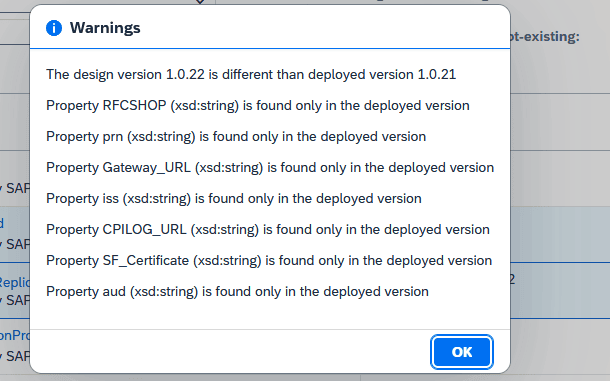
Configured versus deployed configuration. In the landscape configuration you can select to show the difference between design time and deployed configuration. Clicking a warning shows all the differences, so you can correct them and deploy the configured values. Run a full synchronization first so Figaf has access to all objects.
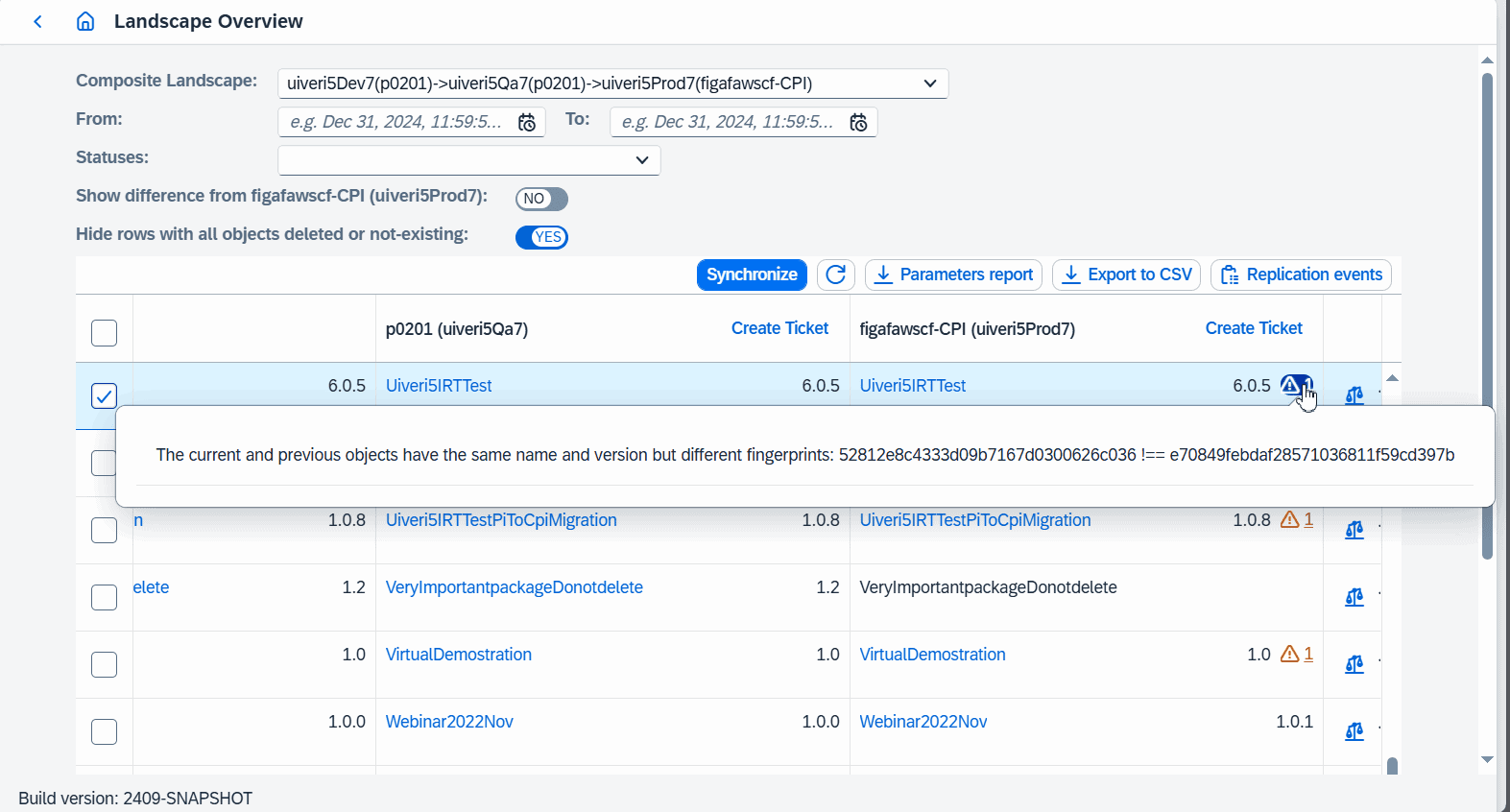
Fingerprints. Every Cloud Integration object has a fingerprint, which lets you see if two versions are the same. Elements that do not affect how the integration runs, such as timestamps, are left out. A mismatch shows up as a warning in the landscape report and in the CSV export.
Edge Integration Cell. You can see which iFlows are deployed on each Edge node and whether the design and deployed configuration match.
Differences between configured and deployed configurationFingerprint warnings in the landscape reportDesign time and deployed versions side by side
Business value
Fewer hidden production issues. Changes that were never deployed, or configuration that differs from what was approved, are found before they cause an incident.
Trust in your releases. Fingerprints prove that the version tested in QA is the version running in production, which supports audits and approvals.
Time saved. Without a tool, finding a forgotten deployment means checking iFlows one by one. Figaf lists every difference in one place.
Cleaner migrations. Clearing up differences between configured and deployed values is a good cleanup before you perform a migration.
Good to know
Part of the Figaf DevOps Suite. Design time versus runtime versions were introduced in release 2303.1 and extended in 2304, fingerprints came in 2409 and the comparison of configured and deployed configuration in 2411.
Figaf flags differences between design time and deployed versions and configuration, and gives every Cloud Integration object a fingerprint to check versions match across tenants.
See deployment and version comparison on your landscape