Edge Integration Cell runs your iFlows on your own network, but transporting, testing and monitoring them there is harder than in the cloud.
Edge Integration Cell is the part of SAP Integration Suite that lets you run integration content on your own network. Figaf supports it across transport, deployment, testing, monitoring and alerting, so integration teams can run iFlows on the edge with the same process they use for SAP Cloud Integration. Support started in release 2410 and the planned roadmap was completed in release 2501.
How it works
Setup. You configure the Edge Integration Cell on the Integration Suite agent. Since release 2501 it has its own menu item. You can connect through Cloud Connector by selecting OnPremise, adding the location ID of your Cloud Connector if needed and using the virtual URL. The Cloud Connector option only works when Figaf runs on SAP BTP.
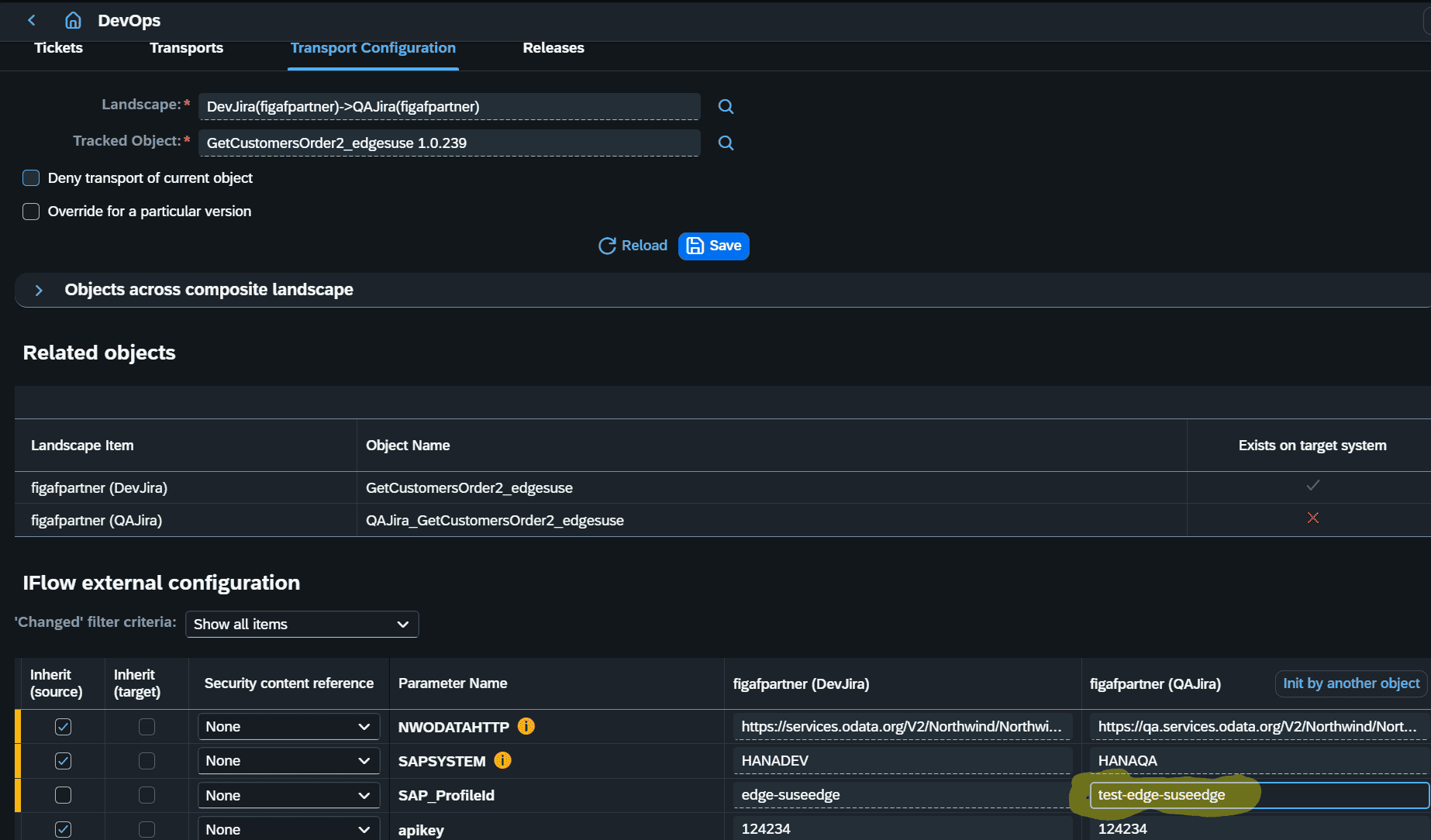
Transport. iFlows and other artifacts are transported with the normal Figaf transport process. You can change the parameters of the engine where an iFlow is deployed, such as the SAP_ProfileId for the QA edge runtime, and set this up as a rule.
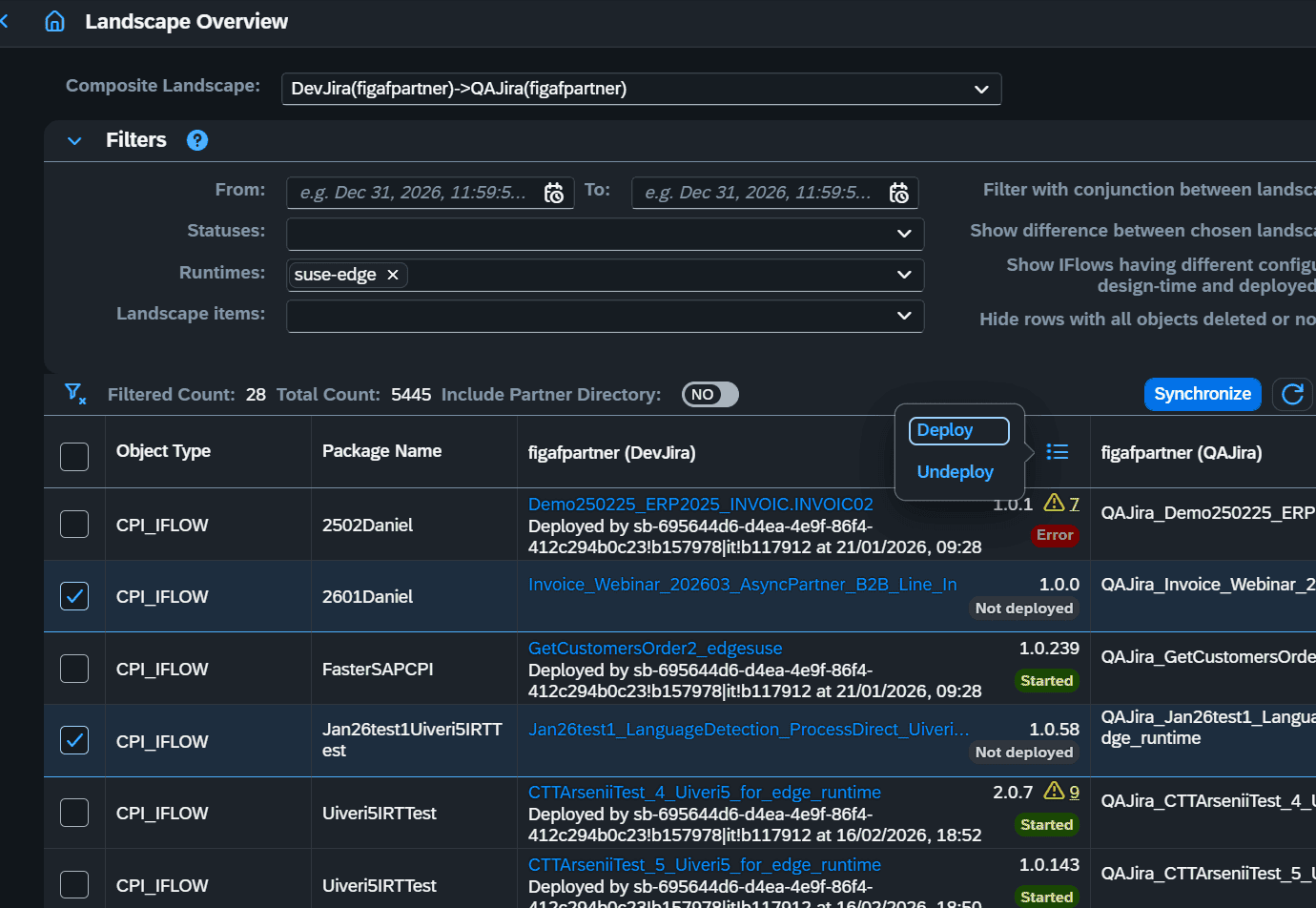
Deployment. From the landscape overview you select the runtime, and deploy or undeploy one or more iFlows on it, together with the scripts and mappings they depend on. You see which iFlows are deployed on each edge node, and whether the design and deployed configuration match.
Testing. Since release 2501 you can test iFlows on Edge Integration Cell the same way as other iFlows in Figaf.
Monitoring. Messages processed on the edge appear in the Figaf message overview and message browser, like other flows. Some data, such as persisted messages, cannot yet be fetched through the API.
Alerting. You can set up rules to route a notification when an iFlow fails on the edge, using a custom OData filter to find messages with errors and XPath conditions to decide where the email or webhook goes.
Migration from SAP PI/PO. Since release 2604 the channel templates in the Figaf Migration Tool can migrate to Edge Integration Cell and use Cloud Connector and a location ID for channels. You define the default location ID on the configuration page.
Set the edge runtime per stage in the transportSee and deploy what runs on each edge node
Business value
One process for cloud and edge. Edge content is transported, approved, tested and monitored the same way as Cloud Integration content, so the team does not need a separate way of working.
Fewer configuration errors. The edge runtime for each stage is set by the transport, not by hand after import.
Faster reaction to failures. Alerts route errors on the edge to the person who can fix them, by email or webhook.
Less manual deployment work. Deploying many iFlows and their dependencies in batches scales when you roll out or roll back a lot of content.
A direct path from SAP PI/PO. Interfaces that need to stay on your own network can be migrated straight to Edge Integration Cell and tested there.
Good to know
Edge Integration Cell support is part of the Figaf DevOps Suite and the Figaf Testing Tool, and migration to it is part of the Figaf Migration Tool.
Edge requires a bit more configuration to run than the cloud.
If you use Edge Integration Cell, Figaf recommends release 2412 or later, which improved the data collection for the message overview.
Run Edge Integration Cell with the same governance as the cloud
Transport iFlows with the edge configuration set per stage, deploy them in batches, test them, and monitor and get alerts for messages on Edge Integration Cell, alongside your Cloud Integration content.