General AI chats do not know your iFlows, so you spend your time copying context in and answers back out.
The Figaf AI bot lets you work with your iFlows through a chat inside Figaf DevOps Suite. It uses the same functions as the Figaf MCP server, but it is easier to set up because it already has your context. Integration developers use it to find and understand iFlows, write Groovy and XSLT code, and resolve errors.
How it works
Your context, built in. Since release 2605, the bot works with the functions of the Figaf MCP server: list agents, find iFlows by content, names or other criteria, check version history, compare versions and show iFlow dependencies.
Your own AI key. You enable the Figaf Bot in the configuration and provide an OpenAI or SAP AI key. Data is sent directly to the AI provider on your key, not to Figaf, and only if you enable it. The Figaf team cannot read your queries.
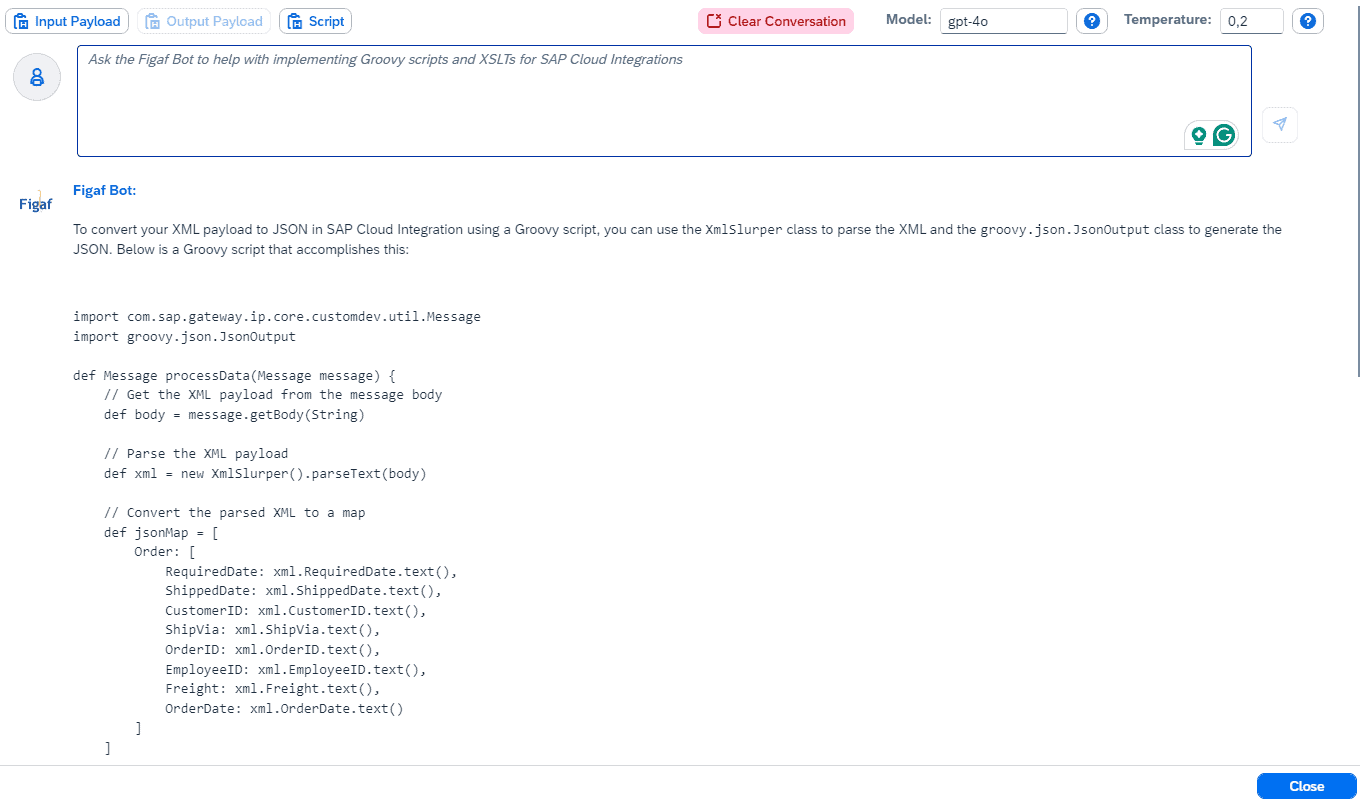
Code in the editors. In the Groovy and XSLT editors, a Figaf Bot button starts a conversation about the code (release 2406). You can add input and output payloads, also in anonymized form, describe what the code should do, and continue the conversation to update it. Since release 2509 the editor shows script, payloads and the bot side by side, so you can vibe code a mapping and run it right away.
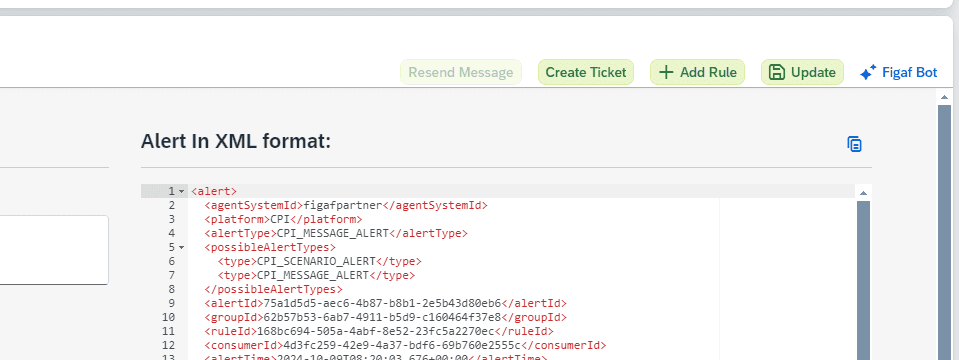
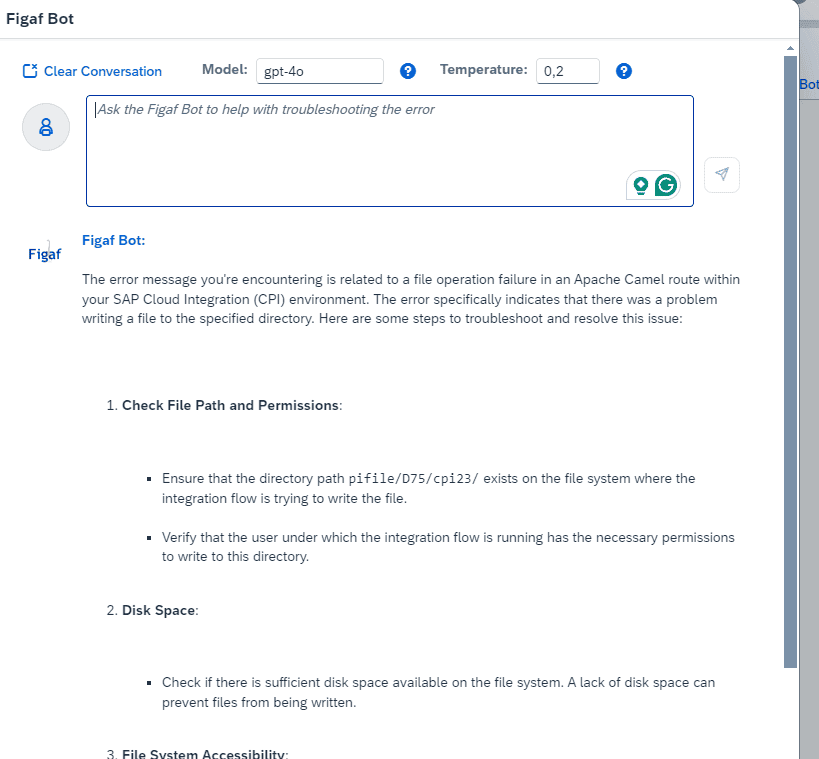
Help with errors. From an iFlow error you click Figaf Bot and get a prompt filled in with the error, which you can modify before you submit it (release 2410).
More context for code. Since release 2601, Figaf can add context about the Partner Directory, value mappings and security material to the conversation, so generated code uses the correct APIs instead of inventing its own lookups.
Your own agent instead. If you prefer Claude or a self-hosted model, the MCP server lets it find, compare and trace iFlows. Since release 2606 the MCP server also works for users on SAP BTP.
Ask the Figaf Bot about an errorThe Figaf Bot in the Groovy editor
Business value
Less time searching. Developers ask about iFlows, versions and dependencies in plain language instead of looking through packages by hand.
Faster error resolution. A prefilled prompt with the error replaces searching the web for an answer.
Your data stays under your control. Requests go directly to OpenAI or SAP AI on your own key, Figaf does not see them, and the feature is off until you enable it.
Cost you control. You pay the AI provider directly for what you use, and the standard models are fairly cheap.
Knowledge for the whole team. New team members can explore existing integrations with the bot, which reduces dependency on the developers who built them.
Developers are still responsible for the code. Generated code goes through your normal transport path, with approval and dependency checks.
Good to know
The bot requires your own AI key: OpenAI, or SAP AI. The vibe coding editor does not have a token limiter. Through the MCP server you can connect Claude or a self-hosted LLM.
An AI assistant that already knows your integrations
Work with your iFlows through a chat bot inside Figaf that has your context, and get help with Groovy, XSLT and errors, using your own OpenAI or SAP AI key.