Your iFlows call each other through ProcessDirect and JMS, and nobody can see the full path before changing one of them.
In SAP Cloud Integration, many scenarios are built from several iFlows that call each other through ProcessDirect or JMS queues. The iFlow dependency view in Figaf shows those relationships, and links them to the Trading Partner Agreements that use them. Integration developers, architects and B2B teams use it to understand the paths through their landscape before they change or transport an iFlow.
How it works
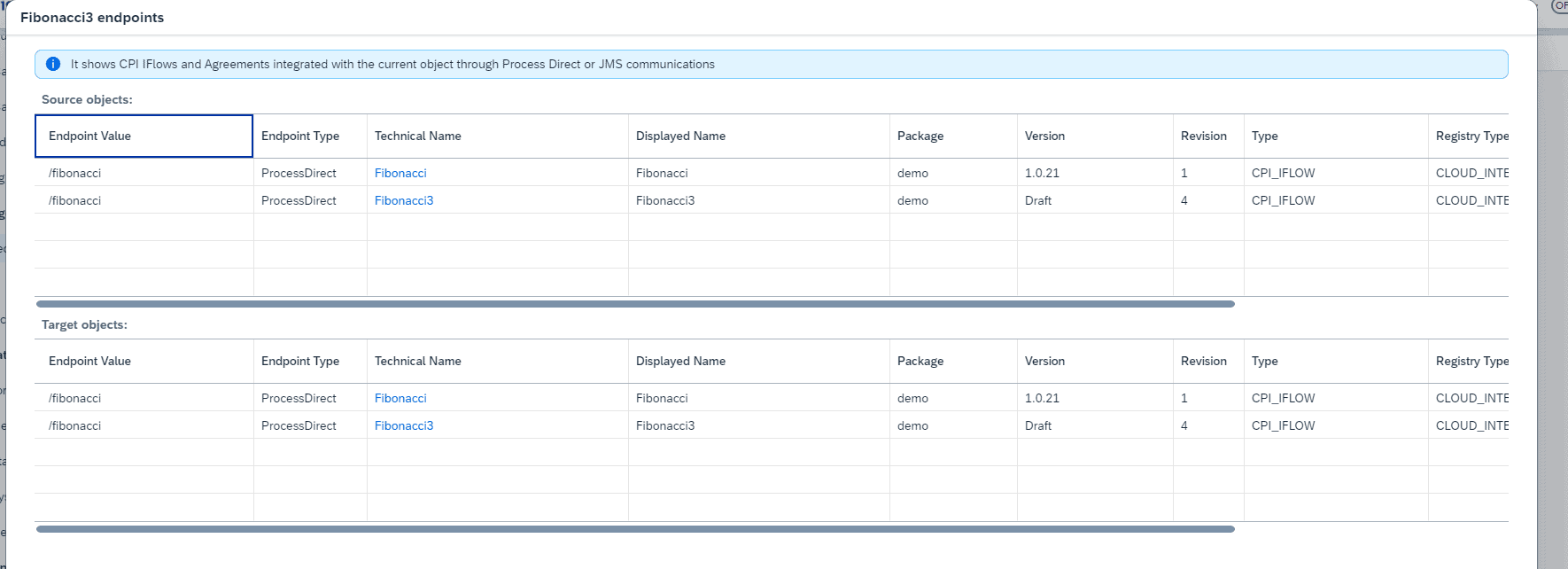
Relationships per iFlow. You select an iFlow and see its relationships to other iFlows through ProcessDirect and JMS, which makes the different paths easier to follow.
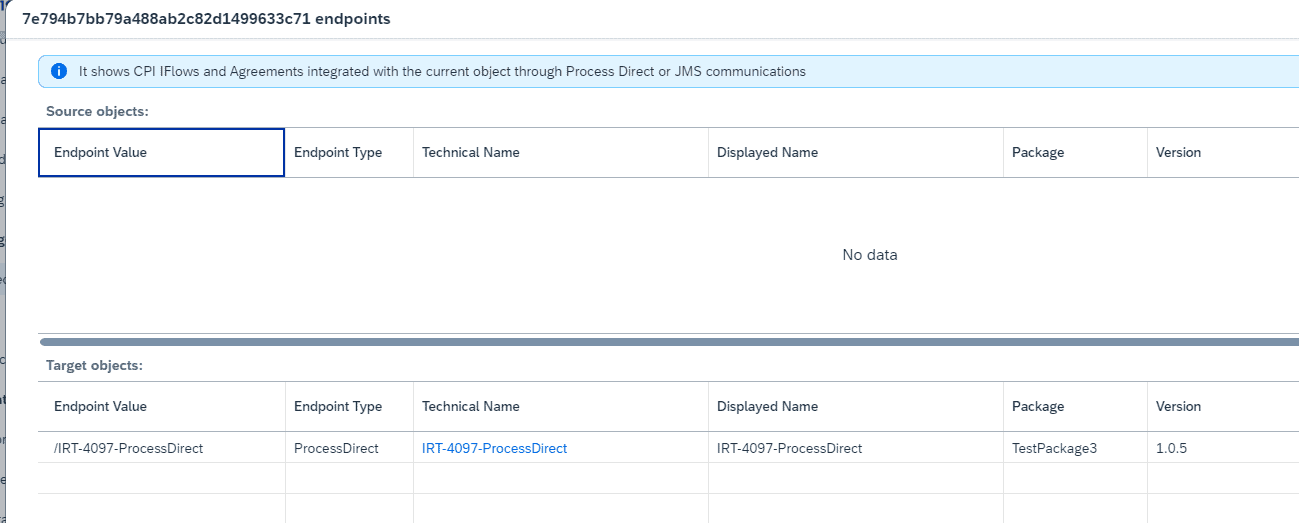
Link to Trading Partner Agreements. From the iFlow, you see the Trading Partner Agreement where the ProcessDirect address is used.
B2B scenarios. For TPM B2B scenarios, you find the related iFlows through ProcessDirect, and the MIGs as a where used list.
Tenant report. The Cloud Integration tenant report lists, per iFlow, its connections through dependencies and ProcessDirect, alongside versions, endpoints, security artifacts and external configuration.
AI access. The Figaf MCP server includes a function to show iFlow dependencies, so you can ask an AI assistant such as Claude or OpenAI about them. A similar API is available if you want to build your own tools.
Limit. Links where iFlows are connected through Simple Expressions are not shown.
The relationships of an iFlow through ProcessDirect and JMS.See which Trading Partner Agreement uses the ProcessDirect address.
Business value
Lower risk when changing shared iFlows. Before you change an iFlow, you see which other iFlows and agreements depend on it, so fewer changes break something downstream.
Faster impact analysis. Architects and testers can answer “what does this change touch” from the tool, instead of opening each iFlow to read its adapter settings.
Less dependency on individual specialists. The paths through the landscape are visible to the whole team, not only to the developer who built them.
Better documentation. The relationships are part of the tenant report and come from the actual content, so they stay current.
Good to know
Available since release 2312. Release 2504 added the related iFlows for TPM B2B scenarios, release 2410 added the tenant report, and release 2605 added iFlow dependencies to the MCP server.