With several versions of every MIG, MAG, template and agreement, you lose track of which version is used where and what changed.
In SAP Integration Suite B2B, Message Implementation Guidelines (MIGs), Mapping Guidelines (MAGs), agreement templates and agreements can all exist in several versions. Figaf tracks those versions, shows the differences between them, and links them to the agreements that use them. B2B developers, architects and release managers use it to know exactly what is in use and what has changed.
How it works
MIG versions. You can see the versions of each MIG and the differences between two versions. Active, draft and deleted versions are handled. MIGs are linked to the trading partner agreements, so you can see what is used where.
MAG versions. You can see the different versions of your MAGs and compare them.
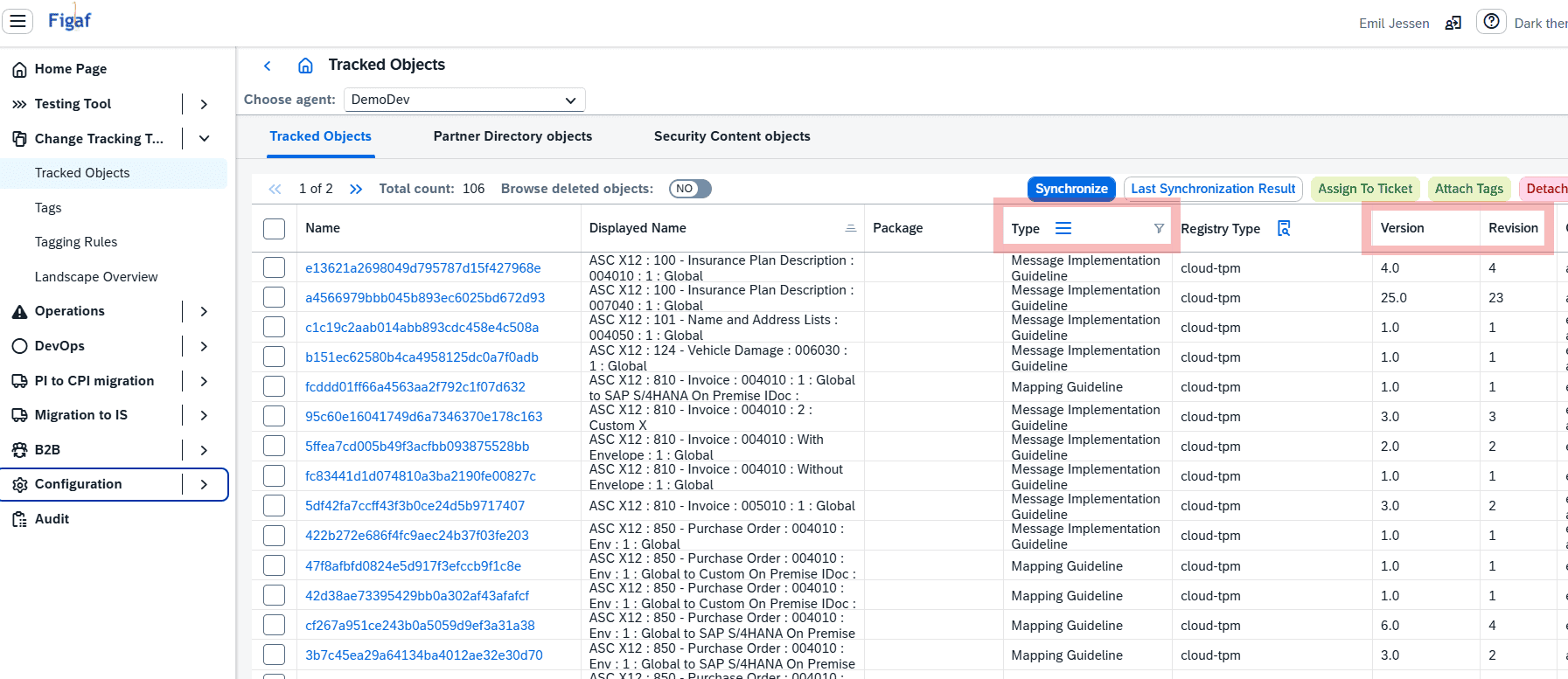
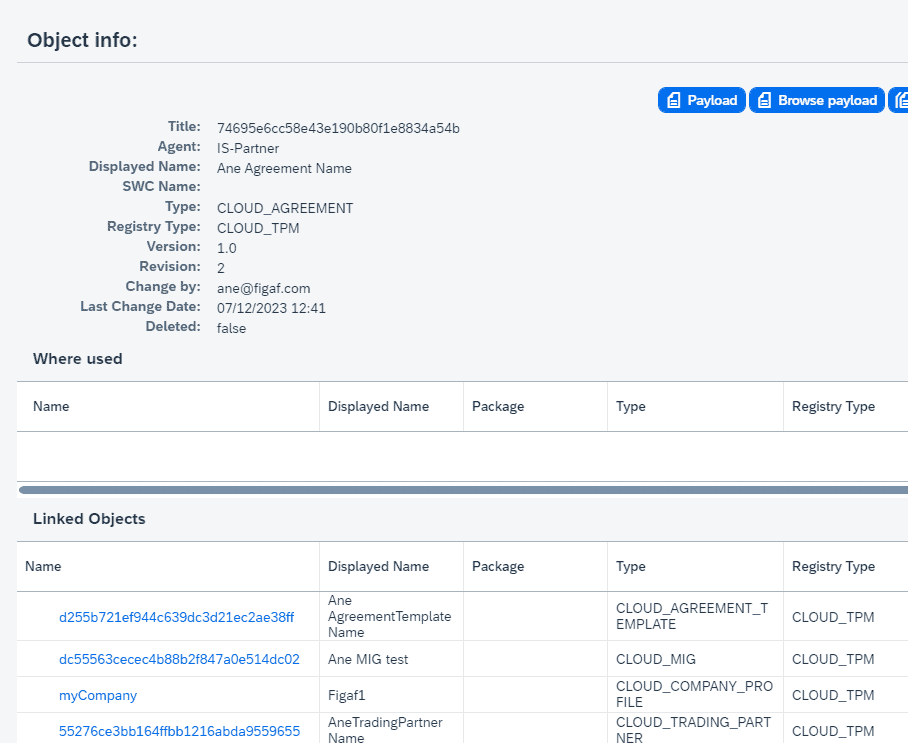
Tracked objects. MIGs and MAGs, with their version details and the links between related objects, appear under Tracked Objects in Figaf, which gives a base for comparison.
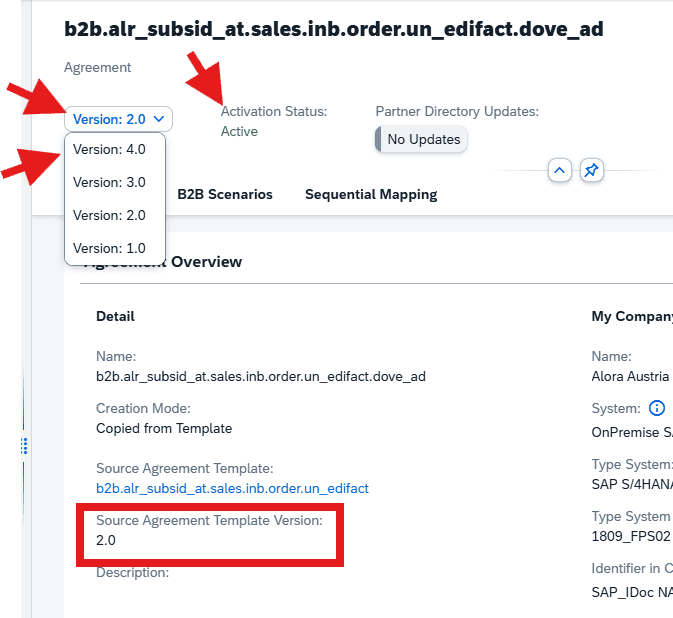
Agreement templates and agreements. Figaf supports SAP’s agreement template versioning, where versioning is mandatory and a template can stay in draft, and agreement versioning. The versions are shown in the B2B scenarios overview.
Design and runtime versions. The B2B scenarios table shows the MIG and MAG design status and version next to the assigned (runtime) status and version, so you can see where versions differ.
Clean up before you delete. SAP supports a maximum of five agreement versions, so older ones must be deleted when the limit is reached. Figaf gives you the overview to consolidate and check before deleting.
Transport checks. In Figaf DevOps, MIGs and MAGs are part of the ticket and transport process. Figaf checks that all objects are valid versions, so MIG and MAG drafts are stopped. You can choose to allow drafts of agreement templates and agreements in transports, which increases risk.
MIGs and MAGs with version details in Tracked ObjectsDifferences between two MIG versionsAgreement versions in one overview
Business value
Controlled B2B changes. Knowing which versions are used where, and when, is a core prerequisite for a controlled B2B landscape.
Every change is visible. Even a small change to a complex MAG XSLT is known and identifiable before a release is approved.
Better release decisions. When you have to decide whether all affected agreements and exchanges were tested before a correction is released, the documentation is there.
Aligned landscapes. Comparing versions across tenants helps keep development, test and production in step, and avoids losing track of what actually runs.
Audit readiness. Each version is tracked with its history, which supports governance and audits in a landscape with many partners.
Good to know
MIG versioning was introduced in release 2312, MAG versioning in 2506, tracking of MIGs and MAGs with linked objects in 2511, transport of MIGs and MAGs in 2512, agreement template versioning in 2604 and agreement versioning in 2606.
Available in Figaf B2B Management and the Figaf DevOps Suite.