The Partner Directory has no screen of its own, so you cannot see, change or transport its entries without working through the API.
The Partner Directory in SAP Cloud Integration holds the values that pipeline and B2B flows look up at runtime, but it is only reachable through its API. Figaf DevOps Suite gives integration developers and architects a view of every entry, a way to edit it, a change history and a transport process, the same way iFlows are handled.
How it works
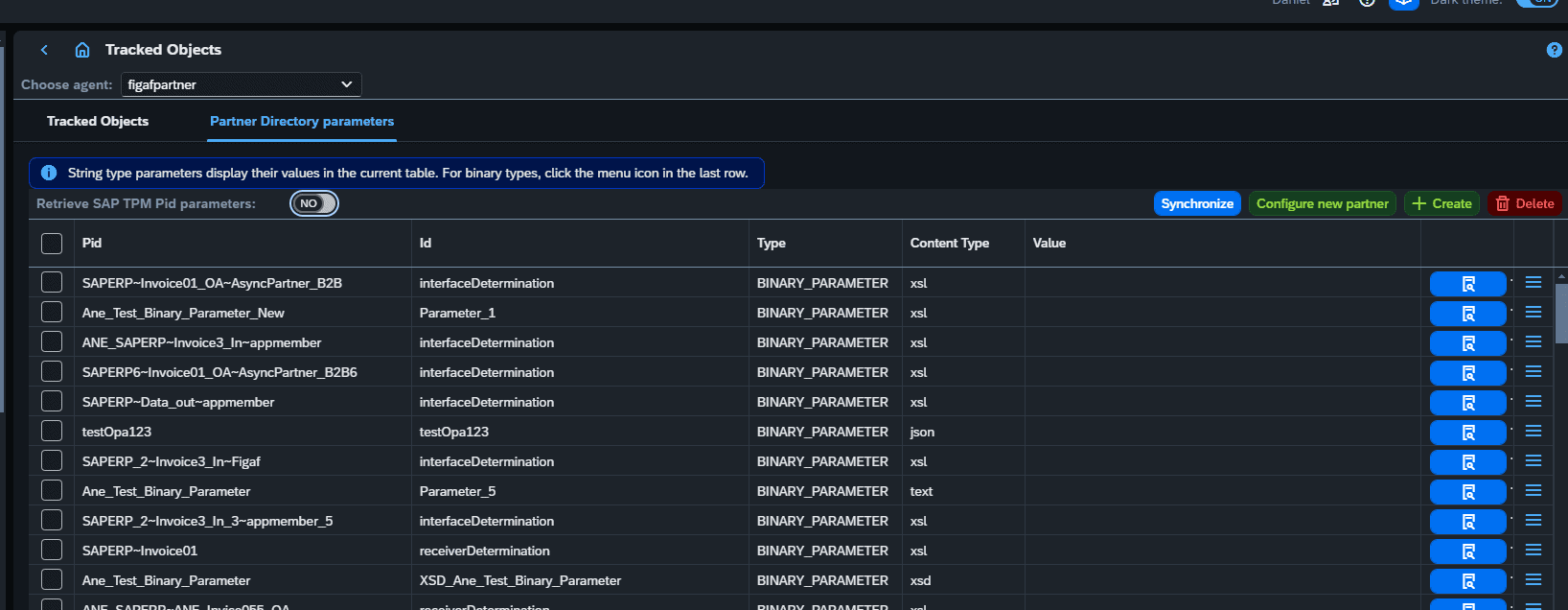
View and edit. Since release 2405 you can view Partner Directory objects in Figaf, create new ones and modify them. XSLT entries open in Figaf’s XSLT editor, where you can test them using the runtime on Cloud Integration.
Change history. Figaf keeps the history of changes to each entry and shows who changed values, so you can see what is going on and ask the right questions.
Transport. Since release 2406, you add a Partner Directory entry to a ticket and transport it the same way as iFlows and other objects. Virtual tenants are supported by adding a prefix to the entries. SAP_TPM entries are not transported by Figaf, because they are handled by the normal TPM transport process.
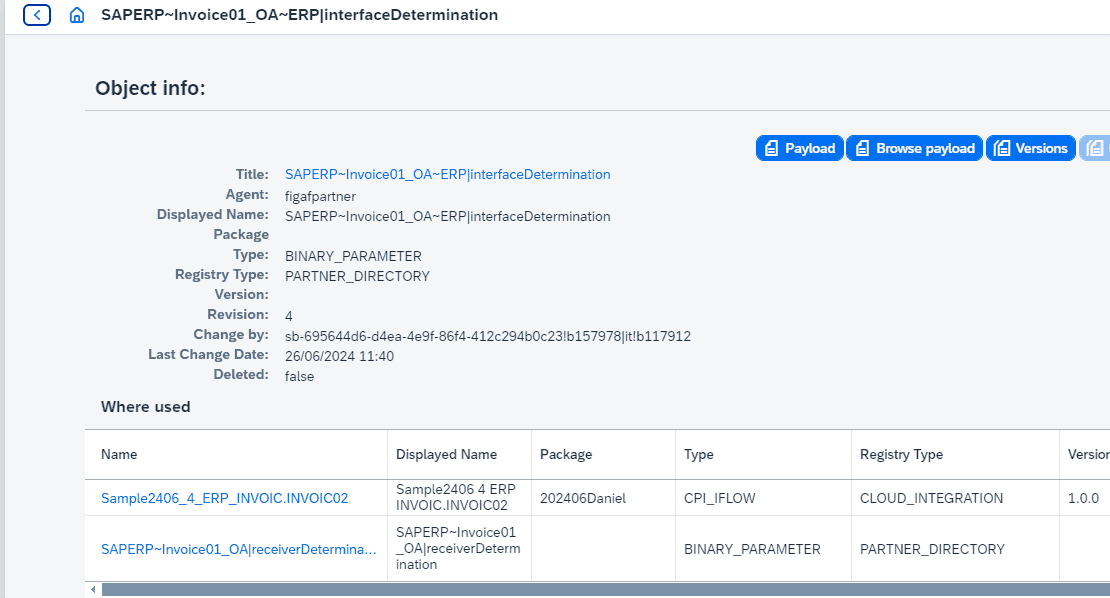
Where used. Figaf shows which other objects an entry is linked with, for example whether a Receiver Determination or Interface Determination entry for pipelines is used by one or more iFlows. Since release 2410, entries are linked under the Partner ID (PID), following version 1.0.6 of the pipeline concept.
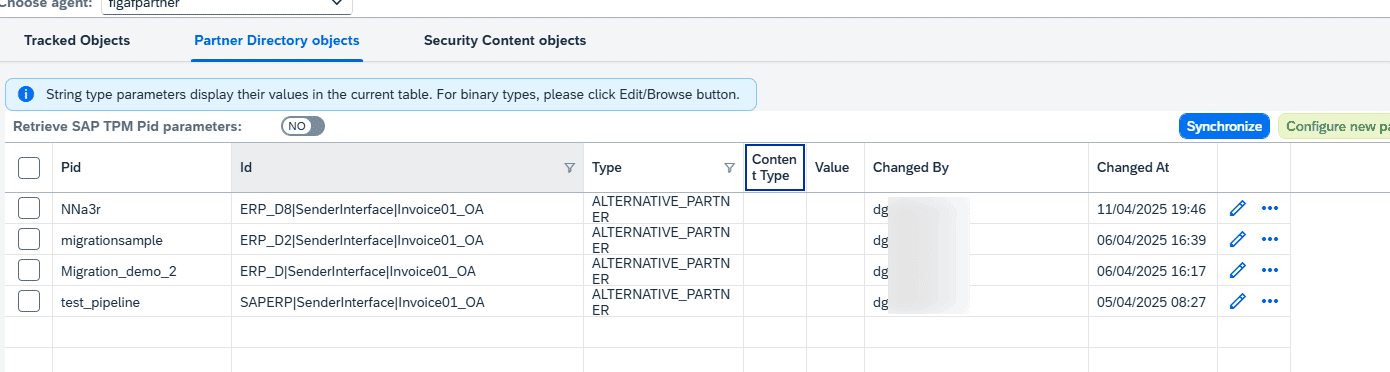
Alternative partners. Figaf keeps track of all alternative partners (release 2503). Since release 2504 you can administrate, edit, copy and delete them, and search for a value to find every place a specific ID is used.
Binary entries. Since release 2505 you can view the content of binary Partner Directory entries in zip files, and see the difference between two versions. Figaf does not recommend editing these, because they are mostly TPM content that is overwritten on each deployment.
From migration. When Figaf migrates an SAP PI interface to the pipeline concept, it creates the Partner Directory entries, and you can see and adjust the entries that were created.
Partner Directory entries in FigafSee which objects an entry is linked withSearch alternative partners for a specific ID
Business value
Visibility of runtime configuration. Entries that decide where messages go are visible and searchable, instead of hidden behind an API that only a few specialists use.
Controlled changes. Partner Directory changes move through tickets, approvals and transports like the rest of your content, so production is not changed by hand.
Traceability for audit. The history shows what changed and who changed it, which helps when an auditor or incident review asks why routing behaved differently.
Lower tenant cost. Prefixed entries for virtual tenants let you keep QA on your development tenant, which can save one or more Integration Suite tenants.
Safer pipeline migrations. Seeing the entries Figaf created during a migration, and where they are used, makes it easier to check and adjust a pipeline before go-live.
Good to know
Partner Directory support was introduced in release 2405, with transports added in release 2406.
See, change and transport Partner Directory entries like any other object
View, create and edit Partner Directory entries, including alternative partners and binary entries, see who changed what, and transport them with a ticket.
See partner directory management on your landscape