Every new trading partner agreement needs the right main, pre and post iFlows, and building or finding them by hand slows onboarding.
In SAP Integration Suite Trading Partner Management, a B2B scenario can use custom iFlows: a main iFlow, and pre and post iFlows around it. When you create an agreement in Figaf B2B Management, you can reuse the iFlows you already run, or copy one into a new artifact made unique for that partner. B2B developers and partner onboarding teams use it to set up agreements faster and with less manual work in SAP Cloud Integration.
How it works
Single screen agreement creation. You select the trading partner and click + Create Agreement. The same process is used for a new agreement and for a B2B operation mapping migrated from SAP PI, and the result is identical.
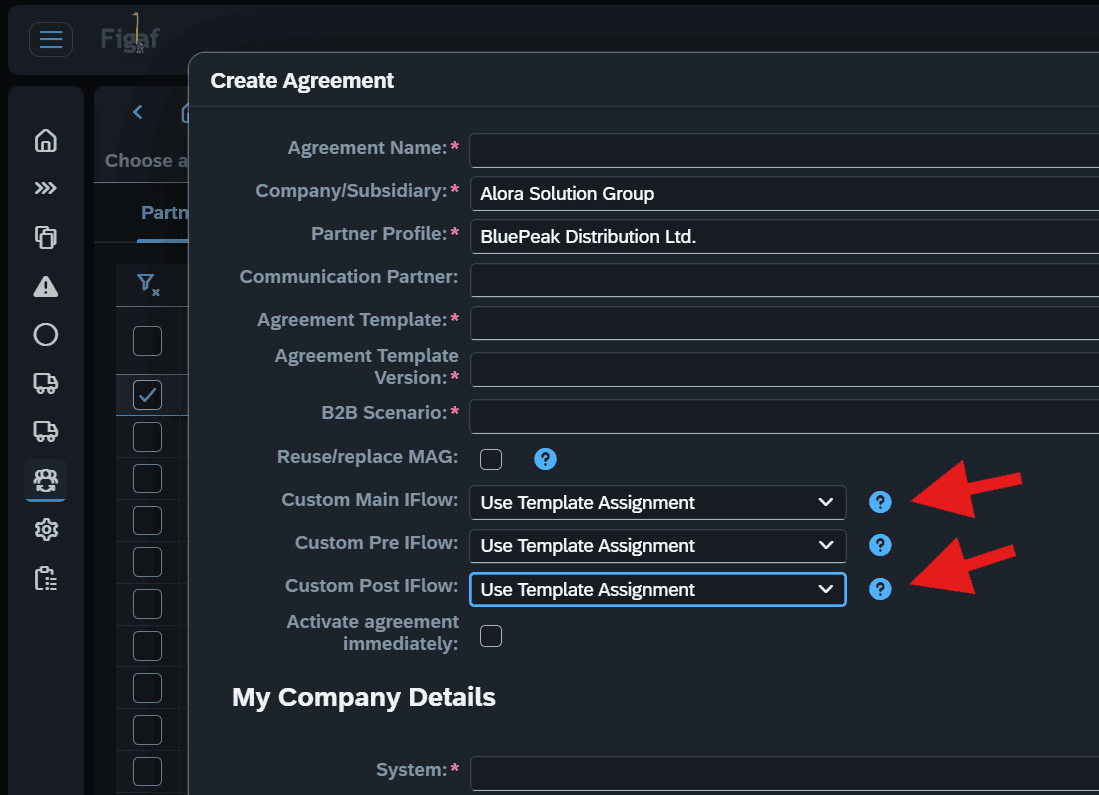
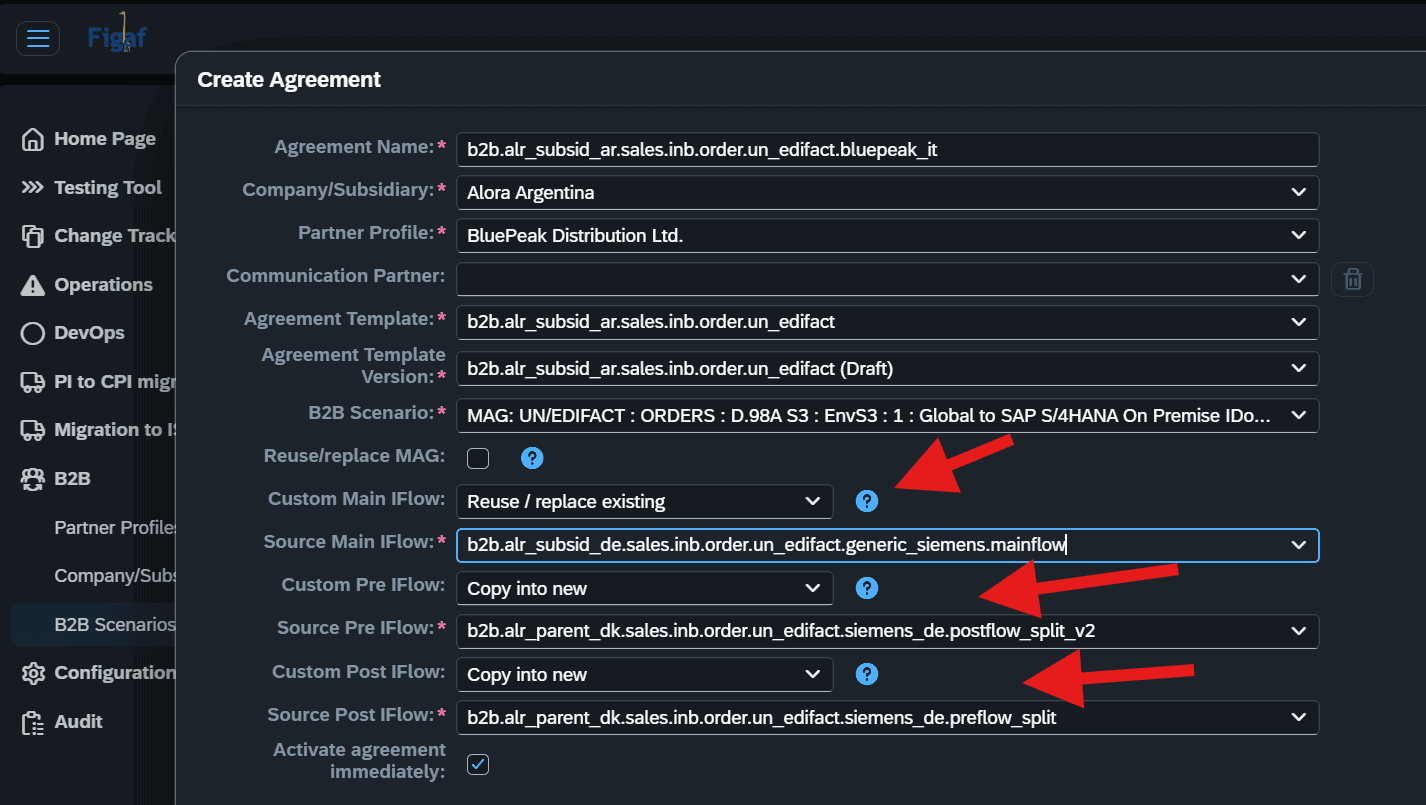
Reuse an existing main iFlow. If your agreement templates are based on MAGs only, or not all custom iFlows are maintained in the templates, you select an alternative custom main iFlow. The list shows all main iFlows used in existing TPM scenarios with the same source MIG and target MIG combination.
Reuse pre and post iFlows. You can also select and use existing pre and post iFlows, or replace them.
Copy into a partner specific artifact. You can copy an existing iFlow into a new partner specific artifact, so the iFlow can be made unique for the partner the new agreement is for.
Generic or partner specific migration. When you migrate B2B mappings from SAP PI, you choose to migrate them as generic or partner specific. Once an operation mapping has been migrated as generic, later migrations of the same mapping, for example for other partner profiles, can use the generic mapping.
Overview. The B2B scenarios overview shows the runtime status and version properties of the main, pre and post iFlows assigned to each scenario.
Select existing iFlows when you create an agreement.Copy an iFlow into a new artifact for one partner.
Business value
Faster partner onboarding. Reusing iFlows that already run in production removes the need to build or search for them for every new agreement.
Consistent setups. Picking from iFlows already used with the same MIG combination keeps partners on proven building blocks instead of one off variants.
Room for exceptions. When a partner needs something different, a partner specific copy isolates the change, so other partners using the original iFlow are not affected.
Less specialist knowledge needed. The list of matching iFlows is shown in the agreement screen, so the person onboarding a partner does not need to know which iFlow belongs to which scenario.
Good to know
Reuse of an existing custom main iFlow came with release 2603. Reuse of pre and post iFlows and copying into a partner specific artifact came with release 2605.
Reuse the iFlows you have, or copy one for a single partner
When you create an agreement, select existing main, pre and post iFlows from your TPM scenarios, or copy an iFlow into a new partner specific artifact.