Nobody has time to write documentation for every iFlow, so what the integrations do is only known by the people who built them.
AI documentation in Figaf DevOps Suite creates documentation of your SAP Cloud Integration iFlows with AI. It is used by integration teams, architects and support who need to understand what an iFlow does without reading the flow step by step. It builds on the documentation Figaf already generates from your content, and adds a description written by AI.
How it works
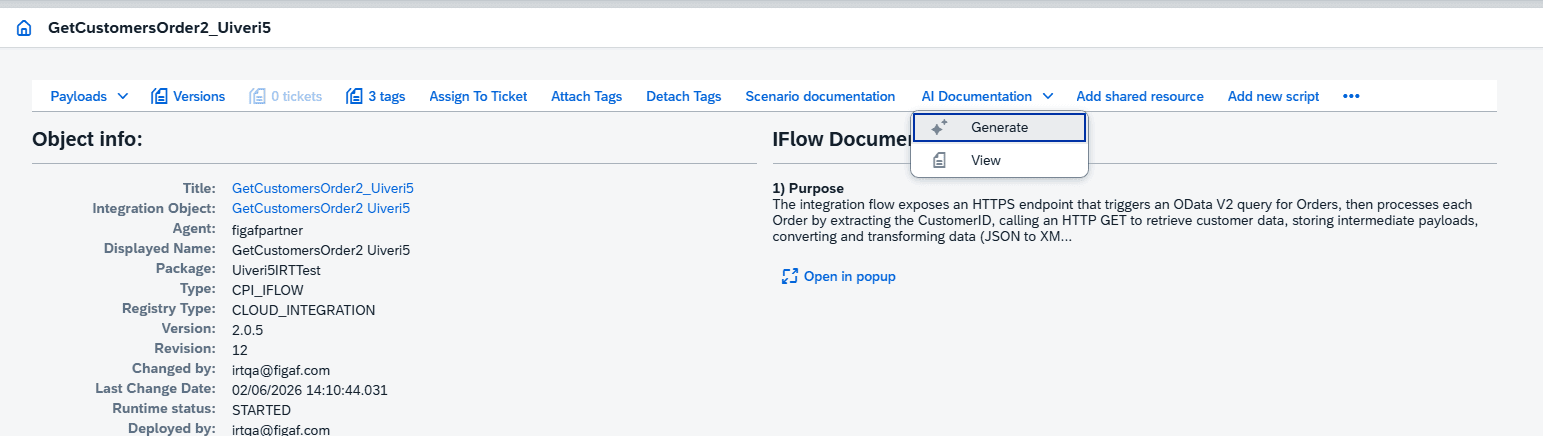
Generated per iFlow. Figaf creates documentation for your iFlows, and from the overview you open an iFlow to get more information about it.
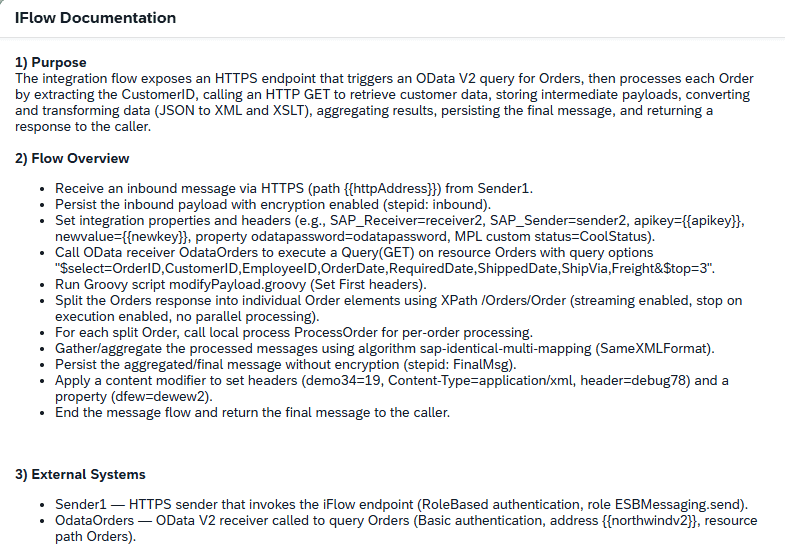
Part of the normal documentation. The AI details are also included in the normal iFlow documentation that Figaf generates.
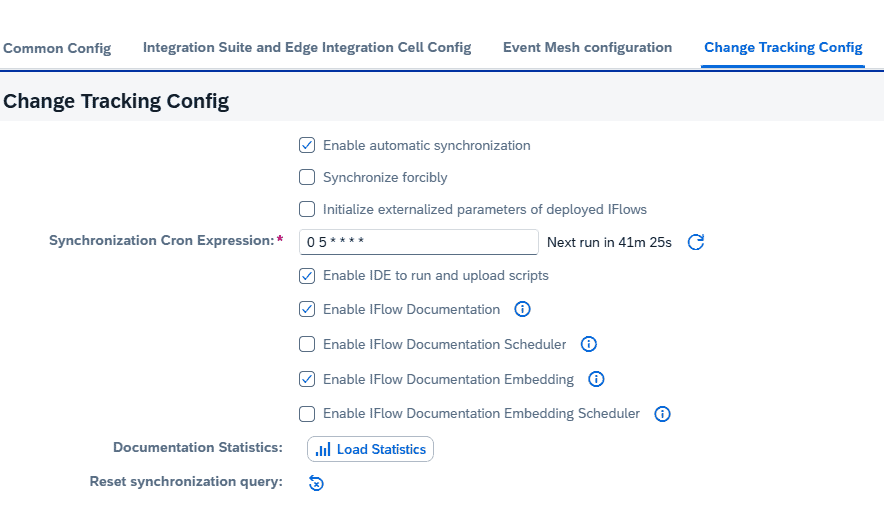
On demand or scheduled. On the agent configuration you choose whether documentation should be created automatically, and schedule a job for it. The first run takes some time, since it generates documentation for all iFlows.
Embedding for search. The agent configuration also covers embedding, which makes it possible to search iFlow content and is used in the AI search of iFlows.
Token efficient. Figaf has tried to keep the documentation creation as token efficient as possible.
Your own AI account. Like Figaf’s other AI features, it uses your own OpenAI or SAP AI key, and data is sent directly to the AI provider on your key, not to Figaf.
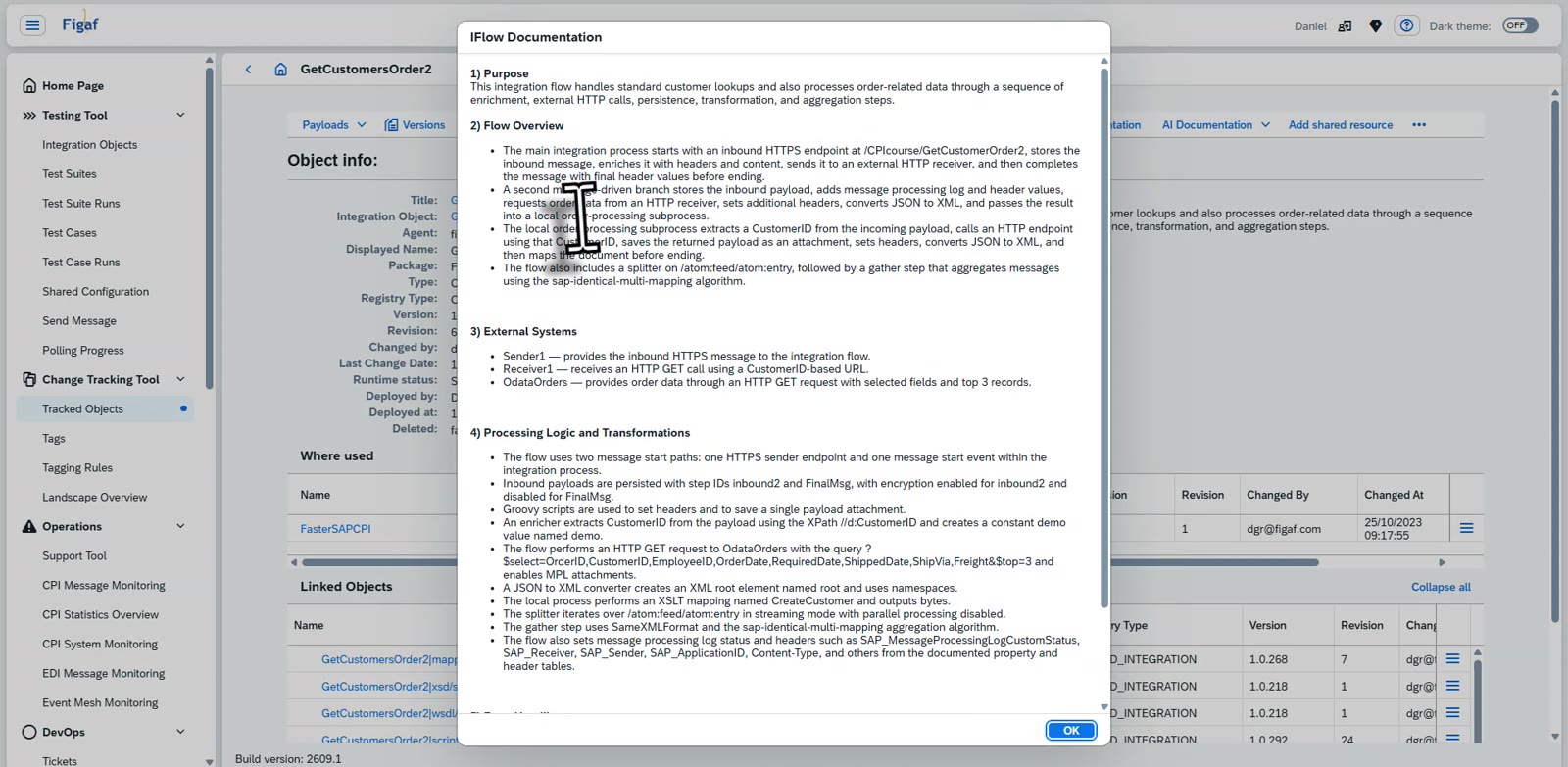
AI documentation of your iFlowsMore information about a single iFlowSchedule the documentation job on the agent configurationThe AI generated documentation of an iFlow, in full
Business value
Documentation without the effort. Teams get a description of every iFlow without developers spending time writing it, which is one of the most time consuming parts of integration work.
Less dependency on individual developers. Knowledge about what each integration does is written down and shared with the whole team, not kept in the heads of a few experienced people.
Faster onboarding and support. New developers and support staff can understand an iFlow from its documentation before they open it.
Always current. A scheduled job keeps the documentation up to date with what is running, instead of relying on someone to update it after each change.
Controlled AI use. Data goes to your own OpenAI account, and documentation is only created when you enable it.
Good to know
AI documentation is part of Figaf DevOps Suite and has been available since release 2605, together with the Figaf AI bot and the MCP server.
Figaf generates documentation of your SAP Cloud Integration iFlows with AI, on demand or as a scheduled job, and adds the details to the normal iFlow documentation.