
Edge Integration Cell (EIC) is one of the interesting features of SAP Integration Suite that allows customers to run integration on their local network.
In Figaf we have been adding a number of features to support EIC content, so it works smoothly with your other integration.
Transport
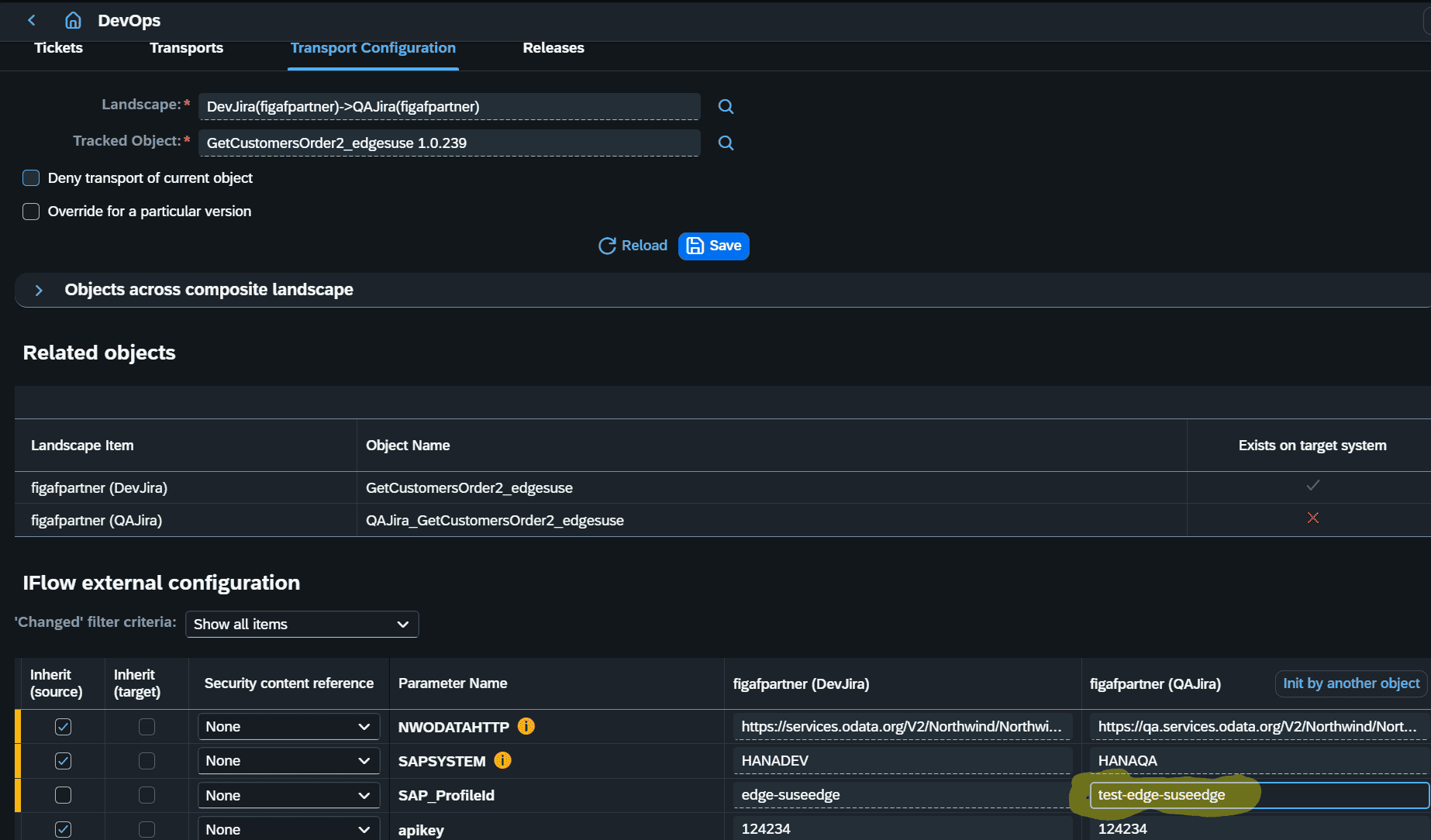
When you transport an EIC iFlow you can automate the configuration of the different edge cells in your landscape.
iFlows and other artifacts are of course transported using the normal Figaf transport method, where you have the ability to change the parameters of the engine where it is deployed. You can even set this up as a rule.
Testing
You can run tests on your EIC the same way as you test other iFlows in Figaf.
This makes it possible to ensure they work correctly and that changes do not impact them.
Operation
Understanding what iFlows are deployed and being able to undeploy them is important. With Figaf you have a good overview of your tenants.
You can see what iFlows have been deployed on each Edge node and if the design and deployed configuration match.
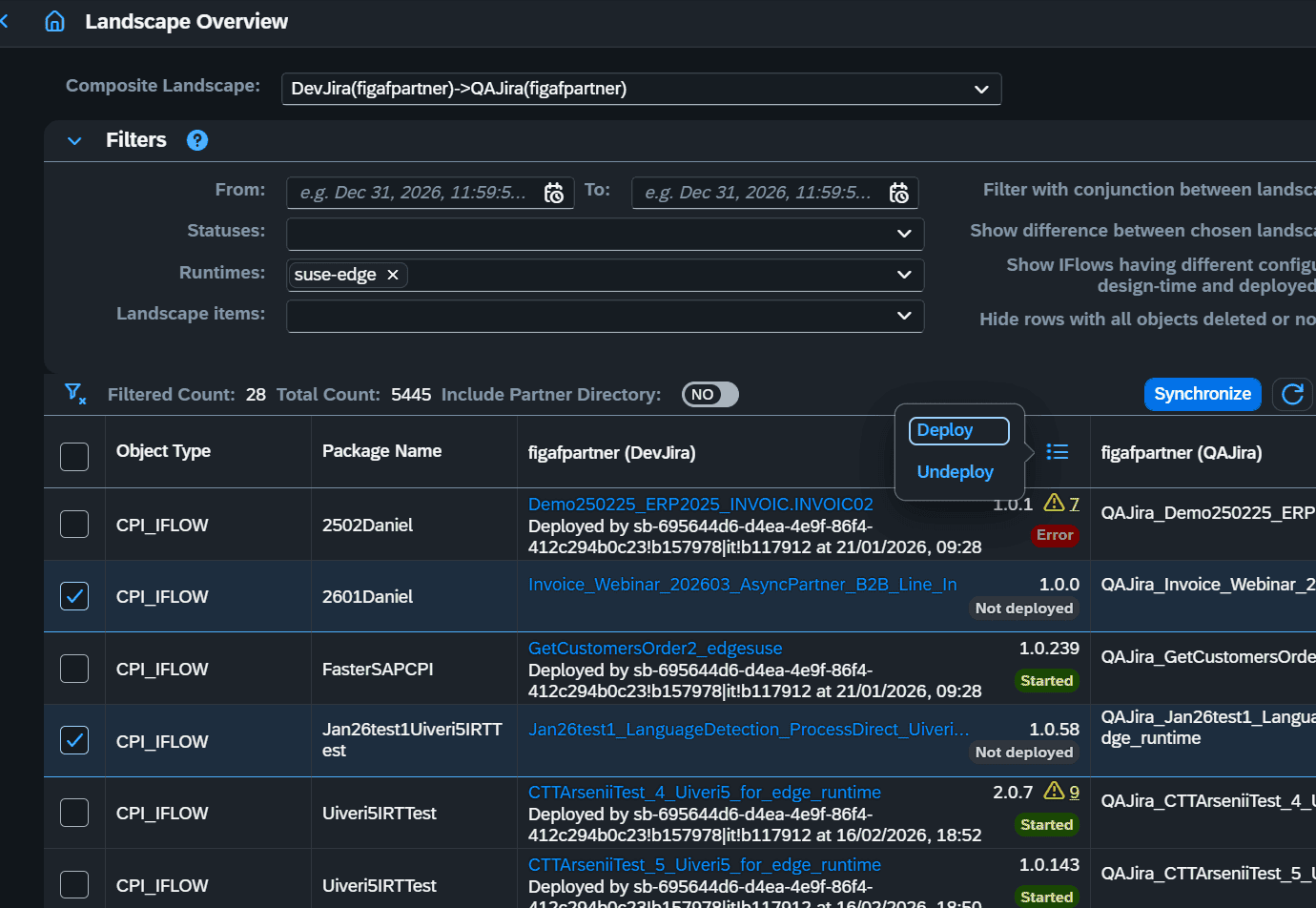
You can also deploy or undeploy iFlows and the dependent objects directly from the overview.
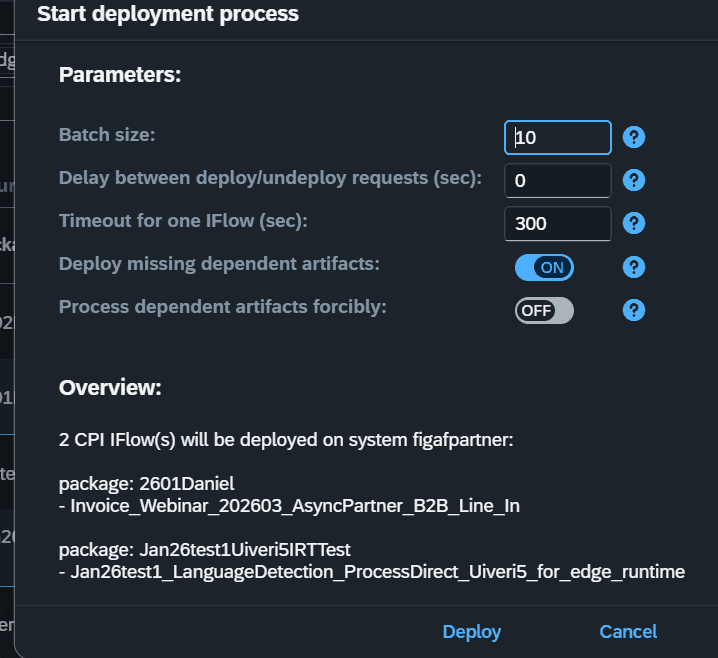
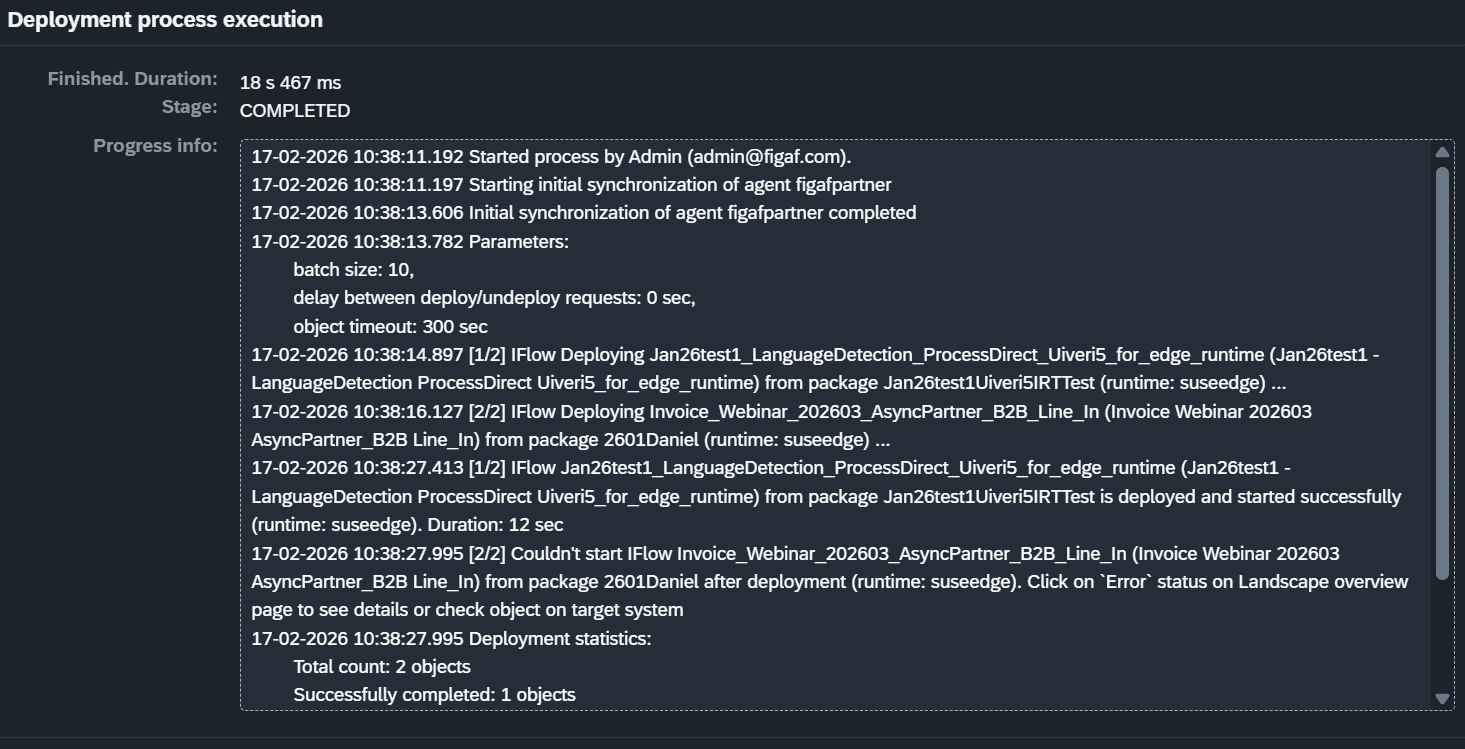
This scales well when you deploy or undeploy many iFlows at a time.
Monitoring
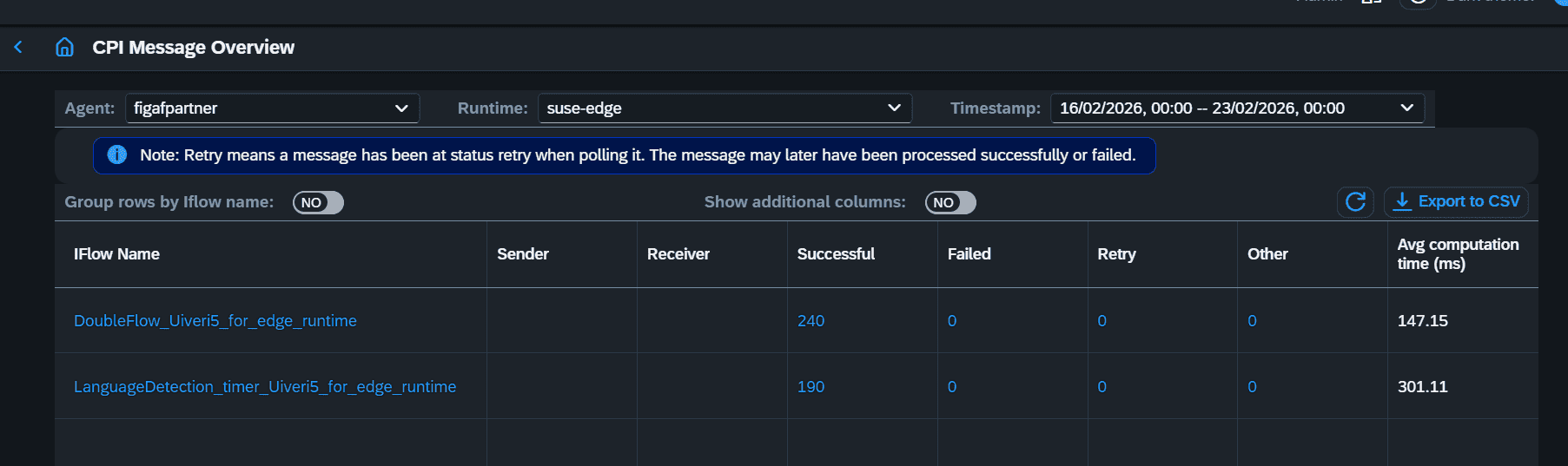
You can see more details about messages that have been processed on edge in an easy format, both in the overview:
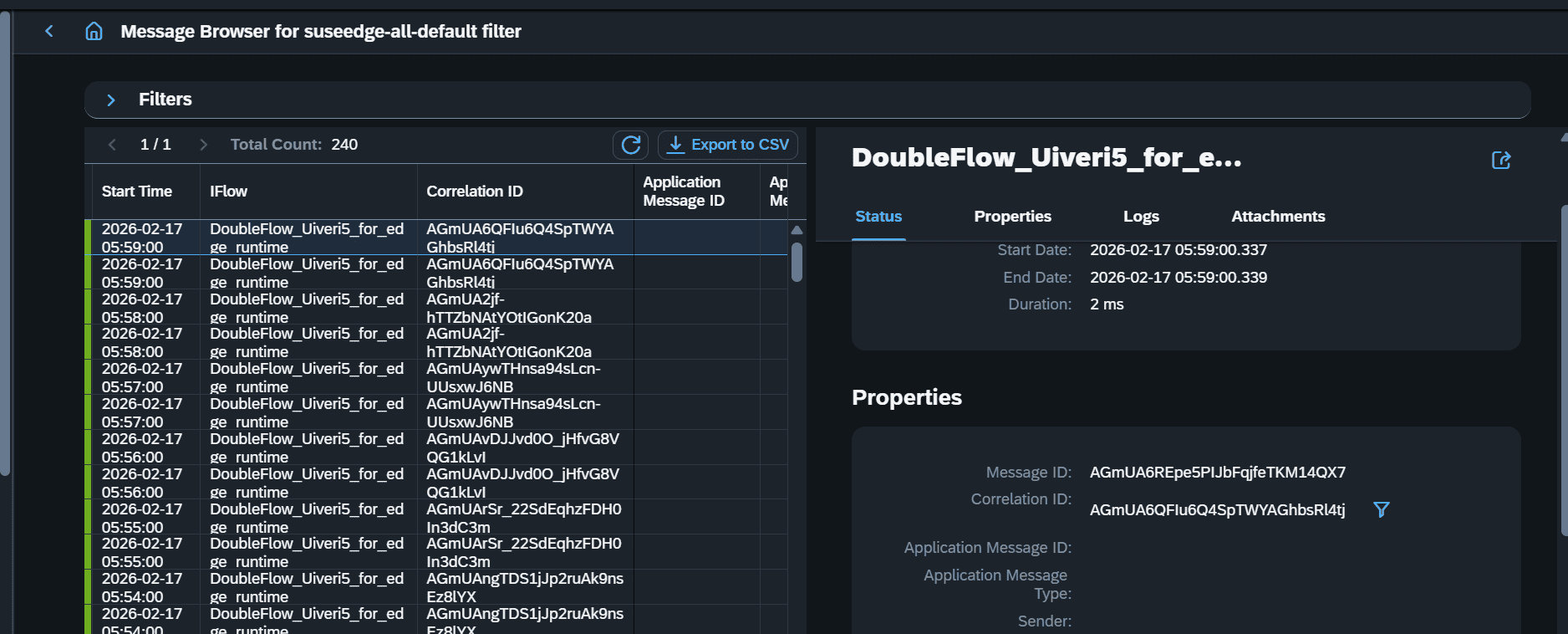
Moreover, you can also dig into details to see more about each message.
Alerting
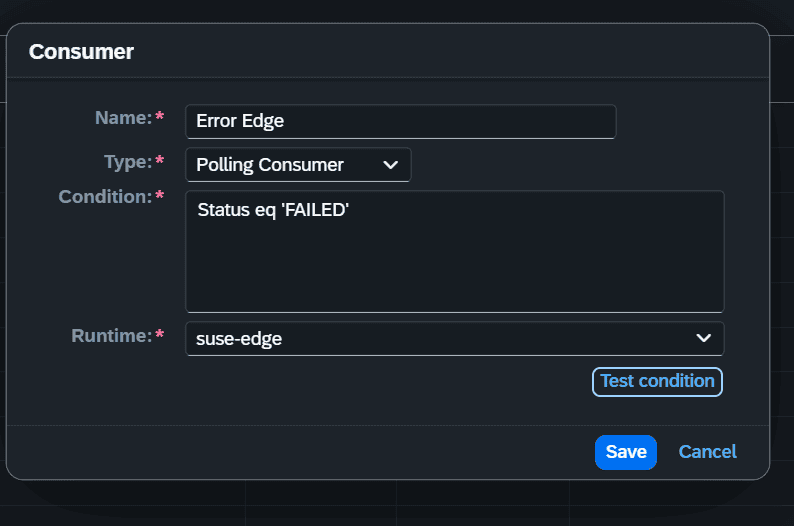
For iFlows that have failed, you can set up rules on how to route a notification. You can create a custom OData filter to find messages that have errors. It could also be your custom processing status.
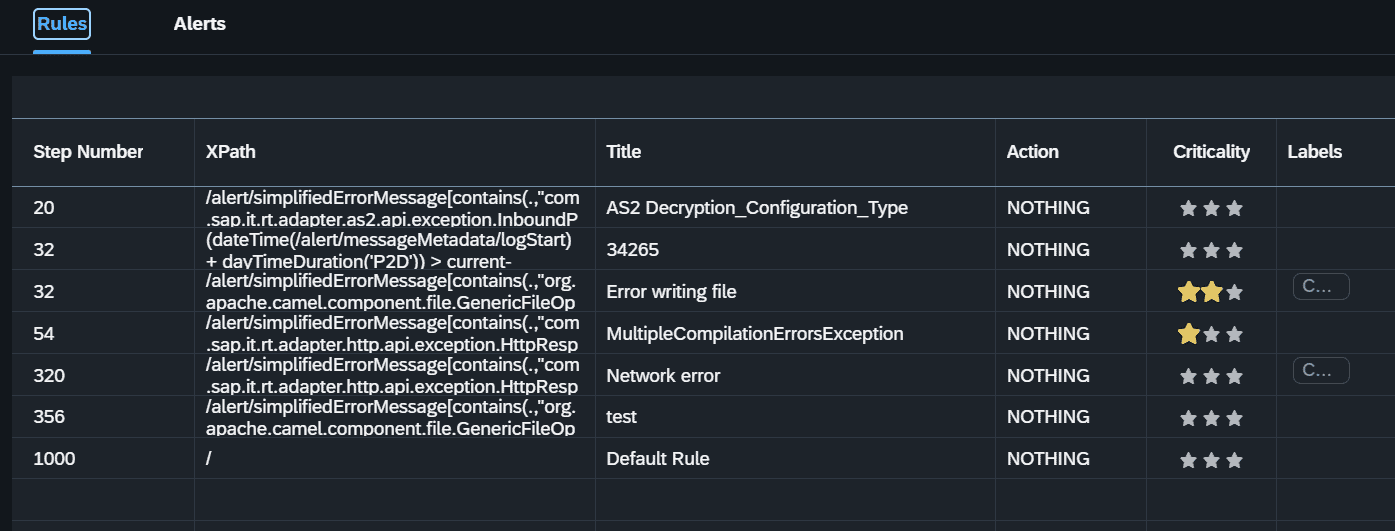
Then you can set up complex XPath conditions to decide how to route the notification. It can be an email or a webhook.
Try Figaf now
You can start a free trial and explore how to use Figaf on your iFlows both in the cloud and on edge. Edge does require a bit more configuration to run.
