Partner Profiles
Partner profiles describe the companies you exchange B2B messages with. This page describes how to create trading partners and their communication partners, and the agreements that connect them to your own company.
To review the channels of a partner you already created, select it and click Manage Communications - see the Manage Communications dialog.
Requirements:
-
All required Agent Systems have been configured (see Agent Configuration to learn how to do that).
Create Trading Partner Profile
Since 2510 version Figaf Tool supports creation of trading partner profiles on Partner Profiles tab on B2B page:
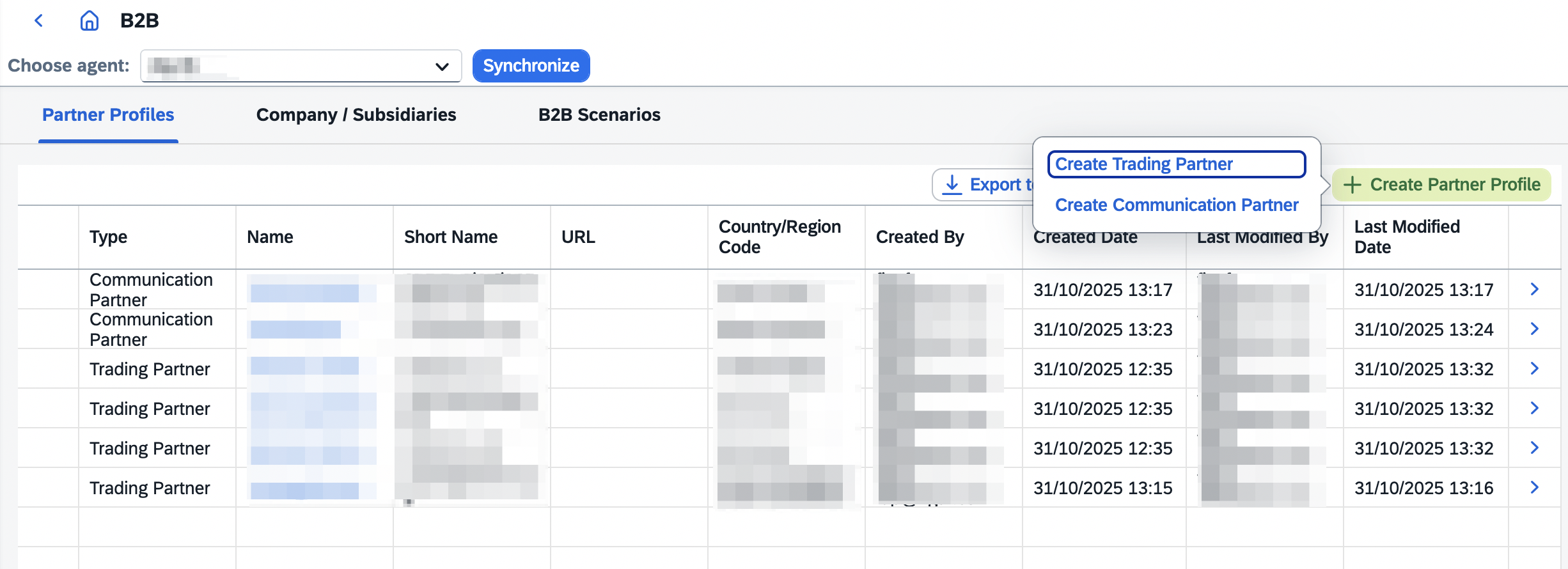
Configure new trading partner profile in the related dialog:
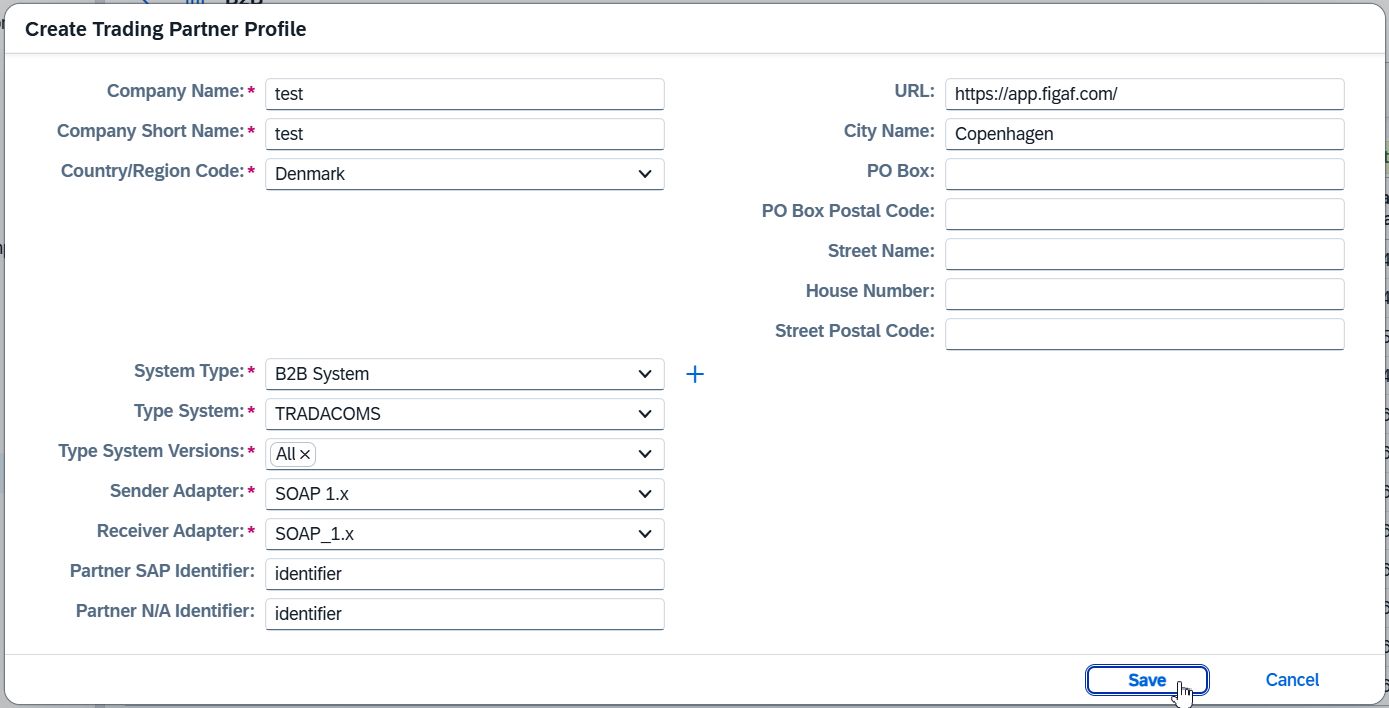
The following options are available in the creation dialog:
-
Type SystemandType System Versions- the type system and its versions used to create the partner’s systems and derive its identifiers.For type systems that allow it in SAP Integration Suite (SAP IDoc, SAP S/4HANA On-Premise SOAP, SAP S/4HANA Cloud SOAP and Custom Messages) a version can be typed in as free text (for example,
750). SAP IDoc keeps the version dropdown together with the free-text field, while the SOAP and Custom Messages type systems (which have no predefined versions) offer free text only. -
Uses Communication Partner- enable this option when the trading partner relies on a Communication Partner for its channels. Only the partner profile basics and identifiers are then created - no systems and no communications - because the Communication Partner owns the channels. TheSystem TypeandType System Versionsfields are hidden in this mode, whileType Systemis still required (the identifiers are derived from it).
|
If there is no required system type, it is possible to create new: 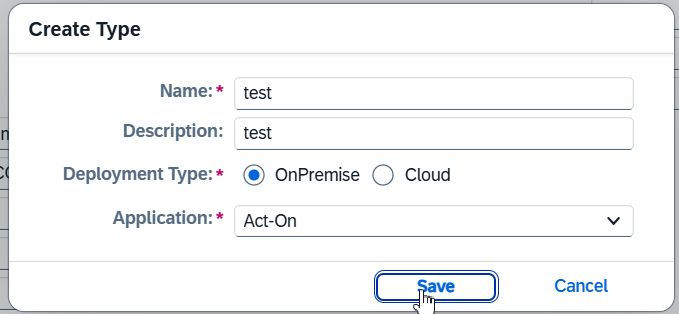
|
Create Communication Partner
Since 2510 version Figaf Tool supports creation of communication partners on Partner Profiles tab on B2B page:
Configure new communication partner profile in the related dialog:
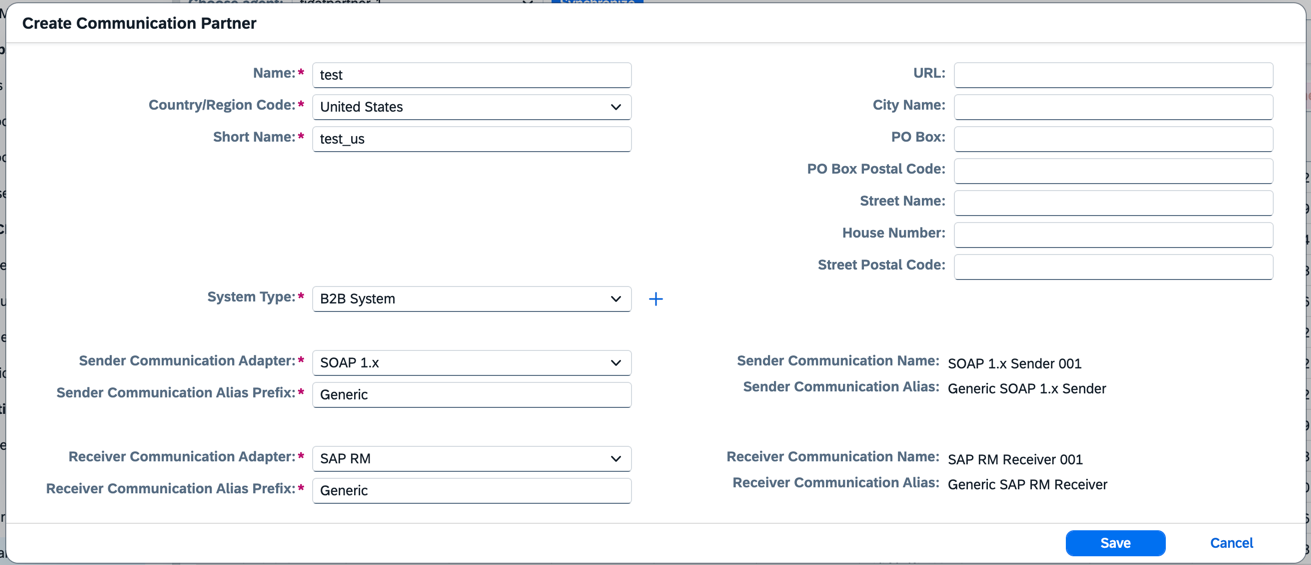
|
If there is no required system type, it is possible to create new:
|
Create Agreement
Since 2603 version Figaf Tool supports creation of agreements on Partner Profiles tab on B2B page.
Configure new agreement in the related dialogs:
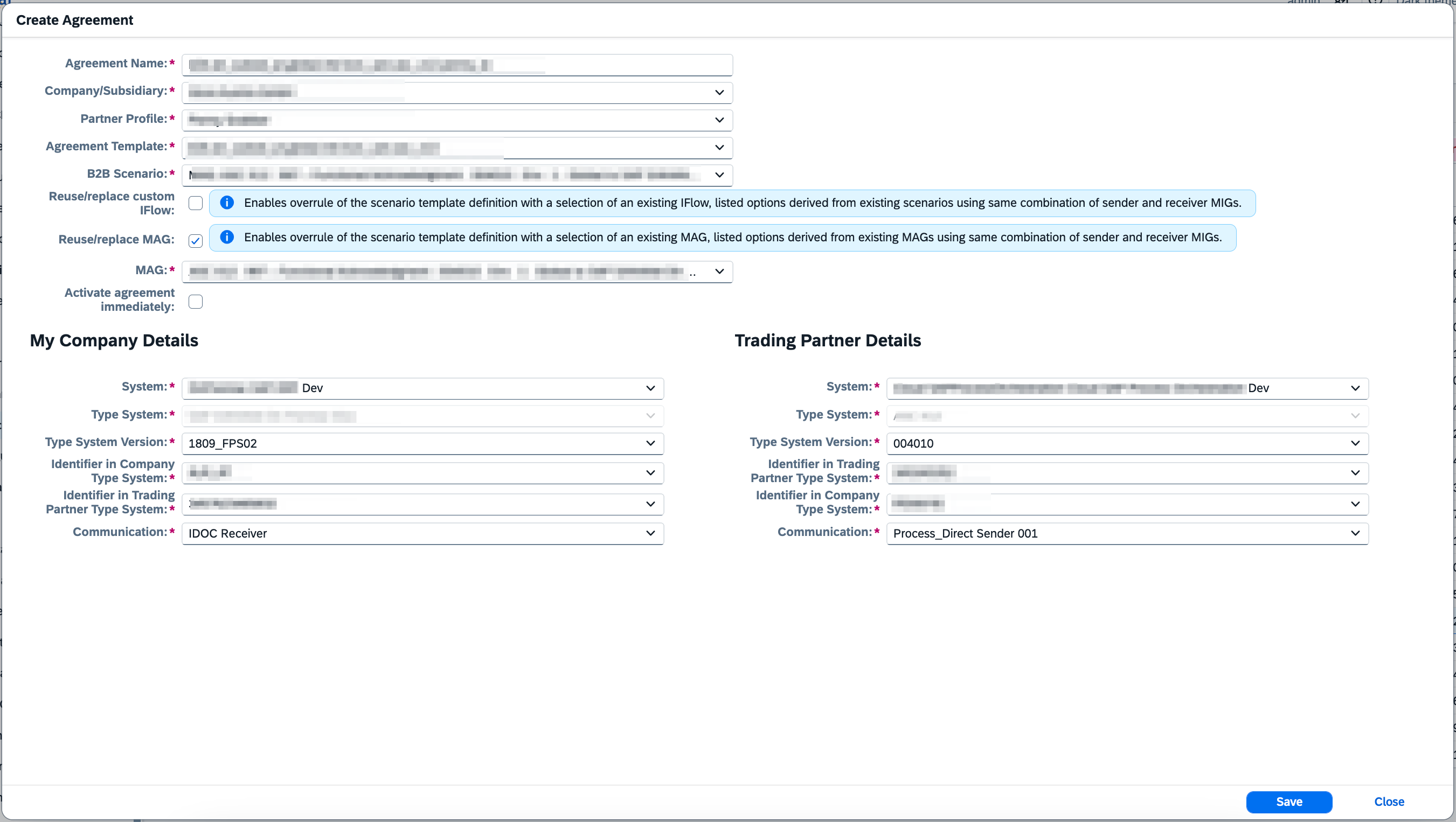
The agreement creation dialog includes the following fields:
-
Company/Subsidiary- select the company or subsidiary. -
Partner Profile- select the trading partner. -
Communication Partner- optionally select a Communication Partner. If selected, theAgreement Templatelist is filtered to only show templates linked to the selected Communication Partner, and partner system/communication data is extracted from the Communication Partner instead of the Trading Partner. If empty, only templates without a Communication Partner specified are shown. -
Agreement Template- select the Agreement Template. Since 2604, the list is limited to active and latest draft versions only, with version number displayed. -
B2B Scenario- select the B2B Scenario. -
My Company DetailsandTrading Partner Details- configure company and partner details includingType SystemandType System Version. -
Reuse/replace MAG - since 2606, configure how the agreement’s mapping is assigned. The dialog provides a MAG selection.
-
Custom flow assignment - since 2605, configure how the agreement’s custom flows are assigned. The dialog provides an IFlow selection and a mode selector for the
Main,PreandPostcustom IFlows. Each custom IFlow slot supports three modes:-
Use Template Assignment- keep the assignment defined in the Agreement Template (no change). -
Reuse / replace existing- use an existing IFlow selected from theSource IFlowdropdown. -
Copy into new- copy the selected source IFlow into a new partner-specific IFlow. The new IFlow is named after the agreement (<Agreement Template>.<Partner>by default, derived from the editableAgreement Name) with.mainflow/.preflow/.postflowpostfixes, and placed in the package determined by the Agreement Template. The copied IFlow is synchronized into Figaf Tool right after the agreement is created, so the B2B Scenario IFlow links resolve.
-
|
Since 2604, |