Groovy and XSLT IDE
Since of 2306 Figaf Tool supports possibility to edit and run Groovy code.
Follow steps to work in Groovy IDE:
-
Enable
Enable IDE to run and upload scriptsoption on related CPI agent configuration page. -
Configure
OpenAI API Key,OpenAI Default ModelandOpenAI Default Temperaturesettings on Application configuration page to enableFigaf Bot. -
Go to tracked object page of Groovy script or XSLT mapping.
-
Click on
 icon to open IDE: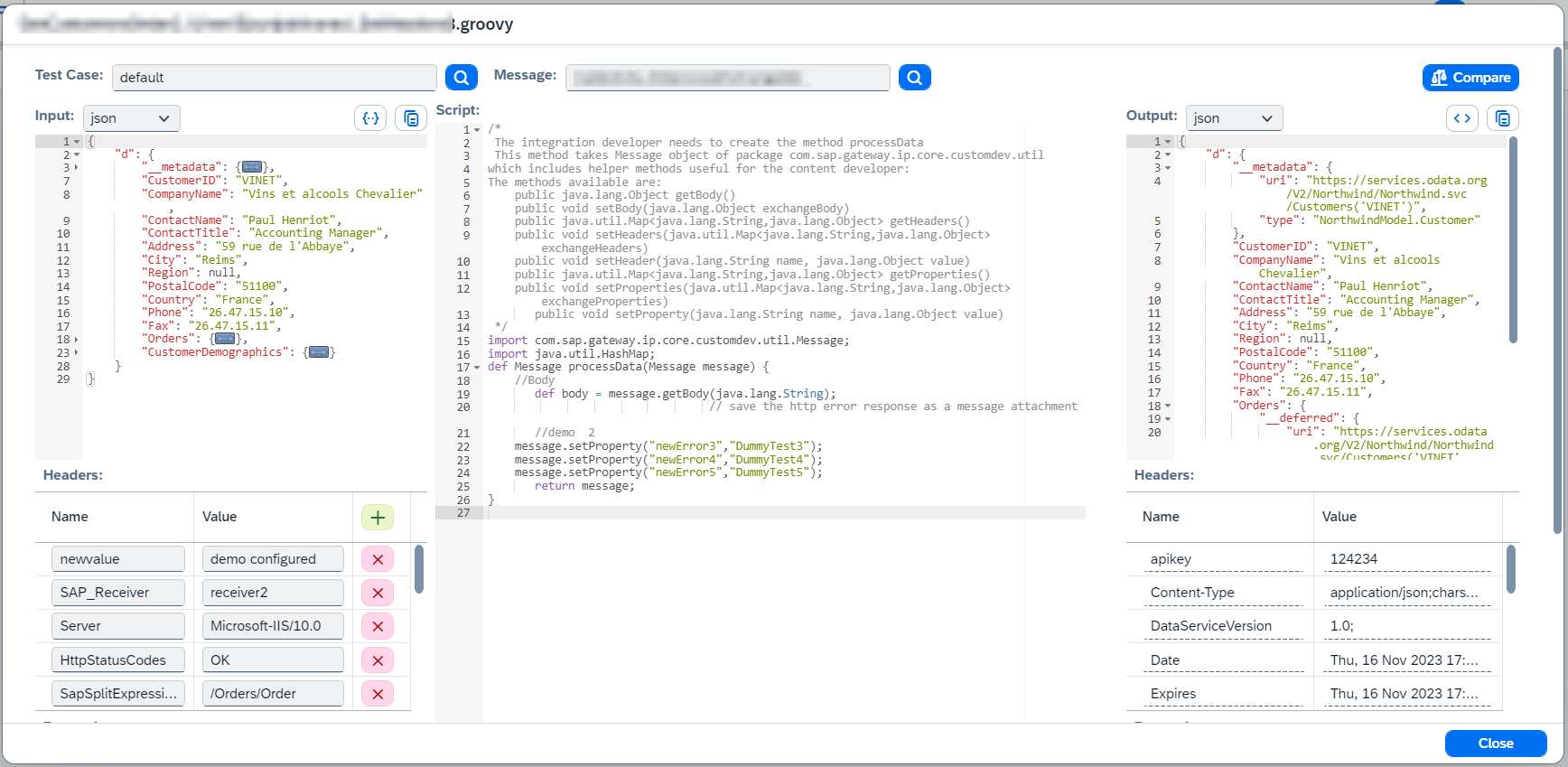
-
Then you can:
-
Groovy script only. Select
Functionfrom script. If it’s needed to refresh functions, click on .
.Figaf Tool supports functions used in message mapping and groovy script step:
-
If function is used in message mapping, it is possible to add test cases with defined
Arguments,Headers,PropertiesAfter running a function, it’s possible to save a test case. -
If it’s a groovy script step, configure
Inputmessage,Headers,Properties.You can select Test CaseandMessage, then input data will be filled automatically.
-
-
Modify
Script.You can get some help from Figaf Botthat triggers Open AIs API. -
XSLT mapping only. Configure
XSLT processing mode:-
Figaf Toolworks fast and uses code in the application. This approach doesn’t support java functions and cpi extensions (like java:new() or cpi:setHeader). -
XSLT Executor IFlowupdates and deploysXSLT_ExecutorIFlow and XSLT is executed in this IFlow. It usually takes around 10 seconds but it provides full XSLT processing support.
-
-
Run script click on
Runbutton.
Result will be shown in right side:
Outputmessage,HeadersandProperties. -
-
If you want to save modified script, click on
Uploadbutton. It will update only a particular script (via public API) of related IFlow.